I roughly understand your requirement: you want one specific IoT device to be excluded from using the VPN, while the other IoT devices (the IoT network group) should use the VPN.
This requirement is similar to the old “not use VPN” policy in v4.8. But it conflicts with the VPN design logic introduced in v4.9, we had to remove this mode.
We have left a backend interface that lets you re-create the “not use VPN” mode via commands.
Please try the following steps:
-
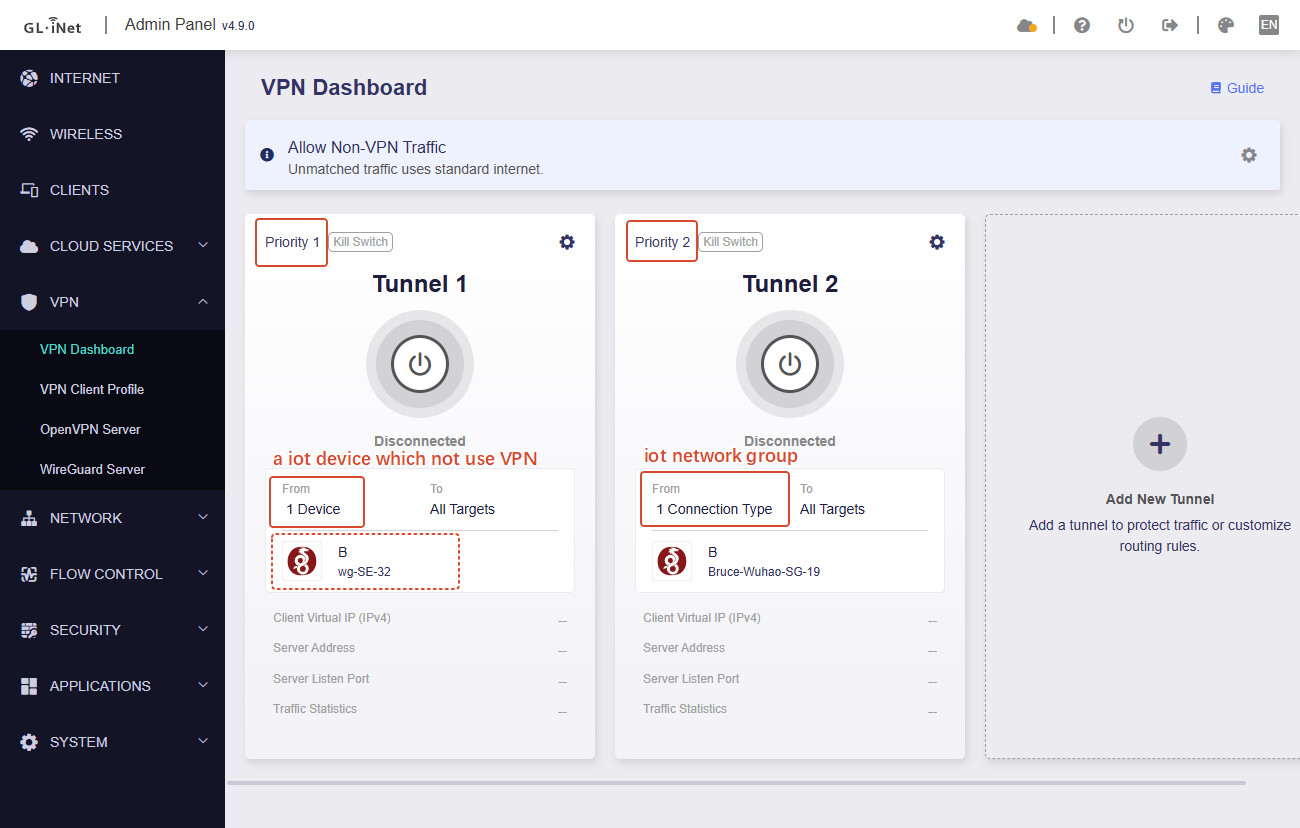
Create a new VPN tunnel in GL GUI, choose any one VPN profile, set "one specific IoT device to be excluded from using the VPN", and priority to 1
-
Create a second VPN tunnel in GL GUI, choose the desired VPN profile, check the IoT network interface, and priority to 2.
After completing steps 1–2, it should look roughly like this:
-
SSH to the router, execute following command to set the VPN tunnel with priority 1 to "not use VPN":
uci set route_policy.@rule[0].via_type=novpn
#rule[0] is the tunnel with priority 1, #rule[1] is the tunnel with priority 2, and so on.
uci commit route_policy
/etc/init.d/vpn-client restart
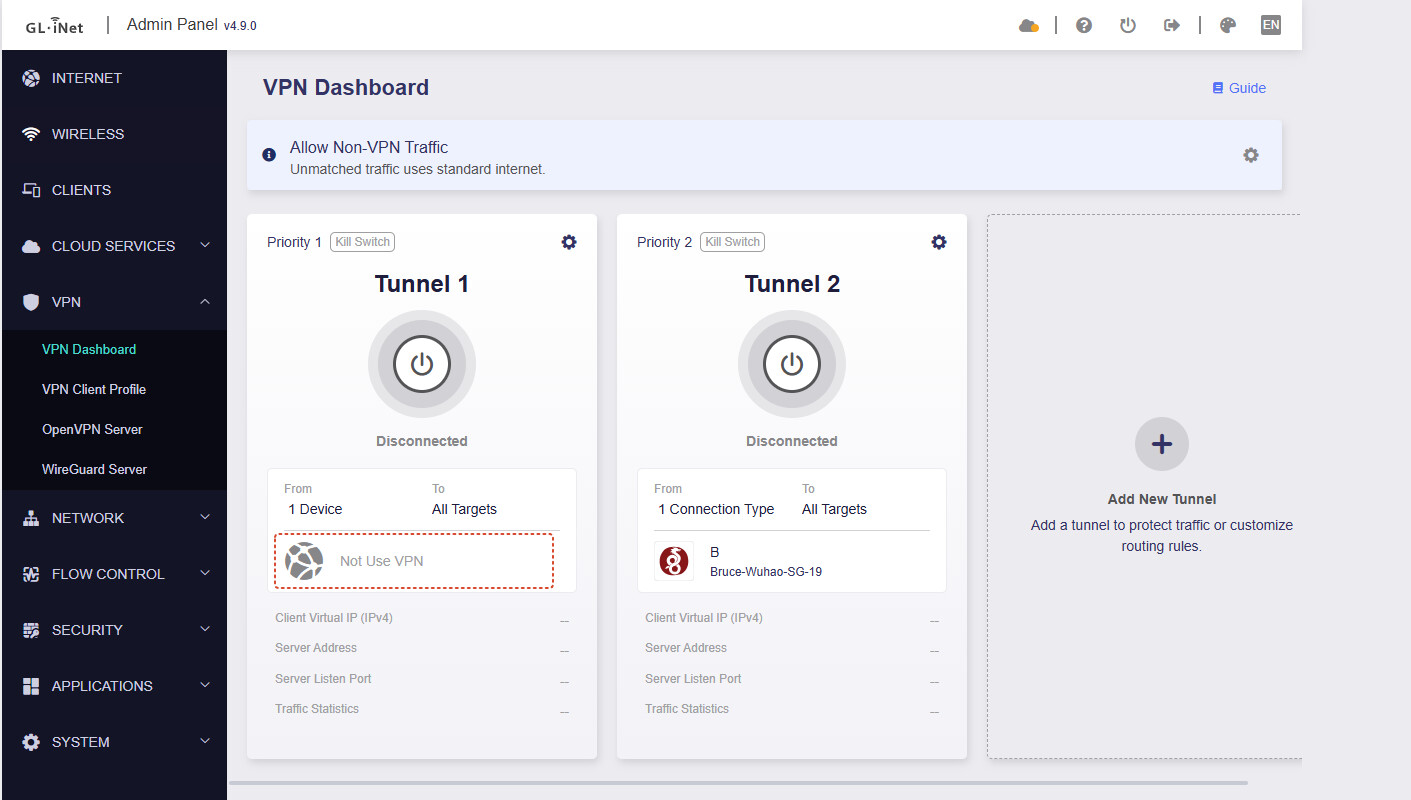
After completing steps 3, it should look roughly like this:
If you see the Priority 1 tunnel change to "not use VPN", means the command execute was successful.
This achieves excluding one specific IoT device from using the VPN while the other IoT devices (the IoT network group) use the VPN.
Note:
- You must first configure the VPN policy in the GL GUI before running any commands over SSH.
- If you have already executed SSH commands and then want to change the policy to “not use VPN,” you have to select any other profile first in policy configuration, to allow you save it, and executed the SSH command to set to "not use VPN" again.