Unfortunately, the example you provided would not work if I have 'Traffic from IoT network' selected to go through VPN tunnel.
In other words, one specified IoT device (say, X) cannot be EXCLUDED from going through the VPN tunnel (i.e. an exception) when the rest of IoT devices is selected for VPN tunnel.
In case you wonder. I can't remove X from IoT network because X shares other considerations (i.e. overlapping) with the rest of IoT network such as QoS, network monitoring and isolation.
The clumsy workaround I can think of in this case would however require Selection for VPN Tunnel by IP addresses (including netmask for easy grouping) by Flint 3 VPN feature. Or better still, placing the code execution of the exception BEFORE that of the IoT group.
If you add it manually in LuCI, the backend configuration is likely missing the ifname field, causing the newly created radio to not work properly.
Sorry, this issue is probably due to a missing parameter passed by OP or LuCI, but not an GL SDK issue.
For the MT6000 with firmware ≤ v4.8, you can add radio using the following command:
# /etc/config/network
uci add network device # =cfg1b0f15
uci set network.@device[-1].type='bridge'
uci set network.@device[-1].name='br-iot'
uci set network.iot=interface
uci set network.iot.proto='static'
uci set network.iot.device='br-iot'
uci set network.iot.ipaddr='192.168.11.1'
uci set network.iot.netmask='255.255.255.0'

uci add network device # =cfg1e0f15
uci set network.@device[-1].type='bridge'
uci set network.@device[-1].name='br-custom'
uci set network.custom=interface
uci set network.custom.proto='static'
uci set network.custom.device='br-custom'
uci set network.custom.ipaddr='192.168.12.1'
uci set network.custom.netmask='255.255.255.0'

# /etc/config/dhcp
uci set dhcp.iot=dhcp
uci set dhcp.iot.interface='iot'
uci set dhcp.iot.start='100'
uci set dhcp.iot.limit='150'
uci set dhcp.iot.leasetime='12h'
uci add_list dhcp.iot.ra_flags='none'

uci set dhcp.custom=dhcp
uci set dhcp.custom.interface='custom'
uci set dhcp.custom.start='100'
uci set dhcp.custom.limit='150'
uci set dhcp.custom.leasetime='12h'
uci add_list dhcp.custom.ra_flags='none'

# /etc/config/firewall
uci add firewall zone # =cfg26dc81
uci set firewall.@zone[-1].name='iot'
uci set firewall.@zone[-1].input='REJECT'
uci set firewall.@zone[-1].output='ACCEPT'
uci set firewall.@zone[-1].forward='REJECT'
uci add_list firewall.@zone[-1].network='iot'
uci add firewall forwarding # =cfg27ad58
uci set firewall.@forwarding[-1].src='iot'
uci set firewall.@forwarding[-1].dest='wan'

uci add firewall zone # =cfg27dc81
uci set firewall.@zone[-1].name='custom'
uci set firewall.@zone[-1].input='REJECT'
uci set firewall.@zone[-1].output='ACCEPT'
uci set firewall.@zone[-1].forward='REJECT'
uci add_list firewall.@zone[-1].network='custom'
uci add firewall forwarding # =cfg27ad58
uci set firewall.@forwarding[-1].src='custom'
uci set firewall.@forwarding[-1].dest='wan'

uci set firewall.iot_drop_leaked_dns=rule
uci set firewall.iot_drop_leaked_dns.name='iot_drop_leaked_dns'
uci set firewall.iot_drop_leaked_dns.src='iot'
uci set firewall.iot_drop_leaked_dns.proto='udp'
uci set firewall.iot_drop_leaked_dns.dest_port='53'
uci set firewall.iot_drop_leaked_dns.mark='!0x8000/0xf000'
uci set firewall.iot_drop_leaked_dns.target='DROP'
uci set firewall.iot_drop_leaked_dns.enabled='1'
uci set firewall.iot_drop_leak_adgdns=rule
uci set firewall.iot_drop_leak_adgdns.name='iot_drop_leak_adgdns'
uci set firewall.iot_drop_leak_adgdns.src='iot'
uci set firewall.iot_drop_leak_adgdns.proto='udp'
uci set firewall.iot_drop_leak_adgdns.dest_port='3053'
uci set firewall.iot_drop_leak_adgdns.mark='0x0/0xf000'
uci set firewall.iot_drop_leak_adgdns.target='DROP'
uci set firewall.iot_drop_leak_adgdns.enabled='1'
uci set firewall.custom_drop_leaked_dns=rule
uci set firewall.custom_drop_leaked_dns.name='custom_drop_leaked_dns'
uci set firewall.custom_drop_leaked_dns.src='custom'
uci set firewall.custom_drop_leaked_dns.proto='udp'
uci set firewall.custom_drop_leaked_dns.dest_port='53'
uci set firewall.custom_drop_leaked_dns.mark='!0x8000/0xf000'
uci set firewall.custom_drop_leaked_dns.target='DROP'
uci set firewall.custom_drop_leaked_dns.enabled='1'
uci set firewall.custom_drop_leak_adgdns=rule
uci set firewall.custom_drop_leak_adgdns.name='custom_drop_leak_adgdns'
uci set firewall.custom_drop_leak_adgdns.src='custom'
uci set firewall.custom_drop_leak_adgdns.proto='udp'
uci set firewall.custom_drop_leak_adgdns.dest_port='3053'
uci set firewall.custom_drop_leak_adgdns.mark='0x0/0xf000'
uci set firewall.custom_drop_leak_adgdns.target='DROP'
uci set firewall.custom_drop_leak_adgdns.enabled='1'

uci add firewall rule # =cfg2b92bd
uci set firewall.@rule[-1].name='Allow-DHCP-iot'
uci add_list firewall.@rule[-1].proto='udp'
uci set firewall.@rule[-1].src='iot'
uci set firewall.@rule[-1].dest_port='67-68'
uci set firewall.@rule[-1].target='ACCEPT'
uci add firewall rule # =cfg2c92bd
uci set firewall.@rule[-1].name='Allow-DHCP-custom'
uci add_list firewall.@rule[-1].proto='udp'
uci set firewall.@rule[-1].src='custom'
uci set firewall.@rule[-1].dest_port='67-68'
uci set firewall.@rule[-1].target='ACCEPT'
uci add firewall rule # =cfg2d92bd
uci set firewall.@rule[-1].name='Allow-DNS-iot'
uci set firewall.@rule[-1].src='iot'
uci set firewall.@rule[-1].dest_port='53'
uci set firewall.@rule[-1].target='ACCEPT'
uci add firewall rule # =cfg2e92bd
uci set firewall.@rule[-1].name='Allow-DNS-custom'
uci set firewall.@rule[-1].src='custom'
uci set firewall.@rule[-1].dest_port='53'
uci set firewall.@rule[-1].target='ACCEPT'

# /etc/config/wireless
uci del wireless.mt798612.disabled
uci set wireless.wifinet4=wifi-iface
uci set wireless.wifinet4.device='mt798612'
uci set wireless.wifinet4.mode='ap'
uci set wireless.wifinet4.ssid='GL Router-IoT-5G'
uci set wireless.wifinet4.encryption='psk2'
uci set wireless.wifinet4.key='goodlife'
uci set wireless.wifinet4.network='iot'
uci set wireless.wifinet4.ifname='rax2'

uci del wireless.mt798611.disabled
uci set wireless.wifinet5=wifi-iface
uci set wireless.wifinet5.device='mt798611'
uci set wireless.wifinet5.mode='ap'
uci set wireless.wifinet5.ssid='GL Router-IoT-2.4G'
uci set wireless.wifinet5.encryption='psk2'
uci set wireless.wifinet5.key='goodlife'
uci set wireless.wifinet5.network='iot'
uci set wireless.wifinet5.ifname='ra2'

uci set wireless.wifinet6=wifi-iface
uci set wireless.wifinet6.device='mt798611'
uci set wireless.wifinet6.mode='ap'
uci set wireless.wifinet6.ssid='GL Router-Custom-2.4G'
uci set wireless.wifinet6.encryption='psk2'
uci set wireless.wifinet6.key='goodlife'
uci set wireless.wifinet6.network='custom'
uci set wireless.wifinet6.ifname='ra3'

uci set wireless.wifinet7=wifi-iface
uci set wireless.wifinet7.device='mt798612'
uci set wireless.wifinet7.mode='ap'
uci set wireless.wifinet7.ssid='GL Router-Custom-5G'
uci set wireless.wifinet7.encryption='psk2'
uci set wireless.wifinet7.key='goodlife'
uci set wireless.wifinet7.network='custom'
uci set wireless.wifinet7.ifname='rax3'

uci commit
reboot
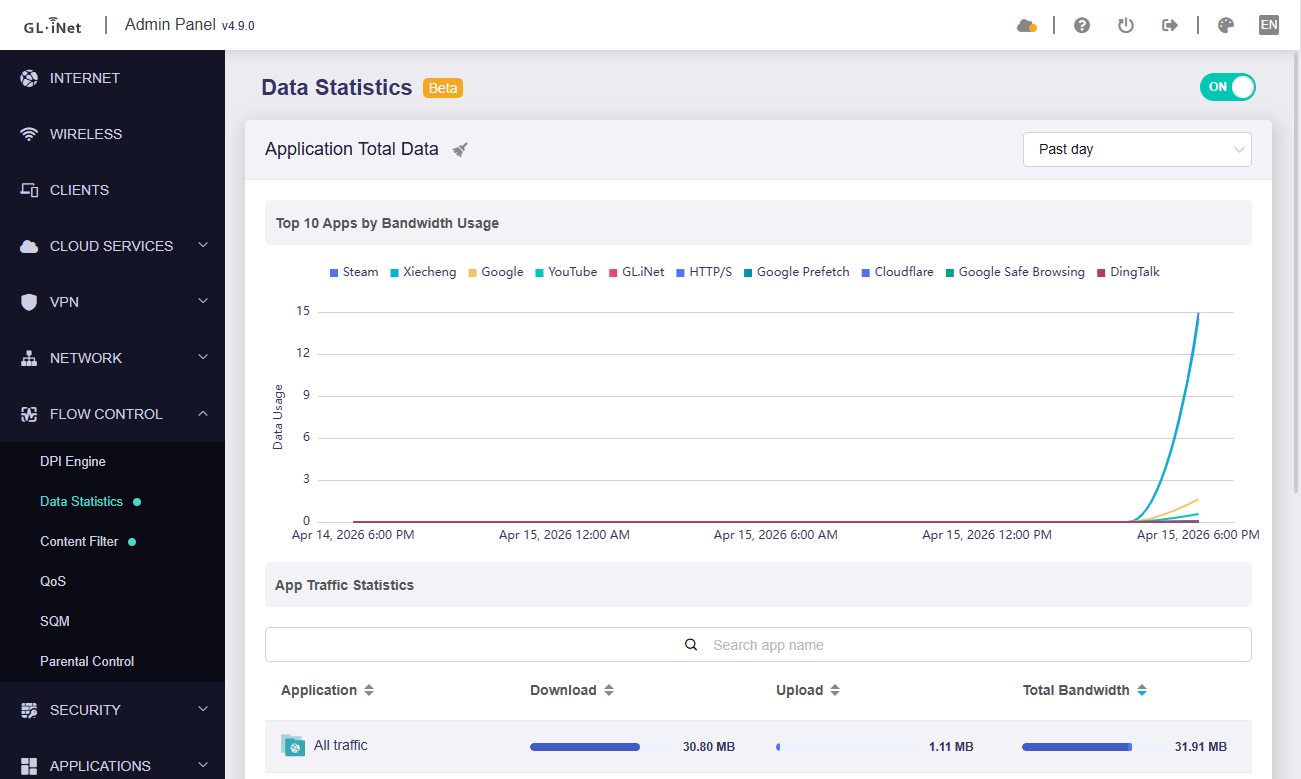
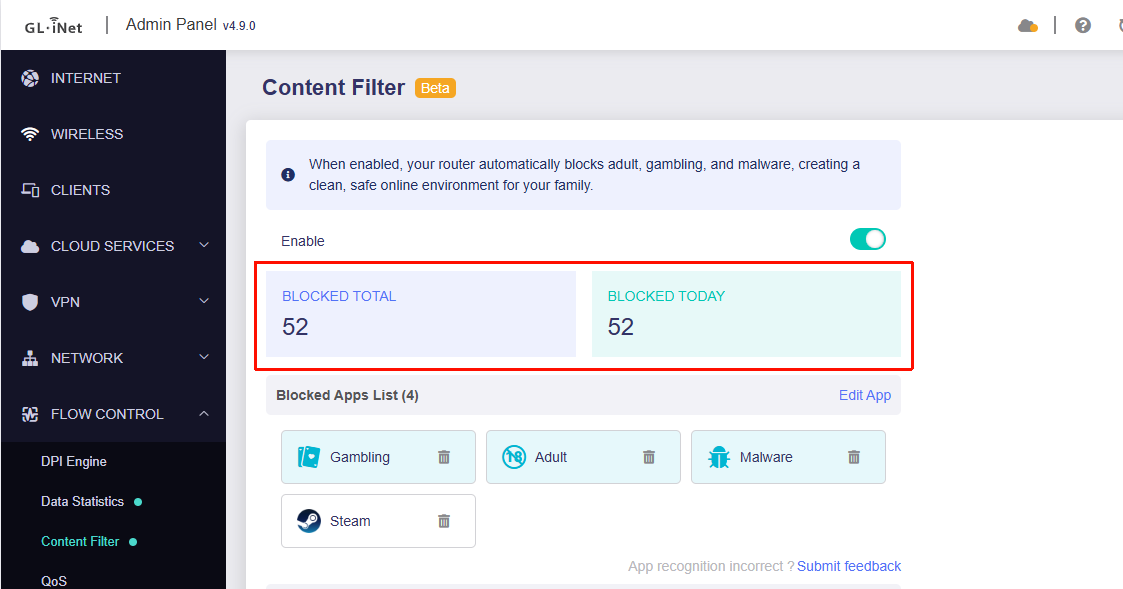
Another thing that doesn't seem to be working is the ‘DPI features’, but that might be normal given that it's a beta
The client device connects to AmneziaWG but can't access the internet; I don't understand why..
Even with WireGuard, I always get the error `DNS_PROBE_STARTED` first, followed by `DNS_PROBE_FINISHED_BAD_CONFIG`
Other issue: although the MLO WiFi is active, it cannot be accessed by devices
Important: I resolved all my issues by disabling AdGuard Home and entering AdGuard’s private DNS directly into my router’s DNS settings.
I’m not sure exactly what’s wrong with this version 4.9.0 of the firmware when used with AdGuard Home, given that I had the same version of AdGuard Home with the same settings in version 4.8.4 and everything worked fine then.
After installing this version (beta 4.9.0) - my laptop with a QCNCM865 WiFi7 card and the Oppo Find X9 pro smartphone stopped seeing the MLO network, which was configured on Flint 3.
With the previous stable FW version, 4.8.4, everything was fine.
Thanks for code, but i dont use op21 anymore, op21 is obsolete and you should focus on op25 or at least op24 for the flint 2. The wireless driver is absolutely fine and has enough coverage.
To be honest, I’ve criticized the FLINT 3 before, but the truth is that it is working very well now, and I’m really happy with how much it has improved. MLO is working for the first time, and I can see much more activity on the network. I’m honestly very satisfied and pleased with the updates. I hope you keep it up. Thank you very much.
I roughly understand your requirement: you want one specific IoT device to be excluded from using the VPN, while the other IoT devices (the IoT network group) should use the VPN.
This requirement is similar to the old “not use VPN” policy in v4.8. But it conflicts with the VPN design logic introduced in v4.9, we had to remove this mode.
We have left a backend interface that lets you re-create the “not use VPN” mode via commands.
Please try the following steps:
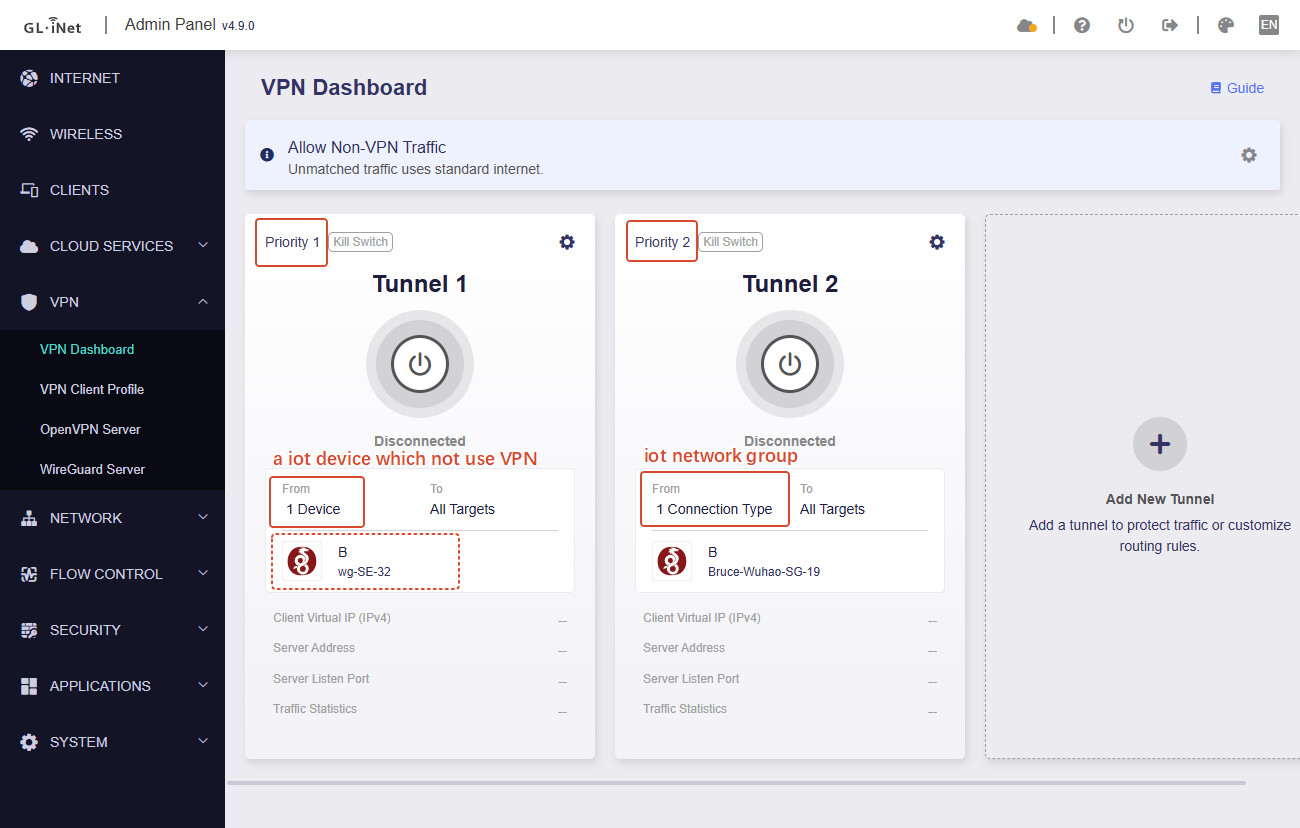
Create a new VPN tunnel in GL GUI, choose any one VPN profile, set "one specific IoT device to be excluded from using the VPN", and priority to 1
Create a second VPN tunnel in GL GUI, choose the desired VPN profile, check the IoT network interface, and priority to 2.
After completing steps 1–2, it should look roughly like this:
SSH to the router, execute following command to set the VPN tunnel with priority 1 to "not use VPN":
uci set route_policy.@rule[0].via_type=novpn
#rule[0] is the tunnel with priority 1, #rule[1] is the tunnel with priority 2, and so on.
uci commit route_policy
/etc/init.d/vpn-client restart
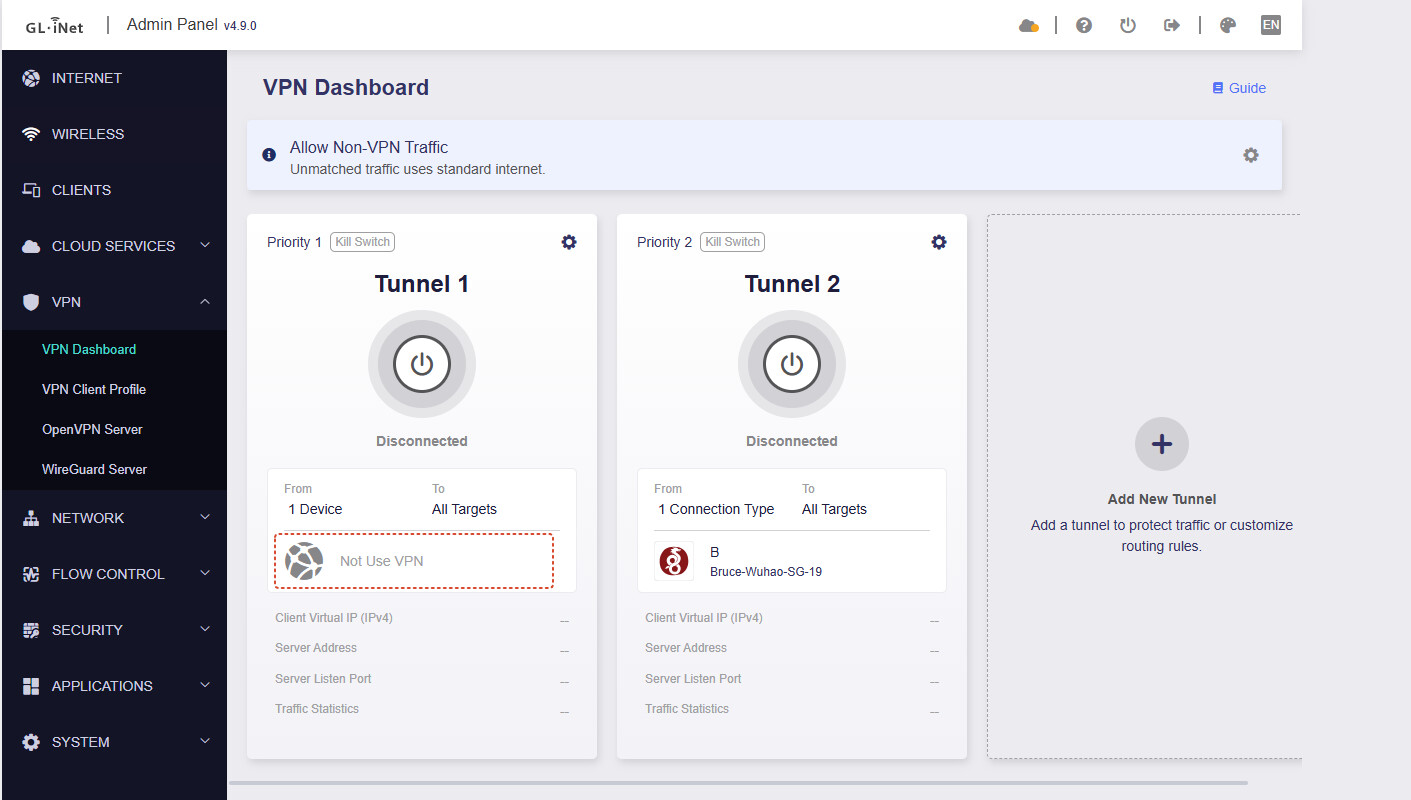
After completing steps 3, it should look roughly like this:
If you see the Priority 1 tunnel change to "not use VPN", means the command execute was successful.
This achieves excluding one specific IoT device from using the VPN while the other IoT devices (the IoT network group) use the VPN.
Note:
You must first configure the VPN policy in the GL GUI before running any commands over SSH.
If you have already executed SSH commands and then want to change the policy to “not use VPN,” you have to select any other profile first in policy configuration, to allow you save it, and executed the SSH command to set to "not use VPN" again.
with what device? that’s not true on flint 2, I have at least 9-10 dbi difference on wifi signal.
if you use the router on a big house this made a noticeable difference, so please GL.iNet continue to provide op21 stable firmware (and op24/25 for those who really want use it).
I just tried the new beta 2 (2026-04-14) and MLO now is showing up properly at boot but it's still broken: for example, disabling 6Ghz on MLO has no effect, my devices are still showing as connected to 6Ghz with 5764 Mbps max speed when connectiong to MLO.
Bruce, I’m glad this has raised, as this is surely going to cause issues for others concerning removal of the ability to easily exclude devices from VPN ‘on the fly’.
For one example, I often have to exclude certain devices from the VPN where a particular website does not work, complete the task, then re-add the device back into the VPN. It literally takes seconds to do…. Unless I’m mistaken, we now need to set up tunnel groups for each network to do this and run scripts?
How does this work in practice when you quickly need to move devices out of, then back into a VPN? Does this mean that once the VPN tunnels have been created in your example that devices can easily be added and excluded from those VPN tunnels like in V4.8.*? And I assume that if we have 3 networks and need to periodically exclude individual items from any of the groups that we would have to create 6 VPN tunnels, each with a Priority 1 and Priority 2 to do this? Or is this just in the case of ‘netcruizer’s’ specific requirements?
In 4.8.3 is was much simpler and you could just exclude an individual device regardless of the network the device was in. It was very quick to do, ideal when you just needed to temporarily exclude a device.
Can you please clarify, as I’d consider this a backward step for users having to run scripts to get back this basic functionality to be honest and it’s not something the non-techies are going to want to have to do just to get this functionality back.
Obviously until v4.90 is available to Flint 2 users, we can’t determine the impact of this, but it is concerning.
You may want to refer to our configuration and check your setup accordingly.
Regarding the issue where Automatic Update Check is not working:
We currently no longer push beta versions, even if Automatic Update Check is enabled.
Thank you for your suggestion—we’ll discuss it with our product team.
Thank you for reporting the issue with the Italian translation.
We have reproduced the issue and will ask the team to investigate it further.
Regarding the DNS resolution issues caused by using Adguard Home alongside a VPN Client on our devices, we will resolve this in a future update.
For now, please enable Adguard Home before activating the VPN client.
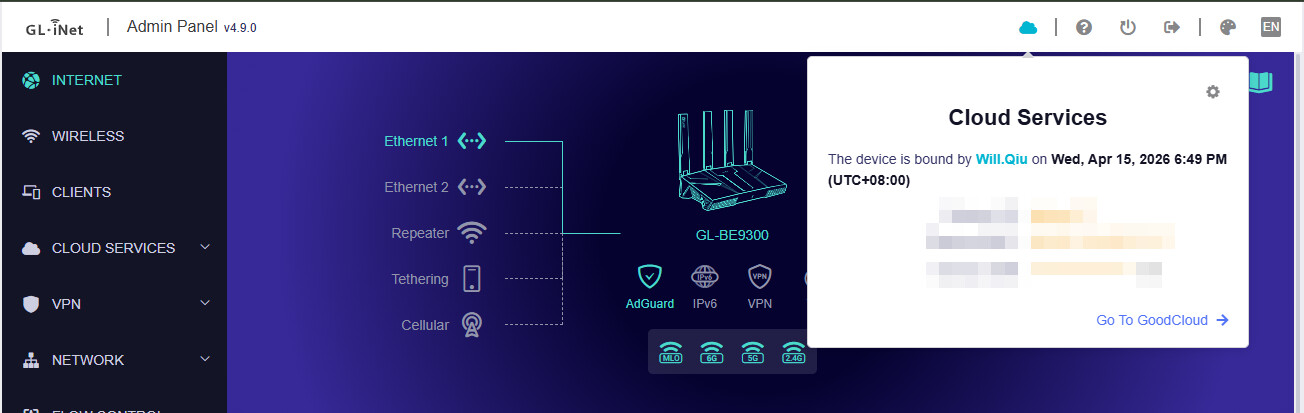
Regarding the DPI and GoodCloud issue, could you provide some details so we can better understand what happened?
We tested it locally using Flint 3 + v4.9.0 beta2, and they appear to work normally.
Thanks for the feedback.
The MLO issue has been submitted, and the R&D team is investigating.
The issues solved in beta2 do not include MLO, and they are still working on it.
If a v4.8 tunnel was configured with the "not use VPN" mode, preserving the configuration during the upgrade will make that tunnel visible in v4.9.
If you create a new tunnel in v4.9, you will not see the "not use VPN" mode as an option.
I’ve already explained that this mode conflicts with the new VPN configuration creation logic in v4.9.
As long as the configuration is completed, keeping settings during upgrade will not lose this.
We’ll think about whether there’s any way to allow changing the From or To of a "not use VPN" tunnel without checking profile availability (Meanwhile "Use"), so a user can save the change without having to SSH to router and run commands again.
That’s also why I haven’t published that tutorial in forum Knowledge Base article yet — let’s evaluate if this to optimize further.
It is still possible to route all traffic from specific divices/all devices etc. through a specific VPN but at the same time a specific list of IPs/domains through another VPN or no VPN with the new Strict Group Isolation?
Appreciate the reply Bruce, but it’s as clear as mud.
I think you are saying that in 4.8.3, if you have any devices excluded from a VPN, that this configuration will somehow be preserved after the upgrade as long as the router configuration is saved in LuCI, but the new version will not show this as an option?
This still does not help if one needs to quickly move devices into and out of a VPN tunnel quickly to achieve goals. This is not going to be helpful if it is going to involve complicated configuration each time one needs to do this. No good to me sorry. These are marketed as ‘Home’ routers not for ‘Enterprise’ but it seems that this whole VPN change has become far to complicated to manage for the average person.
That’s annoyed me now as I’ve been waiting for the ‘out of the box’ IoT network promised in V4.9 for Flint 2 on stock firmware, but this has now ruined the VPN operation go[ng forward.