Hello,
I'm currently running Flint 2 firmware 4.8.3 with an Xfinity XB8 in bridge mode, and I have IPv6 set to Native mode. Is firmware 4.9.1 compatible with this setup, especially regarding IPv6?
My Setup
Network Configuration & Hardware
-
ISP: Comcast/Xfinity
-
Cable Gateway/Modem: Xfinity XB8
-
XB8 Configuration: Bridge Mode
-
Connection: Coax → XB8 → Ethernet
-
XB8 Ethernet Port: 2.5GbE port
-
Core Router: GL.iNet Flint 2 (GL-MT6000)
-
Flint 2 WAN: 2.5GbE
-
Flint 2 Firmware: GL.iNet v4.8.3 Stable
-
WAN IP: Public IPv4 address assigned by Comcast/Xfinity
WAN & Internet
DOCSIS
- DOCSIS Version: Unknown / not yet verified
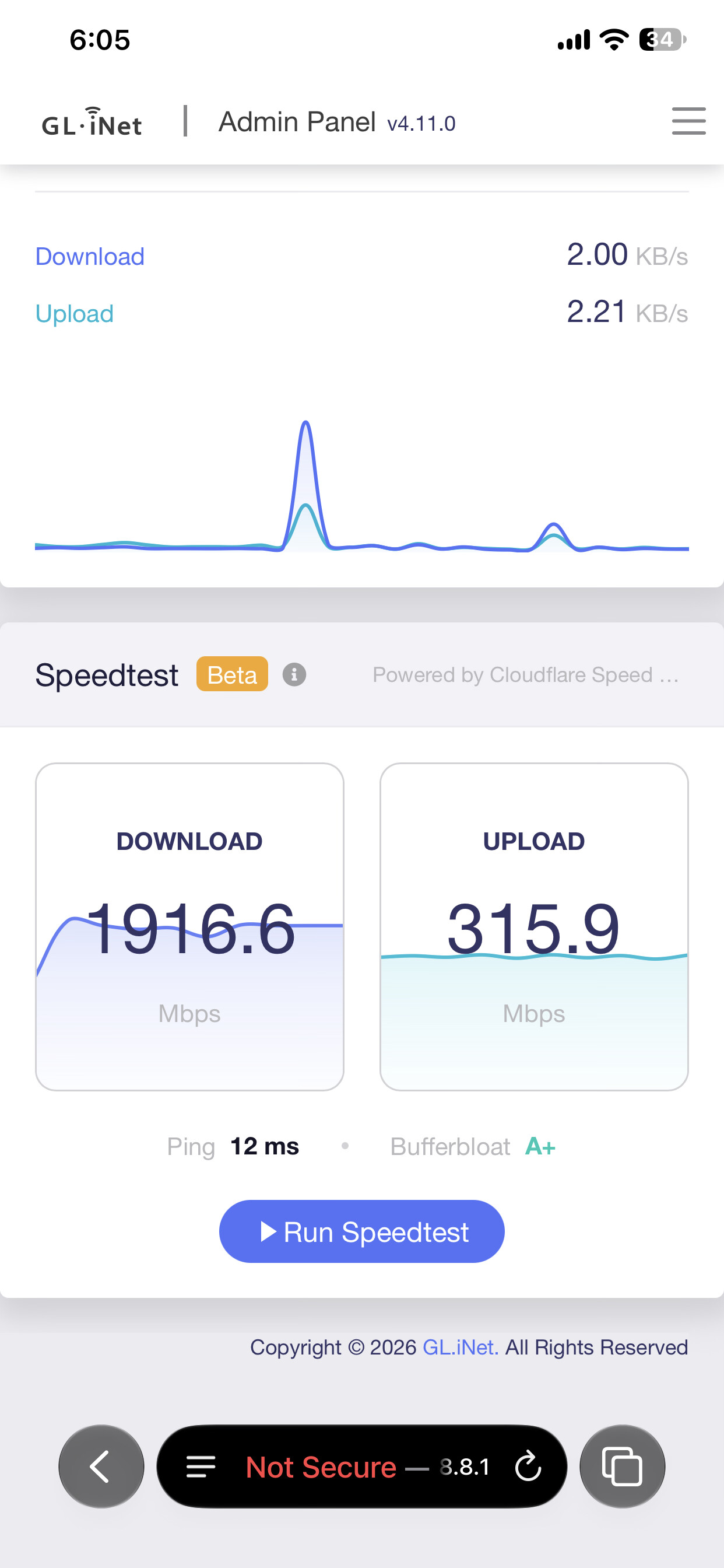
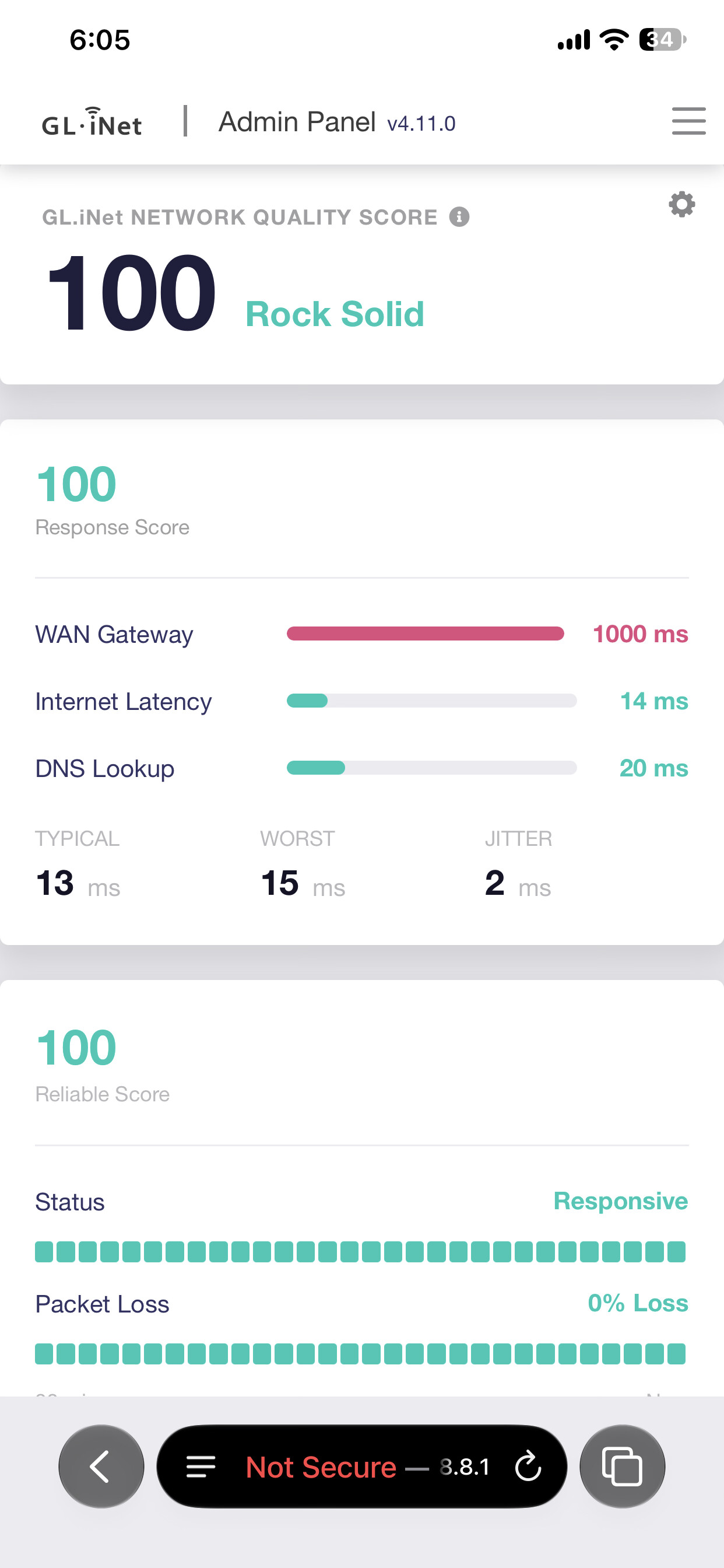
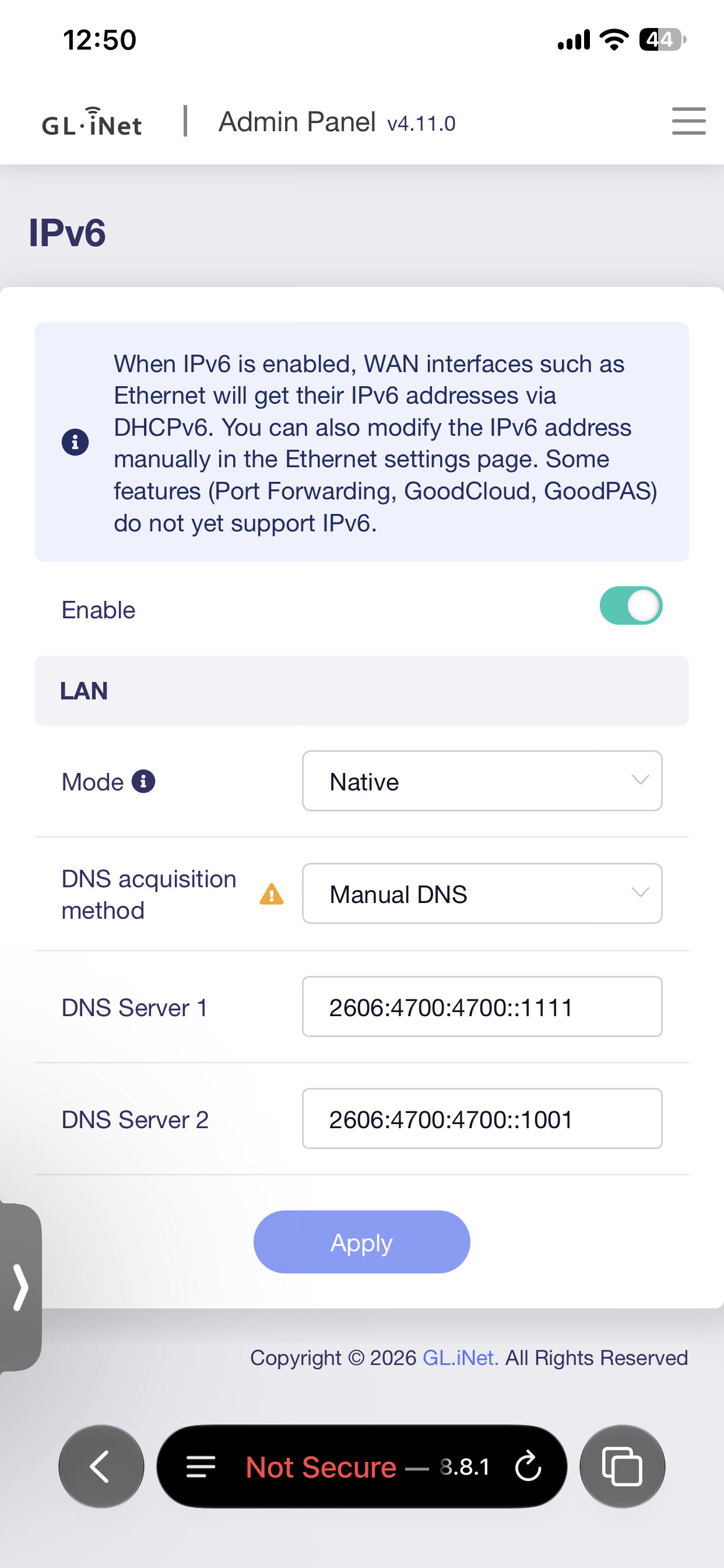
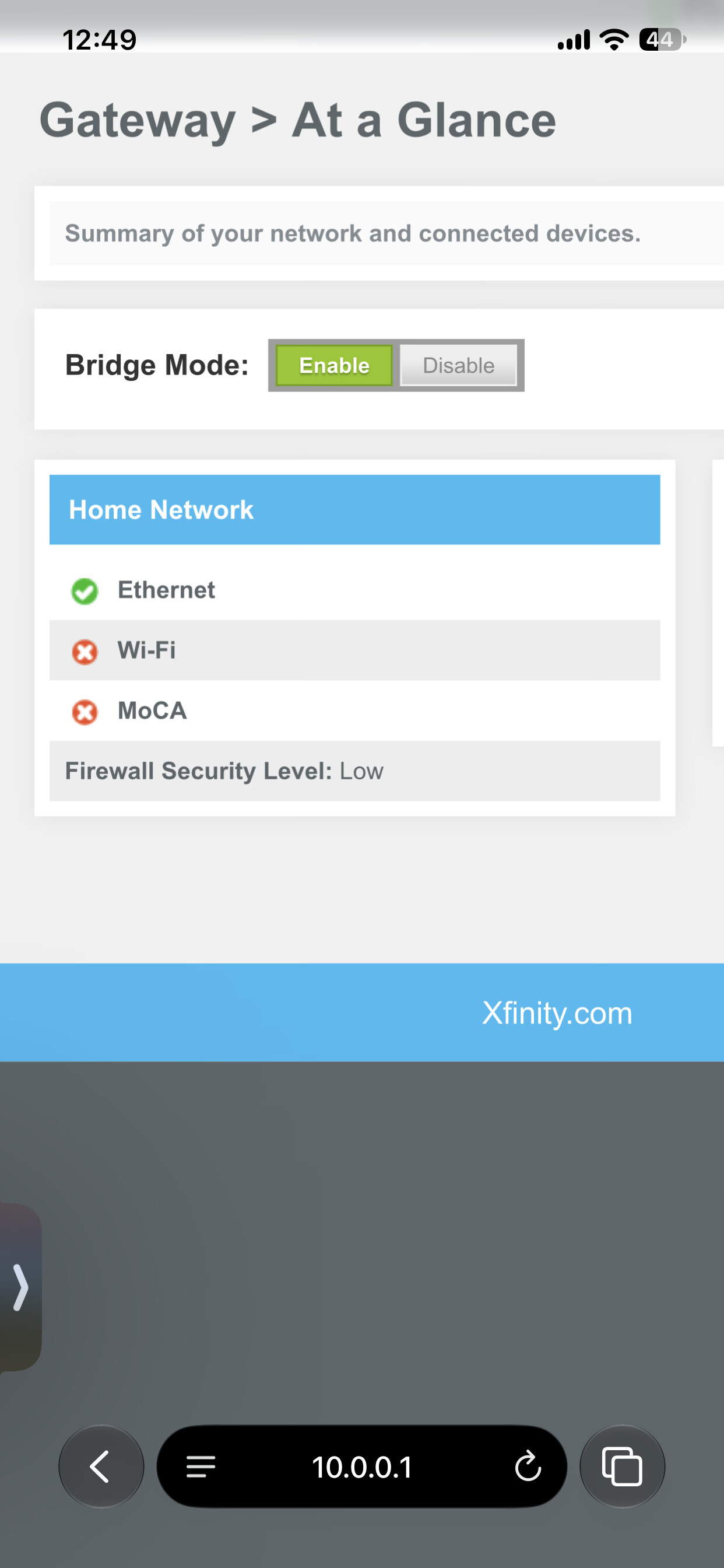
I have used that firmware version with my flint 2 and 4.9 as well as the nightly snapshot versions and the beta 4.11 and they all work perfect with my xb8 bridge mode. IPv4 and IPv6
Hi,
Thanks for providing the detailed setup information.
In general, Flint 2 running firmware 4.9.1 should still be able to work with an XB8 in Bridge Mode and use Native IPv6, but the actual IPv6 behavior can also depend on the ISP-side configuration and prefix delegation.
As another user mentioned, a similar Flint 2 + XB8 setup has been reported to work normally with both IPv4 and IPv6 on firmware 4.9.1.
Hello, thank you for the replies.
Regarding IPv6, the devices on the LAN are showing an IPv6 prefix length of /64, as shown in the Terminal output from one of the devices. LuCI has not yet been used to verify the specific IPv6 prefix that Flint 2 is handing out on the LAN side.
The IPv6 prefix delegation being provided by Comcast to the Flint 2 on the WAN side is currently unknown. From information found on the Xfinity forums, residential connections have been reported as receiving either a /60 or /64 DHCPv6 prefix delegation. Since the WAN-side delegation has not yet been verified directly, I don't want to assume which prefix Comcast is providing in this case.
There is also a concern regarding the data-corruption bug affecting forwarded TCP traffic above roughly 200 Mbps with GRO enabled, as described in this thread:
https://forum.gl-inet.com/t/gl-mt6000-flint-2-gro-on-wan-silently-corrupts-forwarded-tcp-payloads-above-25-mb-s-fw-4-9-1/70684
The Internet connection is 1 Gbps download and 125 Mbps upload, so the reported GRO issue could be relevant to this connection. Apologies for not including the connection speed in the earlier replies.
Thank you for your help.
Xfinity gives a /64 for residential, I don’t have any issues with speed above 200mbps
Thanks! Just to clarify, are you using Native IPv6 mode on the Flint 2 with the XB8 in bridge mode?
Yes bridge mode and native with automatic dns as well as tried putting cloudflare in and both work.
Thanks for sharing that! Have you also tested a wired Ethernet device connected to the Flint 2 on 4.9.1, with a sustained large download? I’m trying to make sure the reported GRO issue isn’t affecting devices connected to the LAN.
No problem, yeah I game and live stream as well as update my games and download various files; and listen to music on Spotify; almost all devices are connected via Ethernet except for a few phones and an iPad. Updated Fortnite while also watching a twitch stream right before posting my previous post and it shows no packet loss or errors in the dashboard and my 15 gig update downloaded in 90 seconds while watching said stream.
By any chance, have you updated your Flint 2 to the latest 4.11.1 Beta 3 for the CVE-2026-98432 security patch? If so, have you experienced any issues with the firmware or the Flint 2 in general since updating?
I'm also using a Flint 2 with an Xfinity XB8 and native IPv6, so I'm particularly interested in whether you've encountered any issues with that kind of setup.