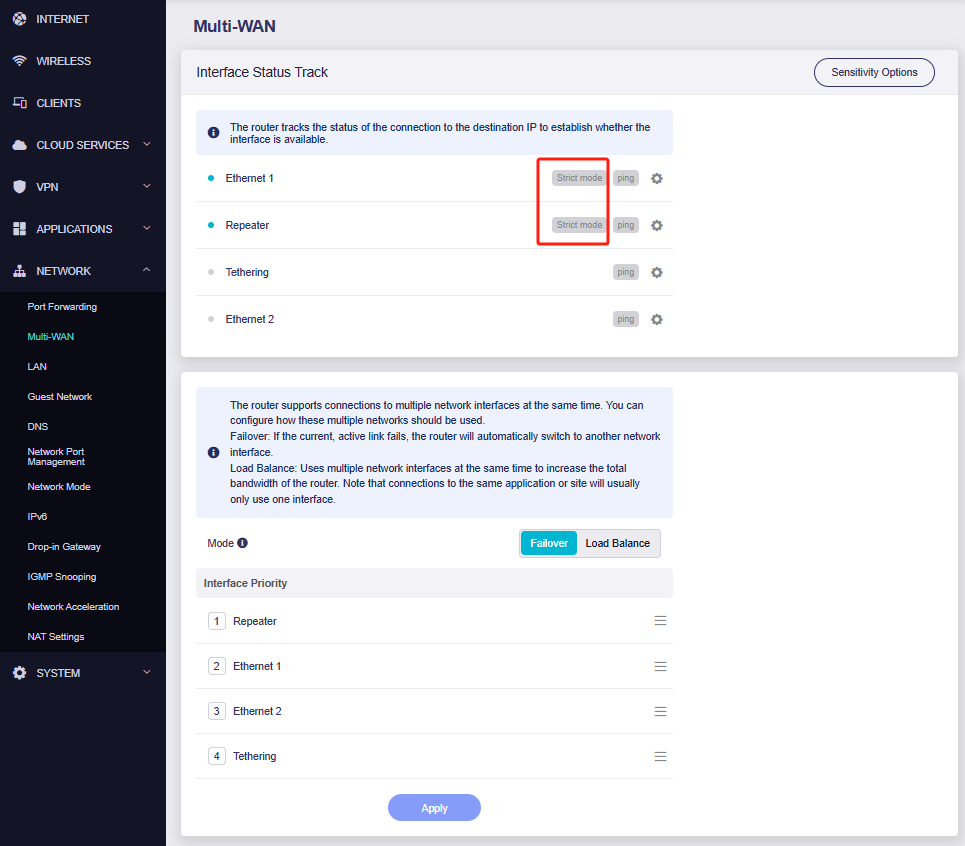
Hello, I'm on beta 4.8.0 (2025-06-26). This is after having issues with 4.7.7; all I am looking for is flawless multiwan, which appears difficult to attain. The Issue: Two times I have noticed that after a few days on 4.8.0 beta, my flint 2 would have erratic led flashes indicating that internet was being lost every 2 seconds or so. I confirmed that the isp router wasnt the issue as internet was working fine when my phone was directly connected to it. Trying to troubleshoot the flint 2 i changed multiwan detection mode to strict and flint 2 couldnt detect internet at all. I switched back to normal mode and the offline inline issue persisted. Here's an example from the log: If anyone understands the issue, please assist. TIA.
Thu Jul 17 10:03:57 2025 daemon.info gl-repeater[4395]: (repeater.lua:1741) interface wan status offline
Thu Jul 17 10:03:58 2025 daemon.info gl-repeater[4395]: (repeater.lua:1741) interface wan status online
Thu Jul 17 10:04:09 2025 daemon.info gl-repeater[4395]: (repeater.lua:1741) interface wan status offline
Thu Jul 17 10:04:11 2025 daemon.info gl-repeater[4395]: (repeater.lua:1741) interface wan status online
Thu Jul 17 10:04:53 2025 daemon.info gl-repeater[4395]: (repeater.lua:1741) interface wan status offline
Thu Jul 17 10:04:55 2025 daemon.info gl-repeater[4395]: (repeater.lua:1741) interface wan status online
What I have tried with no avail:
Changing sensitivity from high to medium.
Changing detection mode from strict to normal.
The only fix that works is rebooting the router, but the issue comes back eventually.
I didn't try replugging the wan cable. I have the log file saved. Do I share the log file publicly or can I DM? Not sure if it has sensitive information. I have DMed you the file.
I believe the ethernet cable is in good condition. I momentarily switched to another router and it works well. I forgot a little piece of information. At that moment when the router acts up, I loaded data on my failover wan (ethernet 2) and it would not detect internet connectivity on the second ethernet port. Only after rebooting the router would the primary ethernet work again as well as the failover wan. Although earlier I didn't try plugging and unplugging, I doubt a faulty cable would fix itself after a reboot. It appears the Flint 2 connectivity is 'crashing'.
I experienced the same issue with Flint 3, and my connection method is MAP-E.
After some testing, it seems that if there is no IPv4 traffic for a certain period of time, the MAP-E connection gets dropped.
As a temporary workaround, I connected via SSH and set up a command like this to keep some periodic traffic going:
ping -4 -n 5 8.8.8.8 > /dev/null 2>&1 &
Then I exited the shell and just left it running. So far, I haven’t run into any issues with this approach.
If things remain stable, I plan to move it into init.d or something similar.
If you are connecting to the Internet via DS-Lite or MAP-E, it might be worth giving this method a try.