Maybe just a faulty unit then.
2 Likes
The reason I was asking is because I’ve seen this on GitHub. So I was just curious if you’re using a modified copy of the driver or an unmodified copy from OpenWrt.
Right now I can say that 160MHz (channel 120 @ 26dBm) is working well via snapshot r24855-3891355015. So hopefully it’s the same for @admon and @japa182.
As @bonefire noted though, it’d be good if we could get a test version that uses the proprietary MediaTek driver. I’d even be willing to test that one, since I’d like to know if it improves the 2.4GHz range or speed at all.
Yesterday you also said that turning off both of the radios resulted in the router still causing interference, which is why I said you’ve likely received a faulty router that’s causing RF interference.
If you bought the router from Amazon then you should return it and get a replacement ASAP. I bet it’d fix your issues.
But does turning wireless off actually turn radio off altogether or does it just hide the SSID??
-
Flint2 with 2.4GHz and/or 5GHz radios OFF = interference.
-
No ethernet cable connected to Flint2 = interference
-
The interference only disappears when Flint2 is completely off, removing it from the Power Source.
I bought it directly from GL-iNet during the presales campaign.
Yes, OpenWrt normally completely turns off the radios.
If you install something like WiFiman or WiFiAnalyzer on your phone then it shouldn’t detect strong hidden networks.
Damn. That’s going to be a headache, since you’ll need to send it back to China and then wait for a replacement or a refund. And you don’t want to skimp on tracking, otherwise you could end up without a router and your money.
1 Like
I just want to be clear on a few items:
#2 No ethernet cable connected to Flint2 = interference
Is #2 still with the WiFi turned on when unplugging the Ethernet cable?
#3 The interference only disappears when Flint2 is completely off
When you say removing it from the power source, are you unplugging from the Flint2 or unplugging the flint2 power supply from the wall. I just want to rule out that it’s not the power supply causing the interference.
Hi Alex, Could you add me to test for that firmware also?
I spent more time adjusting and configuring the WiFi last night and noticed a few more things off that I hope this firmware might resolve. For example on 5Ghz if I choose 11 N/AC/AX to remove legacy “A” I can not get my google home mini’s to connect. I also noticed something similar on 2.4Ghz when I choose 11 G/N/AX to remove legacy “B” I have some devices that are N compatible but wont connect unless I go back to 11 B/G/N/AX.
To be clear when I say a few devices it’s about 10 clients total made by difference three different vendors with different firmwares so I can blame the client devices when they have worked find on a ASUS AC and AX router, even worked fine on a Puli AX WiFi and Cudy P5 WiFi. And for the google home minis I know they are N and AC compatible on both WiFi bands.
NOTE: If I do the same on my ASUS RT-AX86U with 5Ghz choosing 11 N/AC/AX the google minis connect without an issue. If I do the same thing on ASUS using Auto for the 2.4Ghz WiFi and disable 11b the other clients connect without an issue.
So this does sound like a driver issue (WiFi chip firmware) so I would be very interested in testing this new version for those reasons.
Scott
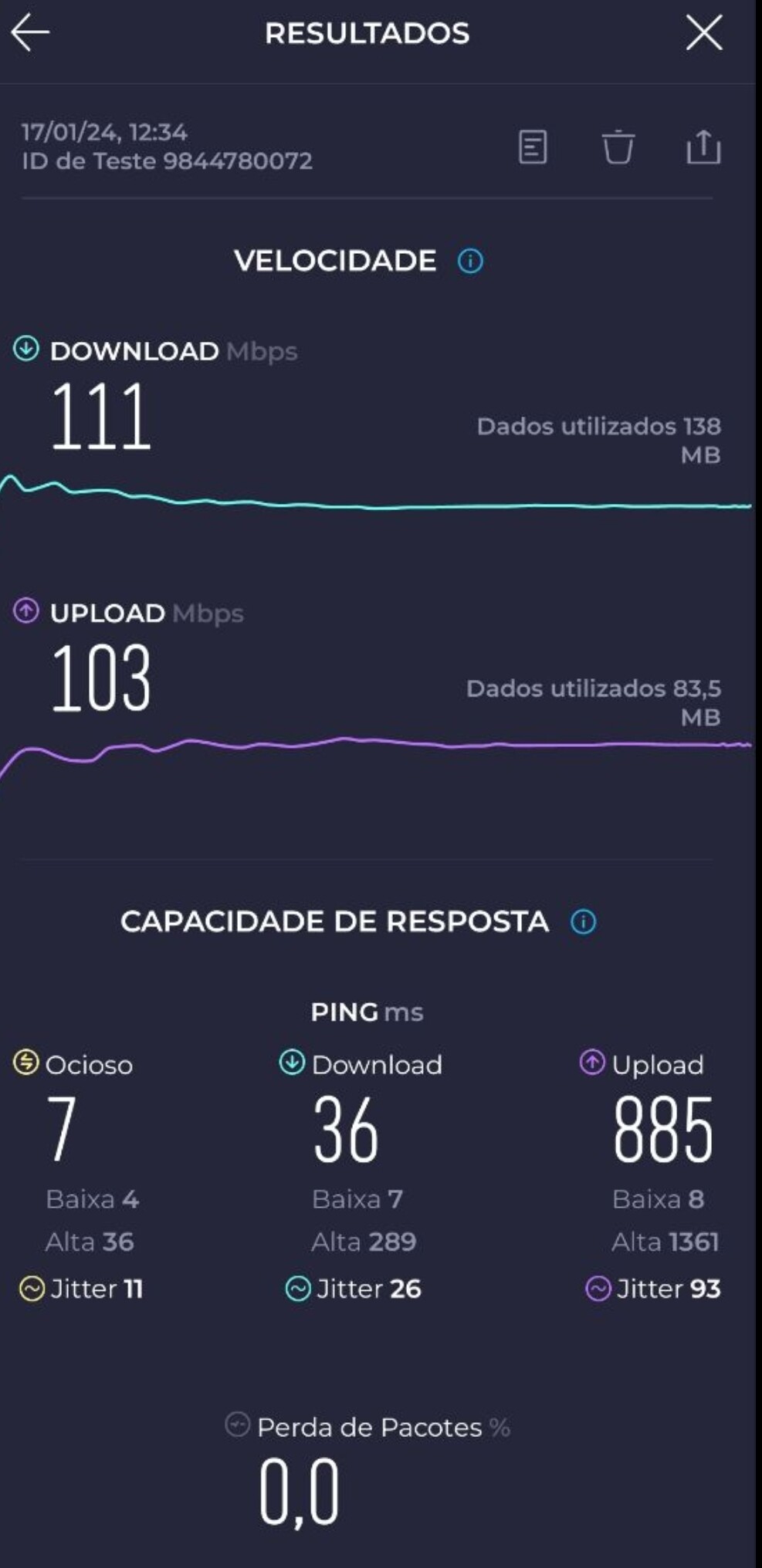
Performance on the 2.4Ghz radio is poor. Huawei AX6 easily beat 450Mbits and in this new one, with theoretically better radios and using version 4.5.5, I didn’t exceed 111Mbits.
Please fix this!
1 Like
Just received this router a few weeks ago and everything seems to be working great until I connected to a 2.4ghz backup network for repeater mode in case our main wan goes down. Everything works as expected for a while but eventually all of my connected 2.4ghz devices start going offline. Not sure if it’s related to Renato’s issue. Once I turned off the repeater network, all of the 2.4ghz devices connected back to the router and maintains a solid connection as far as I can tell. No 5ghz devices are affected whether the repeater network is on or off.
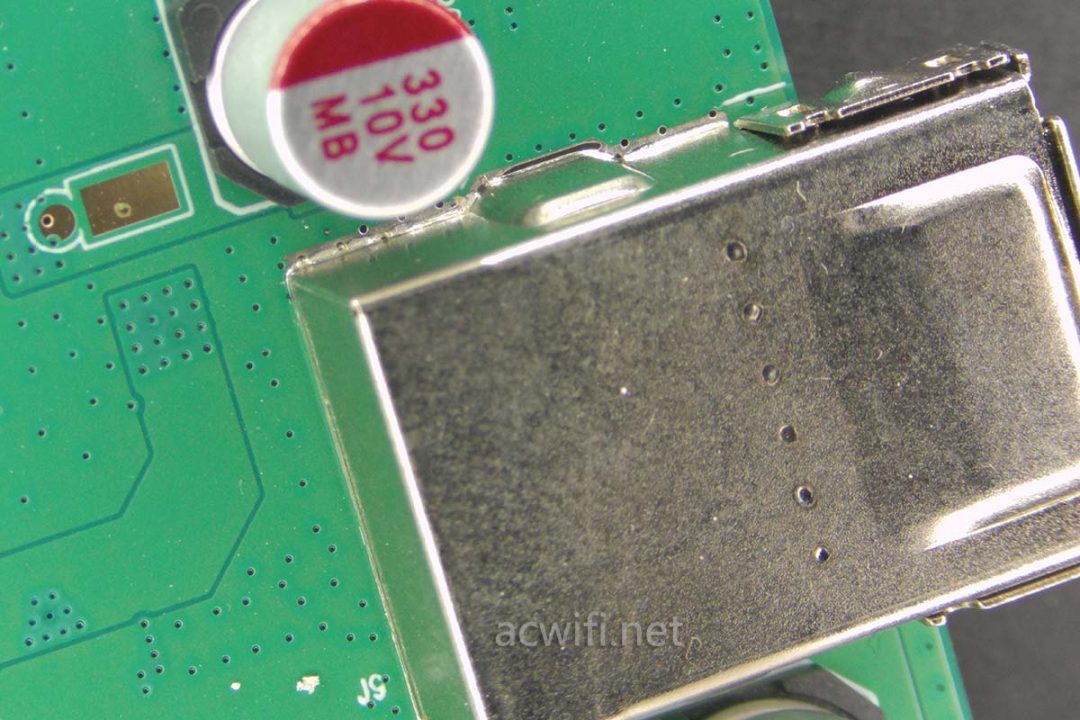
It seems that there is a strong interference on the router, this interference is not from the wireless, it may be from the USB or power supply. I noticed that you have replaced the power source, so you can check if there is a device connected to the USB port
1 Like
Very good suggestion!
I removed the Sandisk USB Memory Stick from the USB Port and the wireless speed increased from 5Mbps to 120Mbps. I was leaving to work so I didn’t have time to do extra tests, but really looks like the problem is on the USB Port.
The Power Supplyis the original one from GL-iNet Flint2.
Regards,
Renato
1 Like
Try a USB 2.0 stick. This shouldn’t make problems. Or maybe there is a way to disable USB 3.0.
See also:
1 Like
Thanks for your feedback. 
1 Like
How can we fix this?
Should we disccus by the support email or here on the forum?
Thanks!
Why are you not releasing this to all users as a beta??? Have you not learnt from the mistake of releasing the product to a few testers that have not picked up on all of its glaring bugs and issues before unleashing it on to the whole market?
3 Likes
You can try a different USB3.0 Memory Stick.
or Try a USB 2.0 stick,these is no interference
It’s an alpha version, or not even that, it was just to test the issue of internet speed drops and no longer being able to access the admin portal.
Release it as a snapshot then??
No, but I also don’t know if I can share the firmware here with everyone…