alzhao
April 29, 2024, 8:30am
1890
We does take the negative feedback seriously. Just need getting more resource to fix things quicker.
16 Likes
Dondi
April 29, 2024, 11:07am
1891
The up side is that the hardware is really fantastic. I am running OpenWRT snapshot with 500/500 Internet. The core of the Flint 2 is great. Has no problem with the full bandwidth up and down, wireless (AX or even some AC devices) or wired.
2 Likes
I just tested the latest OpenWRT snapshot (r26084) in a high client volume environment and the 5G WiFi driver is far away from being perfect:
The 5GHz WiFi still freezes after an uptime of around 12h.
New clients get an IP by the DHCP server but no internet traffic is possible (tested with 2 devices).
In the meanwhile the 2,4GHz network works without problems.
There are as always 0 errors in the system/kernel logs.
The only temporarily solution is to restart the 5G interface or to restart the router.
This does not happen with the Flint 1 stock firmware or Flint 2 mediatek-kit firmware (21.x).
skylab
April 29, 2024, 5:28pm
1893
For OpenWrt Snapshot:
For a 5Ghz Wifi issue, pktpls here suggests a patch made by blocktrron:
opened 05:27AM - 04 Feb 23 UTC
bug
### Describe the bug
```
Feb 4 10:52:49 kernel: [61474.629014] mt7915e 0000:… 02:00.0: Message 000025ed (seq 2) timeout
Feb 4 10:53:10 kernel: [61495.108741] mt7915e 0000:02:00.0: Message 00005aed (seq 3) timeout
Feb 4 10:53:30 kernel: [61515.588592] mt7915e 0000:02:00.0: Message 0000aded (seq 4) timeout
Feb 4 10:53:51 kernel: [61536.068447] mt7915e 0000:02:00.0: Message 00005aed (seq 5) timeout
Feb 4 10:54:11 kernel: [61556.548292] mt7915e 0000:02:00.0: Message 00005aed (seq 6) timeout
Feb 4 10:54:32 kernel: [61577.028140] mt7915e 0000:02:00.0: Message 00005aed (seq 7) timeout
Feb 4 10:54:52 kernel: [61597.507965] mt7915e 0000:02:00.0: Message 000025ed (seq 8) timeout
Feb 4 10:54:52 kernel: [61597.514199] ------------[ cut here ]------------
Feb 4 10:54:52 kernel: [61597.514419] WARNING: CPU: 1 PID: 26944 at backports-6.1-rc8/net/mac80211/agg-tx.c:407 ___ieee80211_stop_tx_ba_session+0x288/0x2a8 [mac80211]
Feb 4 10:54:52 kernel: [61597.514429] Modules linked in: pppoe ppp_async nft_fib_inet nf_flow_table_ipv6 nf_flow_table_ipv4 nf_flow_table_inet batman_adv wireguard pppox ppp_generic nft_reject_ipv6 nft_reject_ipv4 nft_reject_inet nft_reject nft_redir nft_quota nft_objref nft_numgen nft_nat nft_masq nft_log nft_limit nft_hash nft_flow_offload nft_fib_ipv6 nft_fib_ipv4 nft_fib nft_ct nft_counter nft_chain_nat nf_tables nf_nat nf_flow_table nf_conntrack mt7915e mt76_connac_lib mt76 mac80211 libchacha20poly1305 cfg80211 slhc poly1305_mips nfnetlink nf_reject_ipv6 nf_reject_ipv4 nf_log_ipv6 nf_log_ipv4 nf_log_common nf_defrag_ipv6 nf_defrag_ipv4 macvlan libcurve25519_generic libcrc32c hwmon crc_ccitt compat chacha_mips dummy ip6_udp_tunnel udp_tunnel sha256_generic libsha256 seqiv jitterentropy_rng drbg hmac cmac leds_gpio gpio_button_hotplug crc32c_generic
Feb 4 10:54:52 kernel: [61597.514749] CPU: 1 PID: 26944 Comm: kworker/u8:0 Not tainted 5.10.165 #0
Feb 4 10:54:52 kernel: [61597.514804] Workqueue: phy1 ieee80211_ba_session_work [mac80211]
Feb 4 10:54:52 kernel: [61597.514815] Stack : 809e0000 84b66f00 81595cdc 80082600 8073a790 80800000 82430a80 80740000
Feb 4 10:54:52 kernel: [61597.514861] 00000009 8173c050 82a40558 800827a0 80802e27 00000001 81595c98 7bf45a50
Feb 4 10:54:52 kernel: [61597.514905] 00000000 00000000 8073a790 81595b20 ffffefff 00000000 ffffffea 00000000
Feb 4 10:54:52 kernel: [61597.514949] 81595b2c 000001df 80808848 31323038 00000000 00000001 00000000 80740000
Feb 4 10:54:52 kernel: [61597.514992] 00000009 8173c050 82a40558 84b66f00 00000000 00000020 00000004 809c0004
Feb 4 10:54:52 kernel: [61597.515036] ...
Feb 4 10:54:52 kernel: [61597.515050] Call Trace:
Feb 4 10:54:52 kernel: [61597.515080] [<80008068>] show_stack+0x30/0x100
Feb 4 10:54:52 kernel: [61597.515097] [<80373f40>] dump_stack+0xa0/0xd0
Feb 4 10:54:52 kernel: [61597.515127] [<8002f474>] __warn+0xc4/0x130
Feb 4 10:54:52 kernel: [61597.515138] [<8002f53c>] warn_slowpath_fmt+0x5c/0xac
Feb 4 10:54:52 kernel: [61597.515194] [<82b156e4>] ___ieee80211_stop_tx_ba_session+0x288/0x2a8 [mac80211]
Feb 4 10:54:52 kernel: [61597.515267] [<82b1419c>] ieee80211_ba_session_work+0x2fc/0x31c [mac80211]
Feb 4 10:54:52 kernel: [61597.515324] [<8004968c>] process_one_work+0x21c/0x468
Feb 4 10:54:52 kernel: [61597.515336] [<80049a2c>] worker_thread+0x154/0x5c4
Feb 4 10:54:52 kernel: [61597.515351] [<8005046c>] kthread+0x13c/0x144
Feb 4 10:54:52 kernel: [61597.515363] [<80002fd8>] ret_from_kernel_thread+0x14/0x1c
Feb 4 10:54:52 kernel: [61597.515374]
Feb 4 10:54:52 kernel: [61597.515381] ---[ end trace 54d10341331d9f83 ]---
Feb 4 10:55:13 kernel: [61617.988252] mt7915e 0000:02:00.0: Message 00005aed (seq 9) timeout
Feb 4 10:55:33 kernel: [61638.467683] mt7915e 0000:02:00.0: Message 00005aed (seq 10) timeout
Feb 4 10:55:53 kernel: [61658.947528] mt7915e 0000:02:00.0: Message 00005aed (seq 11) timeout
Feb 4 10:56:14 kernel: [61679.427395] mt7915e 0000:02:00.0: Message 00005aed (seq 12) timeout
Feb 4 10:56:34 kernel: [61699.907243] mt7915e 0000:02:00.0: Message 000026ed (seq 13) timeout
Feb 4 10:56:55 kernel: [61720.387106] mt7915e 0000:02:00.0: Message 00005aed (seq 14) timeout
Feb 4 10:57:15 kernel: [61740.866973] mt7915e 0000:02:00.0: Message 00005aed (seq 15) timeout
Feb 4 10:57:36 kernel: [61761.346850] mt7915e 0000:02:00.0: Message 00005aed (seq 1) timeout
Feb 4 10:57:56 kernel: [61781.826683] mt7915e 0000:02:00.0: Message 00005aed (seq 2) timeout
Feb 4 10:58:17 kernel: [61802.306556] mt7915e 0000:02:00.0: Message 00005aed (seq 3) timeout
Feb 4 10:58:37 kernel: [61822.786409] mt7915e 0000:02:00.0: Message 00005aed (seq 4) timeout
Feb 4 10:58:58 kernel: [61843.266272] mt7915e 0000:02:00.0: Message 00005aed (seq 5) timeout
Feb 4 10:59:18 kernel: [61863.746133] mt7915e 0000:02:00.0: Message 00005aed (seq 6) timeout
Feb 4 10:59:39 kernel: [61884.226127] mt7915e 0000:02:00.0: Message 00005aed (seq 7) timeout
Feb 4 10:59:59 kernel: [61904.705857] mt7915e 0000:02:00.0: Message 00005aed (seq 8) timeout
```
### OpenWrt version
r21968-acd8e94d20
### OpenWrt target/subtarget
ramips/mt7621
### Device
TOTOLINK X5000R
### Image kind
Self-built image
### Steps to reproduce
_No response_
### Actual behaviour
_No response_
### Expected behaviour
_No response_
### Additional info
_No response_
### Diffconfig
```text
CONFIG_TARGET_ramips=y
CONFIG_TARGET_ramips_mt7621=y
CONFIG_TARGET_ramips_mt7621_DEVICE_totolink_x5000r=y
CONFIG_BATMAN_ADV_BATMAN_V=y
CONFIG_BATMAN_ADV_BLA=y
CONFIG_BATMAN_ADV_DAT=y
CONFIG_BATMAN_ADV_MCAST=y
CONFIG_LIBCURL_COOKIES=y
CONFIG_LIBCURL_FILE=y
CONFIG_LIBCURL_FTP=y
CONFIG_LIBCURL_HTTP=y
CONFIG_LIBCURL_MBEDTLS=y
CONFIG_LIBCURL_NGHTTP2=y
CONFIG_LIBCURL_NO_SMB="!"
CONFIG_LIBCURL_PROXY=y
CONFIG_LUA_ECO_DEFAULT_OPENSSL=y
CONFIG_MBEDTLS_AES_C=y
CONFIG_MBEDTLS_CMAC_C=y
CONFIG_MBEDTLS_DES_C=y
CONFIG_MBEDTLS_ECP_DP_CURVE25519_ENABLED=y
CONFIG_MBEDTLS_ECP_DP_SECP256K1_ENABLED=y
CONFIG_MBEDTLS_ECP_DP_SECP256R1_ENABLED=y
CONFIG_MBEDTLS_ECP_DP_SECP384R1_ENABLED=y
CONFIG_MBEDTLS_ENTROPY_FORCE_SHA256=y
CONFIG_MBEDTLS_GCM_C=y
CONFIG_MBEDTLS_KEY_EXCHANGE_ECDHE_ECDSA_ENABLED=y
CONFIG_MBEDTLS_KEY_EXCHANGE_ECDHE_PSK_ENABLED=y
CONFIG_MBEDTLS_KEY_EXCHANGE_ECDHE_RSA_ENABLED=y
CONFIG_MBEDTLS_KEY_EXCHANGE_PSK_ENABLED=y
CONFIG_MBEDTLS_NIST_KW_C=y
CONFIG_MBEDTLS_RSA_NO_CRT=y
CONFIG_OPENSSL_ENGINE=y
CONFIG_OPENSSL_PREFER_CHACHA_OVER_GCM=y
CONFIG_OPENSSL_WITH_ASM=y
CONFIG_OPENSSL_WITH_CHACHA_POLY1305=y
CONFIG_OPENSSL_WITH_CMS=y
CONFIG_OPENSSL_WITH_DEPRECATED=y
CONFIG_OPENSSL_WITH_ERROR_MESSAGES=y
CONFIG_OPENSSL_WITH_PSK=y
CONFIG_OPENSSL_WITH_SRP=y
CONFIG_OPENSSL_WITH_TLS13=y
CONFIG_PACKAGE_attendedsysupgrade-common=y
CONFIG_PACKAGE_bash=y
CONFIG_PACKAGE_batctl-default=y
CONFIG_PACKAGE_cgi-io=y
CONFIG_PACKAGE_ethtool-full=y
CONFIG_PACKAGE_glib2=y
CONFIG_PACKAGE_kmod-batman-adv=y
CONFIG_PACKAGE_kmod-crypto-lib-chacha20=y
CONFIG_PACKAGE_kmod-crypto-lib-chacha20poly1305=y
CONFIG_PACKAGE_kmod-crypto-lib-curve25519=y
CONFIG_PACKAGE_kmod-crypto-lib-poly1305=y
CONFIG_PACKAGE_kmod-dummy=y
CONFIG_PACKAGE_kmod-lib-crc16=y
CONFIG_PACKAGE_kmod-macvlan=y
CONFIG_PACKAGE_kmod-udptunnel4=y
CONFIG_PACKAGE_kmod-udptunnel6=y
CONFIG_PACKAGE_kmod-wireguard=y
CONFIG_PACKAGE_libattr=y
CONFIG_PACKAGE_libcurl=y
CONFIG_PACKAGE_libdbi=y
CONFIG_PACKAGE_libffi=y
CONFIG_PACKAGE_libiwinfo-lua=y
CONFIG_PACKAGE_liblua=y
CONFIG_PACKAGE_liblucihttp=y
CONFIG_PACKAGE_liblucihttp-lua=y
CONFIG_PACKAGE_liblucihttp-ucode=y
CONFIG_PACKAGE_libmbedtls=y
CONFIG_PACKAGE_libncurses=y
CONFIG_PACKAGE_libnetsnmp=y
CONFIG_PACKAGE_libnghttp2=y
CONFIG_PACKAGE_libopenssl=y
CONFIG_PACKAGE_libpci=y
CONFIG_PACKAGE_libpcre=y
CONFIG_PACKAGE_libpcre2=y
CONFIG_PACKAGE_libpopt=y
CONFIG_PACKAGE_libreadline=y
CONFIG_PACKAGE_librt=y
CONFIG_PACKAGE_libubus-lua=y
CONFIG_PACKAGE_libuci-lua=y
CONFIG_PACKAGE_libuuid=y
# CONFIG_PACKAGE_logd is not set
CONFIG_PACKAGE_logrotate=y
CONFIG_PACKAGE_lua=y
CONFIG_PACKAGE_luasocket=y
CONFIG_PACKAGE_luci=y
CONFIG_PACKAGE_luci-app-attendedsysupgrade=y
CONFIG_PACKAGE_luci-app-firewall=y
CONFIG_PACKAGE_luci-app-opkg=y
CONFIG_PACKAGE_luci-app-snmpd=y
CONFIG_PACKAGE_luci-base=y
CONFIG_PACKAGE_luci-lib-base=y
CONFIG_PACKAGE_luci-lib-ip=y
CONFIG_PACKAGE_luci-lib-jsonc=y
CONFIG_PACKAGE_luci-lib-nixio=y
CONFIG_PACKAGE_luci-light=y
CONFIG_PACKAGE_luci-mod-admin-full=y
CONFIG_PACKAGE_luci-mod-network=y
CONFIG_PACKAGE_luci-mod-status=y
CONFIG_PACKAGE_luci-mod-system=y
CONFIG_PACKAGE_luci-proto-batman-adv=y
CONFIG_PACKAGE_luci-proto-ipv6=y
CONFIG_PACKAGE_luci-proto-ppp=y
CONFIG_PACKAGE_luci-proto-wireguard=y
CONFIG_PACKAGE_luci-theme-bootstrap=y
CONFIG_PACKAGE_nano-plus=y
# CONFIG_PACKAGE_odhcp6c is not set
# CONFIG_PACKAGE_odhcpd-ipv6only is not set
CONFIG_PACKAGE_prometheus-node-exporter-lua=y
CONFIG_PACKAGE_prometheus-node-exporter-lua-nat_traffic=y
CONFIG_PACKAGE_prometheus-node-exporter-lua-netstat=y
CONFIG_PACKAGE_prometheus-node-exporter-lua-openwrt=y
CONFIG_PACKAGE_prometheus-node-exporter-lua-uci_dhcp_host=y
CONFIG_PACKAGE_prometheus-node-exporter-lua-wifi=y
CONFIG_PACKAGE_prometheus-node-exporter-lua-wifi_stations=y
CONFIG_PACKAGE_rpcd=y
CONFIG_PACKAGE_rpcd-mod-file=y
CONFIG_PACKAGE_rpcd-mod-iwinfo=y
CONFIG_PACKAGE_rpcd-mod-luci=y
CONFIG_PACKAGE_rpcd-mod-rpcsys=y
CONFIG_PACKAGE_rpcd-mod-rrdns=y
CONFIG_PACKAGE_rpcd-mod-ucode=y
CONFIG_PACKAGE_snmpd=y
CONFIG_PACKAGE_syslog-ng=y
CONFIG_PACKAGE_terminfo=y
CONFIG_PACKAGE_ucode-mod-html=y
CONFIG_PACKAGE_ucode-mod-math=y
CONFIG_PACKAGE_uhttpd=y
CONFIG_PACKAGE_uhttpd-mod-lua=y
CONFIG_PACKAGE_uhttpd-mod-ubus=y
CONFIG_PACKAGE_wireguard-tools=y
# CONFIG_PACKAGE_wpad-basic-wolfssl is not set
CONFIG_PACKAGE_wpad-wolfssl=y
CONFIG_PACKAGE_zlib=y
CONFIG_SYSLOGNG_LOGROTATE=y
CONFIG_SYSLOGNG_LOGROTATE_MAXSIZE="1M"
CONFIG_SYSLOGNG_LOGROTATE_ROTATE_COUNT=1
# CONFIG_LUA_ECO_OPENSSL is not set
CONFIG_LUA_ECO_WOLFSSL=y
# CONFIG_PACKAGE_kmod-crypto-kpp is not set
```
### Terms
- [X] I am reporting an issue for OpenWrt, not an unsupported fork.
In (potentially related?) issue, in the OpenWrt forum thread, _FailSafe found that
Once I removed option multicast_to_unicast_all '1' from all my SSIDs, many of my client connectivity issues stopped.
Here is the corresponding bug:
mt798x: Crash with multicast_to_unicast_all set · Issue #866 · openwrt/mt76 · GitHub
Finally, rany2 created a fix for a (potentially different) crash here:
mt76: mt7915: do not use event format to get survey data · rany2/openwrt@6999b91 · GitHub
1 Like
skylab
April 29, 2024, 5:42pm
1894
GL iNet admitted they should not have launched the router with 23.05, and committed to having two branches moving forward. Advertising the router as based on 23.05 was obviously a mistake, and they realize that. Here’s their statement:
Regarding its OpenWrt version and Wi-Fi drivers, we regret that we made a mistaken decision to use the latest OpenWrt for the stable firmware. Some stability issues cannot be resolved for now so we have to use the older OpenWrt version and MTK proprietary Wi-Fi driver. We promise that we will continuously resolve the issues based on the latest OpenWrt and open-source Wi-Fi driver.
Personally, I don’t think going over it again and again will change anything. What more can they do?
Don’t get me wrong, I feel disappointed that the router (for now) did not turn out the way I expected. I went into this thinking 23.05 mt76 driver was a bit more stable and performant, especially on 2.4 Ghz, and the first thing I did was flash OpenWrt, but now I need to use GL iNet MTK version for now.
However, I came from a competitor who regularly releases broken firmware but never takes responsibility or admits issues, always blaming the user. Sometimes this competitor’s router firmware is never fixed and is left in a permanently broken state. These are on more expensive routers! They would also never allow open discussion and criticism on a thread like this to continue.
So I’m willing to cut GL iNET slack due to them being upfront about their mistake and working to fix the situation.
6 Likes
DiGz_Au
April 29, 2024, 5:44pm
1895
Yep i have been seeing that after about 40 hours uptime. The wifi says connected but no data flow then dcs and reconnects without any errorrs and continues like you mentioned until a reset.
Most people wouldn’t come to a forum, they would simply accept it and say to themselves that nothing will happen
Unfortunately this option was already disabled by default for me. I really wish i would just get a crash or error message.
xize11
April 29, 2024, 8:23pm
1898
this patch seem interesting I gonna try to give it a spin (the patch from blocktron)
I’ve tried ranys patch before but it doesn’t fix my multi psk crash generating the same seq time out messages followed with a crash, it seems in the issue from _FailSafe he also confirms this or I readed it on the OpenWrt forums.
Well, you’re really funny. Every forum has one. You seem to be the clown of this forum.
1 Like
xize11
April 30, 2024, 1:16pm
1901
nope this patch from blocktron does not work for the seq time out / multicast crash issue, it gave me alot of spam inside the logs but for the multicast issue it won’t fix it for me, however it did give me a more detailed crash which i posted here .
Thank you. I’m very proud to read your post… If I can get the Gl.iNet source I can give an hand…
3 Likes
Ralle
April 30, 2024, 6:26pm
1904
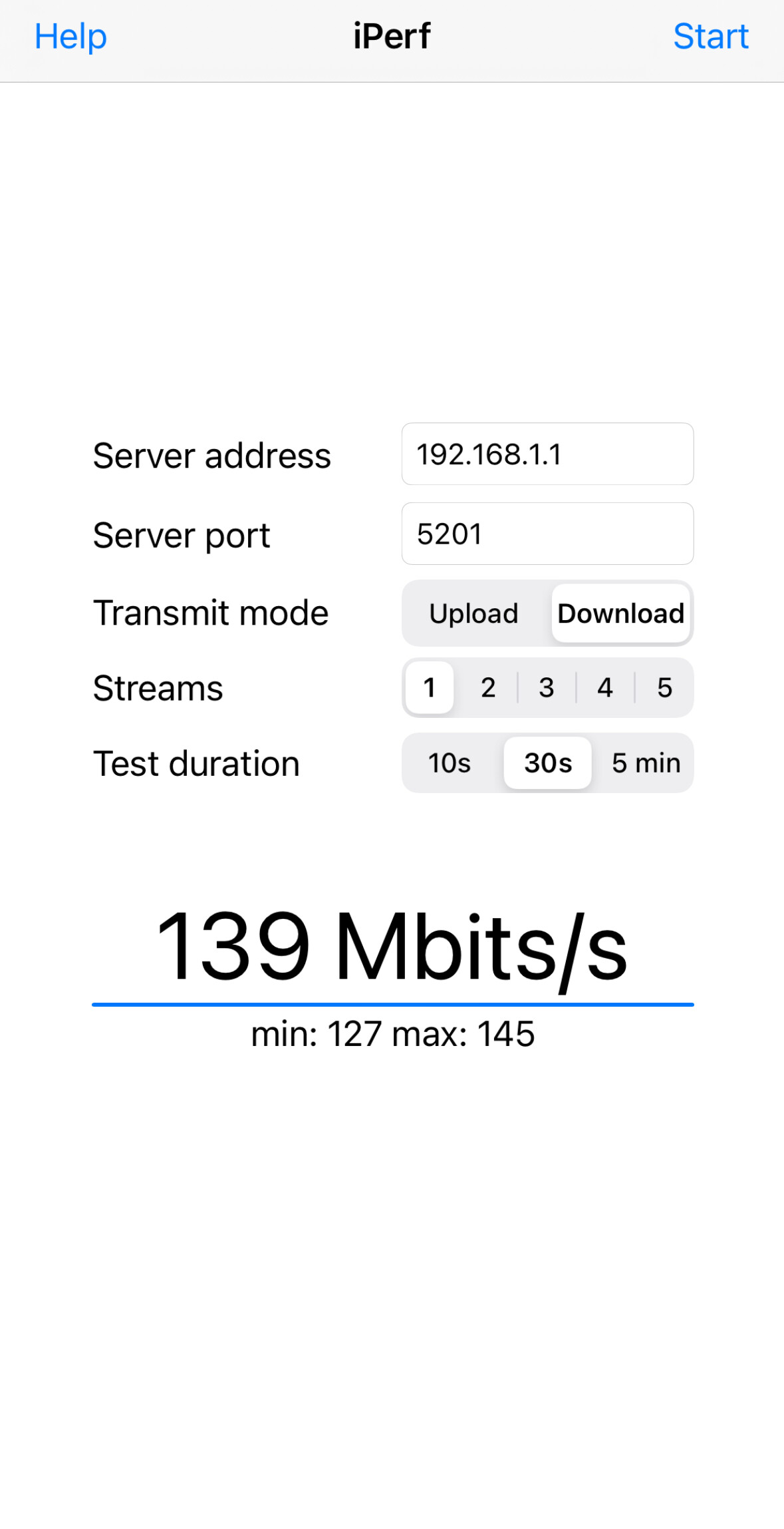
I‘ve also installed it yesterday. I achieve similar speeds (a bit less on 2,4G). The only thing I‘m missing are some convenient features from GL, but overall it works great, so kudos to you @pesa1234 . Also there are some advanced features available, like QAM-256, packet steering and WED, which could increase the performance even more, but I‘m not fully aware how they work yet.
Steve68
April 30, 2024, 6:42pm
1905
@alzhao do you have a release date for 4.6.0 beta for MT6000? thanks
1 Like
japa182
April 30, 2024, 7:29pm
1907
Is this test 2.4 on a smartphone or on a PC/notebook? Because if it’s not a smartphone, it’s been said millions of times that there are no speed problems in 2.4… look a few pages ago and you’ll know that.
Ralle
April 30, 2024, 7:53pm
1908
For me the main issues were stability and connection issues, but I‘ve just repeated the Speedtest on my iPhone in 2,4G network, 20 MHz, AX mode. VHT was disabled. Upload was the same. I can’t execute on Android as I don’t own a device.
2 Likes
One question guys. Gl.iNet firmware with propretary drivers give a 160mhz on 5ghz? I don’t think so. It seems disabled. You can check with a smartphone with a WiFi checking app. Thanks again.
Andrea
admon
May 1, 2024, 9:47am
1912
It does, I am using it right now.
2 Likes
stability and connection are already present in 4.5.8, I don’t have any type of problem in 4.5.8. everything works, without any errors.
I’ve installed the 4.5.8 I see difference in EDCCA and power setting
1 Like