Flint 2 latest firmware IPv6 Not working with OpenVPN Server

IPv6 is enabled on the router and also for WireGuard VPN Server and OpenVPNServer, But OpenVpn Server config shows IPv6 not Enabled tried restarting the OpenVPN Server but no luck.

For OpenVPN there is no configuration in UI to enabled IPv6 and in config also it’s disabled.

config service 'vpn'
option auth 'SHA256'
option proto 'udp'
option dev 'ovpnserver'
option dev_type 'tun'
option cipher 'AES-256-GCM'
option comp 'adaptive'
option ipv6_enable '0'
option subnetv4 '10.8.0.0'
option subnetv6 'fd00:db8:0:123::0/64'
option mask '255.255.255.0'
option host '127.0.0.1'
option start '10.8.0.2'
option end '10.8.0.100'
option verb '3'
option access_scope '1'
option client_auth '1'
option tap_address '10.8.0.1'
option tap_mask '255.255.255.0'
option ddns '1'
option domain '``example.glddns.com``'
option lzo '0'
option hmac '0'
option client_to_client '0'
option port '1194'
option mssfix '1320'

As there are no option to enable IPv6 from UI, what uci commands I can use to enable IPv6 and then restart the service.
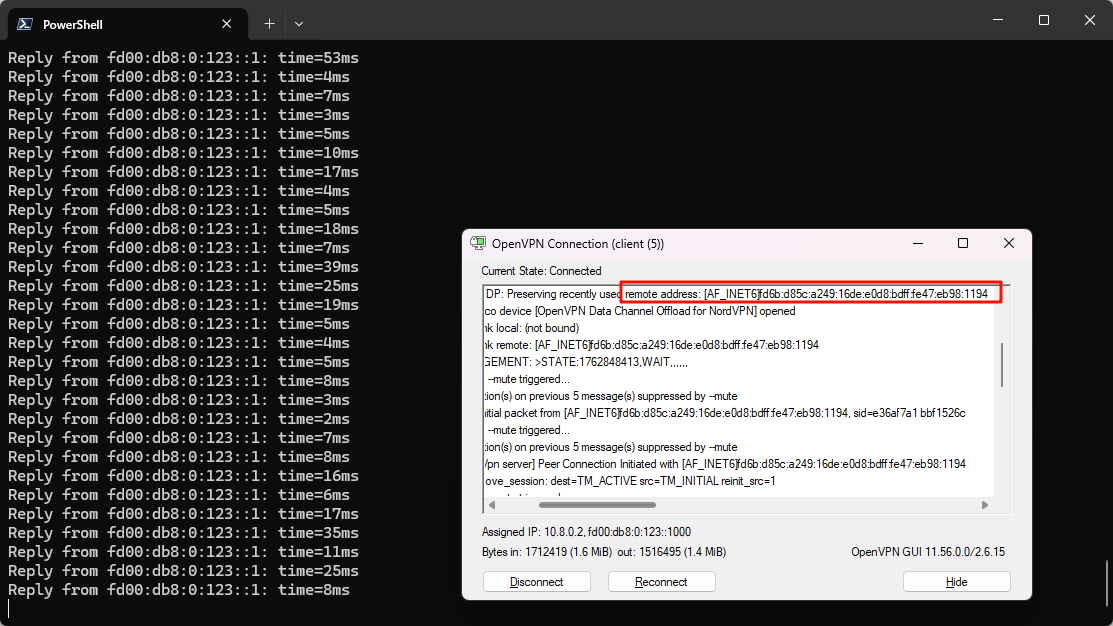
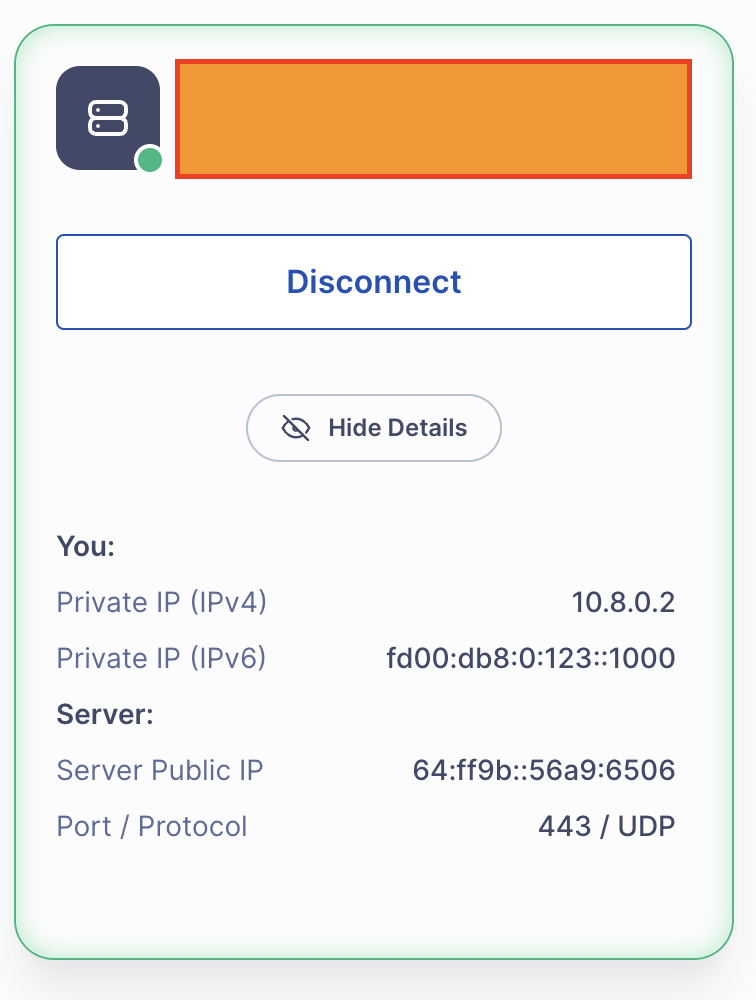
Hi

We tested this scenario using Flint 2 running firmware v4.8.3 and were not able to reproduce the issue.

When Flint 2 is configured as IPv6 enabled and an OpenVPN server, clients can:

  • Connect successfully over IPv6 addresses
  • Send and receive IPv6 traffic through the VPN tunnel

Hi @will.qiu,

IPv6 is enabled and WireGuard VPN works fine with IPv6 but OpenVPN configuration doesn’t work.

Any suggestion what should I check to make sure I am not missing anything.

thanks

Yasser

Could you please provide more details about the issue you’re encountering with OpenVPN and IPv6?
For instance:

  • Are you trying to connect to the OpenVPN server using an IPv6 address, and the connection fails?
  • Or does the connection establish successfully, but IPv6 traffic fails to transmit through the VPN?

Hi @will.qiu,

Client has both IPv4 and IPv6 addresses, client connects fine with OpenVPN, checking further it does receives IPv4 IP but IPv6 address is still the ISP one.

So if client prefer IPv6 over IPv4 then tunnel is not being used at all, so issue is that why does client is not receiving IPv6 IP.

Thanks

Could you please provide some screenshots to help us better understand the issue?

Regarding this, do you mean that the OpenVPN interface itself does not have an IPv6 address, or that when visiting an IP lookup website like What Is My IP Address, the IPv4 query shows the VPN server’s exit address, but the IPv6 query does not?

@will.qiu
I have not mentioned this before I am using OpenVPN Connect on MAC.

Yes you are right that IPv6 Public IP is not changing after VPN is connected only IPv4 is changing.

Before VPN Connection IP recorded

curl -4 ifconfig.co; curl -6 ifconfig.co
31.94.74.139
2a00:23ee:2908:3dec:f174:78e4:bda7:3152

After VPN Connection IP recorded

curl -4 ifconfig.co; curl -6 ifconfig.co
86.149.58.XXX
2a00:23ee:2908:3dec:f174:78e4:bda7:3152

You can see IPv6 public address is not changing.

After doing extensive troubleshooting now I know the issue but don’t have fix yet.

OpenVPN connects and it does Give IPv6 address also but it doesn’t set the default GW for IPv6 so that it will start using utun interface for ipv6

On MAC I can see utun interface have IPv4 and IPv6:

% ifconfig utun6
utun6: flags=8051<UP,POINTOPOINT,RUNNING,MULTICAST> mtu 1428
inet 10.8.0.2 --> 10.8.0.1 netmask 0xffffff00
inet6 fe80::a92:4ff:febc:ecad%utun6 prefixlen 64 scopeid 0x1f
inet6 fd00:db8:0:123::1000 prefixlen 64
nd6 options=201<PERFORMNUD,DAD>

For IPv6 Default GW is still using en0 interface:

netstat -nr -f inet6 | grep default
default fe80::14f2:87ff:fe53:e364%en0 UGcg en0
default fe80::%utun0 UGcIg utun0
default fe80::%utun1 UGcIg utun1
default fe80::%utun2 UGcIg utun2
default fe80::%utun3 UGcIg utun3
default fe80::%utun4 UGcIg utun4
default fe80::%utun5 UGcIg utun5
default fe80::%utun7 UGcIg utun7

For IPv4 I can see GW is set to use utun6 interface

netstat -nr -f inet
Routing tables

Internet:
Destination Gateway Flags Netif Expire
0/1 10.8.0.1 UGScg utun6
default 192.0.0.1 UGScg en0
10.8/24 10.8.0.2 UGSc utun6
10.8.0.1 10.8.0.2 UHr utun6

Client ovpn file config is below:

client
dev tun
dev-type tun
proto udp
remote xm102be.glddns.com 443
float
resolv-retry infinite
nobind
persist-key
persist-tun
auth SHA256
cipher AES-256-GCM
nice 0
mute 5
verb 3
sndbuf 512000
rcvbuf 512000
txqueuelen 2000
fast-io
mssfix
route-ipv6 ::/0

Summary:

For IPv6 correct default GW is not being getting set on MAC, if you have any clue how to fix this please let me know.

Thanks

Thank you for the report. We have confirmed that the related routing information was not pushed.

For now, you can work around this by adding the following line to the client configuration file:

redirect-gateway ipv6

We will pass this to the R&D team to evaluate potential improvements in future releases.