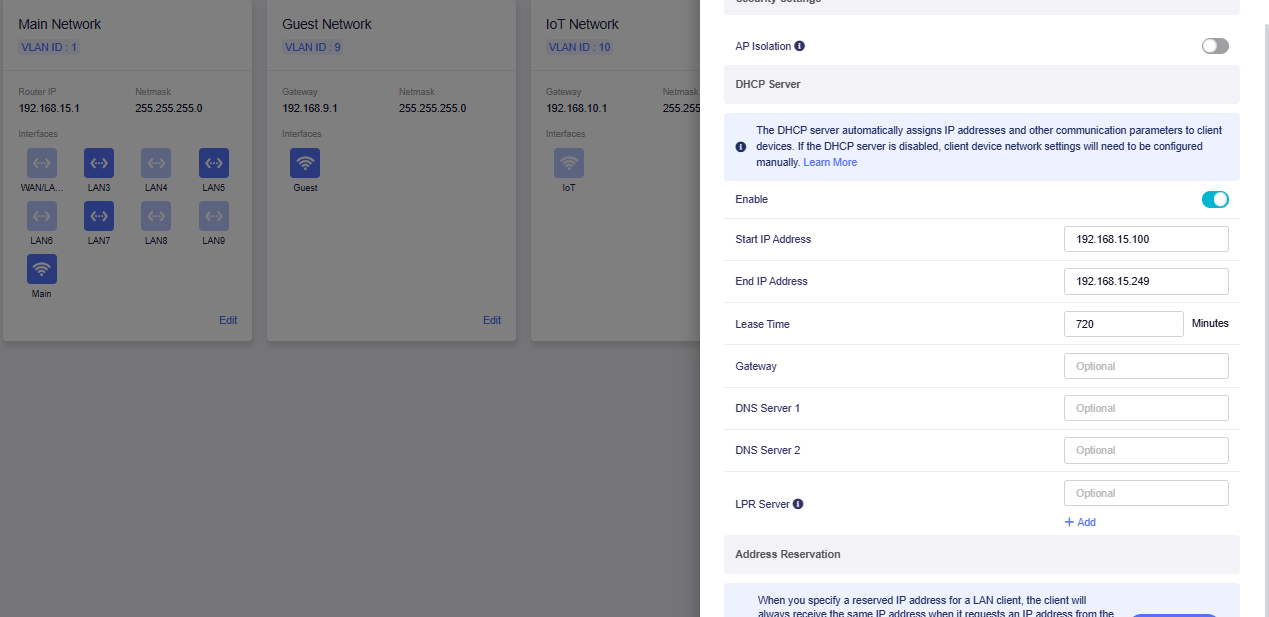
I updated to the latest firmware version today (4.11). I wasn't aware that GL.iNet introduced native VLANs (didn't spot it in the change log, maybe because I was a little bit behind on the updates or maybe I didn't pay close attention), nevertheless it broke after the update and I couldn't access the internet nor the router's admin panel. Fortunately I was able to fix it through a failsafe mode and connecting via cable. It turns out the update reassigned my main LAN to br-lan instead of br-lan.1 and it prevented me from accessing the router.
I changed that back and now it is somewhat working, I have internet access and most of the stuff seem to work, but... I'm not sure how. I would now like to clean things up, hopefully without doing a factory reset and without making a lot of mess.
Both LuCI and the GL.iNet dashboard seem to show different things.
This is my bridge filtering setup:
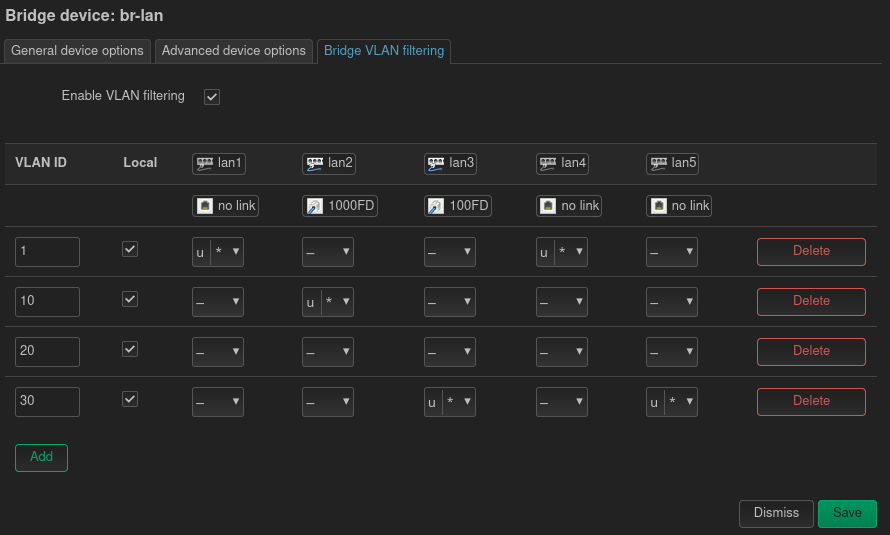
So as you can see I'm using apparently conflicting VLAN id 10, that GL.iNet reserves for the built-in IoT network. And this is what I see in the native dashboard:
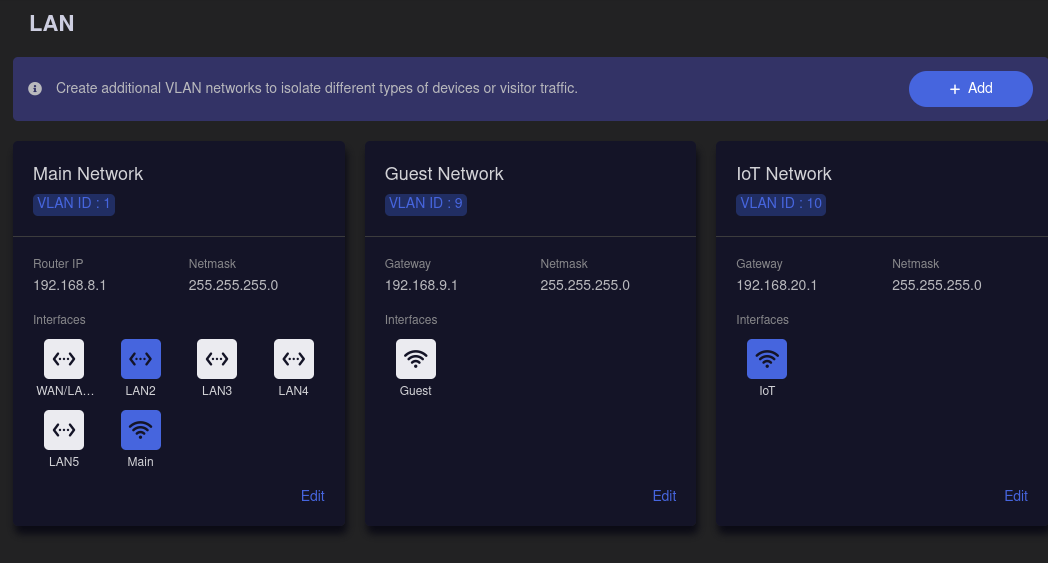
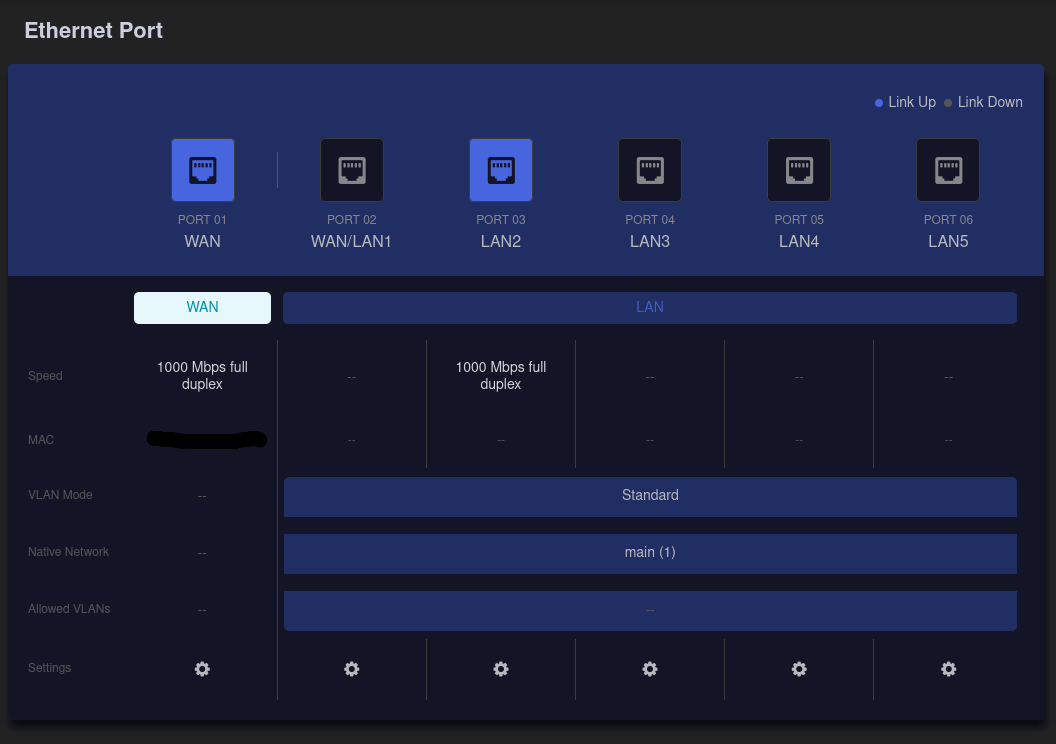
So it seems that ports that I used to have assigned to certain VLANs are now part of the main VLAN? Or this dashboard is not representing reality?
Despite that, it seems that devices from the VLAN br-lan.10 are still getting addresses from the subnet 192.168.10.X. And devices that were previously connected to br-lan.20 are now connected to br-iot and somehowo still get 192.168.20.X. It kind of looks as if it merged the settings from my preexisting bridge filtering with those new native VLANs and it is somewhat working?
(I unplugged everything except for LAN2 for now, which was my br-lan.10, so the dashboard correctly shows that it is the only active port)
The one thing that I spotted is that the device from the br-lan.10 does not seem to have access to WAN, but it used to have it. So there might be some conflicts in the firewall rules perhaps? I don't see any settings for them in the new native VLAN dashboard, so is it still expected we will configure them in LuCI?
Assuming I will migrate my VLANs from LuCI to native VLANs, how should I set it up, including traffic rules? Like the normal rules like DNS, DHCP but also more custom ones like mDNS or only allowing traffic on specific ports like for example MQTT between certain VLANs. Should I use prot forwarding page for that now?
Or maybe I should not migrate in that case and stay on LuCI with bridge filtering?
Sorry for a bit chaotic post, but I'm a little bit confused by all of this myself.
PS. despite the update hiccup I'm quite happy with the fact that the firmware is getting such features