Flint 2 (v4.8.3) - DNS/Routing issues when switching from NordVPN to ProtonVPN/Privado with Tailscale + AGH

Hi everyone,

I have two Flint 2 routers running Firmware 4.8.3 in two different locations. For months, they have been working flawlessly with a complex setup: 5 WireGuard client tunnels (NordVPN), Tailscale (advertising subnets), and AdGuard Home (AGH) acting as a Tailscale DNS server for my mobile devices.

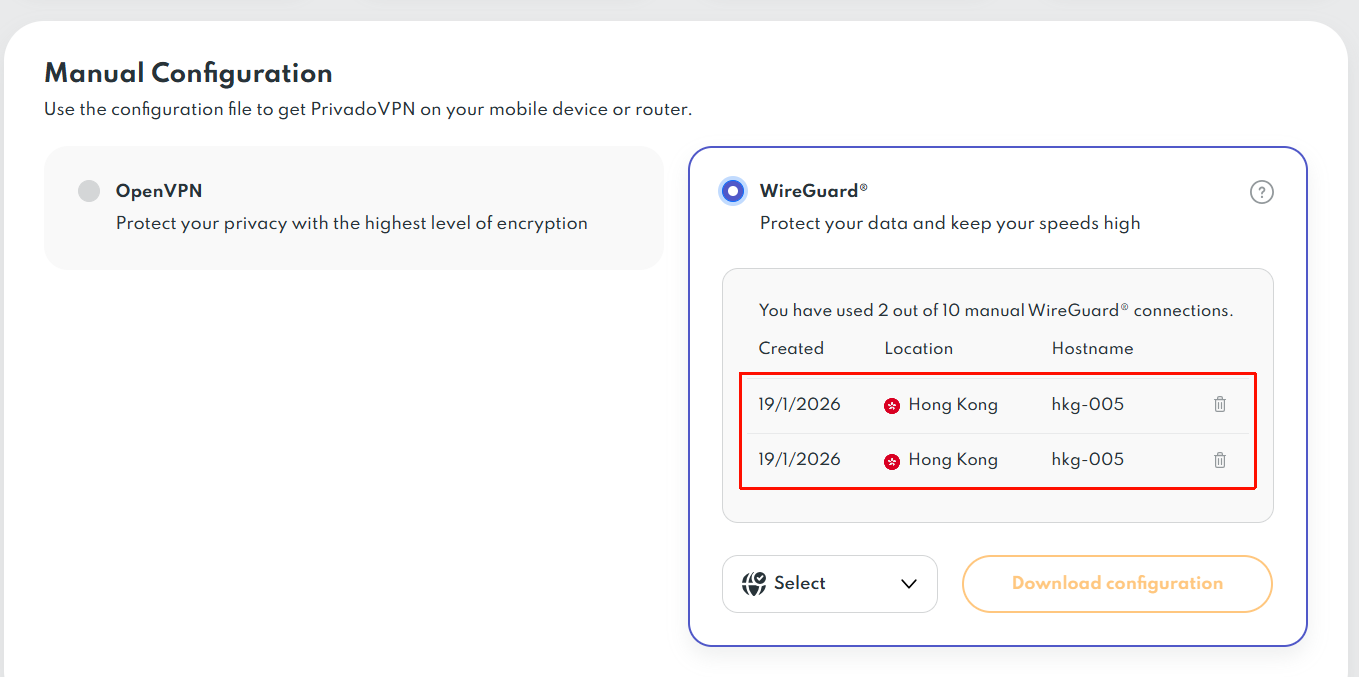
Since my NordVPN subscription was expiring, I decided to switch to ProtonVPN. To my surprise, I am encountering the exact same stability issues I previously had with PrivadoVPN (which I had initially dismissed as a provider-specific problem).

The Problem: When I switch from a NordVPN WireGuard profile to Proton or Privado, my internet and Tailscale connections immediately start dropping. The router becomes inaccessible 90% of the time, with only brief windows of connectivity. The VPN logs are flooded with errors. As soon as I switch back to NordVPN, everything works perfectly again.

What I’ve tried:

  • Adjusting MTU to 1350.

  • Toggling "Force VPN DNS" on/off.

  • Forcing custom Upstream DNS servers in AGH.

  • Testing multiple VPN servers with different configurations.

My observations on DNS behavior:

  • With NordVPN: To use AGH as a remote Tailscale DNS, I had to disable Nord's internal DNS and use encrypted Upstream DNS servers in AGH (ffmuc, uncensoreddns, etc.). This allowed private resolution for home devices and remote Tailscale clients simultaneously.

  • With Proton/Privado: It seems nearly impossible to "bypass" their internal DNS in favor of my encrypted ones. However, unlike Nord, Proton/Privado do seem to allow DNS resolution for remote Tailscale clients.

If I disable the Killswitch, set the MTU to 1350, and use the VPN's own DNS servers (instead of my custom encrypted ones in AGH) while performing the switch, stability improves significantly. Curiously, by following these steps, I finally managed to get one of my Flint 2 routers working perfectly with Proton. However, I cannot replicate this success on the second router despite having theoretically identical settings. Now that the first router is finally stable, I am reluctant to touch it and won't be switching back to Nord!

It feels like a routing conflict between how these specific VPN providers handle DNS requests when AGH and Tailscale are active. I was under the impression that Tailscale traffic bypassed the VPN tunnel, but this behavior suggests otherwise.

Has anyone encountered similar conflicts with ProtonVPN on GL.iNet hardware? Any hints on why NordVPN works so differently regarding DNS routing in this ecosystem?

Thanks in advance for your help!
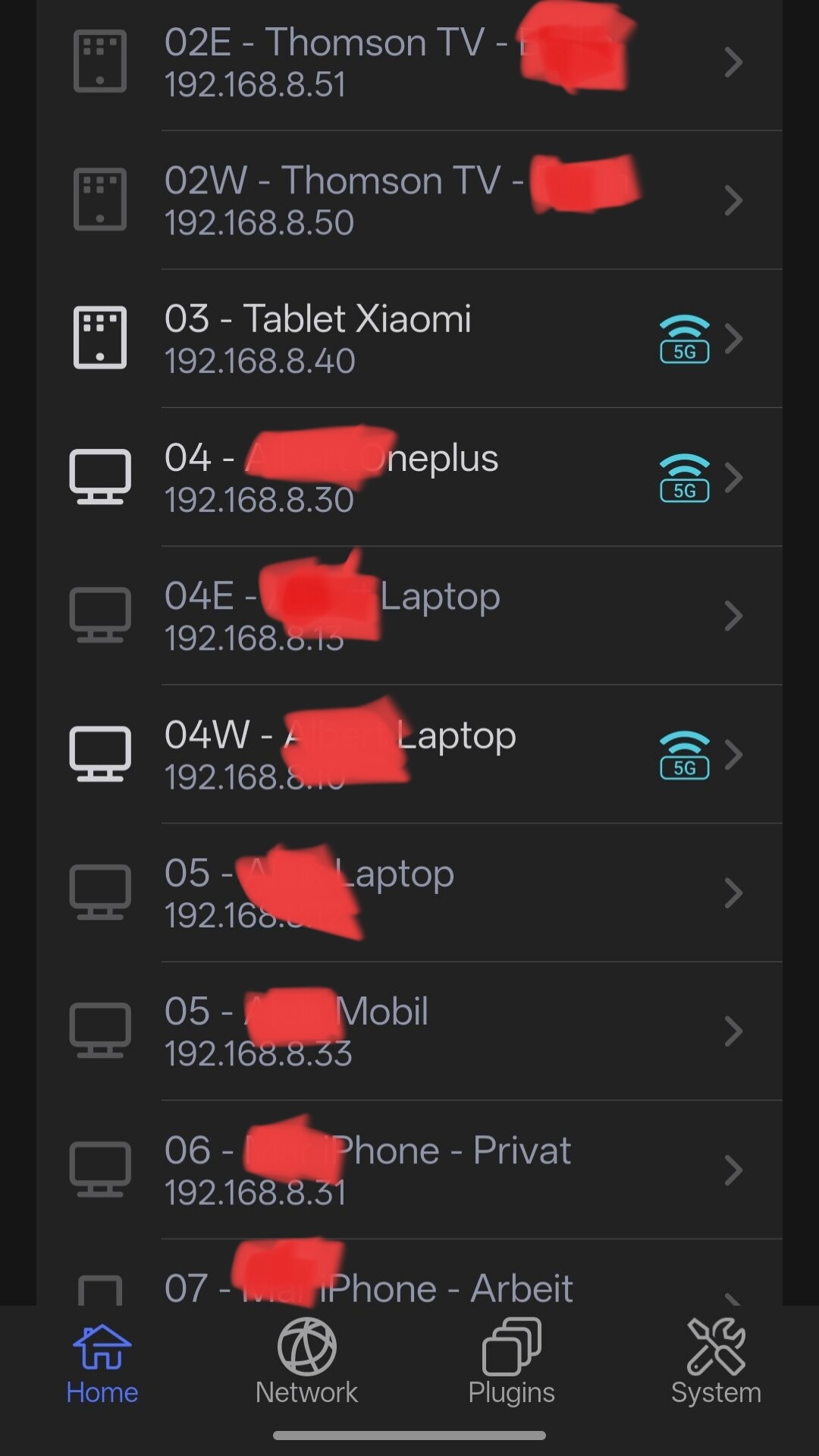
I thought I had my first router working perfectly with ProtonVPN; all my clients show Proton’s IP and DNS on 'whatsmyip' and ControlD leak tests. However, the GL.iNet app shows all clients as being 'outside' the VPN. I’m certain they are actually connected, but the fact that the app and web interface show them as unprotected proves that my setup isn't quite right yet, even on the router I thought was fine

Regarding what I said before: 'the GL.iNet app shows all clients as being 'outside' the VPN. I’m certain they are actually connected, but the fact that the app and web interface show them as unprotected proves that my setup isn't quite right yet, even on the router I thought was fine.'

I found the reason: PrivadoVPN configurations use the same IP range as Tailscale, which is 100.64.x.x. For testing purposes, I created a VPN policy to make Tailscale connections bypass the VPN. Apparently, this confused the router and caused all VPN connections to appear as if they were 'outside' the tunnel, even though whatsmyip and Control D confirmed they were still behind a VPN IP and using encrypted DNS servers."

Now I'm wondering if this IP range overlap will cause any other kind of problems for the router when it confuses Tailscale IP addresses with VPN addresses. By the way, Proton uses a different IP range.

edit 18.0.06

Forum Post Draft

Subject: Lessons Learned: VPN Subnet Conflicts and WireGuard Limitations with Privado/Proton vs. NordVPN

After several days of troubleshooting and dealing with constant instability, I think I’ve finally identified the causes of my issues. I wanted to share my conclusions and the workarounds I’ve found for anyone using a similar setup (Flint 2, Tailscale, AdGuard Home, and multiple VPNs).

My Baseline Setup (Flint 2 - v4.8.3):
For months, everything worked perfectly with the following features active:

  • Multiple VPN Policies: 5 NordVPN WireGuard policies routing specific devices to different countries.
  • Tailscale: (updated to last version) Running as an Exit Node + advertising WAN/LAN subnets (configured to bypass the VPN tunnel).
  • AdGuard Home (AGH): (updated to last version) Functioning as the local and remote DNS server for my mobile devices via Tailscale.
  • AGH Management: Remote access enabled via username/password for the Android's AGH manager app.

Everything broke when I switched from NordVPN to ProtonVPN and PrivadoVPN. Here is what I discovered:


1. DNS Behavior: AGH + Tailscale + VPN Upstreams

I found significant differences in how each VPN provider handles DNS requests coming from "outside" the VPN (remotely via Tailscale):

  • NordVPN: I couldn't use Nord’s DNS (103.86.96.100) as an upstream in AGH if I wanted to resolve queries for remote Tailscale devices. To make it work, I had to use custom encrypted DNS servers (DoH/DoT) as upstreams which Nord allowed me to do.
  • PrivadoVPN: They force the use of their own DNS (198.18.0.1 / 198.18.0.2). However, unlike Nord, Privado allows these servers to resolve requests from remote Tailscale devices through AGH.
  • ProtonVPN: Like Privado, they force their own DNS (10.2.0.1), but they block these servers from resolving requests for devices outside the VPN (remote Tailscale clients), making my remote TS DNS setup unusable.

Current Solution: I am using Privado VPN with their internal DNS servers set as Upstreams in AGH and I have local and TS remote DNS resolution in my AGH.


2. The WireGuard "Same Server" Limitation

This was the most frustrating discovery. I have two Flint 2 routers in different locations.

  • The Problem: If I connect both routers to the same Privado WireGuard server using the same account, the entire network collapses. Internet drops constantly, DNS fails, Tailscale disconnects, and I lose remote access to the routers.
  • What DOES work:
  • Using OpenVPN (same account, same server).
  • Using WireGuard if the routers connect to different servers.
  • Using WireGuard if the routers use different Privado accounts on the same server.

Conclusion: The instability only occurs when two different origins (routers or clients) use the same account to hit the same WireGuard endpoint. While NordVPN handled this flawlessly, Privado/Proton seem to have strict session or routing conflicts when a single identity tries to multiplex on the same server.

Moving Forward
I am opening a support ticket with PrivadoVPN, though I suspect they will say this is a limitation of their WireGuard implementation, which seems to conflict with Tailscale on GL.iNet routers. (By the way, PrivadoVPN servers use the same 100.64.x.x IP range as Tailscale, which likely contributes to the problem).

It’s a disappointing bottleneck because Privado has limited servers in certain countries (e.g., only one in Spain and two in Germany), making it difficult to scale this setup across multiple routers without hitting account/session conflicts.

If anyone can challenge my conclusions or has found a way to "de-conflict" these overlapping IP ranges—or perhaps has tips on handling multiple routers on the same WireGuard endpoint—I would love to hear your thoughts!

Edit 18.01.2026: I just learned from Privado support that a WG config file can't be used simultaneously from two different routers, even though with NordVPN this was never a problem. Mystery solved and everything works! Hope my find outs will Help somebody. Next project: creating a VLAN for my IoT devices. Let's go!

Hi

  1. Regarding the DNS behavior, I don't fully understand the complete picture yet. However, if NordVPN is working as expected while others are not, it is very likely an issue specific to those individual VPN providers.

  2. As for the Privado WireGuard issue: yes, please do not use the same VPN profile on multiple clients simultaneously, as this will cause conflicts.
    Instead, you can generate separate, unique profiles for each of your two clients within the Privado dashboard. Even if both profiles connect to the same server, they will function correctly as long as they are distinct.

Thanks Will for your answer!

Regarding the WireGuard configuration profiles: I understand now. Privado explained the same thing to me yesterday. However, I should mention that this was never an issue with NordVPN; I was able to use the same WireGuard profile simultaneously from different routers without any problems. It seems NordVPN handles session multiplexing differently than Privado or Proton.

Regarding the DNS behavior: I have already found a working solution, but I’ll explain the issue in more detail in case it helps you or others understand how these providers differ:

  • NordVPN: They provide DNS server 103.86.96.100. This worked of course for LAN clients inside the VPN, but it failed when I tried to use AGH remotely as a Tailscale DNS server from clients outside of the VPN. This is because NordVPN only allows access to their DNS servers from inside the VPN tunnel. To fix this, I had to use Encrypted DNS (DoH) as upstreams in AGH. NordVPN allowed these external DNS requests to resolve even for clients inside the VPN, which enabled my remote Tailscale clients to use AGH successfully.

  • PrivadoVPN: They function differently. Privado forces the use of their own DNS servers (198.18.0.1 and 198.18.0.2). Interestingly, Privado does allow these servers to be used as upstreams in AGH for both internal and remote (Tailscale) clients. This allowed me to use AGH as a remote DNS server while "on the road" without issues.

  • ProtonVPN: They also force their own DNS (10.2.0.1), but unlike Privado, they block these servers from resolving requests if the query comes via Tailscale from a client outside the VPN. Surprisingly, I discovered that while using ProtonVPN, I can actually use Privado’s DNS servers (198.18.0.1/2) as AGH upstreams, and they work perfectly.

I could prove all these conclusions by checking the output of tools such as https://controld.com/tools/dns-leak-test

In short, each provider has a very different policy regarding "off-tunnel" DNS requests. Privado is the most flexible in this specific regard, as it allows its own DNS to be used by AGH even for remote Tailscale clients.

Best regards,

1 Like

Hello,

I have a much simpler setup in place, and I am having some issues that I hope somebody in this thread could help me fix.

I have a GL-BE3600 (Slate 7) router updated to firmware 4.8.1 with a simple tailscale setup redirecting all traffic on a remote exit node and a manual DNS set.

However, I would like to have the Guest WiFi clients to be redirected via a ProtonVPN WireGuard or OpenVPN tunnel.

At the moment, this is the behaviour of my router:

  • ProtonVPN tunnels disabled → Guest Wi-Fi nodes are routed directly to my local ISP router (no tailscale, no Proton)
  • ProtonVPN OpenVPN enabled via policy mode → Guest Wi-Fi nodes are routed directly to my local ISP router (no tailscale, no Proton); the ProtonVPN tunnel is completely ignored;
  • ProtonVPN WireGuards enabled via policy mode → Guest Wi-Fi nodes have no access to the Internet.

Is there any simple way I can have all clients in the main LAN (Wi-Fi and Ethernet) go through Tailscale and the Guest clients going into a ProtonVPN tunnel?

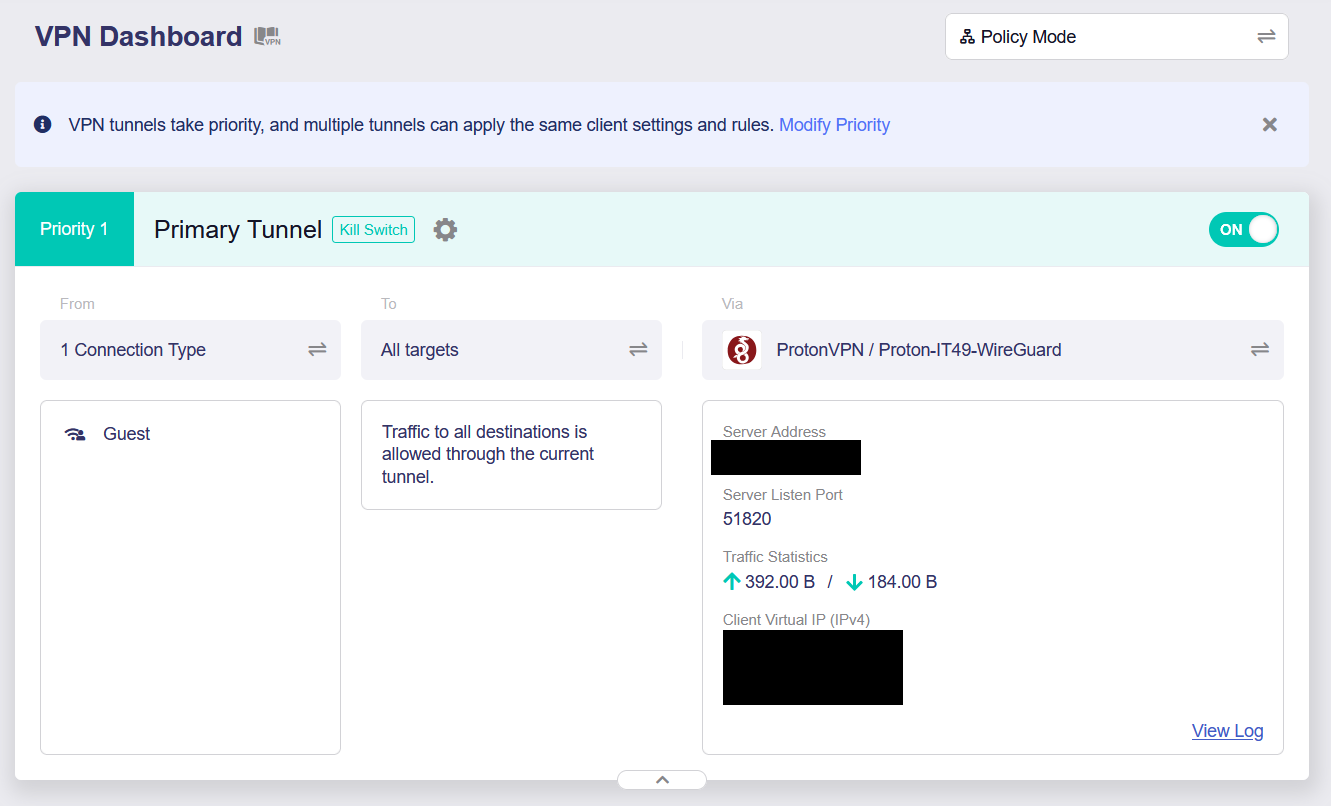
Find below example of policy mode configured with ProtonVPN WireGuard.

I’m not familiar with your setup or specific situation but I think you should be able to achieve this via LUCI/network/firewall/zones/guest. Try it but backup first :wink: