I recently got a Flint 2 Router and when setting up the router, the WAN/LAN 1 port is behaving very oddly, for one, if I insert the cable from my ONT to it, internet wont work, and the router led light wil keep blinking, I have use the first WAN port only, also for some odd reason, speed on WAN/LAN 1 port is limited to 10mbps FD. When I try to force it to gigabit FD in windows via device manager, the ethernet will simply stop working, I have tested the same cable across different ports on the router, and while speeds have definitely increased, they are still limited to 100MBPS FD (tested 3 different cables across all ports on the router), speeds are verfied using iperf3 with Windows (connected to FLint 2 via ethernet) as server, and a macbook connected to 5ghz flint 2 wifi, and its indeed constrained to 100mbps FD, with or without connected to my modem (my plan is symmeric 100mbps, so I just wanted to eliminate the possibility that 100mbps might be due to my plan)
Is there anything I can do? I really cant afford to RMA it since GL-inet has no presence here, and between sending it back to china and customs, I’ll spend anywhere between 50 to 70-80% of the price of the router on it
hey, I just wanted to confirm if debricking it is needed? I can access Admin as well LuCi UI and I just unboxed it without touching anything, current firmware is 4.8.3
To help us further troubleshoot, could you please provide the following information:
With all other Ethernet ports disconnected, please connect your laptop directly to the Flint 2 (do not use a switch, and ensure the WAN port is not connected to the ISP modem).
Test the connection speed on LAN1, then repeat the test on LAN2 through LAN5 individually, and let us know if the results differ.
Please SSH into the router and run the commands below, making sure the laptop is connected to the corresponding port when each command is executed:
# When connected to LAN1
ethtool eth0

# When connected to LAN2 through LAN5
ethtool eth1
this is really weird, I tested it exactly like you said, when I connected to LAN 1, here’s the eth0 output
root@GL-MT6000:\~# ethtool eth0

Settings for eth0:
        Supported ports: \[ MII \]
        Supported link modes:   2500baseT/Full
        Supported pause frame use: Symmetric Receive-only
        Supports auto-negotiation: No
        Supported FEC modes: Not reported
        Advertised link modes:  2500baseT/Full
        Advertised pause frame use: Symmetric Receive-only
        Advertised auto-negotiation: No
        Advertised FEC modes: Not reported
        Speed: 2500Mb/s
        Duplex: Full
        Port: MII
        PHYAD: 0
        Transceiver: internal
        Auto-negotiation: on
        Current message level: 0x000000ff (255)
                               drv probe link timer ifdown ifup rx_err tx_err
        Link detected: yes
but when I connected to any other port (LAN 2 - 5), eth1 would just say link not detected (pasting output for both eth0/1)
root@GL-MT6000:\~# ethtool eth0

Settings for eth0:

        Supported ports: \[ MII \]

        Supported link modes:   2500baseT/Full

        Supported pause frame use: Symmetric Receive-only

        Supports auto-negotiation: No

        Supported FEC modes: Not reported

        Advertised link modes:  2500baseT/Full

        Advertised pause frame use: Symmetric Receive-only

        Advertised auto-negotiation: No

        Advertised FEC modes: Not reported

        Speed: 2500Mb/s

        Duplex: Full

        Port: MII

        PHYAD: 0

        Transceiver: internal

        Auto-negotiation: on

        Current message level: 0x000000ff (255)

                               drv probe link timer ifdown ifup rx_err tx_err

        Link detected: yes

root@GL-MT6000:\~# ethtool eth1

Settings for eth1:

        Supported ports: \[ TP MII \]

        Supported link modes:   10baseT/Half 10baseT/Full

                                100baseT/Half 100baseT/Full

                                1000baseT/Full

                                2500baseT/Full

        Supported pause frame use: Symmetric Receive-only

        Supports auto-negotiation: Yes

        Supported FEC modes: Not reported

        Advertised link modes:  10baseT/Half 10baseT/Full

                                100baseT/Half 100baseT/Full

                                1000baseT/Full

                                2500baseT/Full

        Advertised pause frame use: Symmetric Receive-only

        Advertised auto-negotiation: Yes

        Advertised FEC modes: Not reported

        Speed: Unknown!

        Duplex: Unknown! (255)

        Port: MII

        PHYAD: 1

        Transceiver: external

        Auto-negotiation: on

        Current message level: 0x000000ff (255)

                               drv probe link timer ifdown ifup rx_err tx_err

        Link detected: no

but after I connected my modem to WAN 1,  eth1 gave normal output (pasting below)

\`\`\`
root@GL-MT6000:\~# ethtool eth1
Settings for eth1:
Supported ports: \[ TP MII \]
Supported link modes:   10baseT/Half 10baseT/Full
100baseT/Half 100baseT/Full
1000baseT/Full
2500baseT/Full
Supported pause frame use: Symmetric Receive-only
Supports auto-negotiation: Yes
Supported FEC modes: Not reported
Advertised link modes:  10baseT/Half 10baseT/Full
100baseT/Half 100baseT/Full
1000baseT/Full
2500baseT/Full
Advertised pause frame use: Symmetric Receive-only
Advertised auto-negotiation: Yes
Advertised FEC modes: Not reported
Link partner advertised link modes:  10baseT/Half 10baseT/Full
100baseT/Half 100baseT/Full
1000baseT/Full
Link partner advertised pause frame use: Symmetric
Link partner advertised auto-negotiation: Yes
Link partner advertised FEC modes: Not reported
Speed: 100Mb/s
Duplex: Full
Port: MII
PHYAD: 1
Transceiver: external
Auto-negotiation: on
Current message level: 0x000000ff (255)
drv probe link timer ifdown ifup rx_err tx_err
Link detected: yes
\`\`\`

In all of the cases, admin UI showed correct LAN port under Port management and when not connected to modem, even other lan ports were negotiating 10 mbps fd
hey yes laptop is connected directly via ethernet to the router, the cable I am using is a Dlink Cat 6 cable, I am copy pasting the output I got with flint 2’s cable
root@GL-MT6000:~# ethtool lan4
Settings for lan4:
Supported ports: [ TP MII ]
Supported link modes: 10baseT/Half 10baseT/Full
100baseT/Half 100baseT/Full
1000baseT/Full
Supported pause frame use: Symmetric Receive-only
Supports auto-negotiation: Yes
Supported FEC modes: Not reported
Advertised link modes: 10baseT/Half 10baseT/Full
100baseT/Half 100baseT/Full
1000baseT/Full
Advertised pause frame use: Symmetric Receive-only
Advertised auto-negotiation: Yes
Advertised FEC modes: Not reported
        Link partner advertised link modes:  10baseT/Half 10baseT/Full
                                             100baseT/Half 100baseT/Full
Link partner advertised pause frame use: Symmetric Receive-only
Link partner advertised auto-negotiation: Yes
Link partner advertised FEC modes: Not reported
Speed: 100Mb/s
Duplex: Full
Port: MII
PHYAD: 2
Transceiver: external
Auto-negotiation: on
Supports Wake-on: d
Wake-on: d
Link detected: yes
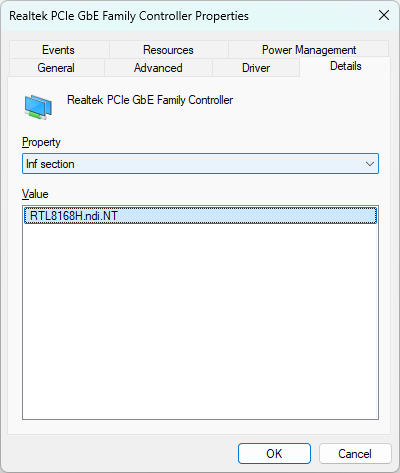
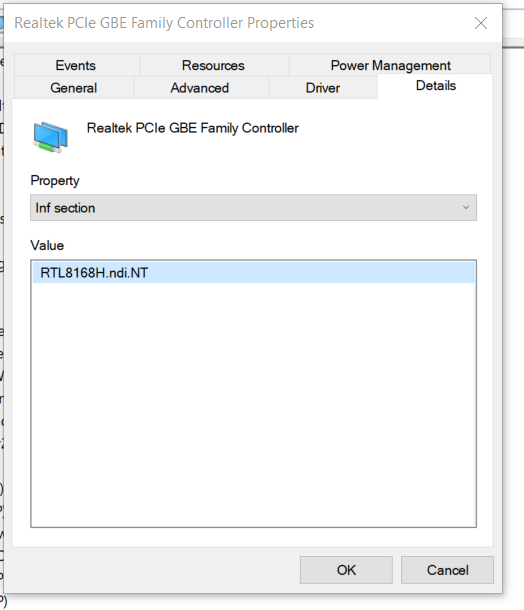
My laptop is a Dell 7577 with a gigabit ethernet port, I couldnt find the specific serial number for it but under device manager, this is the description Realtek PCIe GBE Family Controller
I also tried with a Lenovo Legion 5i which also has a gigabit ethernet and is facing these issues as well ( this was the other pc in my original post)
Could you please let us know which version of Windows you are currently using?
Depending on your OS, we recommend trying a specific driver version to see whether it can fix the issue or not. Please ensure you uninstall your current network driver first through the Device Manager before installing the new one.
For Windows 11: We suggest upgrading to the NetAdapterCx driver. This is a more modern driver architecture optimized specifically for Windows 11.
For Windows 10: Please also try the NetAdapterCx driver first. If this cannot be installed, normally, try the NDIS version labeled "Not Support Power Saving."
It appears so, based on the information available at this time.
Please contact [email protected] with a brief description and a link to this post, along with your purchase channel and order number to receive after-sales service.