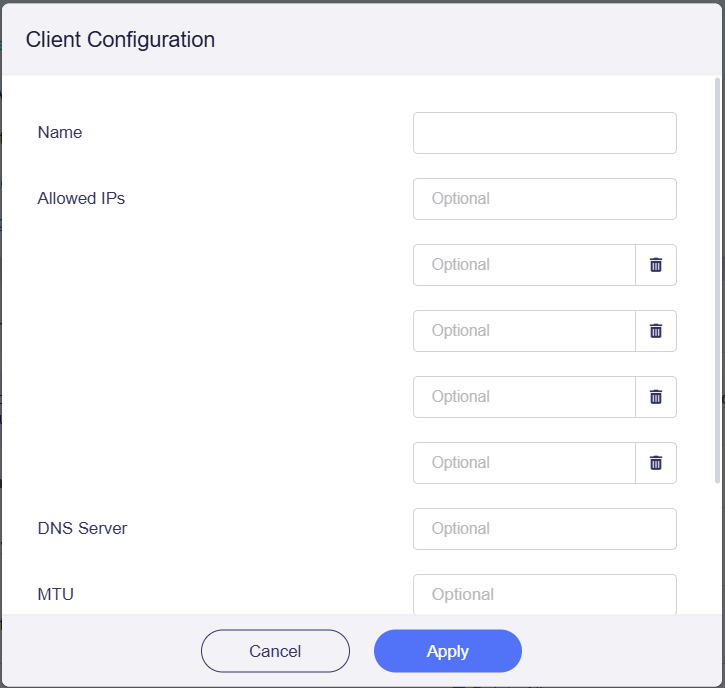
I'm trying to block specific clients from accessing my home network, but I haven't figured out how to do it. I used the WireGuard AllowedIPs Calculator, which suggested I set the AllowedIP to:
Is the VPN server on the home router? Then want to block certain VPN clients from accessing your home LAN?
If we don’t want these VPN clients to access the home LAN and WAN/Internet, you can reject these VPN clients to access the home router (VPN server), like you can delete the corresponding profile directly of the VPN server.
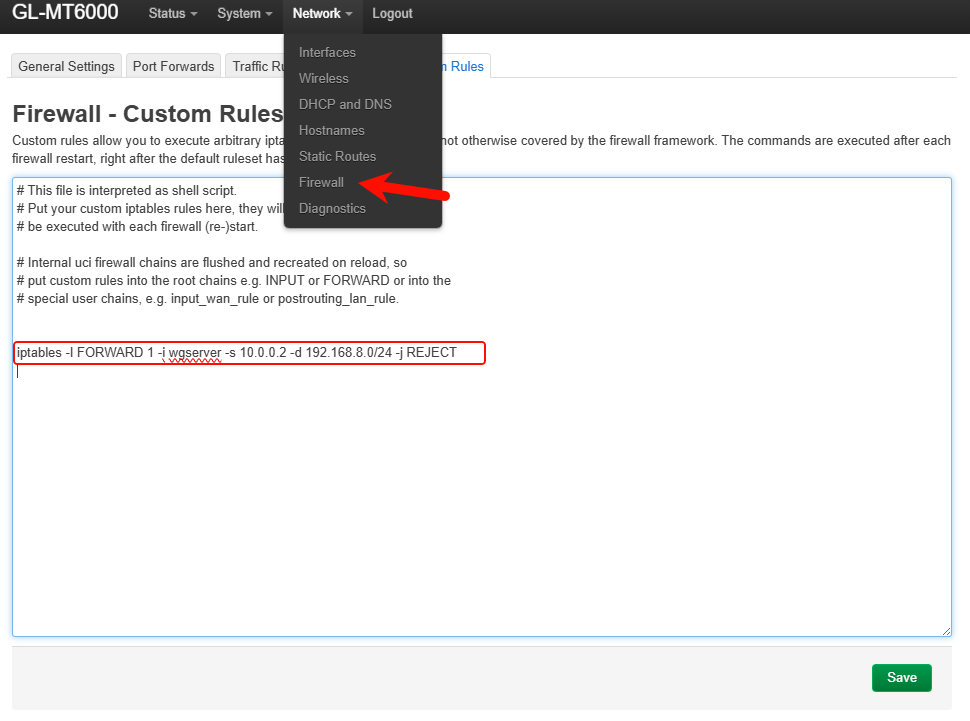
If only allow the VPN client connects to the Internet through the ISP IP of the home router but reject to access Home LAN, you need to check the corresponding VPN client IP first, and add a firewall rule to Luci > Network > Firewall > Custom Rules by referring to the following command:
# Deny traffic from the VPN client (assume 10.0.0.2) accessing the Home LAN subnet (assume 192.168.8.0/24); WG server is `wgserver`, if you are using the OpenVPN server, please change `wgserevr` to `ovpnserver`.
iptables -I FORWARD 1 -i wgserver -s 10.0.0.2 -d 192.168.8.0/24 -j REJECT
Yes, you've understood correctly and that's exactly what I was looking for. However, since I'm not an advanced user, I'd prefer to do it through the standard web interface, not LuCI. It's not possible, is it?