I reverted back to 4.8.3 a week ago.
After the findings from @imimimx I changed the Country from DE to GB and did the update.
It works for me - no wifi issues and power is on 100mw
3 Likes
The Claude AI’s overall reasoning is generally correct, but there are some inaccuracies in the details that lead to incorrect conclusions.
- The SKU table is not stored in the kernel object, so the claim of 60 → 10 is incorrect.
- SKU is not measured at 0.5 dBm per unit.
We have reviewed the SKU table again and confirmed that the settings are correct.
Please note that the configuration in the SKU defines the output power of the Wi-Fi chipset, not the final output power of the entire router. Additional factors such as the power amplifier and antenna gain must also be taken into account.
At present, we can confirm that the router’s overall wireless output power complies with regulatory requirements.
In addition, the UCI commands provided by the AI are incorrect.
uci set wireless.mt798611.country='your_location'
uci set wireless.mt798612.country='your_location'

uci commit wireless
wifi
The router’s default country code is determined by the region where it was purchased.
Update:
Currently, devices in the European region (excluding the UK) are set to DE by default, while devices in other regions are configured according to their respective locations.
2 Likes
Thanks Will - appreciate the reply. Will consider and investigate further.
My unit(s) was UK purchased and all had DE as the country default.
Whatever the ins and outs of implementing the Wi-Fi transmit power config defaults, the net result for the user is a very significant drop-off in signal between 4.8.3 and 4.8.4
I do not want to stay on 4.8.3 because of missing future accumulative security fixes - so, after having been a very satisfied owner of a gl.inet router, I am now starting to think about getting another router.
1 Like
Unfortunately, if they say it is now operating at the legal compliance limits it is what it is.
… it’s just odd, still to me, that changing DE → UK/GB (or even FR) reverts more or less to how it was, even on 4.8.4.
I’d have thought that the EU limits would be very similar to UK limits, but perhaps I’m wrong. Or, perhaps it is/was an oversight or ‘quick fix’ - and the other EU/UK countries will eventually have similar levels applied.
Rather tricky point, but it sounds like perhaps we got used to the device operating beyond the legal limits - even with factory defaults - if that’s the case, then presumably other routers/devices that already operate at the correct limits would see the same.
I’ve not done too much testing, but I do believe that the factory defaults of the Flint 2, on 4.8.4, are now worse than other vendors devices - but I do need to test like-for-like a little more.
1 Like
Very grateful for your help with this.
Not sure there was much ‘help’ - well intentioned, yes, but ultimately perhaps just (wrong) ‘noise’ 
There are significant differences between EU and GB especially on 5GHz. If you use an access point with the wrong country code you might run into huge problems with the authorities.
Given that a lot of people who are not in Germany, seem to have Germany as the default - and it doesn’t seem to be set/modified at initial user setup, nor ‘easy’ for users who do not investigate LuCI - I suspect this is quite a wide problem then …
Mine too Will - 2 units from Amazon UK and both had DE country codes showing in LuCI. So not sure if this is an ‘Amazon’ distribution issue, where UK units are sourced from Europe?…. At least we know now to manually change them if not correct.
1 Like
Im sure in previous firmware versions luci gave me the option of 1w max in the pull down table with country set to panama. Now 100mw is the highest regardless of cointry code.
Maybe I waa dreaming.
At my parents’ house we have two Wi-Fi access points installed with this configuration, while at my place the maximum signal I can get is 24 dBm. I’m based in Italy and I’m using 4.8.3 op24.
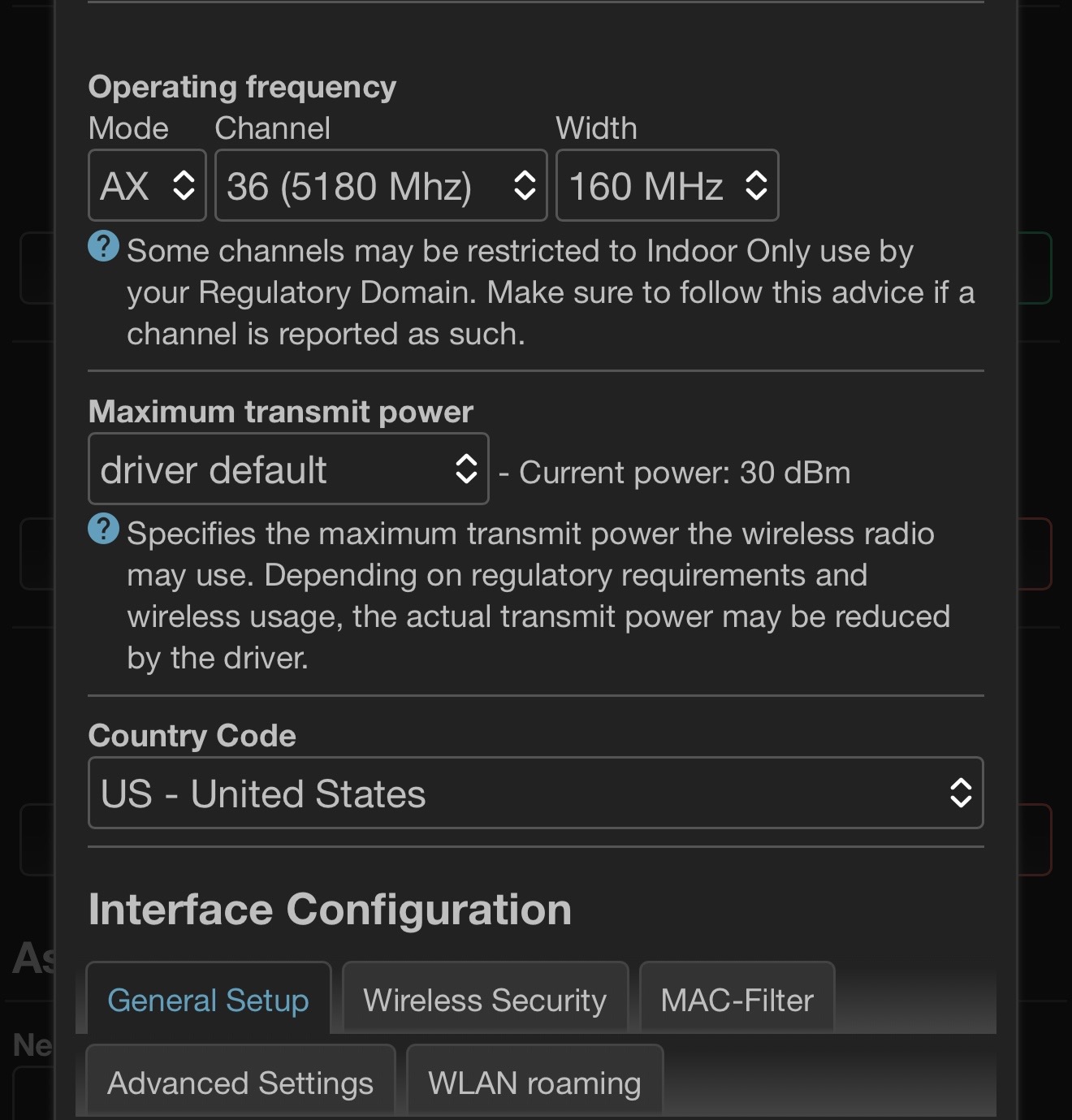
Ok so I checked, its available when selecting US for me as the 30dbm option.
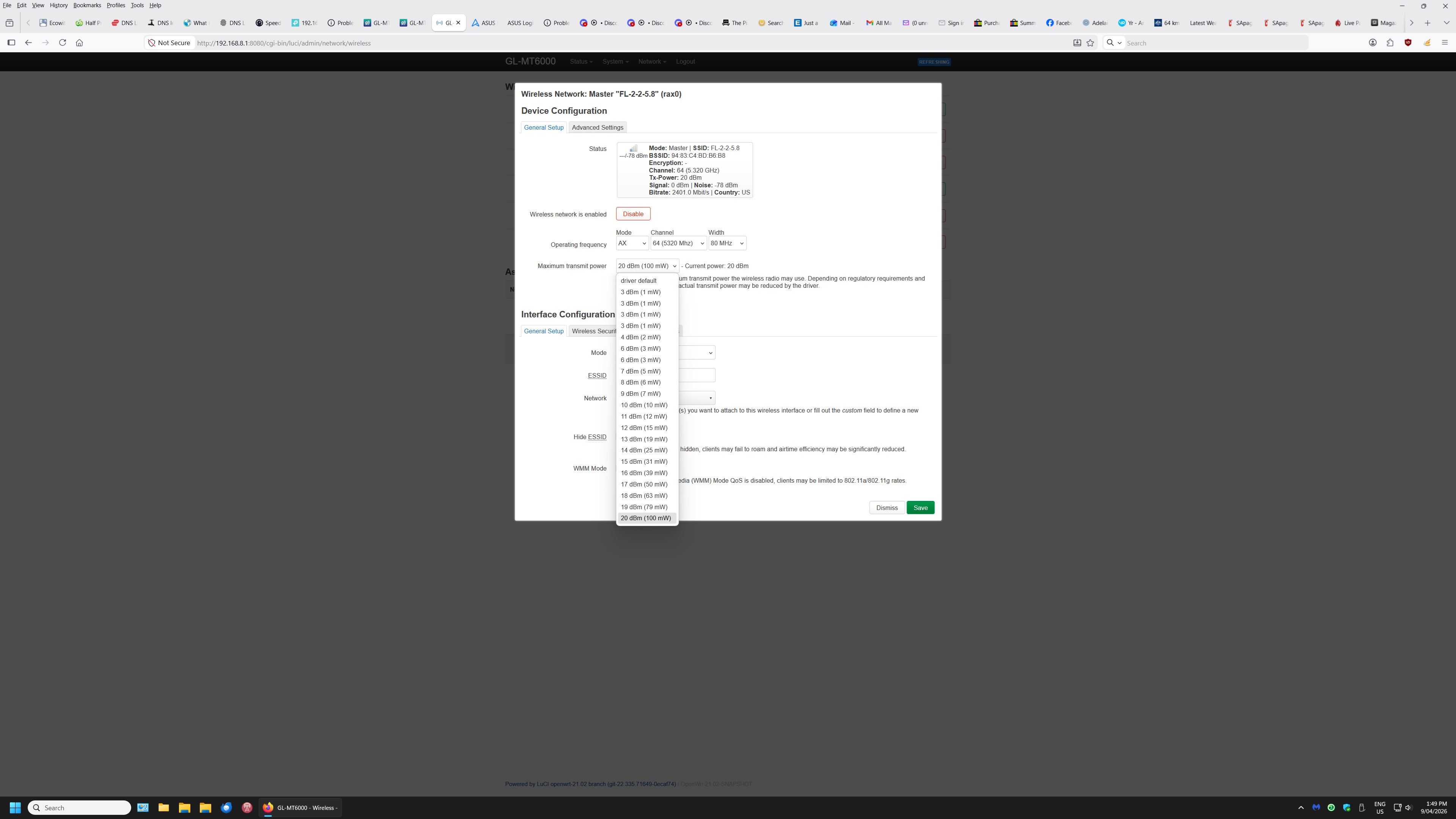
Try changing width to 160? Also which software version?
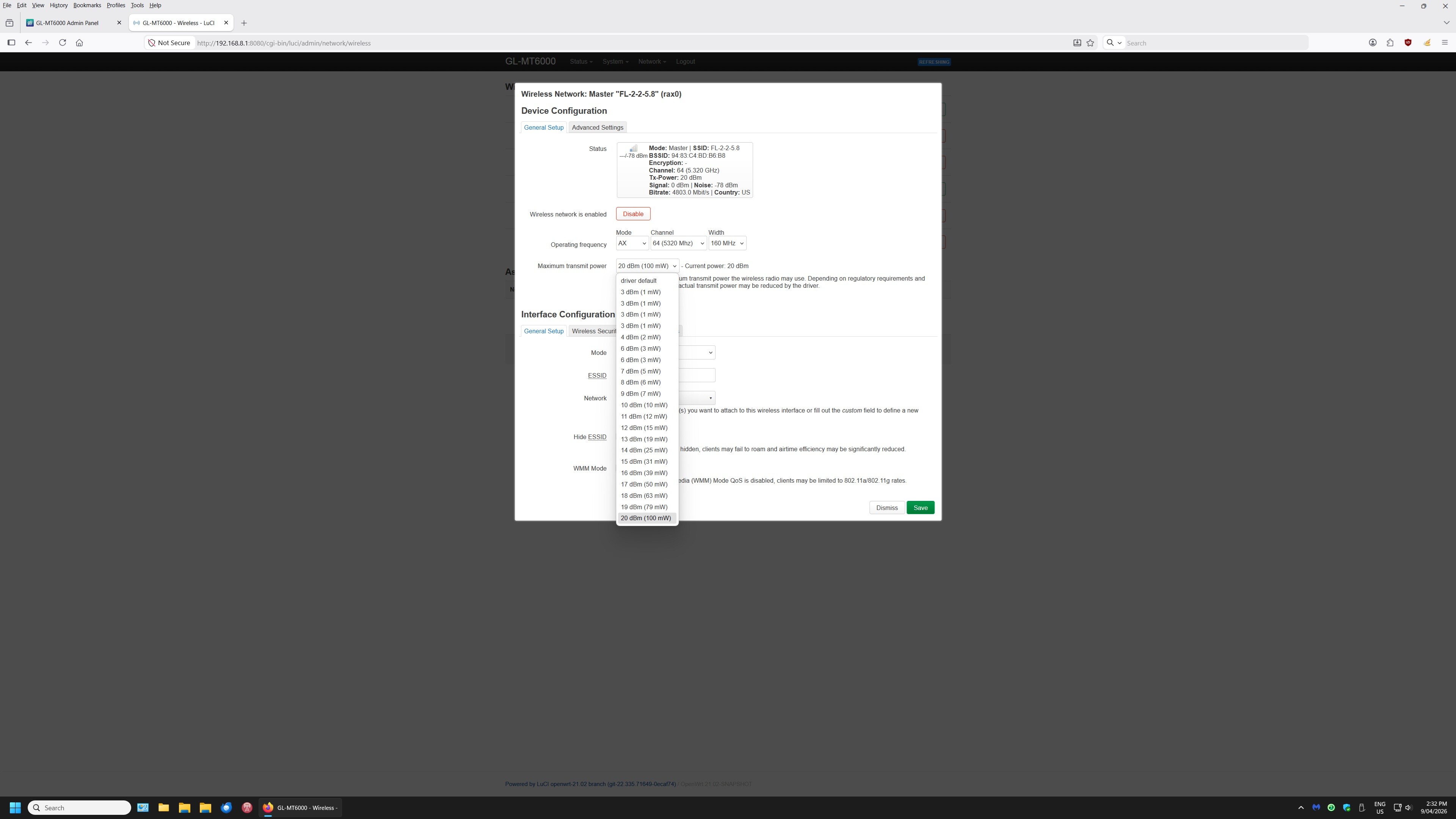
Go back to 4.8.3 without saving data; that will resolve this.
Ok will have to give that some thought.
Quite a task.
Thanks
When i bought Flint 2 for the first time it was advertised with latest OpenWrt then this changed to older Openwrt because “driver compatibility issues”. I said OK, no problem with that since it has good WiFi. Now the “good” WiFi argument goes to trash because “regulatory compliance”.
I am disappointed of GLiNet.
Why you did not implement “regulatory compliance” WiFi when sending routers for reviews in the first place ?
I am using Embedded devices (routers) from various vendors since the 90s and this is the first time a product does get worst (practically unusable) after a firmware update that should only make a device better and not worst.
I don’t trust you anymore.
10 Likes
My two cents...
I wouldn't go as far as saying I've lost trust in GL.iNet entirely, but this has been a disappointing episode.
The handling is/was the real problem - burying what was effectively a significant change to WiFi behaviour under "some bug fixes" in the release notes is a textbook example of how not to manage a difficult situation with a technical community.
Users will notice, and they did - within hours. Getting ahead of it with a transparent announcement before release would have been far better. The community may not have liked it, but it would have been respected. Instead, the lack of release notes/change log made it look like an attempt to slip it through unnoticed.
That said, doing some testing with a Flint 1 on 4.8.2 and a Flint 2 on 4.8.4 with the DE default, the RSSI is now roughly comparable between the two - whereas before there was a clear gap. And connecting the Flint 2 on 4.8.3 in the same room, an RSSI of around -20 dBm does suggest it was likely operating above legal limits - so in hindsight, the power reduction may have been addressing a genuine compliance issue, even if the execution was poor.
It's an awkward situation. This router built its reputation partly on excellent WiFi coverage, which it now appears was partly the result of operating outside legal power limits.
GL.iNet don't have many options here - the right thing to do is fix the implementation properly. And ultimately, if individual users choose to operate above legal limits on their own hardware, that's their call. But GL.iNet as a company cannot be seen to facilitate that - and given what happened to TP-Link with FCC fines over similar issues, they had to address it. Ultimately, certification and market access are on the line.
I am curious to know when this bug was introduced, so may go back a few major releases to find out.
2 Likes