Flint 3 - 4.8.4 - Tailscale Breaks LAN Internet Access Due to GL VPN Kill Switch Blackhole Rules

Device: GL-BE9300 (Flint 3) - tested
Firmware: GL.iNet 4.8.4

When Tailscale is enabled on the GL-BE9300, all LAN client devices (PCs, laptops, phones, etc.) lose internet access entirely, even though the router itself retains internet connectivity and the Tailscale panel shows a green "Connected" status. The issue persists regardless of whether AdGuard Home is enabled or disabled, and occurs with basic Tailscale enabled — no exit node or custom configuration required.

The issue is caused by GL's VPN routing policy engine (/usr/bin/rtp2.sh) unconditionally calling set_global_killswitch_rule() from /lib/functions/vpn_func/global_leak_drop.sh whenever route_policy.global.enabled='1', regardless of whether any VPN client tunnel is actually active or whether Kill Switch is enabled on any tunnel. On router reboot, the blackhole rule persists.

The function set_vpn_route_leak_block_rule() inside /lib/functions/vpn_func/global_leak_drop.sh loops over a hardcoded interface list (lan guest wgserver ovpnserver) and writes the following ip rule entries into the routing table:

$ ip rule list

9910: not from all fwmark 0/0xf000 blackhole
9920: from all iif br-lan blackhole
9920: from all iif br-guest blackhole
9920: from all iif wgserver blackhole

Tailscale is not accounted for in rtp2.sh — the script only checks for wgclient* and ovpnclient* interfaces as valid VPN interfaces.

Additionally, when a tunnel's Kill Switch is toggled off while the overall tunnel rule is already in the state Off, the cleanup function clean_global_killswitch_rule() is never called. The blackhole rules are written when Kill Switch is enabled (even with the tunnel rule state Off) but the rules are not removed when it is disabled in this state, leaving stale blackhole rules active in the routing table indefinitely.

I know the moderator switched this to Flint 3, but it likely affects all Tailwind (Beta) – tested also on Flint 1.

Hi

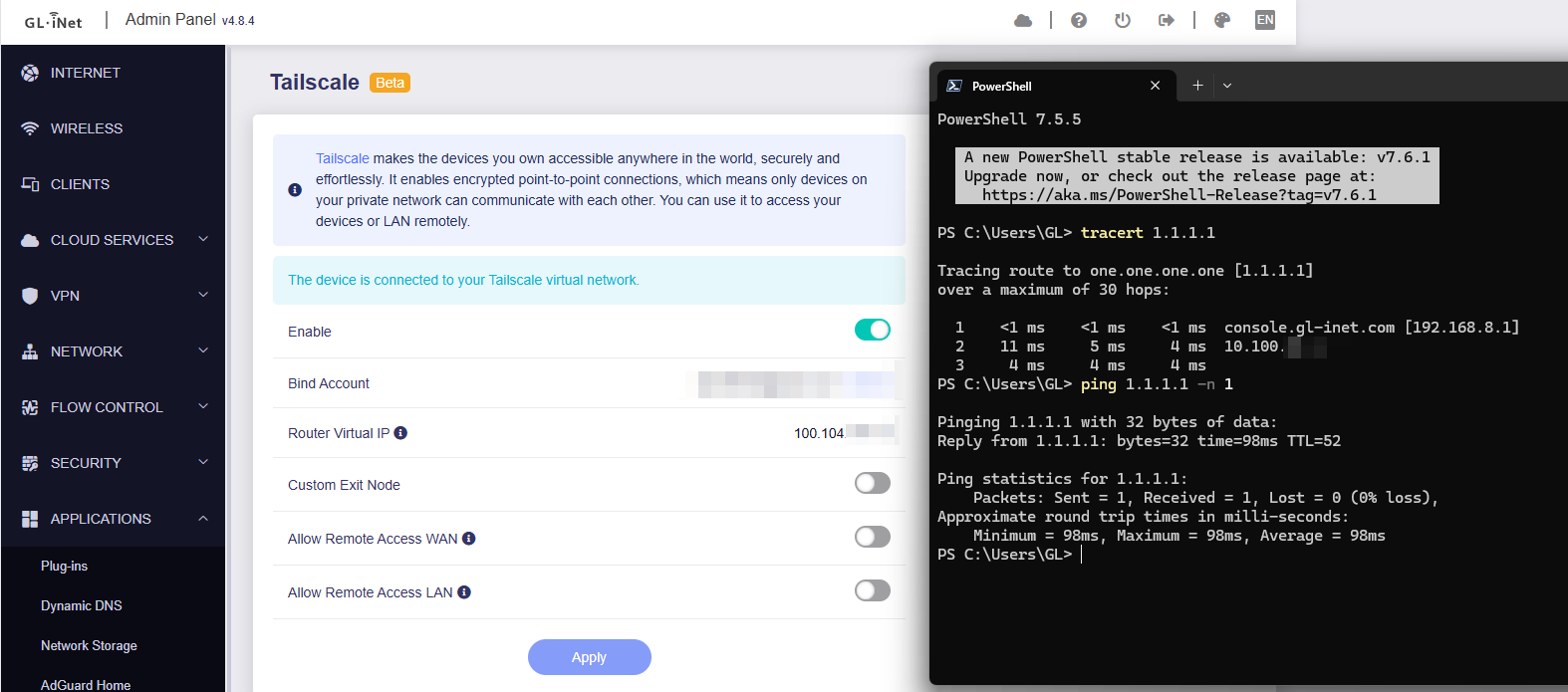
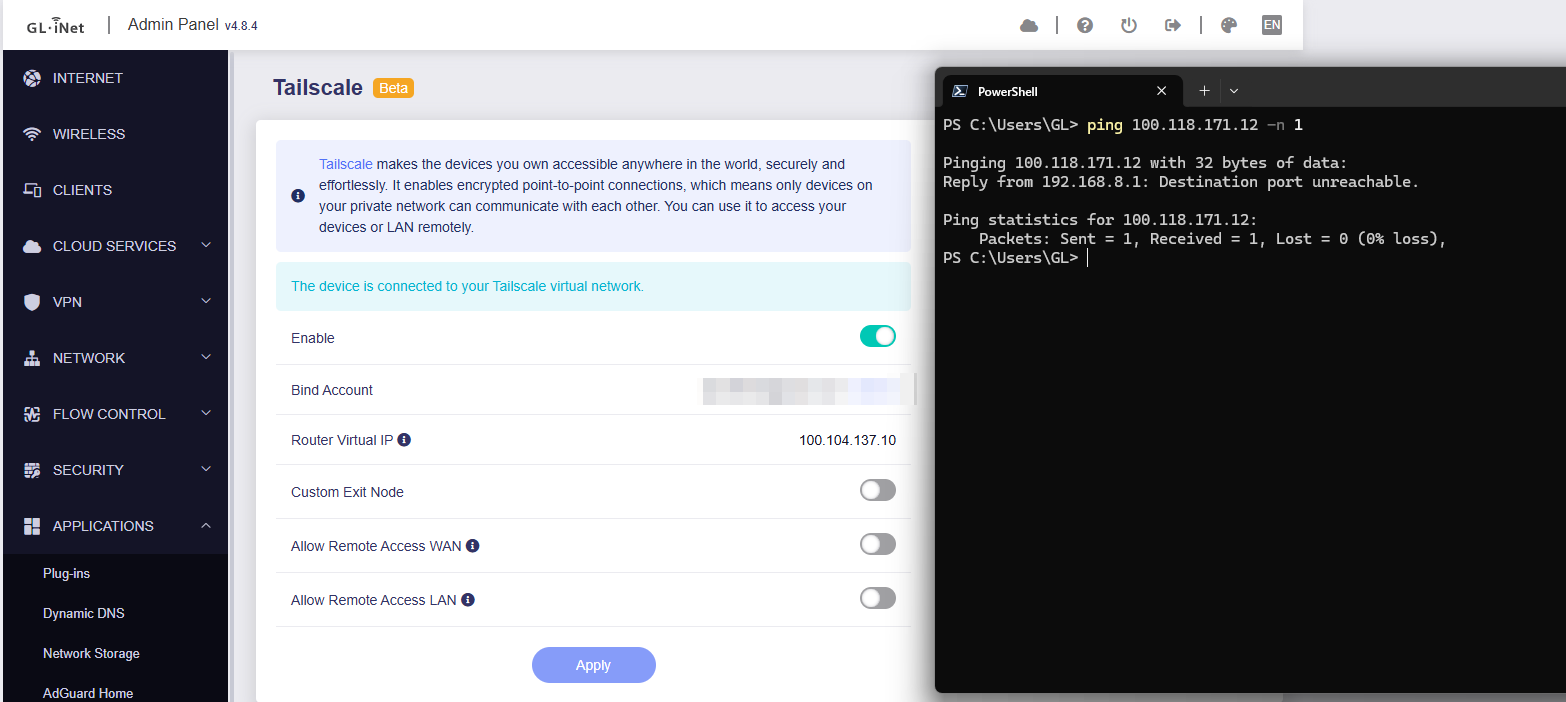
We tested locally using BE9300 v4.8.4, and it appears that enabling Tailscale does not affect LAN devices’ access to the internet.

Regarding the IP rule you mentioned, there are already other rules that match earlier and allow traffic to exit normally via the main routing table.
(When VPN is not enabled, LAN traffic matches the 6000: from all fwmark 0x8000/0xf000 lookup main .)

root@GL-BE9300:~# ip rule show
0:      from all lookup local
0:      from all to 192.168.8.0/24 lookup main
0:      from all to 10.100.32.0/20 lookup main
1:      from all iif lo lookup 16800
50:     from all to 100.100.100.100 lookup 52
800:    from all lookup 9910 suppress_prefixlength 0
5210:   from all fwmark 0x80000/0xff0000 lookup main
5230:   from all fwmark 0x80000/0xff0000 lookup default
5250:   from all fwmark 0x80000/0xff0000 unreachable
5270:   from all lookup 52
6000:   from all fwmark 0x8000/0xf000 lookup main
9000:   not from all fwmark 0/0xf000 lookup main
9910:   not from all fwmark 0/0xf000 blackhole
9920:   from all iif br-lan blackhole
32766:  from all lookup main
32767:  from all lookup default

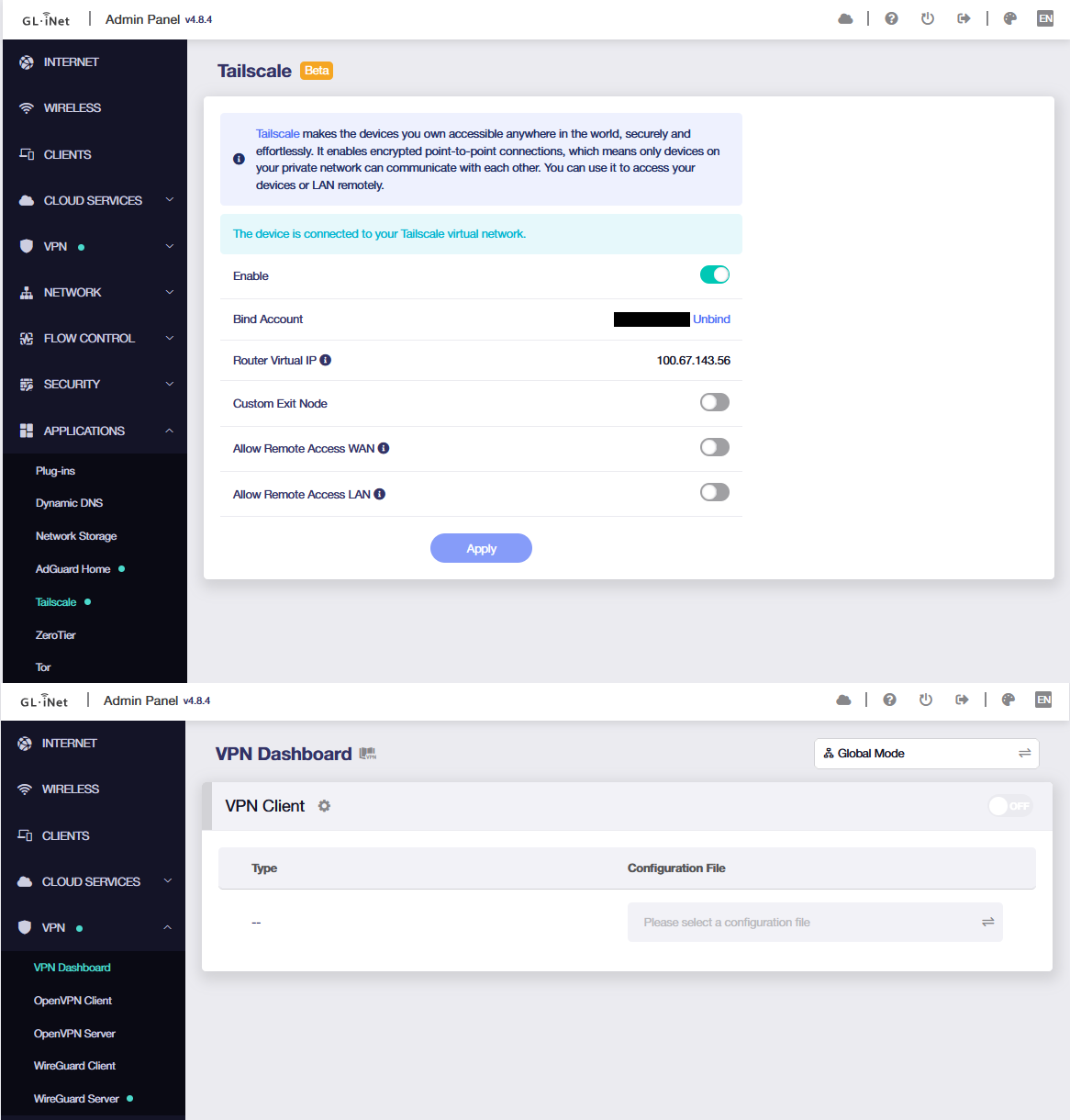
Limited to one upload per post restriction so have to reply again, but here’s my Tailscale and VPN Dashboard.

Same here:

root@GL-MT6000:~# ip rule show | grep 9920
9920:	from all iif br-lan blackhole
9920:	from all iif br-guest blackhole
9920:	from all iif wgserver blackhole
root@GL-MT6000:~# 

I have a hunch that perhaps Will toggled the “Allow Remote Access LAN” (based on his screenshot stating “The device allows Tailscale clients to access resources on the LAN or WAN”…) which is likely causing it to route to 6000 allowing internet access to LAN devices. But toggling “Allow Remote Access LAN” shouldn’t be a prerequisite to getting this working properly since keeping “Allow Remote Access LAN” off is a valid use case. We may not need to access home LAN devices from outside Tailscale and may just want Tailscale local devices to communicate with each other.

As mentioned earlier, there are other rules in the IP rules that match LAN-to-WAN traffic.
The blackhole rule is only used in rare cases to prevent IP/DNS leaks.

If you want LAN devices to remotely access resources in the Tailnet, you need to enable “Allow Remote Access LAN” and approve the routes in the Tailscale Admin Console.
Otherwise, remote Tailscale nodes won’t have a return route to send responses back.

Also, this option does not affect internet access for LAN devices.

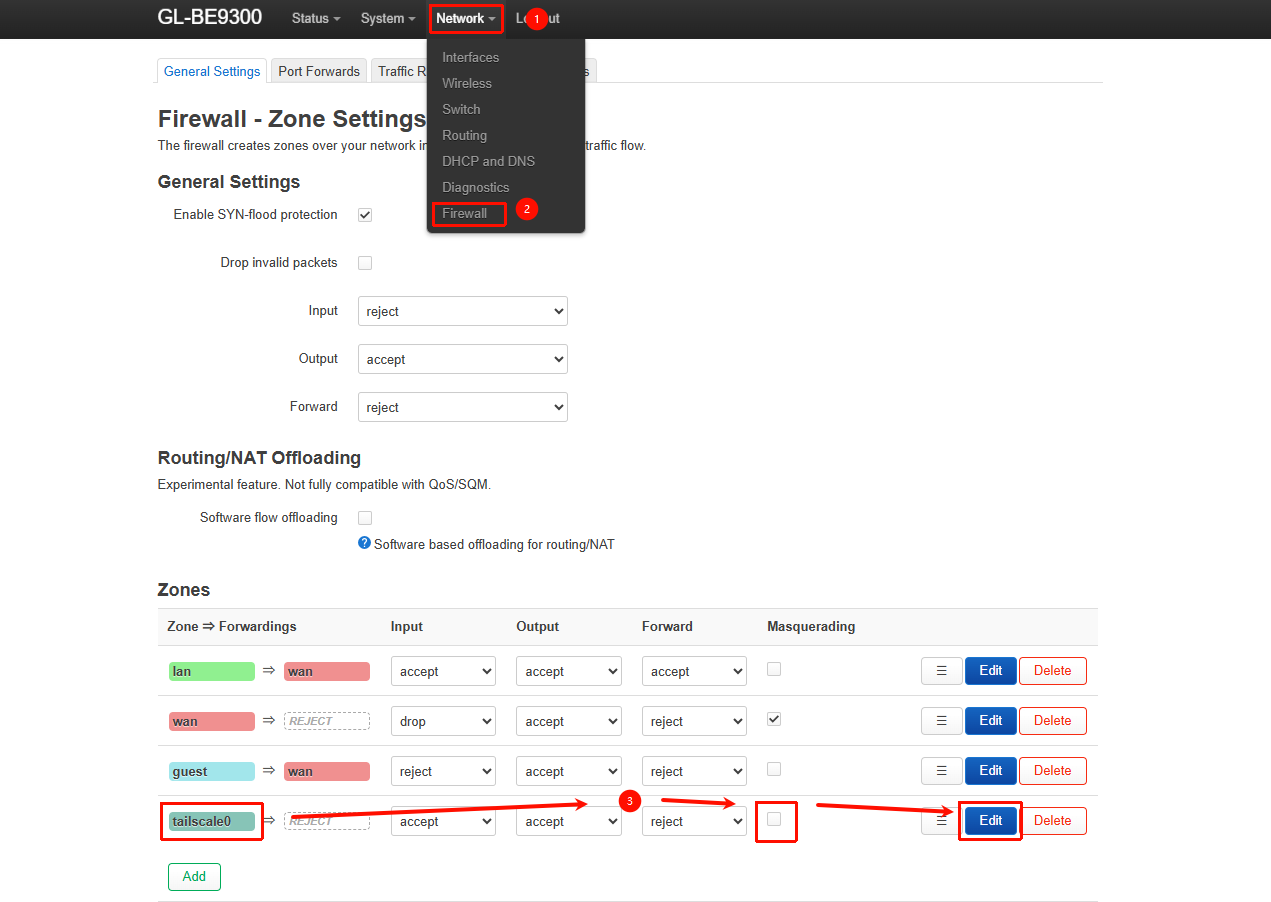
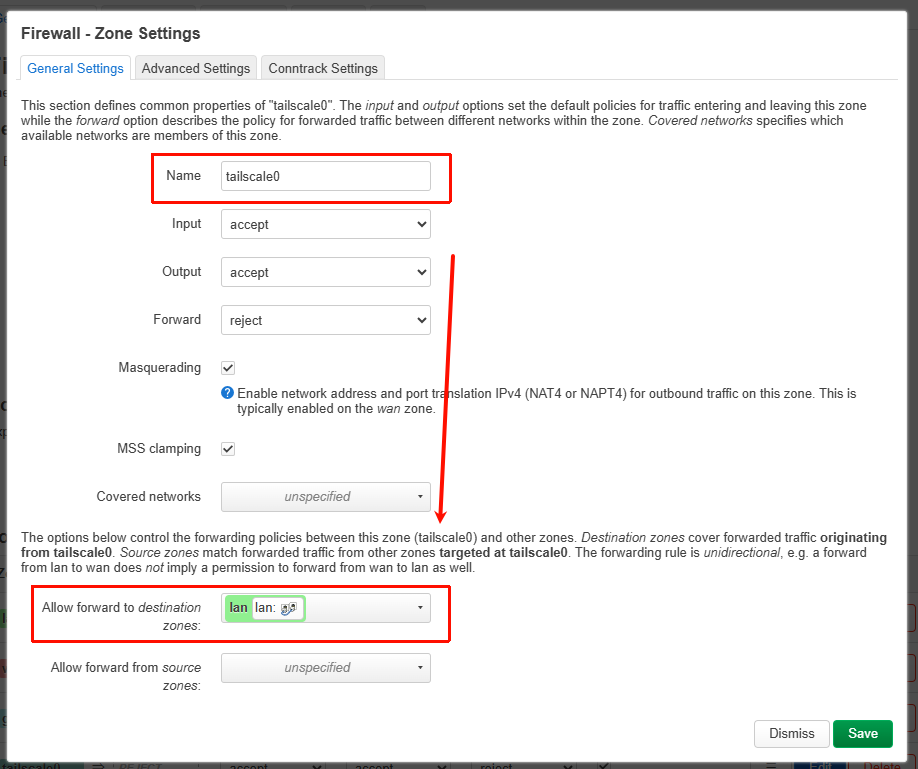
If you want LAN devices to access Tailnet resources without enabling “Allow Remote Access LAN”, you can enable Masquerading for the tailscale0 zone in LuCI → Network → Firewall, and allow forwarding from the tailscale0 zone to the LAN zone.
(We’ve added a one-click option for this in v4.9.)


Without enabling “Allow Remote Access LAN”, it only applies to scenarios where remote Tailscale nodes access the router itself.

If you want LAN devices to remotely access resources in the Tailnet, you need to enable “Allow Remote Access LAN” and approve the routes in the Tailscale Admin Console.
Otherwise, remote Tailscale nodes won’t have a return route to send responses back.

Also, this option does not affect internet access for LAN devices.

Noted, but for this issue, I’m not trying to access my LAN devices remotely nor trying to have my LAN devices access Tailnet resources. I suppose we can leave this part out from the conversation since I don’t think its relevant to the issue I’m running into.

I may have had my initial cause with the 9910/9920 blackhole rules incorrectly diagnosed. So I will start describing my issue from scratch to see if you can assist on what’s actually going on here as I am clearly confused now.


I’m running into a scenario whenever my Tailscale is turned ON, my local LAN devices (connected to the router) internet stop working. The moment I turn OFF Tailscale, my local LAN devices can connect to the internet again.

I’ve tried playing around with the sequence and listed my rule list.

# Initial State: Tailscale is turned Off.
# Internet on my local LAN devices works.

root@GL-BE9300:~# ip rule list
0:      from all lookup local
1:      from all iif lo lookup 16800
800:    from all lookup 9910 suppress_prefixlength 0
1099:   from all fwmark 0x80000/0xc0000 lookup main
1101:   not from all fwmark 0x8000/0xc000 lookup 8000
6000:   from all fwmark 0x8000/0xf000 lookup main
9000:   not from all fwmark 0/0xf000 lookup main
9910:   not from all fwmark 0/0xf000 blackhole
9920:   from all iif br-guest blackhole
9920:   from all iif br-lan blackhole
9920:   from all iif wgserver blackhole
32766:  from all lookup main
32767:  from all lookup default
# After deleting rule 9910/9920, Tailscale is still left OFF. 
# My local LAN devices are still able to connect to the internet.
# Then I turn Tailscale back ON.
# My local LAN devices are still able to connect to the internet.
# My ip rule list looks like below with 9910/9920 still removed.

root@GL-BE9300:~# ip rule list
0:      from all lookup local
0:      from all to 192.168.8.0/24 lookup main
0:      from all to 136.x.y.z/20 lookup main
1:      from all iif lo lookup 16800
50:     from all to 100.100.100.100 lookup 52
800:    from all lookup 9910 suppress_prefixlength 0
1099:   from all fwmark 0x80000/0xc0000 lookup main
1101:   not from all fwmark 0x8000/0xc000 lookup 8000
5210:   from all fwmark 0x80000/0xff0000 lookup main
5230:   from all fwmark 0x80000/0xff0000 lookup default
5250:   from all fwmark 0x80000/0xff0000 unreachable
5270:   from all lookup 52
6000:   from all fwmark 0x8000/0xf000 lookup main
9000:   not from all fwmark 0/0xf000 lookup main
32766:  from all lookup main
32767:  from all lookup default
# I reboot the Router, and the 9910/9920 returns with Tailscale still ON.
# The 9910/9220 rules are restored after the reboot.
# My local LAN devices are unable to connect to the internet upon the reboot.

root@GL-BE9300:~# ip rule list
0:      from all lookup local
0:      from all to 192.168.8.0/24 lookup main
0:      from all to 136.x.y.z/20 lookup main
1:      from all iif lo lookup 16800
50:     from all to 100.100.100.100 lookup 52
800:    from all lookup 9910 suppress_prefixlength 0
1099:   from all fwmark 0x80000/0xc0000 lookup main
1101:   not from all fwmark 0x8000/0xc000 lookup 8000
5210:   from all fwmark 0x80000/0xff0000 lookup main
5230:   from all fwmark 0x80000/0xff0000 lookup default
5250:   from all fwmark 0x80000/0xff0000 unreachable
5270:   from all lookup 52
6000:   from all fwmark 0x8000/0xf000 lookup main
9000:   not from all fwmark 0/0xf000 lookup main
9910:   not from all fwmark 0/0xf000 blackhole
9920:   from all iif br-guest blackhole
9920:   from all iif br-lan blackhole
9920:   from all iif wgserver blackhole
32766:  from all lookup main
32767:  from all lookup default
# I then turn Tailscale OFF.
# My local LAN devices are able to connect to the internet again.

root@GL-BE9300:~# ip rule list
0:      from all lookup local
1:      from all iif lo lookup 16800
800:    from all lookup 9910 suppress_prefixlength 0
1099:   from all fwmark 0x80000/0xc0000 lookup main
1101:   not from all fwmark 0x8000/0xc000 lookup 8000
6000:   from all fwmark 0x8000/0xf000 lookup main
9000:   not from all fwmark 0/0xf000 lookup main
9910:   not from all fwmark 0/0xf000 blackhole
9920:   from all iif br-guest blackhole
9920:   from all iif br-lan blackhole
9920:   from all iif wgserver blackhole
32766:  from all lookup main
32767:  from all lookup default
# I then turn Tailscale back ON.
# My local LAN devices cannot connect to the internet.

root@GL-BE9300:~# ip rule list
0:      from all lookup local
0:      from all to 192.168.8.0/24 lookup main
0:      from all to 136.x.y.z/20 lookup main
1:      from all iif lo lookup 16800
50:     from all to 100.100.100.100 lookup 52
800:    from all lookup 9910 suppress_prefixlength 0
1099:   from all fwmark 0x80000/0xc0000 lookup main
1101:   not from all fwmark 0x8000/0xc000 lookup 8000
5210:   from all fwmark 0x80000/0xff0000 lookup main
5230:   from all fwmark 0x80000/0xff0000 lookup default
5250:   from all fwmark 0x80000/0xff0000 unreachable
5270:   from all lookup 52
6000:   from all fwmark 0x8000/0xf000 lookup main
9000:   not from all fwmark 0/0xf000 lookup main
9910:   not from all fwmark 0/0xf000 blackhole
9920:   from all iif br-guest blackhole
9920:   from all iif br-lan blackhole
9920:   from all iif wgserver blackhole
32766:  from all lookup main
32767:  from all lookup default
# I then turn Tailscale back OFF.
# My local LAN devices are able to connect to the internet again.

root@GL-BE9300:~# ip rule list
0:      from all lookup local
1:      from all iif lo lookup 16800
800:    from all lookup 9910 suppress_prefixlength 0
1099:   from all fwmark 0x80000/0xc0000 lookup main
1101:   not from all fwmark 0x8000/0xc000 lookup 8000
6000:   from all fwmark 0x8000/0xf000 lookup main
9000:   not from all fwmark 0/0xf000 lookup main
9910:   not from all fwmark 0/0xf000 blackhole
9920:   from all iif br-guest blackhole
9920:   from all iif br-lan blackhole
9920:   from all iif wgserver blackhole
32766:  from all lookup main
32767:  from all lookup default

Any idea?
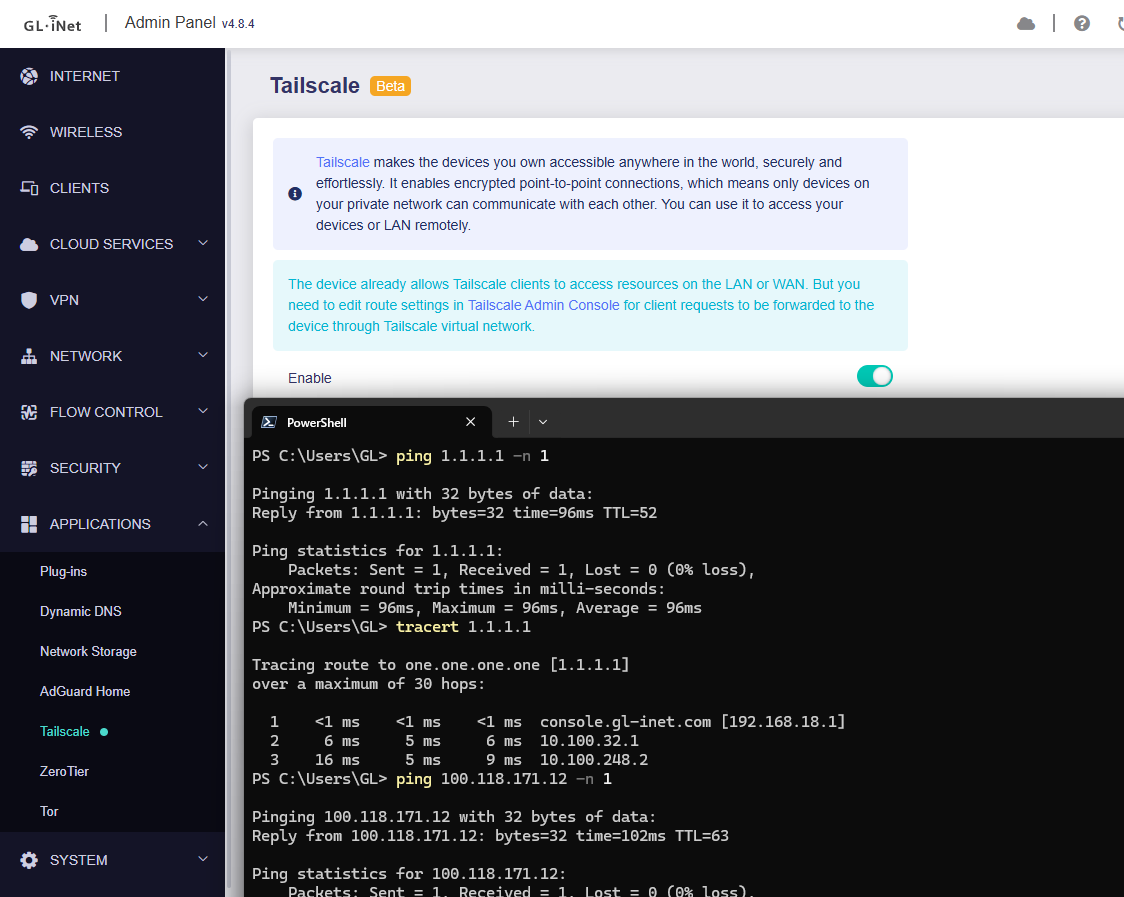
There may be other configurations affecting LAN devices’ access to the internet.

Could you please follow the guide and share your device with us via GoodCloud so we can check it remotely?

Kindly note to send us the MAC address and the router password via private message so we can access it

Update: re-flashed the 4.8.4-snapshot, the strange unstable download speed are disappeared, and also the blackhole(in the 4.8.4-stable is permanent):

root@GL-MT6000:~# ip rule show | grep 9920
root@GL-MT6000:~# 

Just FYI to anyone reading for clarity.. someone opened a github issue for the gl-tailscale-fix plugin with a link to this forum thread ( BE9300 breaks internet for LAN devices · Issue #10 · RemoteToHome-io/gl-tailscale-fix · GitHub )

The issue being discussed above is not related to the gl-tailscale-fix plugin. The 9920 blackhole firewall rules being referenced in this thread are from GL's latest addition in some new firmware versions to implement their own native TS killswitch functionality. (Our plugin does not use 9920 table rules.)

Our plugin makes the killswitch function a manual user-enabled on/off GUI toggle. The recent GL KS function is currently not user controlled (potentially related to the cause of the above issue).

1 Like

Hi,

Thanks to @bryan for providing remote access.

We’ve identified the root cause of the issue—an update to Tailscale introduced a problem with firewall marks.

If users manually updated to affected version, the firewall marks may not be applied correctly, causing the traffic to match the IP rules blackhole rule.

For affected users, we recommend rolling back the update for now.
(If you updated via @admon’s script, you can run sh update-tailscale.sh --restore.)

For more details, please refer to the fix submitted by our R&D team to @admon’s repository:

Cheers GL.iNet team, your full support and quick turnaround is commendable in itself.

1 Like

Admon's version of Tailscale is fixed now; no need to --restore. Just run the script once more to get the fixed version :partying_face:

2 Likes

cc @will.qiu

I’m not sure if there’s another issue lingering but with admon’s latest push, it worked for a while but after my scheduled reboot, it stopped working. The interesting thing now that I noticed is that if I have Tailscale active (with Network Acceleration enabled), my LAN devices’ internet works. But with Network Acceleration disabled and Tailscale active, my LAN devices internet stops working again.

With Tailscale disabled, my LAN devices’ internet works as normal.

Thoughts here?

Thank you for the feedback.

It does indeed seem that there are still some issues. We have asked the development team to review and fix them again.

2 Likes

The development team has submitted another PR to Admon’s repository to fully fix this issue, and we have verified that it is now working properly.

Please try updating to the latest version of Tailscale again using Admon’s script and see whether the issue is resolved.

3 Likes

Looks like this update worked on both reboot with and without Network Acceleration. Thanks again!

1 Like