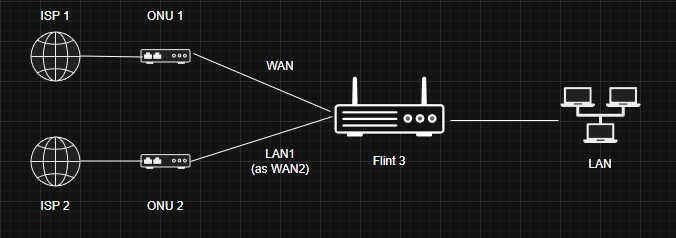
Hi all, I have a Flint 3 in Multi-WAN configuration (which is supported by the original firmware).
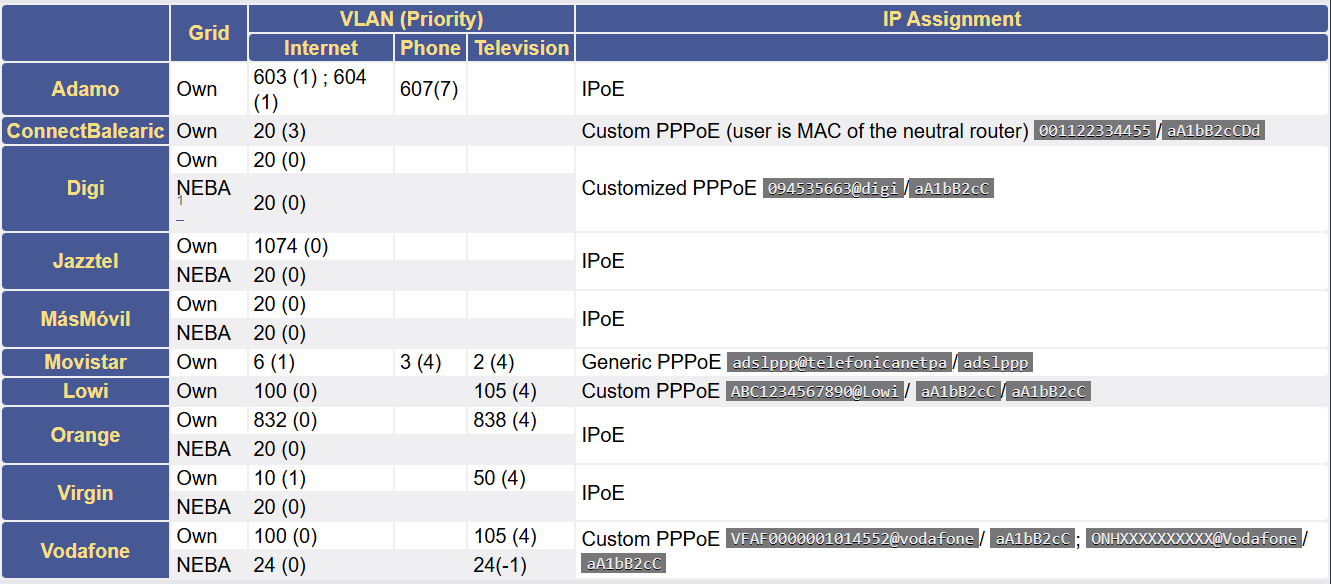
The two WAN connections are with different FTTH providers (Digi and Masmovil) but both use the same VLAN ID 20 to give service (this is very common in Spain).
WAN port is connected to ONU 1 which provides WAN IP via DHCP with VLAN ID 20. This works perfectly.
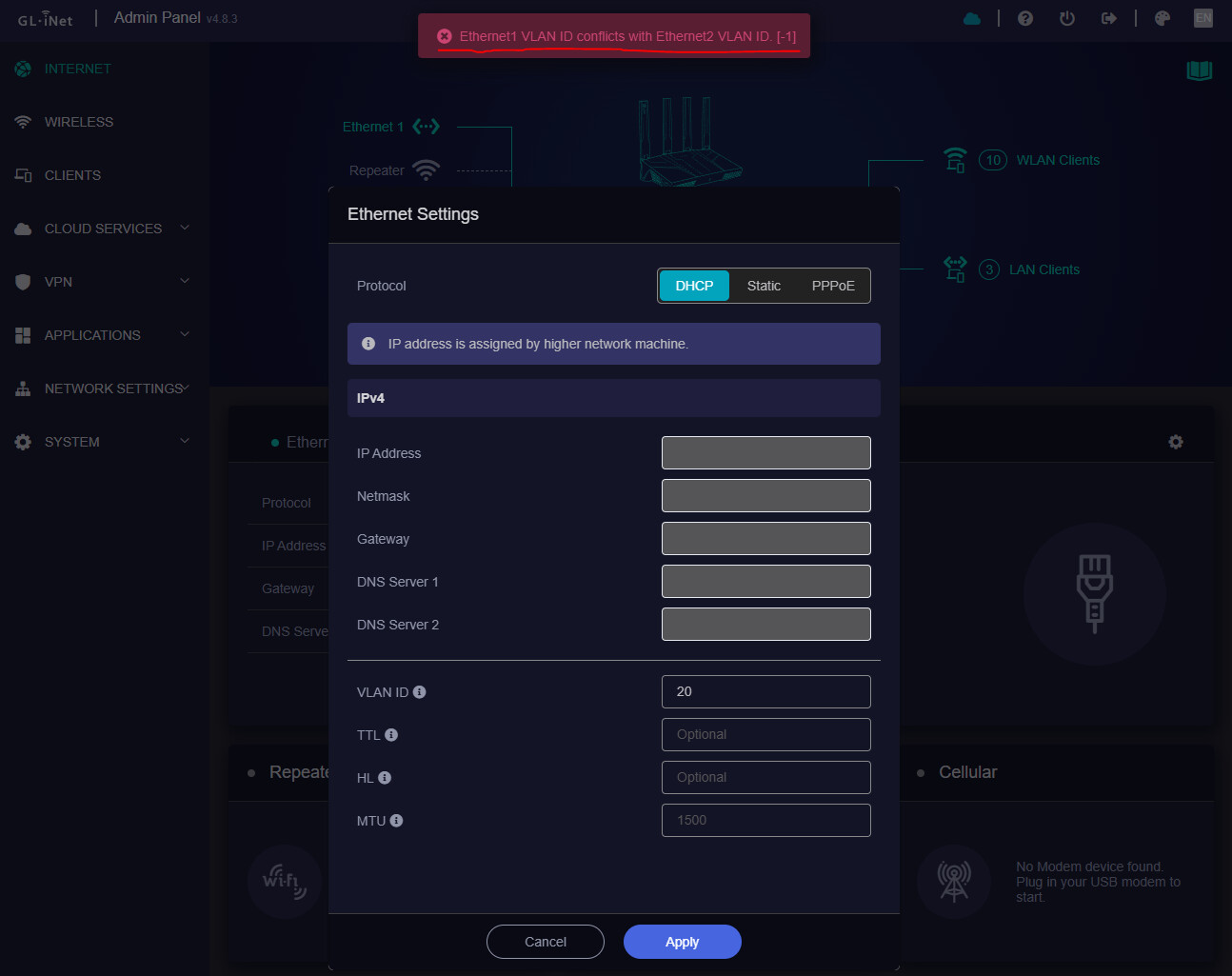
LAN1 port in WAN mode, when trying to configure the same VLAN ID to obtain connection from ONU 2, I get the error “Ethernet1 VLAN ID conflicts with Ethernet2 VLAN ID [-1]”.
How can I get both FTTH connections working on my Flint 3 with MultiWAN if both connections use the same VLAN ID and this doesn’t seem to be allowed?
Firmware version: Latest (v4.8.3)
Correction: I wrote ONU when I meant ONT. But that shouldn’t be important.
Following..
This is taking me a ways back to draytek. I know this can be done in native openwrt with vlans (either router on a stick or mwan3 if I recall) I just don't think it can be done in the Gl.inet webif so to speak. You may have better config control within Luci for this.
Hi,
Please try configuring the VLAN ID for the second WAN interface through Luci by following the steps below:
-
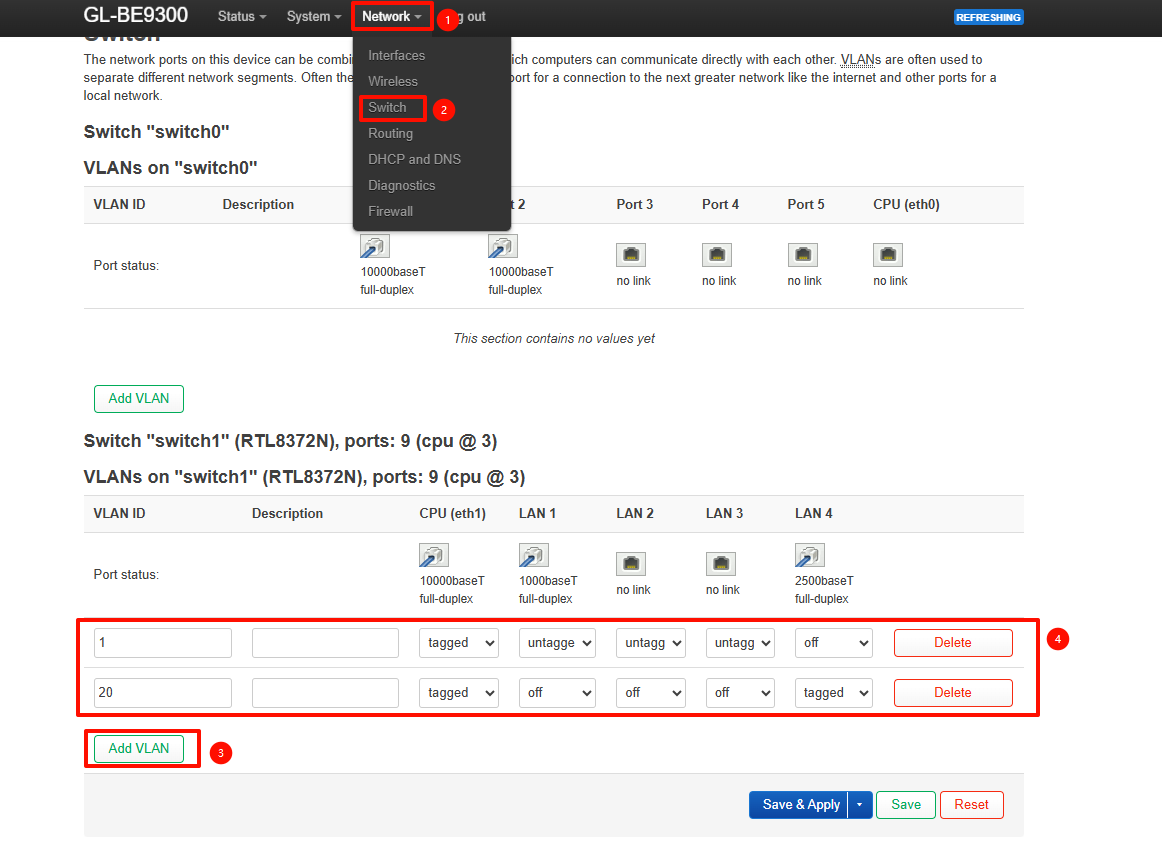
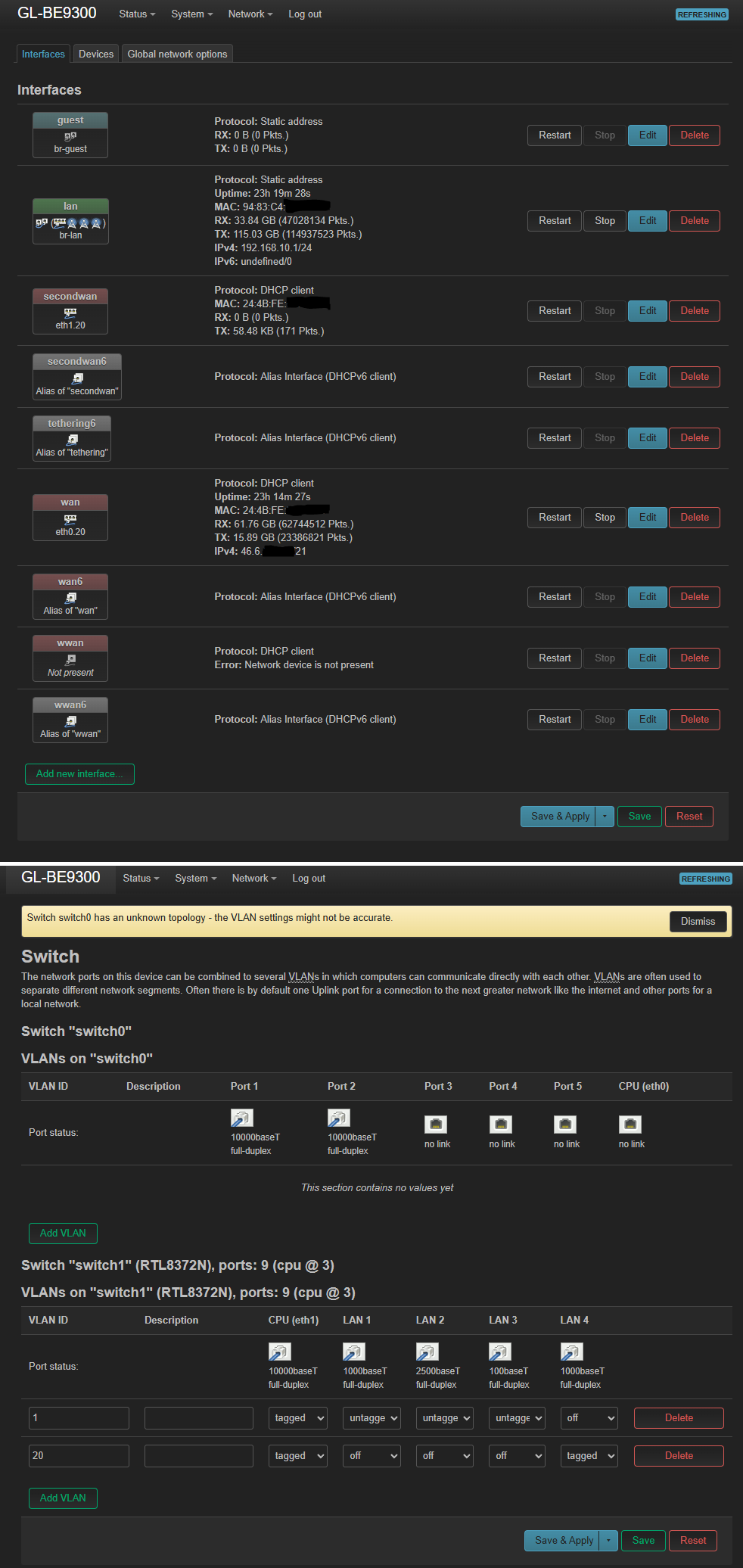
Navigate to Luci > Network > Interface > Switch, then click Add under Switch "switch1".
-
Create the VLAN ID as shown. After completing the configuration, do not click Save & Apply yet.
-
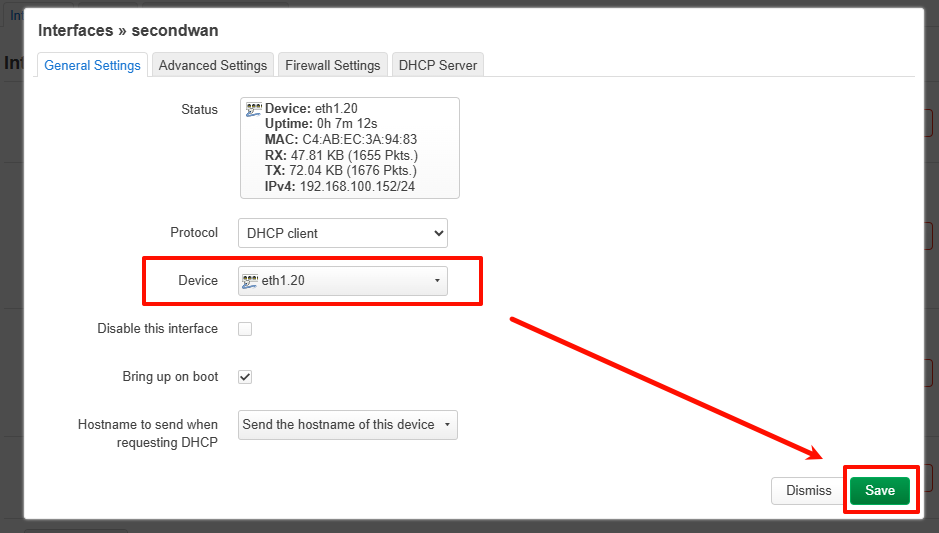
Go to Network > Interfaces, click Edit next to secondwan, and change the device to eth1.20. Save the settings.
-
Finally, click Save & Apply. The second WAN interface should then operate as expected.
1 Like
Hi Will.qiu,
That didn’t seem to work. Secondwan on eth1.20 is not receiving packages this way. I tried with another ONT in case that was the issue, but nope. These are the settings:
I also tried tagging LAN 1 in case that made a difference (that’s where I have the second ONT plugged in), without success.
It does seem unusual, as everything worked normally in our tests.
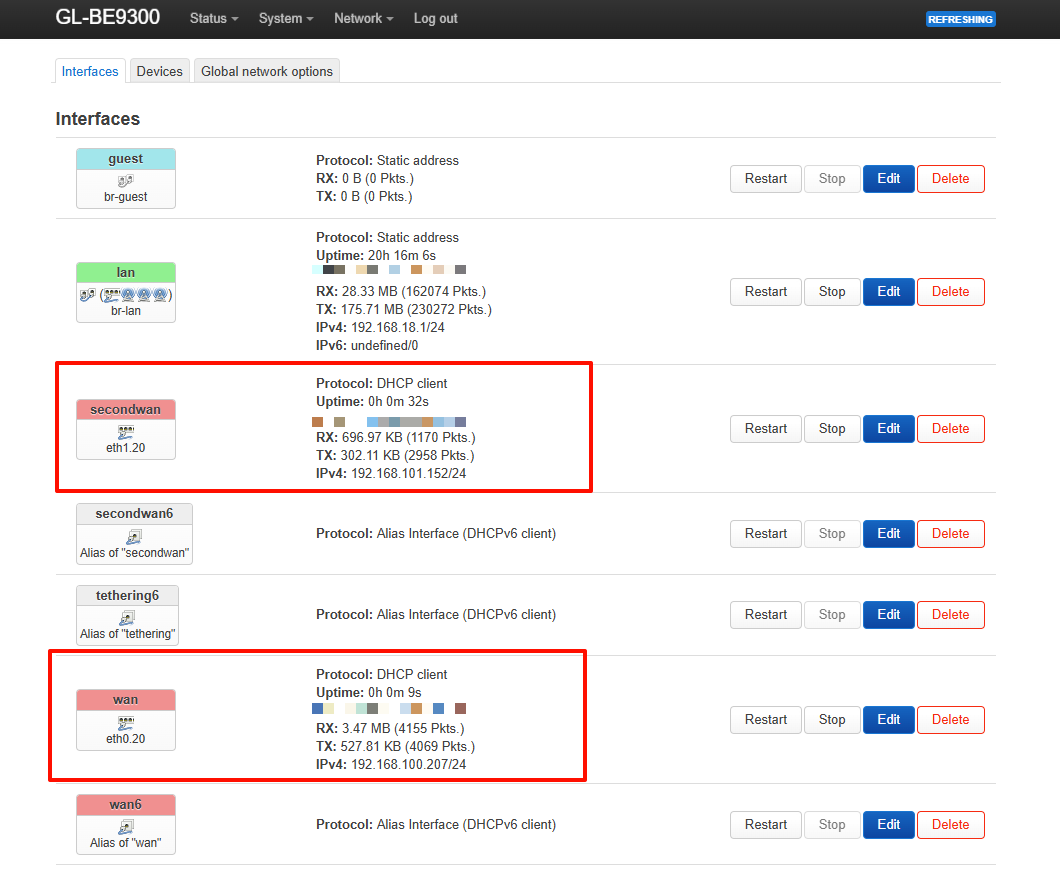
Luci – Network – Interfaces:
Packet capture results:
wan:
secondwan:
Could you verify whether both ISP ONTs actually require VLAN 20 by connecting each one directly to the WAN interface?
If the issue continues, please SSH into the router and use tcpdump to confirm whether VLAN-tagged packets are being transmitted:
opkg update && opkg install tcpdump

tcpdump -i eth0 -e vlan 20
tcpdump -i eth1 -e vlan 20
Alternatively, you may share your device with us via GoodCloud following the tutorial below.
Technical Support via GoodCloud - GL.iNet Router Docs 4
Please note: Send us the device's MAC address and WebUI login password via PM so we can troubleshoot remotely.
I had to reset the router to factory state first to get it working as per the instructions in the Solution post, but it ended up working, so thank you very much!
1 Like