I have now set that so I need to test it by disabling all the AdGuard Samsung custom filtering.....
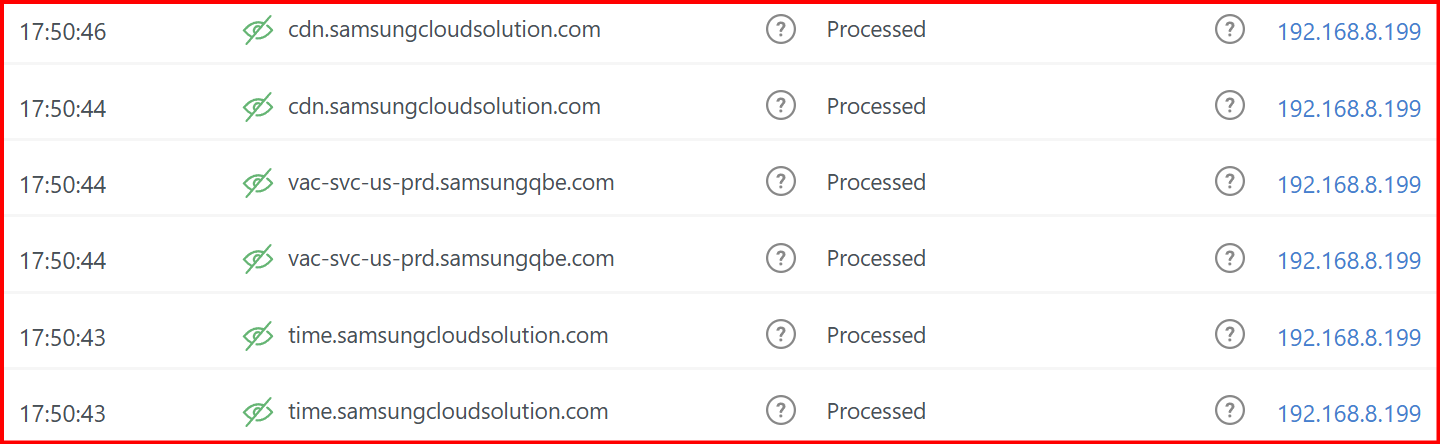
OK, I have disabled all the samsung custom filter rules and configured the aforementioned firewall traffic blocking but I still see my TV (192.168.8.199) / Samsung being "processed" in AdGuard :-
No, your TV is sending its normal DNS requests, and AdGuard is processing them. However, when the TV attempts to access the associated sites on the internet, your router is not passing the associated traffic. To test this, attempt to use any one of your TV's smart apps. It should act is if the TV has been disconnected from your network.
I now see any DNS from the TV 192.168.8.199 or "Samsung" as either blocked or "processed" - I still have a blocking rule in the DNS Block List - "Perflyst and Dandelion Sprout's Smart-TV Blocklist" and "HaGeZi's Samsung Tracker Blocklist" I could disable those lists and see how it goes....
So that seems to work very well (not unsurprisingly I guess)...
And now I see the AdGuard DNS blocked stats drop from 70% plus to now, 12%.
And I suppose you can do the same thing with other brand routers too? I have learnt something new today with blocking that I did not even think of..... Thanks.
It seems to be so much better in the case of blocking Samsung TVs to just block the internet for that specific device.. YMMV though.
 Thanks.