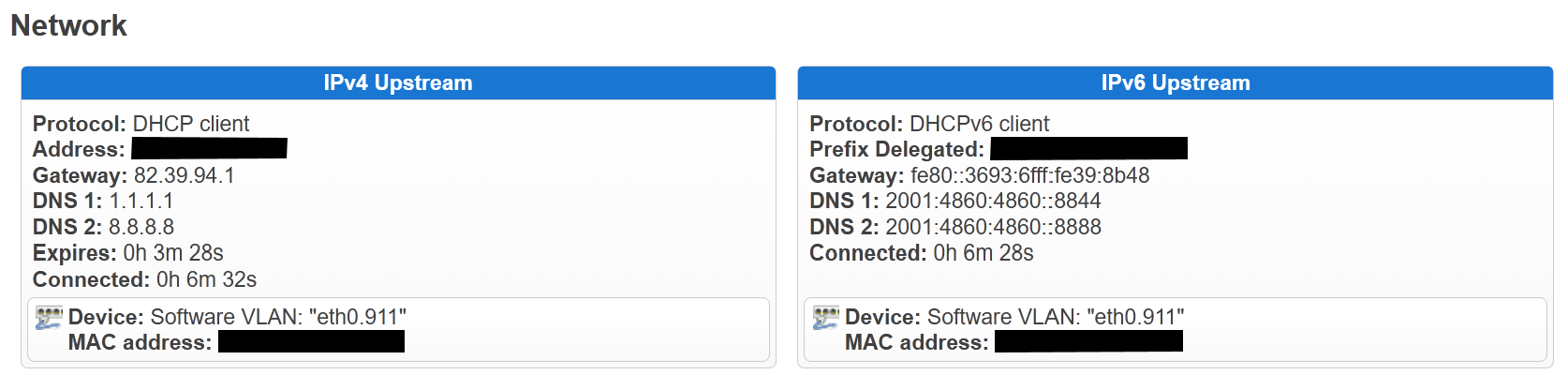
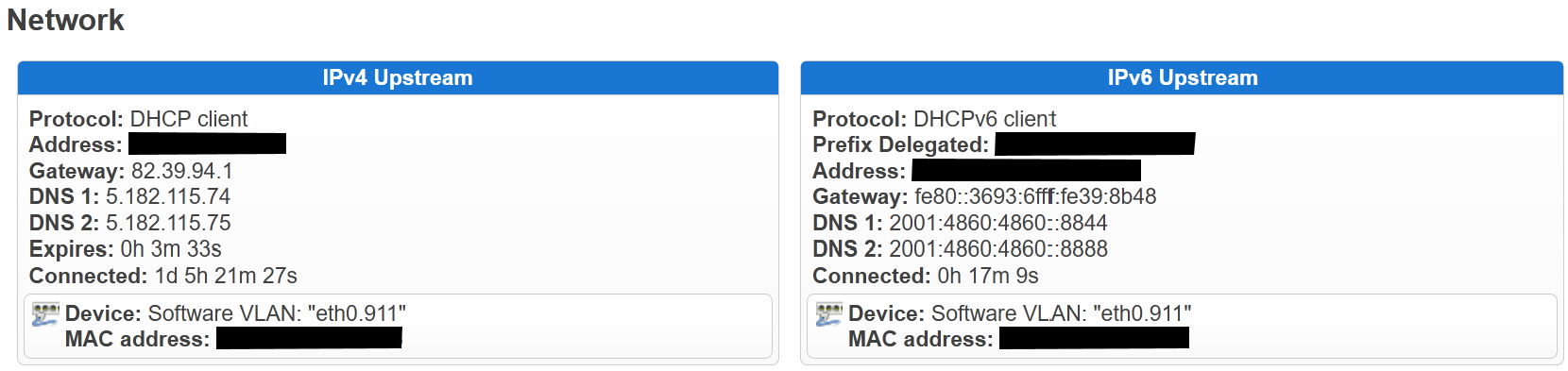
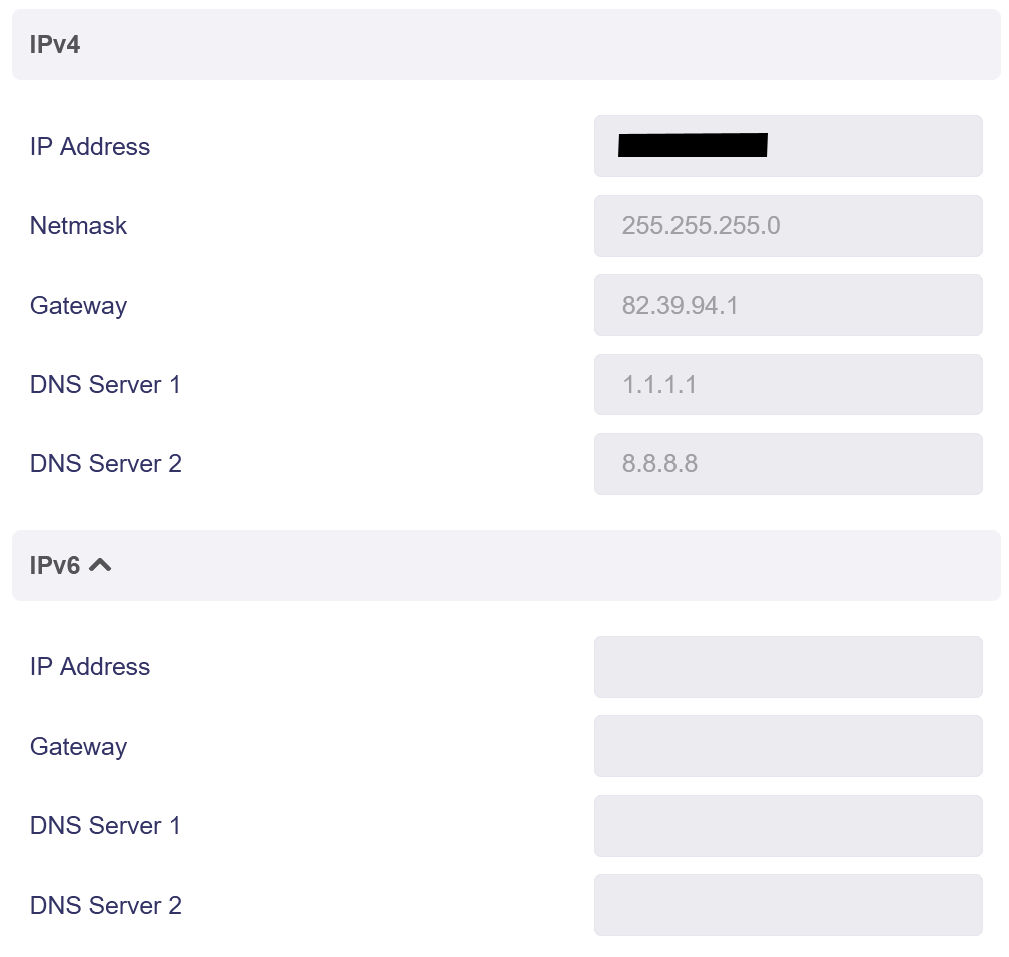
As the title says - in LuCi in shows the active IPv6 WAN connection but in the admin panel, that info is blank. I appreciate it’s a cosmetic issue as IPv6 works fine, but wondering why this is happening.
Admin Panel:
LuCi:
As the title says - in LuCi in shows the active IPv6 WAN connection but in the admin panel, that info is blank. I appreciate it’s a cosmetic issue as IPv6 works fine, but wondering why this is happening.
Admin Panel:
LuCi:
Hi
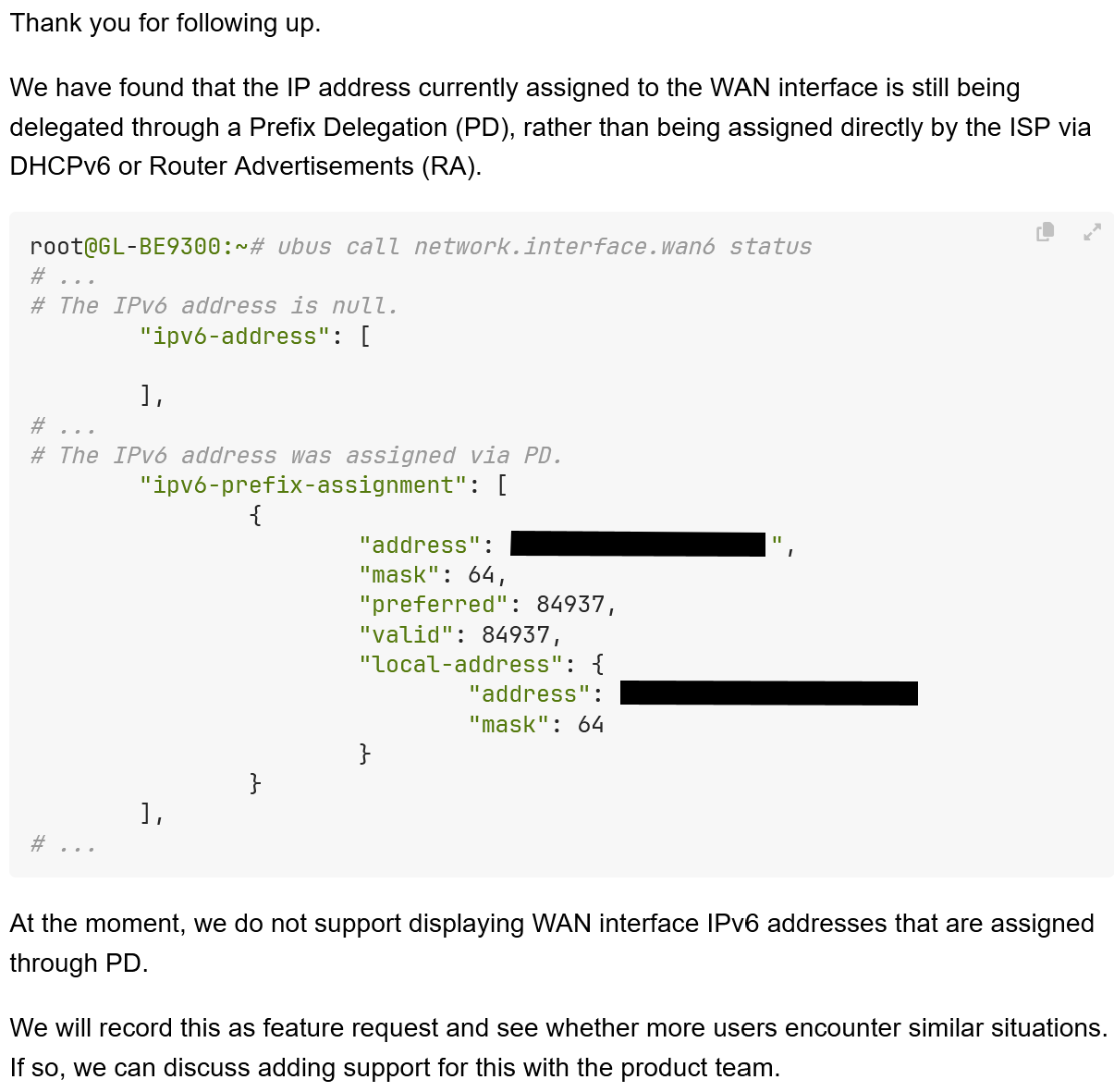
It appears that your ISP has not assigned a address to the WAN interface of the Flint 3 (but does provide an IPv6 Prefix Delegated for the LAN).
In this case, the GL Admin Panel will not display any IPv6 information on the WAN interface, as it is not actually usable and is only used to transparently pass the LAN’s IPv6 traffic to the ISP gateway.
The IPv6 connectivity has been working fine though, all online tests pass.
I think I wasn’t using the correct settings anyway.
Now my WAN interface has an address, but the Admin panel still shows blank
Hi
Could you please follow the guide and share your device with us via GoodCloud so we can check it remotely?
Kindly note to send us the MAC address and the router password via private message so we can access it