Flint 3 (GL-BE9300) 4.10.1: Wi-Fi reload leaves wlan0 stuck ("unregister_netdevice: waiting for wlan0 to become free"), only a reboot recovers

Device / firmware

  • GL-BE9300 (Flint 3), firmware 4.10.1 (build 2026-09-18 18:54:58), OpenWrt 23.05-SNAPSHOT r0-3601c2a49, kernel 5.4.213
  • Upgraded from the previous stable release on 2026-10-10 (settings kept)
  • Router mode behind an upstream router; Tailscale, AdGuard Home and snmpd installed
  • SSIDs in use: main SSID on 2.4 + 5 GHz (wlan0/wlan1), MLO SSID on 2.4/5/6 GHz (mld0: wlan02/wlan12/wlan22), IoT SSID on 2.4 GHz (wlan06, separate VLAN), guest SSID on 5 GHz (wlan11)

Symptom Since the upgrade, Wi-Fi has failed three times within a few days: no SSID was visible to clients anymore, while LAN, routing and the web UI kept working (the router answered ping on the wired LAN the whole time). Only a power cycle brought Wi-Fi back. Unfortunately the first incidents happened before persistent logging was enabled.

Reproduction (captured with logs) Running wifi (a plain Wi-Fi reload after a uci change) on 2026-10-16 18:01 CEST reproduced the problem:

  • All VAPs went down and all except wlan0 came back up.
  • wlan0 (main SSID, 2.4 GHz) never came back. ip link show wlan0 returned "Device does not exist", and iwinfo wlan0 returned "No such wireless device".
  • From then on, the kernel logged this every 10 s until reboot:
[ 5751.753455] wlan: [8785:I:ANY] wlan_cfg80211_stop_ap: Stop wlan0 psoc:0 vdev:0
[ 5751.767302] wlan: [0:I:CMN_MLME] mlme_ext_vap_down: VAP (wlan0) 1a:59:a6:ec:6d:68 is down
[ 5752.022282] wlan: [7962:I:ANY] osif_pltfrm_delete_vap:
[ 5762.332096] unregister_netdevice: waiting for wlan0 to become free. Usage count = 44
[ 5772.412041] unregister_netdevice: waiting for wlan0 to become free. Usage count = 44
...
[ 5943.853094] wlan0 selects TX queue 2, but real number of TX queues is 0
[ 5943.869040] wlan0 selects TX queue 0, but real number of TX queues is 0
...
[ 6046.299691] unregister_netdevice: waiting for wlan0 to become free. Usage count = 44

Other errors logged around the same reload:

netifd: wifi0 (7369): WARNING: Variable 'mld' does not exist or is not an array/object
wlan: [0:E:MLO_MGR] wlan_mlo_peer_wsi_link_update: Group index is invalid for ML peer <mac>
wlan: [4126:E:ANY] mlme_6ghz_update_frm_sched_cb: ic_mbss_ctx is NULL
wlan: [0:E:T2LM] wlan_mlo_parse_t2lm_ie: Failed to parse the T2LM IE

A reboot fixed it. After the reboot all SSIDs came up normally.

Likely trigger for the unattended incidents On the day of the first incident, /etc/config/wireless was rewritten at 16:00:08 with no user action and no reboot. All macaddr values were changed, because random_bssid=1 was set on every interface. /etc/sysctl.d/99-disable-ipv6.conf was rewritten one second later. About 20 minutes later no SSID was visible anymore. Comparing nightly config backups shows the same BSSID re-randomisation on other days too. /etc/uci-defaults/03_gl_random-bssid ends with return 1, so it is never removed and runs on every boot. My guess is that a Wi-Fi reload triggered by this config rewrite hit the same stuck-wlan0 condition.

Changes made by the 4.10.1 upgrade (diff of config backups 10.10. → 11.10.)

  • 2.4 GHz: hwmode 11beg → 11axg, htmode HT40 → HT20
  • 6 GHz: channels '5,21,37,53' → '37,53,69,85'
  • EasyMesh fronthaul options were added to the main SSIDs, although mesh is disabled (gl-mesh.base.enabled=0): multi_ap '2', multi_ap_backhaul_ssid, multi_ap_backhaul_key, wps_cred_add_sae '1', notify_mgmt_frames '1'
  • WPS push button was enabled on 5 GHz: wps_pbc '1', wps_pbc_enable '1'

Workaround applied

  • random_bssid=0 on all wifi-device/wifi-iface sections and mlo.global.random_bssid=0
  • Removed the multi_ap* / wps_* options listed above
  • Persistent syslog enabled, so the next incident will be logged in full

Questions

  1. Is the unregister_netdevice … Usage count = 44 on VAP teardown a known issue in the 4.10.x QCA Wi-Fi driver, and is a fix planned?
  2. Is it intended that 03_gl_random-bssid runs on every boot and re-randomises the BSSIDs, and what rewrote /etc/config/wireless at runtime without a reboot?
  3. Should the multi_ap options be present on fronthaul SSIDs when mesh is disabled?

The full dmesg excerpt and syslog are available on request.

Possibly related: Flint 3 / GL-BE9300: IoT Wi-Fi Instability, VAP Create Error, and Camera Disconnections After Wi-Fi Changes
Hi,

Thank you for the detailed report.

To help us investigate, could you please send the following to us via private message?

  • The saved system logs covering the time when the issue occurred
  • /etc/config/wireless, or preferably a full configuration backup if available

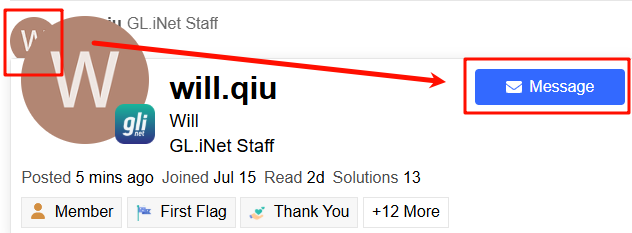
Please do not post these files publicly, as they may contain sensitive information. To send a private message, click the Technical Support avatar and then the Message button:

Once we receive the files, we will forward them to our R&D team for further investigation.

Thank you for providing the logs and configuration files.

We have forwarded them to our R&D team for further analysis and will keep you updated if there are any developments.

Hi,

Our R&D team has reviewed them and made several manual and automated attempts to reproduce the issue using the information you provided, but the issue did not occur during our tests. At this point, we do not yet have enough evidence to determine the cause.

If you remember, could you please help us confirm the following? Feel free to skip anything you no longer recall.

  1. Immediately before you manually ran wifi on October 16, what setting did you change? If you still have the commands you used or any record of the operation, please include them.

  2. Apart from the October 22 occurrence described in your private message, has the issue happened again since you disabled random BSSIDs and removed the EasyMesh/WPS options? Also, which exact firmware version were you using before upgrading to 4.10.1?

  3. Which client devices were connected when the failure occurred? In particular, please provide the model and OS version of any phones or computers using MLO, and whether they were downloading, casting, or waking from sleep at the time.

To help capture more useful evidence, we have provided collect-wifi-debug.sh and the instructions through private message. The script has been tested on the GL-BE9300 and does not change the configuration or restart Wi-Fi. Please collect one baseline package while Wi-Fi is working normally.

If the issue occurs again and service impact permits, please run the script once more before running wifi, saving settings, restarting any service, or rebooting the router. There is no need to deliberately reproduce the issue. If you need to restore service first, please do so and note the failure and recovery times.

The generated archive may contain sensitive information. Please download it before rebooting, as /tmp is normally cleared on reboot, and send it to us through the existing private message only—please do not post it in this public topic.

I've experienced what appears to be the same issue on my Flint 3 (GL-BE9300). Firmware 4.10.1
It occurred during normal operation, without me changing any settings or manually restarting Wi-Fi beforehand.
I simply unplugged the router and plugged it back in, which restored Wi-Fi functionality.
Unfortunately, I only found this thread now, so I didn't collect any router logs before rebooting.

Some additional observations:

My laptop was still connected to Wi-Fi, but NetworkManager showed "Limited Connectivity". Local network access continued to work briefly.
I manually disconnected and tried reconnecting my laptop, but authentication repeatedly failed.
A power cycle of the Flint 3 restored normal operation.

Some client side logs from the incident:

NetworkManager changed its connectivity state from CONNECTED_GLOBAL to CONNECTED_SITE.

After I manually disconnected, the following errors appeared repeatedly:

wlp0s20f3: send auth to AP (try 1/3)
iwlwifi: Not associated and the session
protection is over already...
wlp0s20f3: Connection to AP lost
wlp0s20f3: send auth to AP (try 2/3)
wlp0s20f3: send auth to AP (try 3/3)

NetworkManager eventually reported:

Activation: (wifi) association took too long,
failing activation
state change: config -> failed
(reason 'ssid-not-found')

Connected Wifi devices at the time of the failure:

Android TV that was actively streaming video
Notebook running Fedora
Google Pixel 10 Pro XL and Xiaomi 17T, both latest Android
Switch 2, Reolink IP Cameras, Roborock, HP Printer

My setup consists of a separate 2.4 GHz IoT SSID and a Wi-Fi 7 MLO SSID using 5 GHz and 6 GHz.
If it happens again, I'll collect dmesg before rebooting.

Thanks for the detailed report and for sharing the client-side logs.

We’ve sent you a private message with a log collection script and instructions. If this happens again and you can still access the router, could you run the script before rebooting and reply to our private message with the logs?

Could you also confirm whether you had Wi-Fi Status Schedule or any other setting that automatically turns Wi-Fi off and back on? Was Randomized BSSID enabled on your router, as it was in the original poster’s setup?