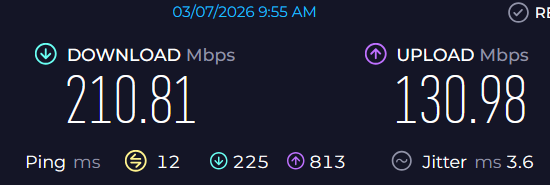
I have installed a brand new Flint 3 in my home after finally activating FTTH with my ISP; I set up the router with the settings given by my ISP and everything was perfect, really fast speeds both in down and up.
The next day, I opened my PC and ran a speed test just to check if everything was still ok and I noticed something weird: the speed was drastically reduced. Less than 50Mbps in down and up. I checked the router settings and found nothing so I just rebooted the thing and as Iif nothing happend my speed was normal again.
The current speed test results appear to be from a wireless connection. Could you check whether a wired device experiences the same issue?
Have you tried different speed test services, such as fast.com or speed.cloudflare.com, to see if the problem persists? This helps rule out the possibility that the Speedtest server you selected is under heavy load.
If wired devices do not have this issue but wireless devices do, please check whether the wireless device is connected to the 2.4 GHz band. If so, try switching to 5 GHz or 6 GHz and test again.
If you are using MLO Wi-Fi, please try connecting to a standalone 5 GHz or 6 GHz network and test again.
In Admin Panel → Clients, check the bandwidth usage of other clients to ensure the network is not being heavily used by other devices.
The tests have been done on my main desktop PC which is phisically connected to the router so no wireless connection is in place. Just for my knowledge: what makes you think that that’s a wireless connection?
I did not but I ran them now and the results are consistent on all of them. Furthermore, as you can see by the timestamps, I redid the tests just 2 minutes later after rebooting the router so I don’t think this is a server load issue.
See point 1
See point 1
I checked and all the other devices connected are using a negligible part of the bandwith since most of them are just smart appliances.
Sorry, I think I misunderstood earlier. I assumed the test was done using the Speedtest by Ookla app, where the Wi-Fi icon on the left indicates the connection type.
I just realized this is actually from the Speedtest Web history, which does not record the connection type.
In that case, could you please help check the following:
Since the tests so far were only done with a wired connection, could you also test with a Wi-Fi device to see if the same issue occurs?
This will help determine whether the problem is related to the only wired network or the all LAN network.
Please SSH into the router and run the following commands to check whether the router itself has any speed issues to the internet:
wget https://install.speedtest.net/app/cli/ookla-speedtest-1.2.0-linux-aarch64.tgz
tar -xzf ookla-speedtest-1.2.0-linux-aarch64.tgz speedtest
./speedtest
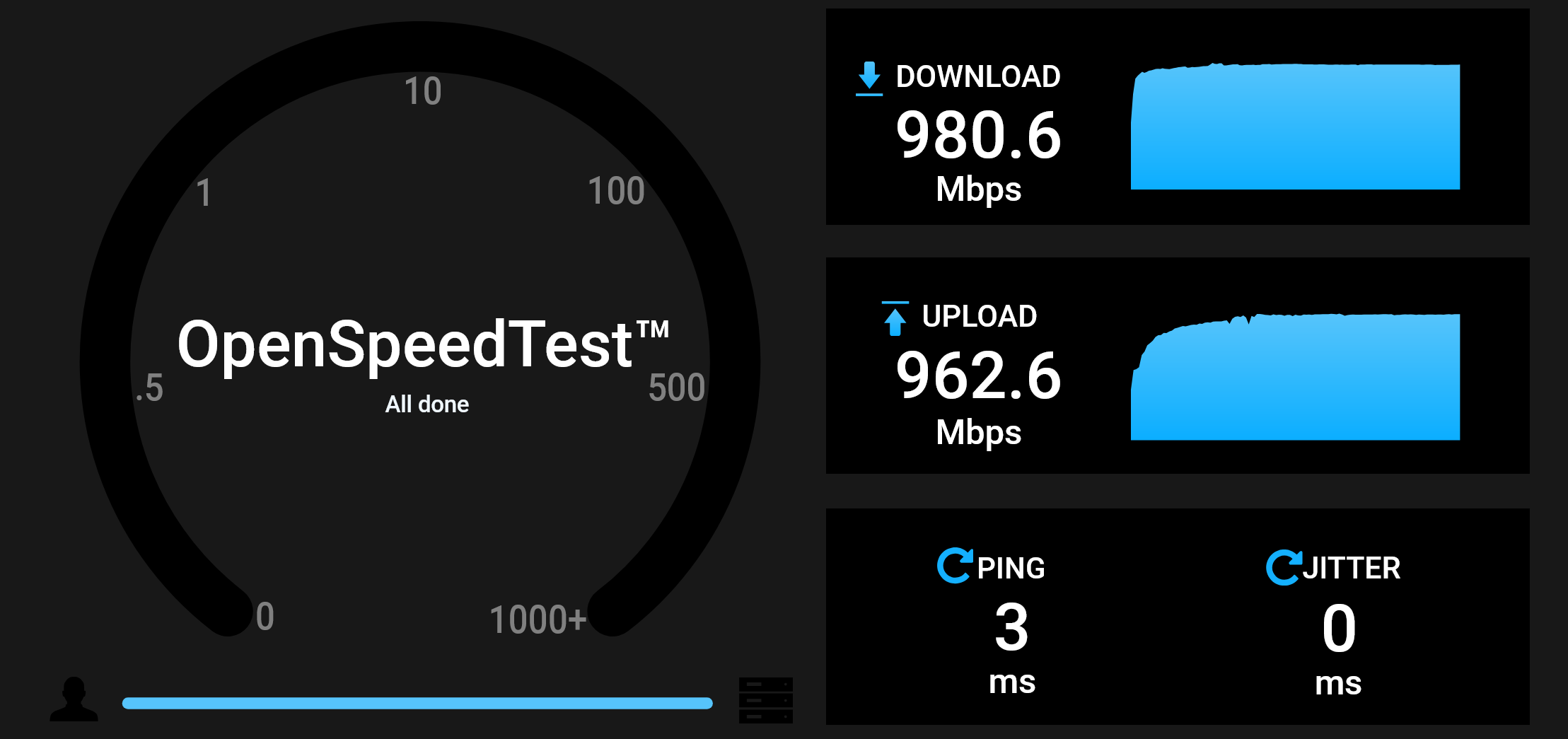
If the router’s internet speed looks normal, please try installing OpenSpeedTest on the router according to the guide below, and then run a speed test from your PC.
This will help determine whether the issue is related to the router-to-LAN throughput.
So, it’s been sometime and the issue came back again. As usual I solved it by rebooting the router and everything was back to normal.
I don’t know if using the two methods now (the SSH and the OpenSpeedTest) would show any results. I’ll have to remember to try and use them when the issue comes up
In any case, just to brainstorm, what could cause a sudden limit in bandwidth in the router that a simple reboot can solve?
On the other two tests the speed is normal (I’ll post the results separately due to the image limit)
Am I missign something? Which one of these results should I trust?
Based on my experience, the more accurate one should be the first one with lower speeds since when this issue comes up I actually have trouble loading like a 1440p video on YouTube…
Sorry for the delayed reply. We’ve just returned from the national holiday and are currently working through the backlog of posts.
Based on the screenshots you shared so far, we can confirm that:
The speed between the router and the Internet is normal
The speed between the PC and the router is normal
The issue appears to occur on the forwarding path between the PC → router → Internet
Could you please clarify or provide the following:
When the issue occurs, do other wired/wireless devices also experience the same problem besides this PC?
This will help us determine whether the issue is limited to a specific device.
When the issue occurs, aside from rebooting the router itself, are there any other methods that can restore the speed? For example:
Rebooting the PC
Reconnecting the Ethernet cable between the PC and the router
Disconnecting all other devices (both wired and wireless) from the router except for this PC
If possible, the next time the issue occurs, please let the problem remain and follow the guide and share your device with us via GoodCloud so we can check it remotely?
it happen again and it seems to happen more and more frequently. This time I tried disconnecting and reconnecting the ethernet cable between my PC and the router and the issue resolved so I guess that’s another way of solving it.
I checked also the speed on my PS5 since it’s also wired to the router and the issue was still there (less than 60Mbps in down and less than 40Mbps in up)
I didn’t reboot the router yet so I’ll share the device with you to check.