I did say I was not over concerned, but when a CPU is doing more work I expect it to draw more current hence it gets hotter, but doing the same work I would of expected it to be very similar in temperature, but maybe there is a lot more going on that I don’t realise, as I used to be a service engineer in the days of silicon transistors and regulators, I used to work on high power amplifiers and the more you drive an output stage the more current you drain and the hotter transistors got, too hot and thermal runaway would result in a nice bang and a lot of work.
That's true only if both have the same efficiency
Could it be overdriven accidentally if there was a problem with the software.
I'm testing 4.8.1 beta4, and I lost wifi5..its ON, SSID shown, but not detected in all of my devices.
bravo glinet, altho its beta, how come this fatal bug not getting caugh early
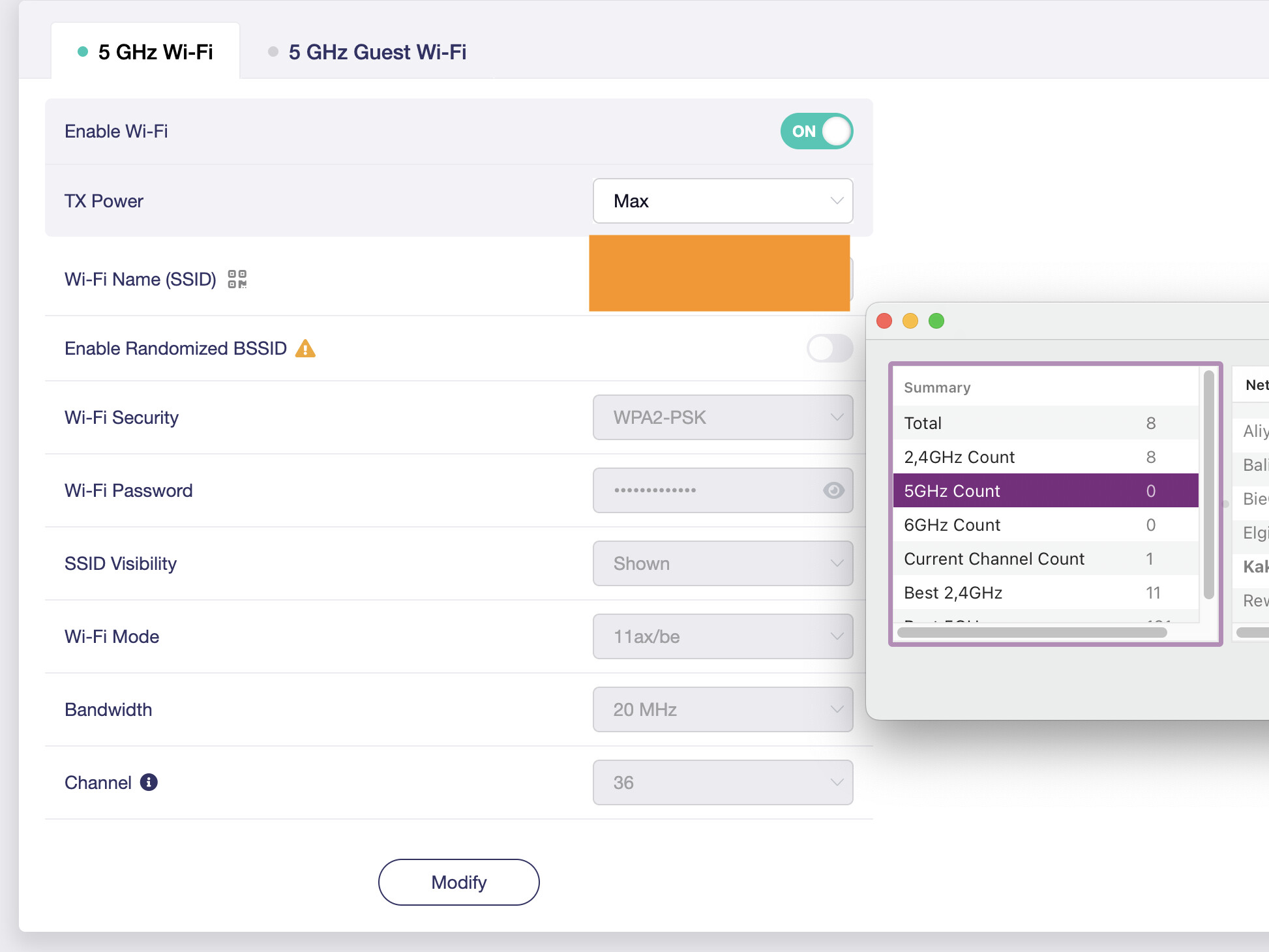
I've been experiencing awful WiFi 6 speeds as well as drops on the 2.4.ghz network. Main devices are only about 5-10 feet away still seeing poor reception and drops.
It's a shame--going to have to go back to an old router or just return this one while they work the kinks out.
1 Like
Hi all,
Any idea when native VLAN support will be fully implemented in OpenWrt for the Flint 3? I’m having a tough time getting VLANs to behave as expected.
I’m using the Flint 3 purely as a dumb wireless access point and 2.5Gb switch. The WAN port is trunked with VLAN 1 (tagged) and VLAN 10 (tagged), going to my pfSense router.
DHCP works fine — devices on both VLANs receive IPs from pfSense correctly. The problem arises when I try to access a wired device (plugged into a port that’s untagged on VLAN 10) from a wireless client connected to an SSID bridged to VLAN 1.
- I can ping the wired device just fine
- But HTTP (port 80) and curl requests fail
- Firewall is disabled on the Flint 3
- pfSense isn’t the issue — other APs in my network work fine with the same VLAN setup
SSID for VLAN 1 is mapped to br-lan
SSID for VLAN 10 is mapped to br-iot
pfSense (192.168.1.1)
  |
  |-- trunk (VLAN 1 tagged, VLAN 10 tagged) --> Flint 3 WAN port
         |-- SSID LAN (VLAN 1) --> Wireless clients (192.168.1.x)
         |-- SSID IOT (VLAN 10) --> Wireless clients (192.168.10.x)
         |-- Port 4 (untagged VLAN 10) --> Wired IOT device
Running OpenWrt 23.05.3 (GL.iNet base) on the Flint 3. Firmware openwrt-be9300-4.8.1-0725-1753421085. Would love to know if others have run into something like this or if there's something I might be missing.
Thanks in advance.
Network:
config interface 'loopback'
	option device 'lo'
	option proto 'static'
	option ipaddr '127.0.0.1'
	option netmask '255.0.0.0'

config globals 'globals'

# === VLAN 1 ===
config device
	option name 'eth0.1'
	option type '8021q'
	option ifname 'eth0'
	option vid '1'

config device
	option name 'eth1.1'
	option type '8021q'
	option ifname 'eth1'
	option vid '1'

config device
	option name 'br-lan'
	option type 'bridge'
	list ports 'eth0.1'
	list ports 'eth1.1'

config interface 'lan'
	option device 'br-lan'
	option proto 'static'
	option ipaddr '192.168.1.4'
	option netmask '255.255.254.0'
	option gateway '192.168.1.1'
	list dns '192.168.1.1'

# === VLAN 10 ===
config device
	option name 'eth0.10'
	option type '8021q'
	option ifname 'eth0'
	option vid '10'

config device
	option name 'eth1.10'
	option type '8021q'
	option ifname 'eth1'
	option vid '10'

config device
	option name 'br-iot'
	option type 'bridge'
	list ports 'eth0.10'
	list ports 'eth1.10'

config interface 'iot'
	option device 'br-iot'
	option proto 'static'
	option ipaddr '192.168.10.4'
	option netmask '255.255.254.0'
	option gateway '192.168.1.1'
	list dns '192.168.1.1'

# === Switch config for tagging ===
config switch
	option name 'switch1'
	option reset '1'
	option enable_vlan '1'

config switch_vlan
	option device 'switch1'
	option vlan '1'
	option ports '3t 4 6'
	option description 'LAN'

config switch_vlan
	option device 'switch1'
	option vlan '10'
	option ports '3t 5 7'
	option description 'IOT'

Wireless:
config wifi-device 'wifi0'
	option type 'qcawificfg80211'
	option channel 'auto'
	option hwmode '11beg'
	option disabled '0'
	option noscan '1'
	option country 'US'
	option txpower '30'
	option random_bssid '1'
	option band '2g'
	option htmode 'HT40'
	option legacy_rates '0'

config wifi-iface 'wifi2g'
	option device 'wifi0'
	option network 'iot'
	option mode 'ap'
	option ssid 'GL-BE9300-542'
	option encryption 'psk2+ccmp'
	option disablecoext '1'
	option wds '1'
	option isolate '0'
	option ifname 'wlan0'
	option ieee80211k '1'
	option bss_transition '1'
	option sae '0'
	option disabled '0'
	# REDACTED: macaddr, factory_macaddr, key

config wifi-device 'wifi1'
	option type 'qcawificfg80211'
	option channel 'auto'
	option hwmode '11bea'
	option disabled '0'
	option country 'US'
	option txpower '30'
	option random_bssid '1'
	option band '5g'
	option htmode 'HT160'
	option channels '36,40,44,48'

config wifi-device 'wifi2'
	option type 'qcawificfg80211'
	option channel 'auto'
	option hwmode '11bea'
	option disabled '0'
	option country 'US'
	option txpower '30'
	option random_bssid '1'
	option band '6g'
	option htmode 'HT320'
	option channels '5,21,37,53,69,85,101,117,133,149,165,181'
	option chan_6g_only_psc '1'
	option require_mode 'ax'

config wifi-iface 'wlanmld2g'
	option device 'wifi0'
	option network 'lan'
	option mode 'ap'
	option ssid 'MLO'
	option encryption 'ccmp'
	option sae '1'
	option wds '1'
	option isolate '0'
	option hidden '0'
	option ifname 'wlan02'
	option ieee80211k '1'
	option bss_transition '1'
	option disabled '1'
	option mld 'mld0'
	# REDACTED: macaddr, factory_macaddr, key

config wifi-iface 'wlanmld5g'
	option device 'wifi1'
	option network 'lan'
	option mode 'ap'
	option ssid 'MLO'
	option encryption 'ccmp'
	option sae '1'
	option wds '1'
	option isolate '0'
	option hidden '0'
	option ifname 'wlan12'
	option ieee80211k '1'
	option bss_transition '1'
	option disabled '0'
	option mld 'mld0'
	# REDACTED: macaddr, factory_macaddr, key

config wifi-iface 'wlanmld6g'
	option device 'wifi2'
	option network 'lan'
	option mode 'ap'
	option ssid 'MLO'
	option encryption 'ccmp'
	option sae '1'
	option wds '1'
	option isolate '0'
	option hidden '0'
	option ifname 'wlan22'
	option ieee80211k '1'
	option bss_transition '1'
	option disabled '0'
	option mld 'mld0'
	# REDACTED: macaddr, factory_macaddr, key

config wifi-mld 'mld0'
	option mld_ssid 'MLO'
	# REDACTED: mld_macaddr
On 4.8.1 beta4 I am also experiencing 5G issues, sometimes it disappears, and also DNS doesn't seem to work. It works fine on 2G, 6G, ethernet and MLO.
Hi @bruce,
How can we have 4.8.1 Beta without a 4.8 Stable?
Added features from the 4.8.0 codebase most likely. Some code versions never make the light of day.
Flint 2 is on 4.8.0 Beta, released last week.
Flint 3 is on 4.8.1 Beta, released 5 days ago.
These versioning doesn't make any sense.
x.yy.zz = zz should be a patch release for the stable x.yy
From what I know is that they base the versions on their sdk, meaning the gl-sdk which is lose from either op24, mtk sdk or qsdk.
i guess the difference between stable and beta from Flint 2 vs Flint 3 is because op24 this new fork is a huge leap in changes than the previous one.
This mean it will include the new dnsmasq.d implementation which may introduce issues, and alot of changes to wireless, without insight in their patches they might need to refresh patches to their wifi too.
So if you look it this way, I think its good it is beta, but for me it was even more better to be snapshot, they can always introduce a newer firmware with minimal changes and call it beta.
I would see the gl-sdk more of a generic feature set, and the version for the features, but the stability remains on the lower base the fork it runs on and or if there are incompatibilities with their gl sdk, I think that is how they judge snapshot,beta,release.
Why bother about a version number? What does it matter it is called 4.8.1 instead of 4.8.0?
There's a million ways to do version numbers. Some do simply by date, some do simply have a incremental build number.
As long as you can somehow order them oldest to newest, I believe it is fine. Skipping a number? I do not see any issue with doing that.
This topic sometimes feels like it is filled with people complaining about things at least in my mind do not matter.
4 Likes
Well as a software developer myself, I really like strict organized versions, with proper PSA management.
The issue is if versions get misthreated then your issue is that developers have a harder time to get grip on issues this is something I observed when GL removed a release and re-uploaded a new bin, it is mismanagement.
Then as result you have different people complaining and a dev trying to fix code which may already was fixed and that could be dangerous because if a dev is not informed and decides to rewrite entire code for a non existing issue (his firmware vs theirs with same version), that could introduce even more problems.
But i'd agree that complaining about different routers and their versioning is not going to help since each model follows its own path, but the abstract leadership on version control is, a date is not a exact measurement for version control imho, it will not inform a uninformed dev that version was pulled if he was in a hasty response.
instead a small increment on the latest octal can help, or a R1 behind it with the same version, this is why 3 octals are better with a max of 3 numbers per notation so small increments are possible.
1 Like
It's a bit strange...
Flint 2:
- Stable 4.7.7
- Beta 4.8.0
- Beta 4.8.0-op24
- Snapshot 4.8.0
Flint 3:
- Stable 4.7.14
- Beta 4.8.1
Because there is no Stable 4.8.0, doesn't make sense to have a Beta 4.8.1 (it should be 4.8.0 Beta still)
Yup, it is confusing, but they follow the gl sdk pattern with 4.8.1 they might introduced a change only affecting the gl sdk but might has incompatibilities with op24, thus meaning that it is still on 4.8.0 for the Flint 2.
Best is to see gl version as feature set, and sometimes but rare a major OpenWrt upgrade, OpenWrt versioning is more invisible in their versioning.
1 Like
You apparently don't work with hardware much, though. Different hardware, different SDKs, different features. You should not be a slave to version numbering just because. Would it make more sense if they did 4.8.0.456b3 or something instead of 4.8.1? What if 4.8.1, on different hardware, exposed a different feature set? Would it still make sense to call it 4.8.0? There are a lot of variables here, but adhering to versioning for some dogmatic reasoning just doesn't make sense.
2 Likes
it only does if they target gl-sdk directly globally, but since some changes only follow the router model then it indeed doesn't make sense it would only help a developer if that version was bumped when a build was deleted 
1 Like
Hi, is there an update to v4.7.14?
Flint 3 vs Flint 2...
It's sadly disappointing and I am thinking of selling my new Flint 3.
If I understand correctly, the processor in the 3 is inferior to the 2?
When I use my 5G Quectel RM520N-GL cellular modem on the 3, I get a maximum speed of about 200 mbits/s but when I use the same setup in my Flint 2, I get over 400 mbits/s ...
The processor utilisation in the 3 is around 0.7 to 0.8 but is 0.3 in the 2.
Oh dear...
2 Likes
Flint 1
Qualcomm Quad-core @1.2GHz
Flint 2
MediaTek Quad-core @2.0GHz
Flint 3
Qualcomm Quad-core @1.5GHz
5 Likes