Flint 3 (GL-BE9300) Web UI Bug: Reserved IP Slider Grayed Out
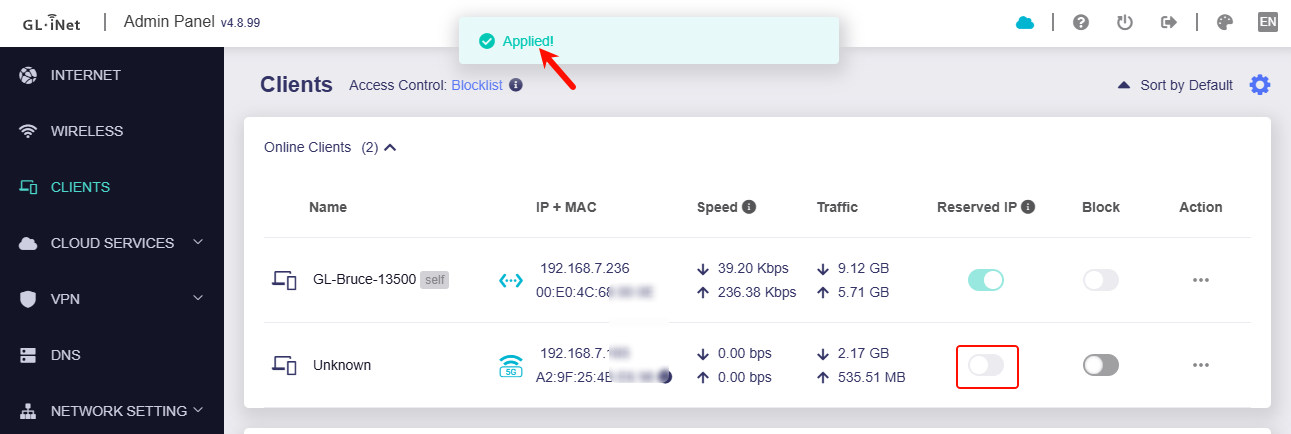
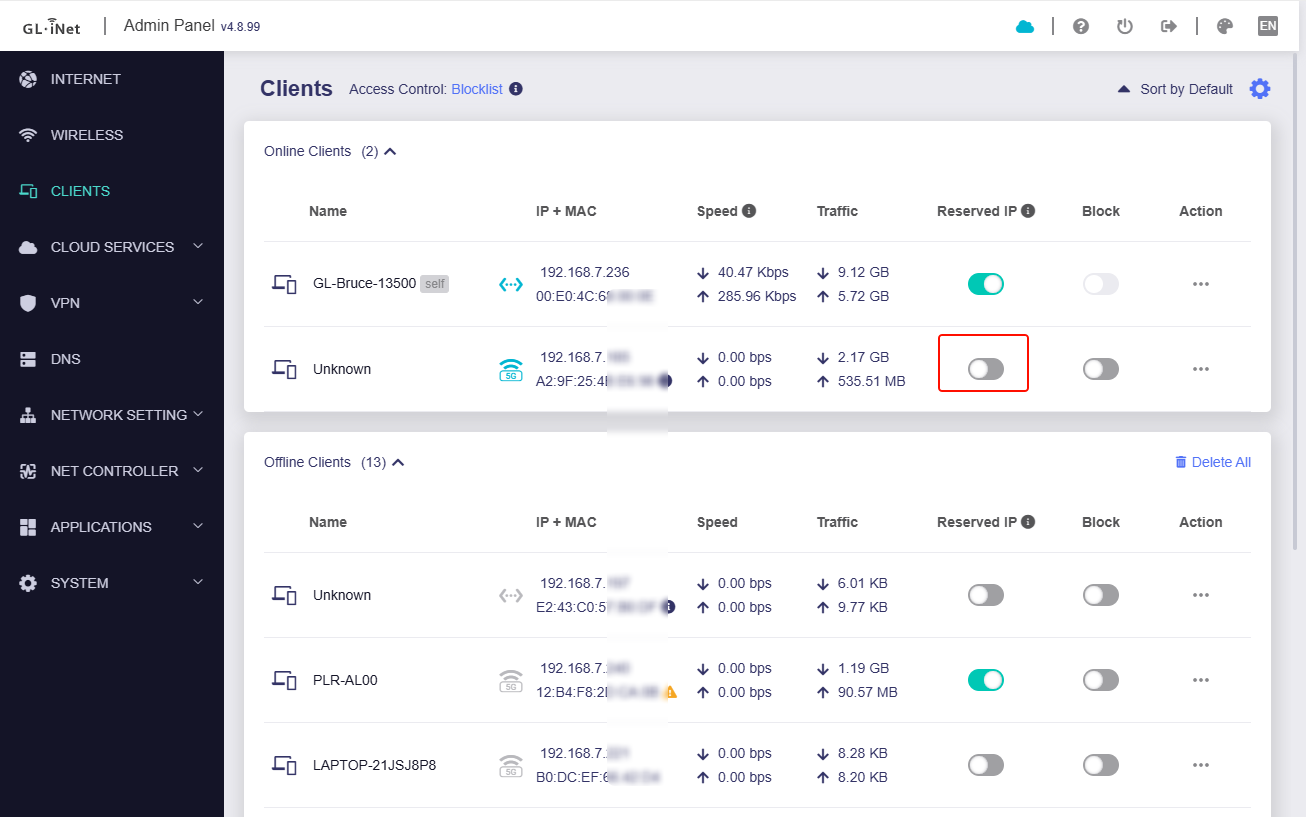
Issue: The "Reserved IP" toggle/slider is grayed out/non-functional in the main GL.iNet web administration interface, even when the feature is active.
Details:
-
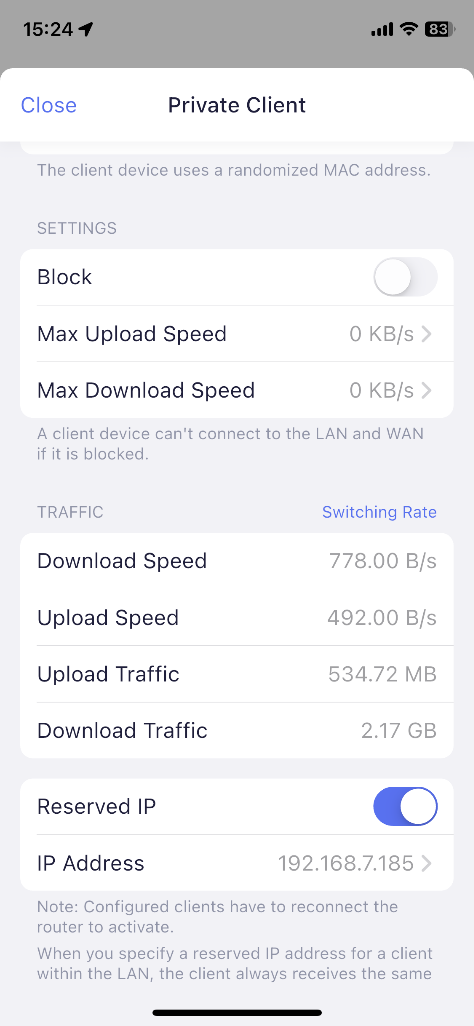
Mobile App Status (Active/Correct): The IP reservation feature is successfully enabled and appears as "active" in the GL.iNet Android/iOS mobile application.
-
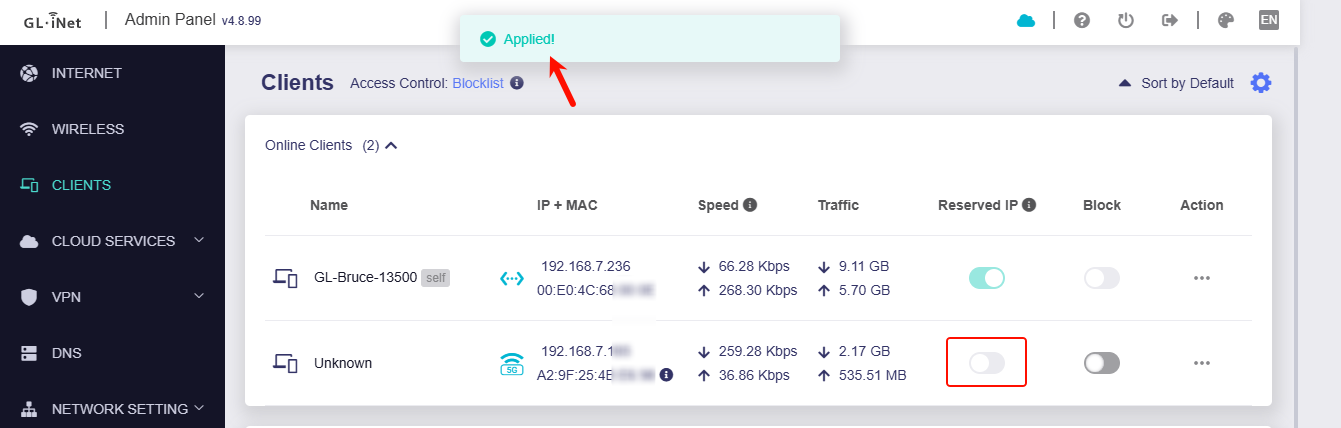
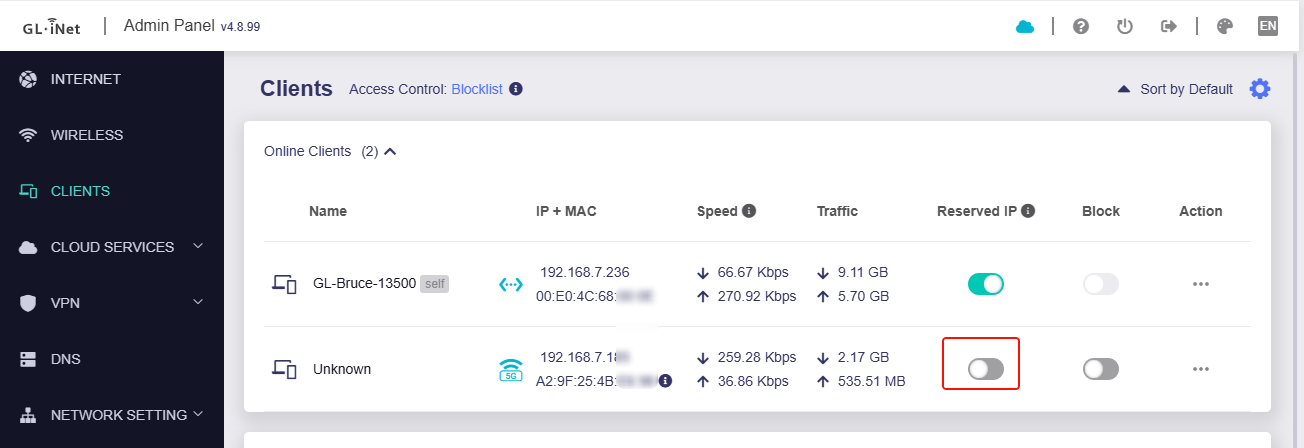
Web UI Status (Grayed Out/Bugged): In the browser-based web administration panel (tested on Windows 10), the "Reserved IP" slider for connected devices appears grayed out and non-functional.
-
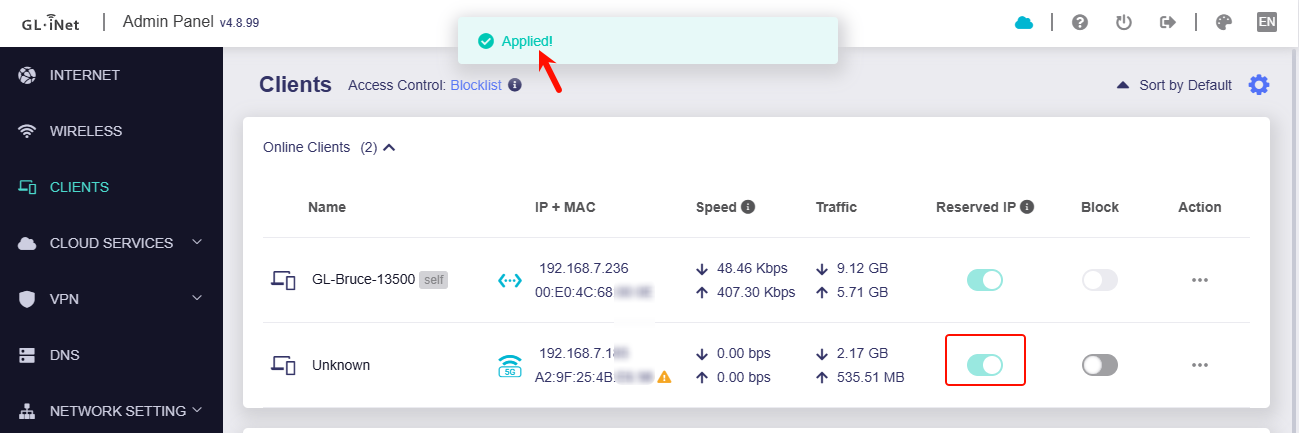
Attempted Action: Clicking the grayed-out slider results in an "applied" confirmation pop-up, but the slider remains in the disabled position and does not visually confirm the change.
-
LuCI Confirmation (Active/Correct): The IP reservation is confirmed to be correctly set and active within the router's LuCI Advanced Settings interface under Network $\rightarrow$ DHCP and DNS $\rightarrow$ Static Leases.
Request: Please investigate why the main GL.iNet web UI fails to correctly display the active status of the "Reserved IP" setting and why the control is non-functional, despite the setting being correctly applied and visible in both the mobile app and LuCI. This suggests a bug in the main web UI's front-end display logic or its interaction with the DHCP configuration.
Router/Firmware Information:
-
Router Model: Flint 3 (GL-BE9300)
-
Architecture: ARMv8 Processor rev 4 (Target Platform: ipq53xx/generic)
-
Firmware Version: OpenWrt 23.05-SNAPSHOT / LuCI Master git-25.232.45327-e242d56 (Kernel Version 5.4.213)