If you have already disabled network acceleration, the issue you are experiencing may not be related to this setting.
We noticed that you have already contacted us by email regarding your issue.
To assist you more effectively, please continue working with our support team through the ticket system.
Just an update:
For those experiencing NAT hairpin/loopback issues, please try the following commands via SSH into the router to see whether they resolve the problem:
Please note that if you adjust the network acceleration mode again (disable / software acceleration, then hardware acceleration), you will need to rerun the command to fix it.
nice👍 this worked on my setup with both hw or sw acceleration enabled.
however i have a (maybe not important) question, while it seems bridge-nf-call-iptables is enabled intentionally by a config related to nss(qca-nss-ecm.conf), overriding default value(11-br-netfilter.conf), won’t there be any chance of some kind of conflict or misbehavior between nss and this workaround? If not so, it’d be nice to remove the overriding entry from qca-nss-ecm.conf on updated firmware.
cat /etc/sysctl.d/11-br-netfilter.conf
# Do not edit, changes to this file will be lost on upgrades
# /etc/sysctl.conf can be used to customize sysctl settings

# disable bridge firewalling by default
net.bridge.bridge-nf-call-arptables=0
net.bridge.bridge-nf-call-ip6tables=0
net.bridge.bridge-nf-call-iptables=0
cat /etc/sysctl.d/qca-nss-ecm.conf
# nf_conntrack_tcp_no_window_check is 0 by default, set it to 1
net.netfilter.nf_conntrack_tcp_no_window_check=1
net.bridge.bridge-nf-call-ip6tables=1
net.bridge.bridge-nf-call-iptables=1
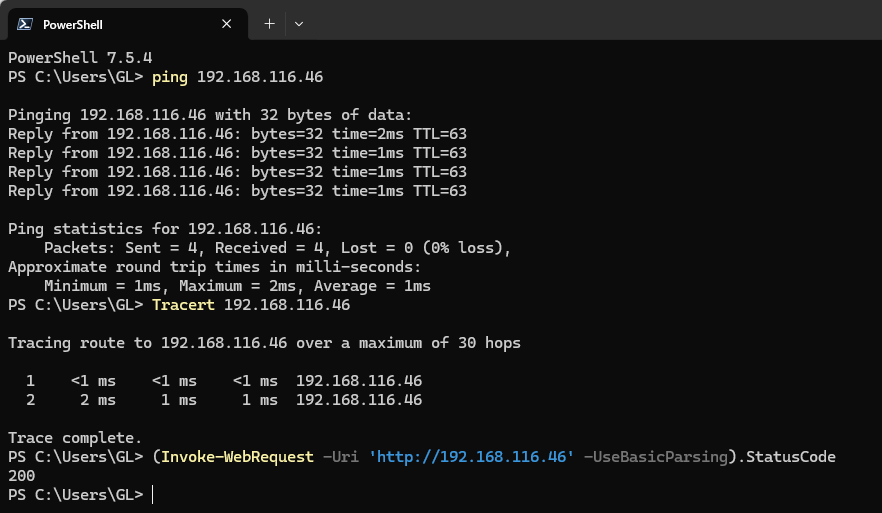
+EDIT) it seems multiple requests don’t play well with this workaround. if i request sequently, hw acceleration fail both curl and traceroute to dmz device, sw acceleration success with curl but traceroute fails, both work well with acceleration disabled.
Could you provide more details about your network topology or test scenario?
From your description, it sounds like a straightforward setup in which all ports are forwarded to an internal device through a DMZ, and you are attempting to access the WAN address from within the same internal network. Is that correct?
I would also be interested in trading for a flint 2. I bought my Flint 3 in October, and ive had a lot of problems and a $187 regret. I consistently have to change my settings just to get my internet to work, and keeping my home server up. My NAS was working fine and now all of a sudden it just flat out wont connect. I have had to switch port 2 into wan, ive had to disconnect adguard, ive had to reflash, ive had to almost every other day try and figure which of my limited ports I can use. I’m down to two working ports.
This is honestly not very confidence boosting for me.. if money weren’t a thing, I probably wouldve gone with Unifi instead, now knowing the issues I am constantly facing. I continue to hear bad things about this router. The fact that this thread was opened in July and still has no fix is insane. I really was hoping for something that just works.
If you are still willing to let us troubleshoot the issue, please email [email protected] with a detailed network topology and a list of the problems you are encountering. Our technical team will be able to provide further assistance.
If you prefer to proceed with a product replacement instead, please contact [email protected] and include your purchase channel and order number so our customer service team can help you.
We have performed multiple local tests, including repeated checks after leaving the system idle for a period of time, and the fix continues to function as expected in our environment built according your scenario.
Could you confirm whether you switched hardware acceleration on and off during your testing?
Re-enabling hardware acceleration may restore the kernel parameters, which could cause the fix to stop working.
Thanks a lot for the tip regarding Network Acceleration. It solved my problem in seconds.
After switching from a FritzBox to the Flint 3, I wasn't able to reach a single service on my NAS via its domain name from within the LAN. I wasted so much time with ChatGPT and Gemini, but couldn't find a workable solution anywhere. I tried working around it with internal DNS entries, but that led to other issues.
Then I decided to give it one more search and stumbled across this post. With just one click, everything was fixed.
Would you have the opportunity to enable Hardware Acceleration again and try the solution below?
If we collect enough cases confirming that this solution fixes the issue, we may merge it into the firmware to provide a better out-of-the-box experience.
At first, I didn't have the courage to modify the sysctl.conf file But the suggestion: "If we collect enough cases confirming that this solution fixes the issue, we may merge it into the firmware to provide a better out-of-the-box experience." finally convinced me to give it a try.
Result: Hardware Acceleration activated
=> Internal services on the LAN not reachable
sysctl adjusted accordingly
=> Internal services on the LAN reachable
Result: With Hardware Acceleration enabled and the sysctl adjustments made, it works.
Thank you for your cooperation and the quick update.
We’re glad to know that sysctl can resolve the issue.
For now, if disabling hardware acceleration doesn’t have much impact on you, please continue using it to avoid a poor experience in cases where kernel parameter adjustments via sysctl may not take effect.
We will relay this information to the product and R&D teams so they’re aware, and see when we can fix this in a new firmware version.
I applied this fix and it seems to have fixed my loopback problem. Could this have anything to do with my VPN problem? I am just getting this router setup and still finding things to fix. Yesterday I had my VPN client turned on and the VPN seemed to work fine. Now when I turn VPN back on I can’t reach any web sites.I have tried to reconfigure the VPN but that did not help.
This issue should only affect NAT loopback within port mapping and the DMZ, and it should not affect VPN functionality.
Does the Admin Panel - VPN - VPN Dashboard indicate that the VPN connection is functioning correctly?
If not, could you please check whether you can still use the same VPN profile on another device (such as a mobile phone) connected to the same network as Flint 3?
Thank you for the fix, was able to get my server and domain to work properly with my own internet using the fix.
I did notice some weirdness though, once I restarted the router with the new /etc/sysctl.conf config, the fix didn’t work again until I tried toggling network acceleration off and back on. Then it started working fine.
 But the suggestion: "If we collect enough cases confirming that this solution fixes the issue, we may merge it into the firmware to provide a better out-of-the-box experience." finally convinced me to give it a try.