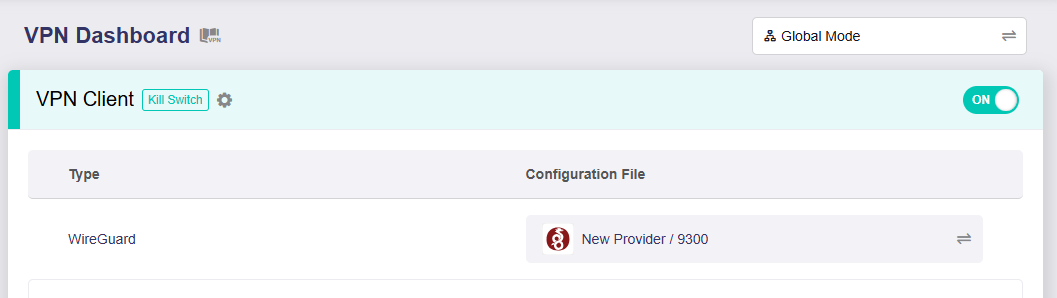
I recently switched from the Flint 2 to the Flint 3. Before making the change, I cross-checked every setting side by side to ensure consistency.
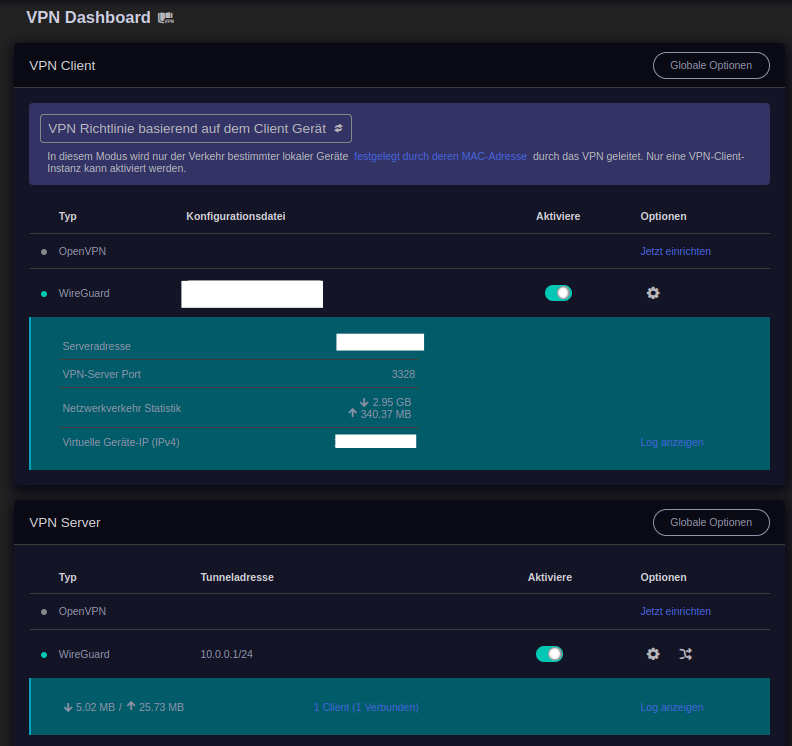
The VPN client is connected to Mullvad and active. I've excluded some devices from the VPN, such as my Chromecast.
On my server, I have Immich, Seafile, and Kasm Workspaces set up to be accessible from outside. However, I noticed that as soon as the VPN client is active, these services become unreachable from outside.
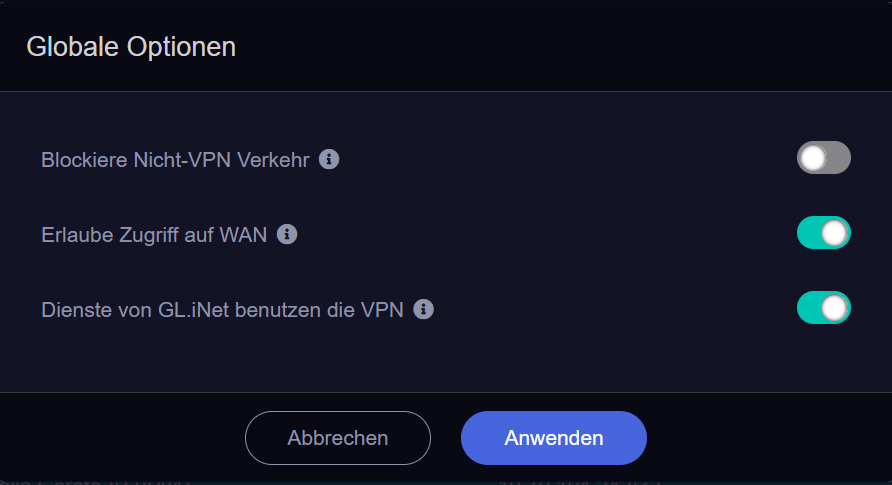
The Flint 3 is currently running firmware version 4.7.13. IP masquerading is enabled for the VPN client, while the other VPN client options are disabled.
I've spent a lot of time comparing the configurations between the Flint 2 and Flint 3, including settings in LuCI, but couldn’t find any relevant differences.
So I put the Flint 2 back in place, and the services hosted on my server (running via Docker) became reachable from outside again. The server traffic was correctly routed through the Mullvad IP with Flint 2.
At this point, I’m out of ideas. I didn’t make any manual changes via shell or LuCI on Flint 2 either.
I could exclude the server from the VPN as a workaround, but I’d really prefer not to – it worked perfectly on Flint 2.
Any advice or insight would be greatly appreciated!
Are your VPN client and server on the same LAN? Is the device accessing the service from the outside can be any device?
You can try to check the routing table of Flint 3. Manually add temporary port forwarding rules for testing.Check whether the router forces all traffic to go through VPN, covering the public network access route of the server.
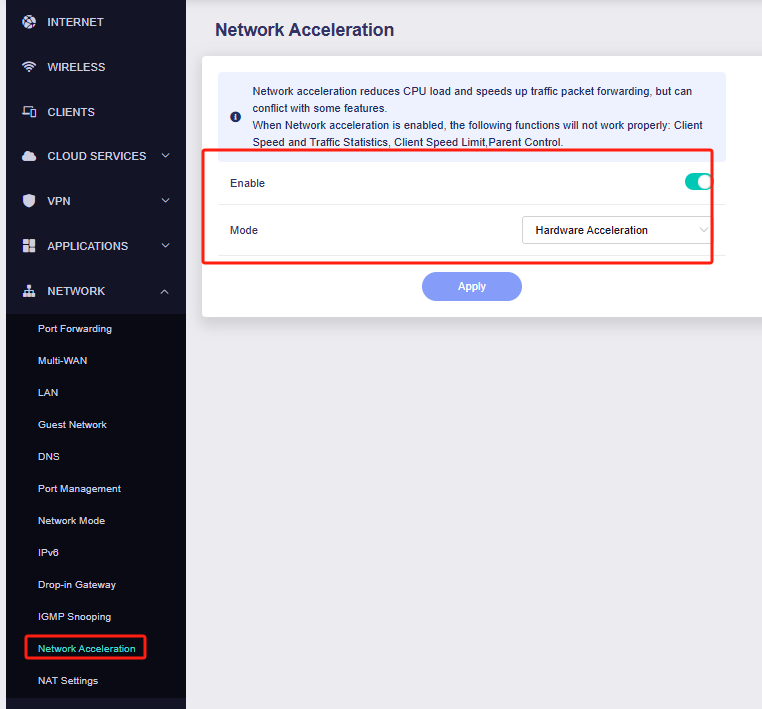
At the moment, network hardware acceleration is disabled on my Flint 3. There are a few reasons for that: I read in another thread that hardware acceleration may cause issues on Qualcomm-based models (at least currently). Also pushing down the cpu temp is one reason. In my case, however, I didn’t notice any difference in behavior — the external services were still not reachable, even when the VPN client was enabled on the Flint 3.
No, the VPN server is not on my LAN. My Flint 3 is acting as a WireGuard VPN client and connects to Mullvad — so the server is external. However, the services I'm hosting (e.g. Immich) are located behind the Flint 3, on the same LAN (Unraid server at 192.168.8.150).
Yes, I checked the routing table (ip rule, ip route) and I’ve already tested several policy routing options. Unfortunately, it seems that Flint 3 is forcing all outgoing traffic through the VPN, including traffic meant to reach my public services via domain. Even with port forwarding, they remain unreachable when the VPN client is active.
Yes, the services should be accessible from any external device (not limited to my phone) — for example, via browser from a desktop or mobile device using the domain name like https://immich.mydomain.org.
The configuration is exactly the same as on my Flint 2, where everything works as expected. I’m starting to wonder if there might be some underlying differences between Flint 2 and Flint 3 — for example, related to nftables or other low-level routing mechanisms that are not exposed in the current GUI.
Thanks in advance for any guidance — I’m happy to test further!
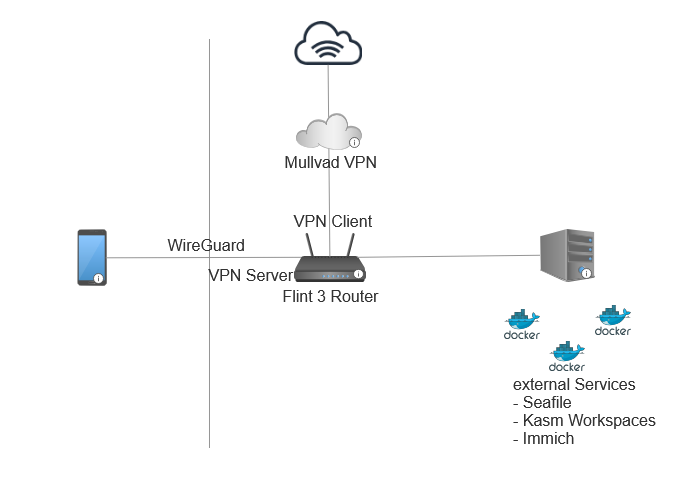
What is your network topology like? Could you please re-describe it or draw a simple diagram?
I would like to try to simulate your network topology to test.
Phone is on mobile network connects via WireGuard to Flint 3 acting as WG Server. Flint is VPN Client connected to Mullvad VPN via WG. Server running docker containers - part of them externally reachable and setup with Nginx Proxy Manager and internally on AdguardHome, so I use FQDNs locally and remotely. Server on local network uses Flints VPN connection to Mullvad and got a Mullvad IP. All Flint's clients - no matter at home or remotely connected - use Mullvad VPN IP.
This is exactly a copy of what I had on Flint 2. It used to work. Now it doesn't.
I'm afraid there's no better way to describe my setup.
Thank you for taking the time to test this!
I really appreciate that you were able to reproduce the behavior with Flint 3 and are even planning to try a different firmware version next week.
Looking forward to hearing your results!
I'm still not entirely sure whether the setup on the Flint 2 (which, from my perspective, works as expected) is how it's supposed to behave – or whether the behavior of the Flint 3 with the latest stable firmware is actually the “correct” one.
Thank you again for your effort and for testing multiple firmware versions – I really appreciate your detailed response!
To clarify your question: yes, my Flint 3 was indeed running firmware version 4.7.13, as shown in the screenshot I previously shared. I haven't tried flashing version 4.7.14 yet.
At the moment, I've switched back to using my Flint 2 with firmware version 4.7.7, and everything is working as expected there – including access to intranet services while the VPN client is active.
It's quite interesting (and honestly a bit confusing) that:
version 4.7.13 doesn't work correctly on Flint 3 (intranet access broken),
version 4.7.14does work, as you've confirmed,
and version 4.8.1 breaks it again.
To me, this inconsistency suggests that something might have changed internally between these versions, and it may be worth a deeper look from one of the GL.iNet developers.
It would be great if someone could help shed some light on what’s happening under the hood – especially why version 4.7.14 behaves “correctly”, while both 4.7.13 and 4.8.1 do not. Ideally, this behavior should remain consistent across firmware updates.
many thanks for your follow-up and for analyzing and fixing the issue so quickly! It’s great to see that the root cause was identified and already resolved in the new firmware.
One small question: you mentioned that the problem was due to a “missing route rule.” Would it theoretically have been possible to add this rule manually via LuCI / OpenWRT configuration? I did some comparisons in LuCI between Flint 2 & 3 back then but couldn’t spot any differences – though it’s quite possible that with my limited knowledge I might have missed something.
Thanks again for your support and the swift solution!