For those of you using their routers in the open (Desktop, etc.) what is the normal average operating temperature for Flint 3?
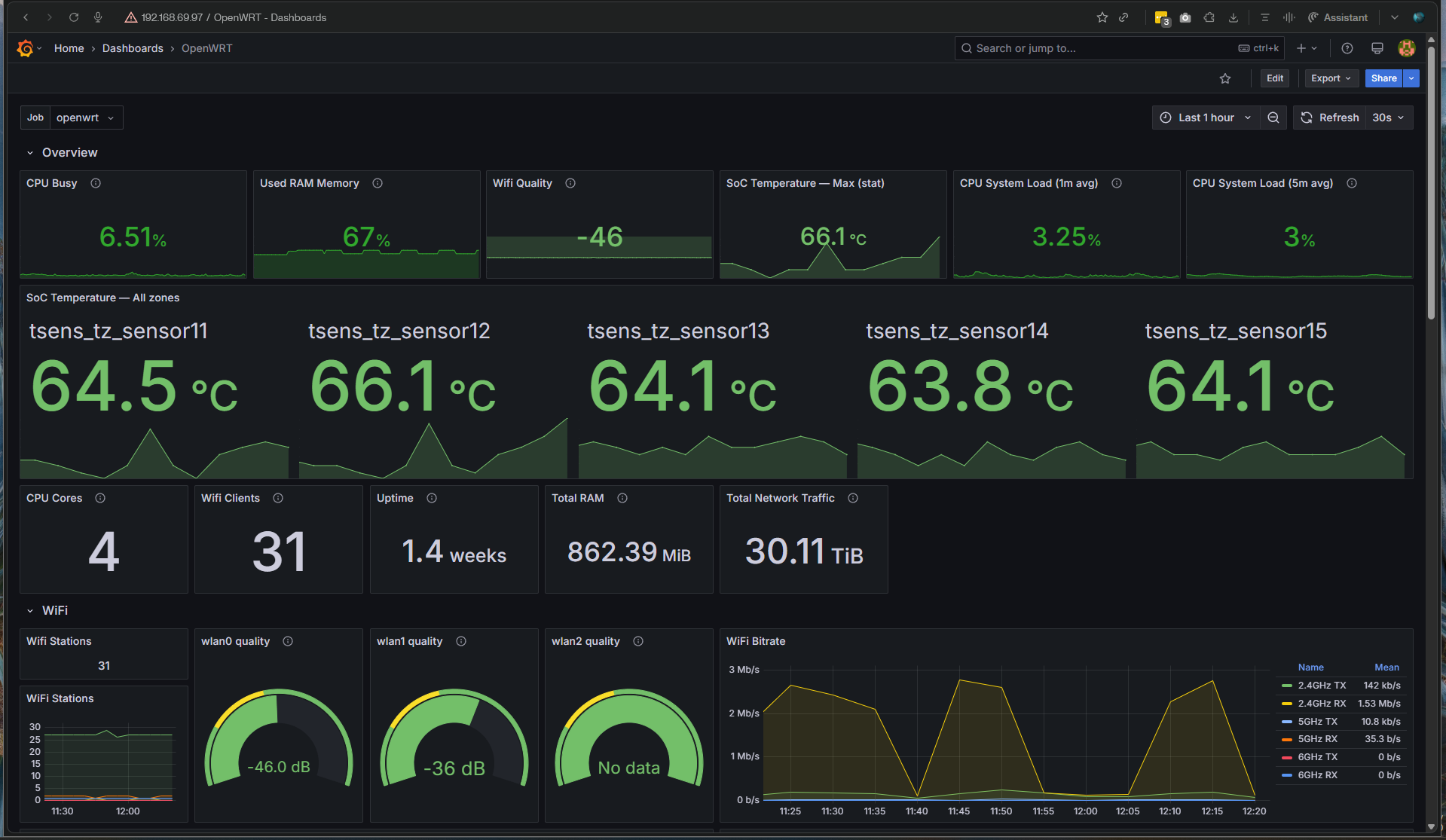
I am monitoring mine with Grafana and I see as the CPU temperatures are always around 68-70 Celsius and I think that is too high. I expect it to run at around 50-60. Or am I overthinking?
Mine runs at around 70C during the daytime and the internal fan is set to kick in at 75C - so 68-70 seems normal.
Look here: http://192.168.8.1/#/overview
That is a link local address, his ip subnet maybe different.
But once in his router menu - the suffix will get him there.
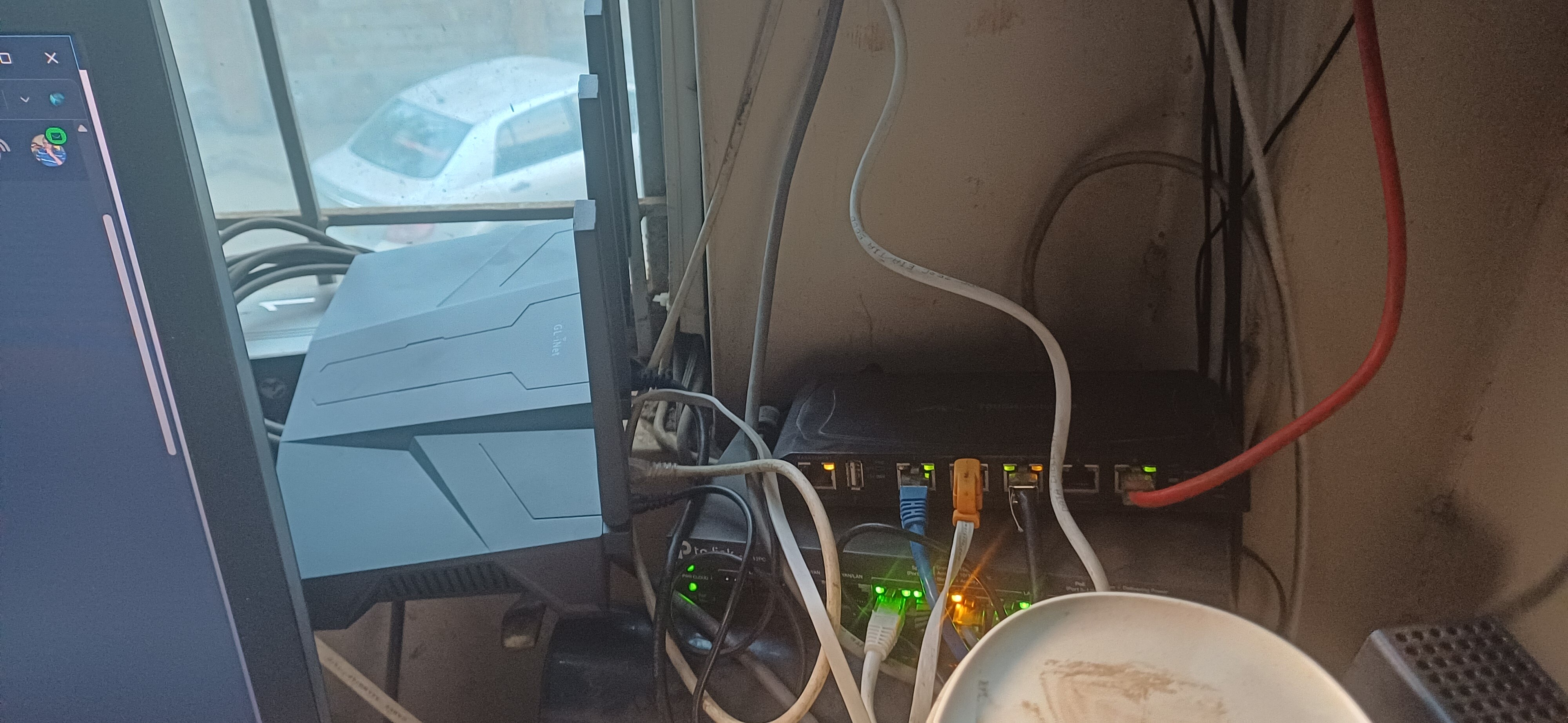
I placed it at a location which is well aerated and the temperatures dropped to levels that are closer to normal (for me).
PS: I didn’t know the Flint 3 has an internal fan and that there is a setting for it. Where do I find that setting?
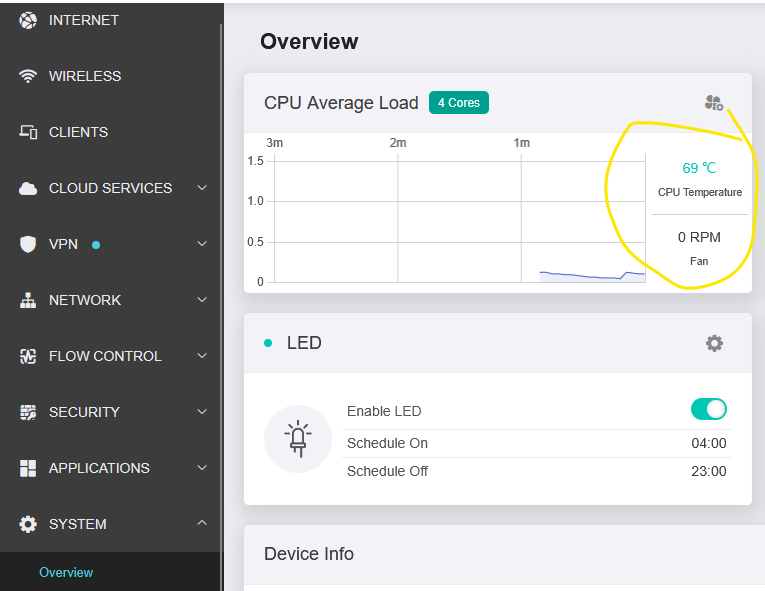
Awesome!
I had never explored the system that far.
And that tells me 70 Celcius is actually normal.
1 Like
You can use a usb external fan if additional cooling is needed.

That temp looks impressive. I will consider using such.
I exposed mine to more aeration and that dropped the temp to around 64 Celcius.
I bought a 120mm fan from Amazon back in 2019 to cool an Android box (that I no longer use). When I bought my Flint 2, I used the old fan and it keeps the router at room temperature. It’s not really needed for the Flint 2 but I use it anyway.
Then, when I bought a Slate 7 (that runs pretty warm), I bought a smaller (80mm) fan, from the same brand, and it keeps the temps at 50 degrees and the internal fan never comes on.
Please share the links from AMAZON. I have both the Flint 2 and Flint 3 and I believe the fans would be a welcome addon.
Not sure if you’re asking me but Amazon has billions of fans listed. The ones I used are from a brand known as Infinity and they run non-stop for years.
Allow me to ask: Can you share photos of how you’ve mounted them on the Flint 2 and Flint 3?
It’s simple. Just go over to where your Flint 2 or 3 is, lift it up and put the fan down onto the table and put the router on top. Plug the USB into the port on the router, then make sure it’s blowing up and put the router on top of the fan.
I’m confident you can set it up properly…
This is my setup on Flint2 
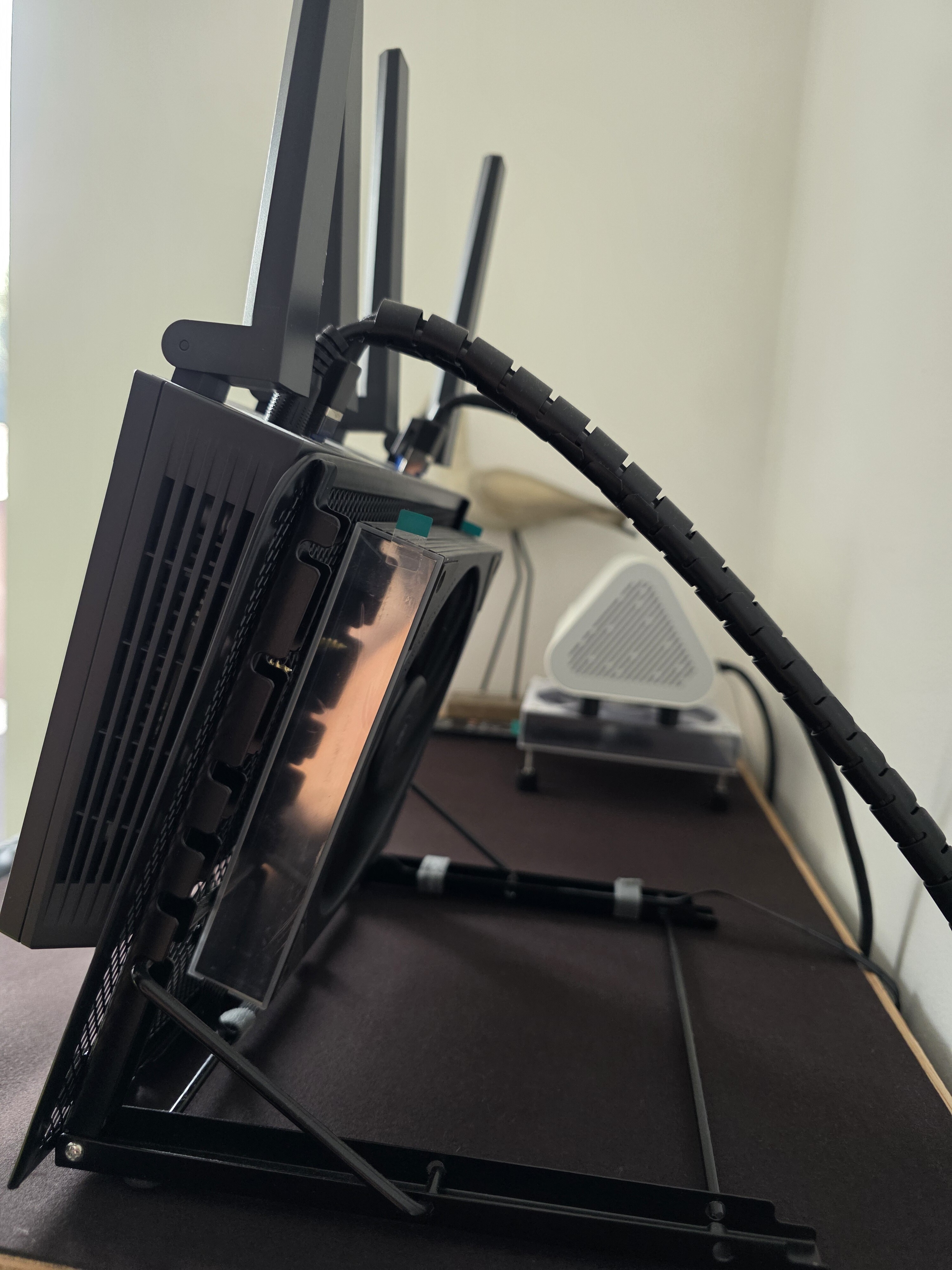
Thermalright TL-M14 ARGB Computer case fan,140x144x25mm/Wireless mirror lighting effects/9-blade high-air-volume cooling fan
Multi-Functional Foldable Tablet Computer Stand Base Stand For Laptops And Tablets Falling On The Ground With Stand Holder
4Pin Fan PWM Speed Controller PD QC Fast ChargingType-C DC 24V 12V 5V Cooling System Fan Governor DIY Water Cooling Radiator Bundle: Type 3
Cylarix PWM Fan Splitter Cable PC 4Pin 1 to 4 Ways Fan Power Extension Adapter Cable Black Sleeved Braided Cable 27cm/10.5 Inch

1 Like
This is overkill honestly.
2 Likes
Ah yes, yes it is. But it sure looks cool…bada-bing…
2 Likes