
this happened after commad, can i do something?
This command is only available when hardware acceleration is enabled.
Could you confirm whether the speed test you udpated above was conducted after the configuration was successfully applied?
root@GL-BE9300:~# echo 1 > /sys/kernel/debug/ecm/ecm_classifier_default/accel_delay_pkts
root@GL-BE9300:~# cat /sys/kernel/debug/ecm/ecm_classifier_default/accel_delay_pkts
1   ##<--- This should return `1`
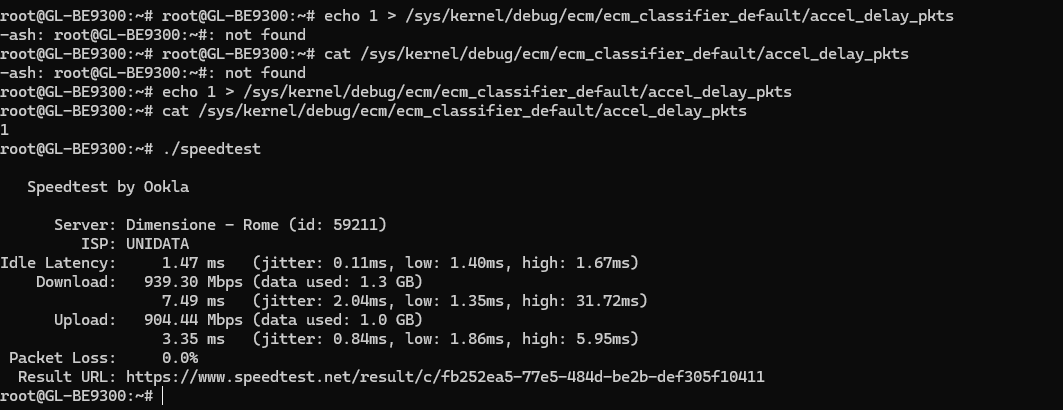
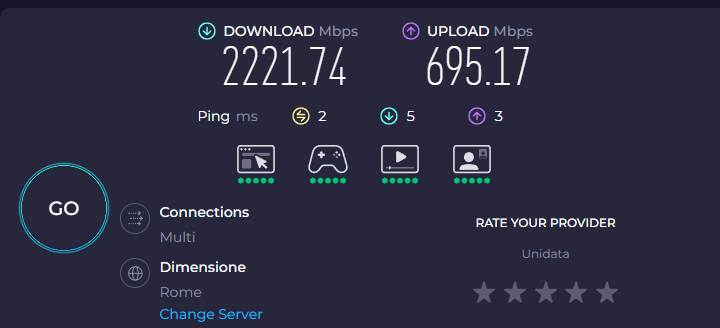
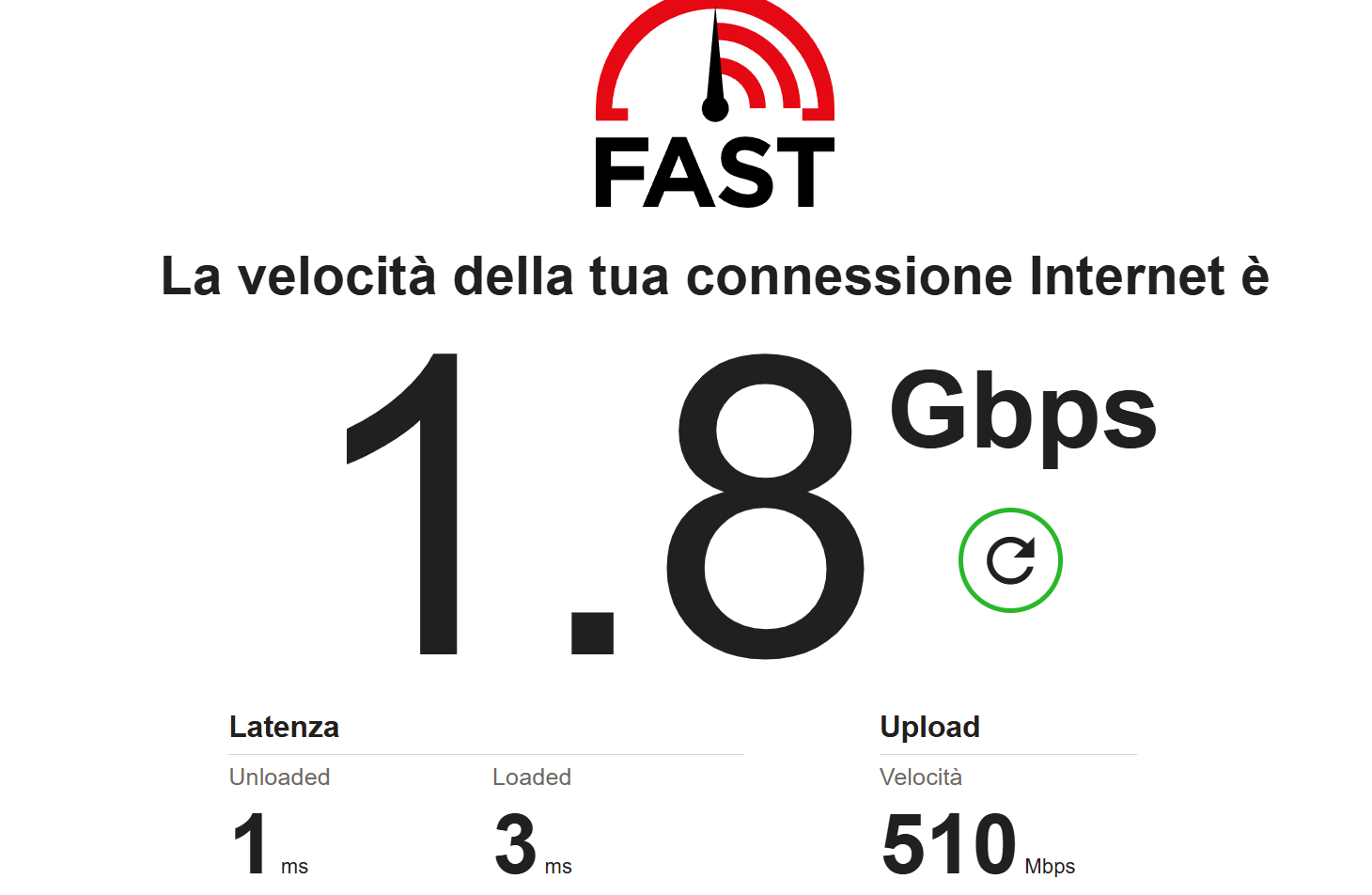
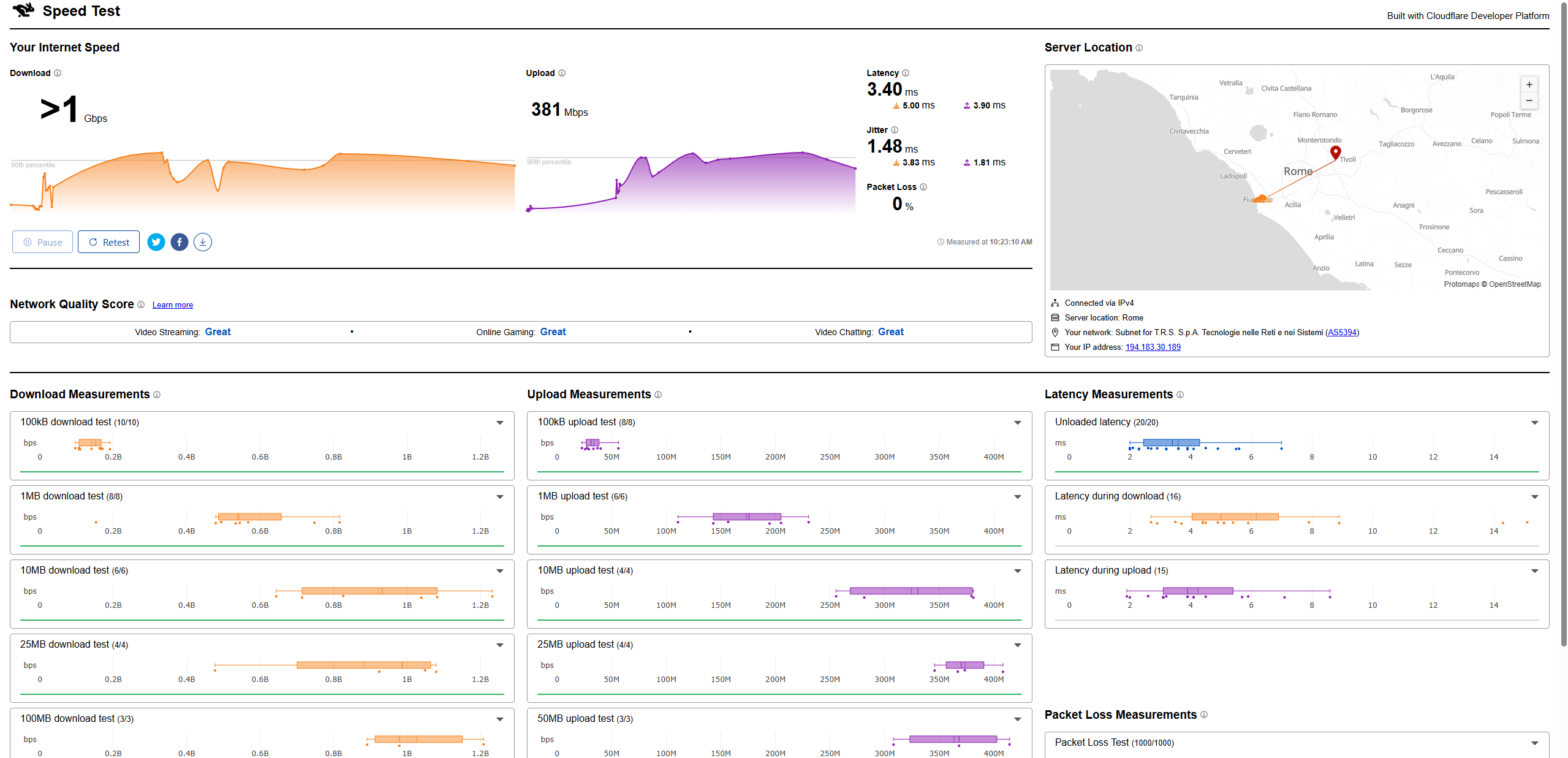
Would you be able to run additional comparison tests using Fast.com or speed.cloudflare.com?
Also, regarding the previously mentioned GoodCloud, please re-share the router to us on GoodCloud, send the device’s MAC address and the WebUI login password via private message so we can remotely check some configuration.
Technical Support via GoodCloud - GL.iNet Router Docs 4
Thank you for your cooperation.
The R&D team is currently investigating the issue, which may take some time.
We will keep you informed as we make progress.
We've sent you a test firmware via PM.
Please download and install it when convenient, and let us know whether it improves the issue.
I downloaded and installed the firmware:
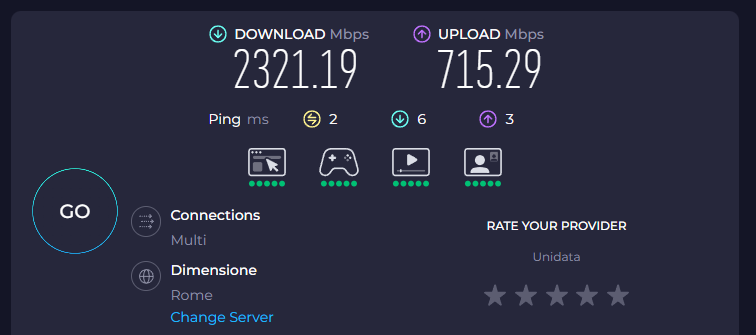
Not fix the issue.
I come back with previously firmware and i share you againg good cloud.
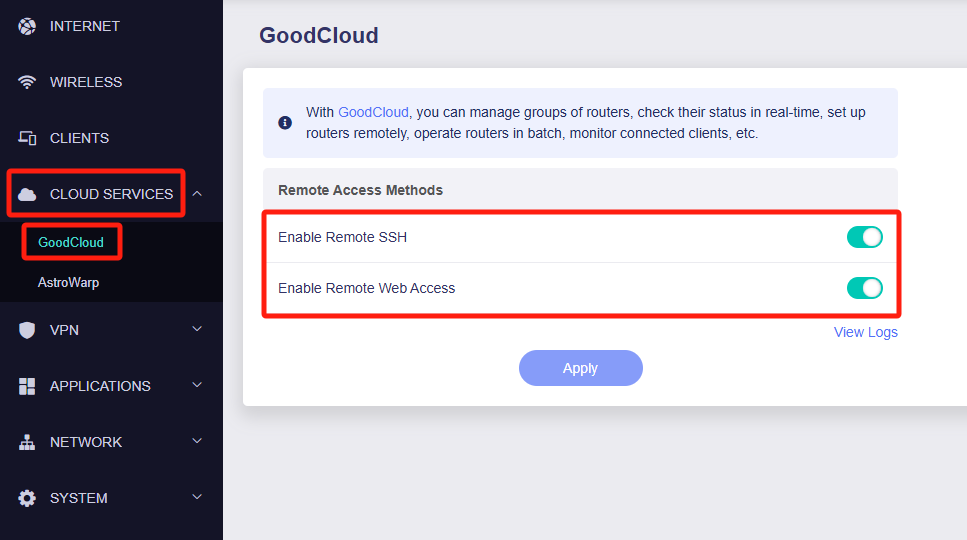
I check and i activate all
Please with hardware acceleration enabled SSH into the router and run the following command to check if the client's upload speed is normal:
echo 655360 > /sys/kernel/debug/ecm/ecm_classifier_default/accel_delay_pkts
cat /sys/kernel/debug/ecm/ecm_classifier_default/accel_delay_pkts
Thanks for your cooperation and understanding.

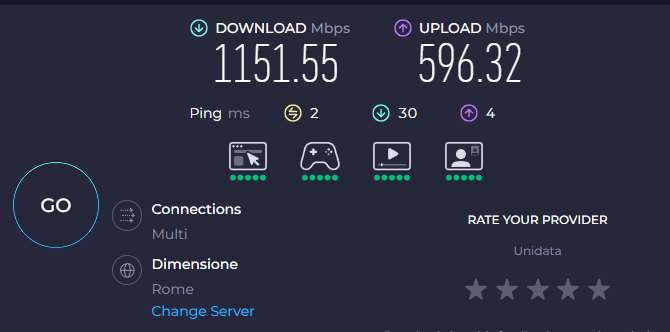
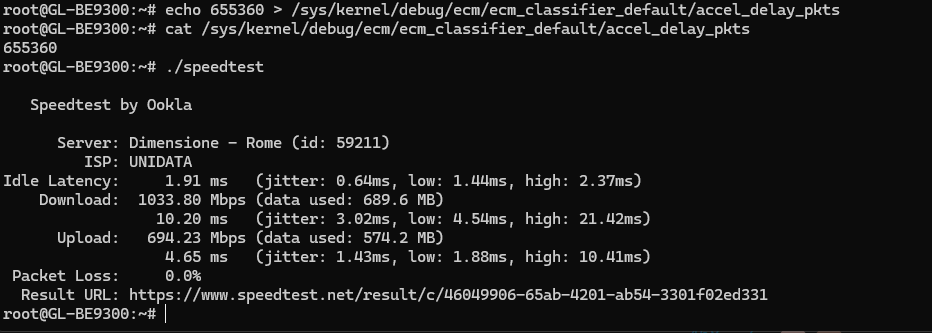
Today before and after the command this is the speedtest with hardware acceleration:

Acceleration off:
from ssh:
From FritxBox7590 for testing ISP:
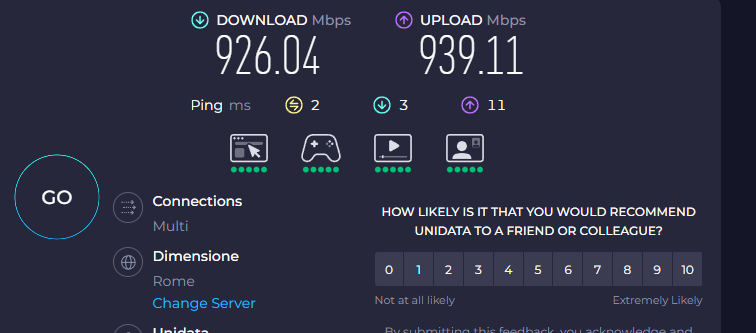
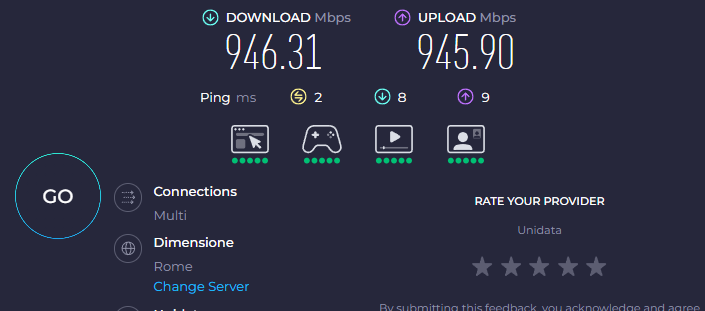
This issue may be related to hardware acceleration and compatibility with the 2.5 Gbps network card.
Please provide the following information so we can investigate further:
- The model and the driver version of your PC’s network adapter
- Whether upload speed returns to normal at 2.5 Gbps after disabling LSO
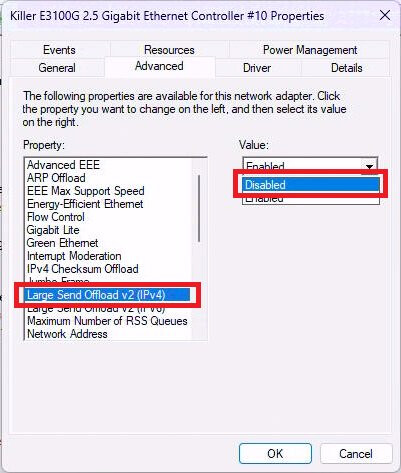
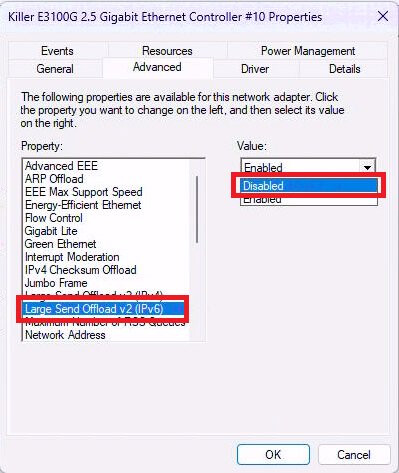
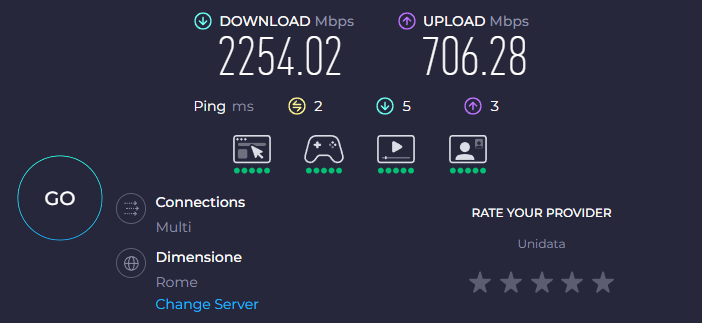
Nothing change.
I have ROG STRIX Z790-E GAMING WIFI
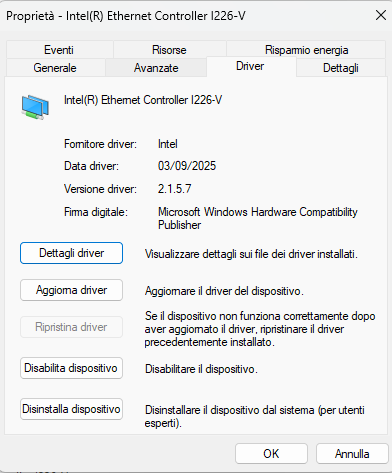
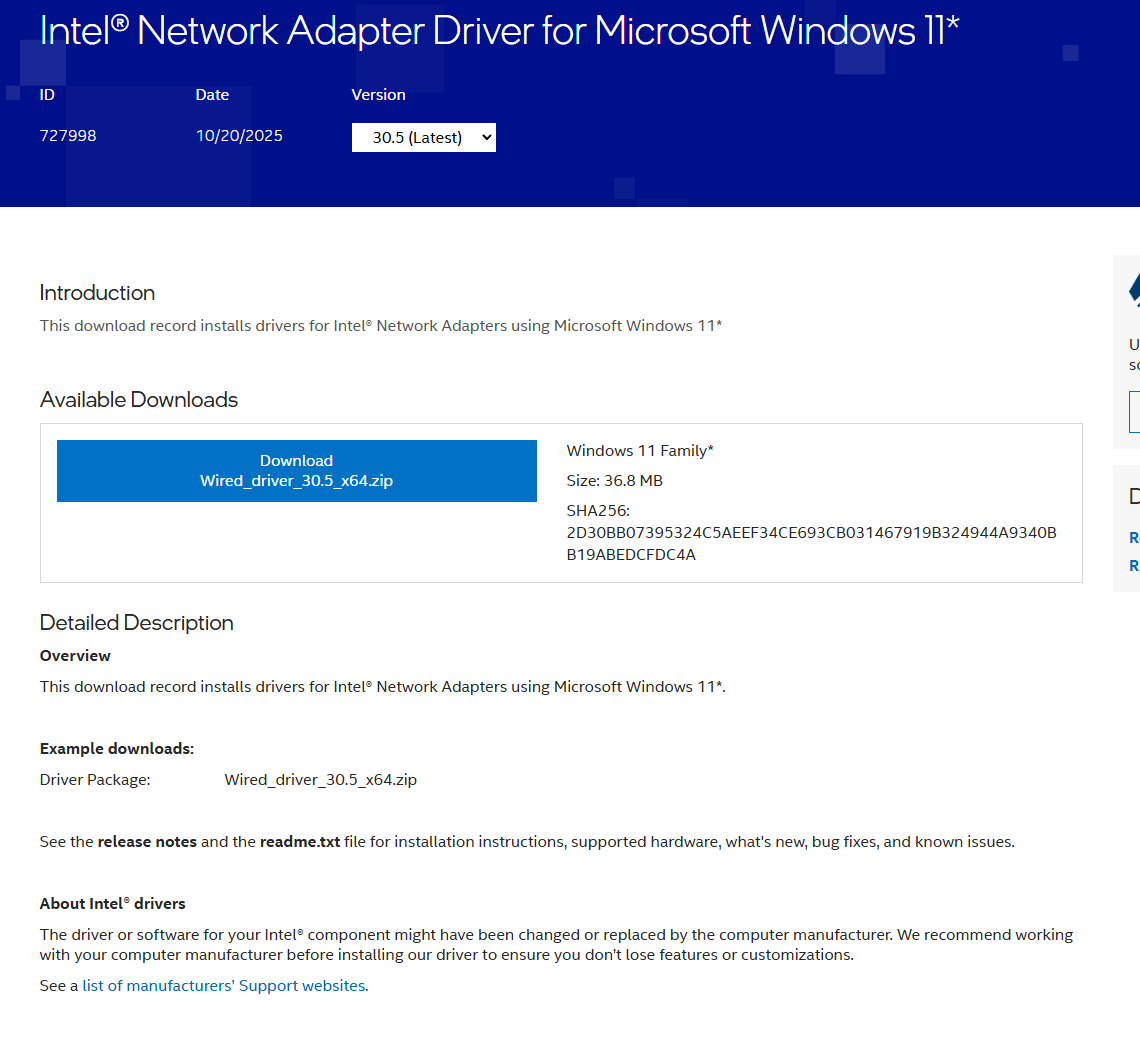
I update the driver to 30.5
Is it possible a issue with ONT?
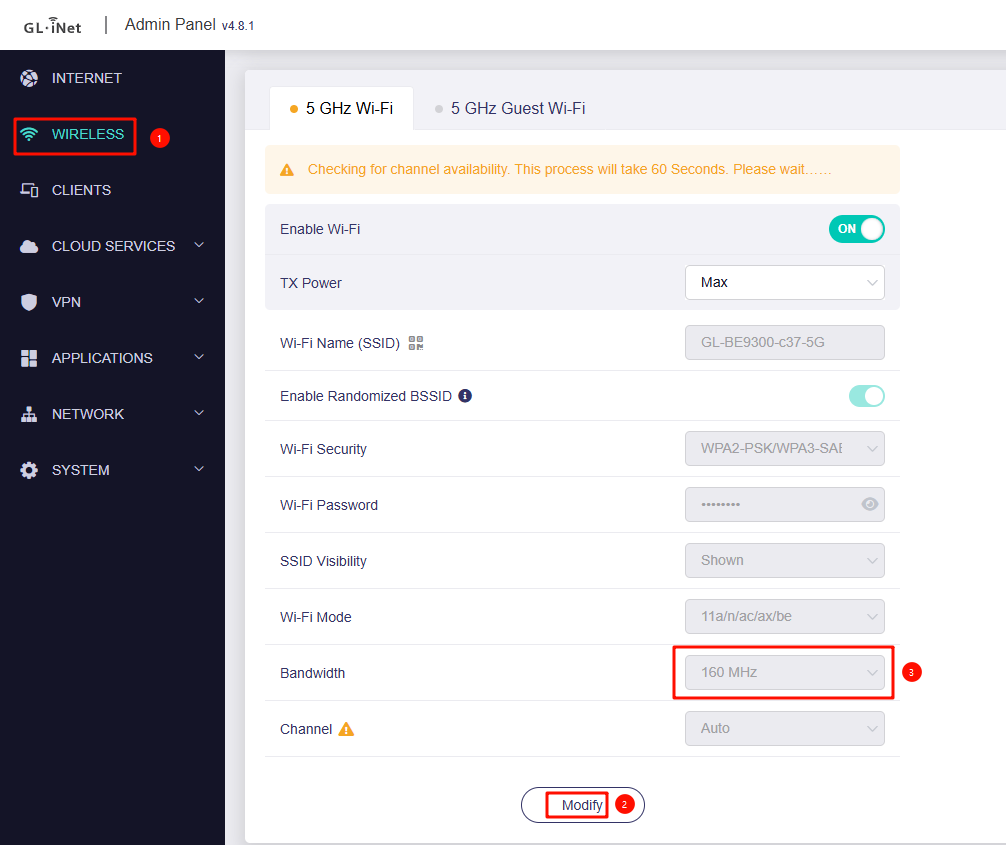
Please try running a speed test over Wi-Fi and let us know the results.
Notes:
-
Test both the 5 GHz and 6 GHz bands.
-
For 5 GHz, ensure that 160 MHz channel width is enabled so the full bandwidth can be utilized.
-
If possible, test with another device like mobile phone placed close to the Flint 3.
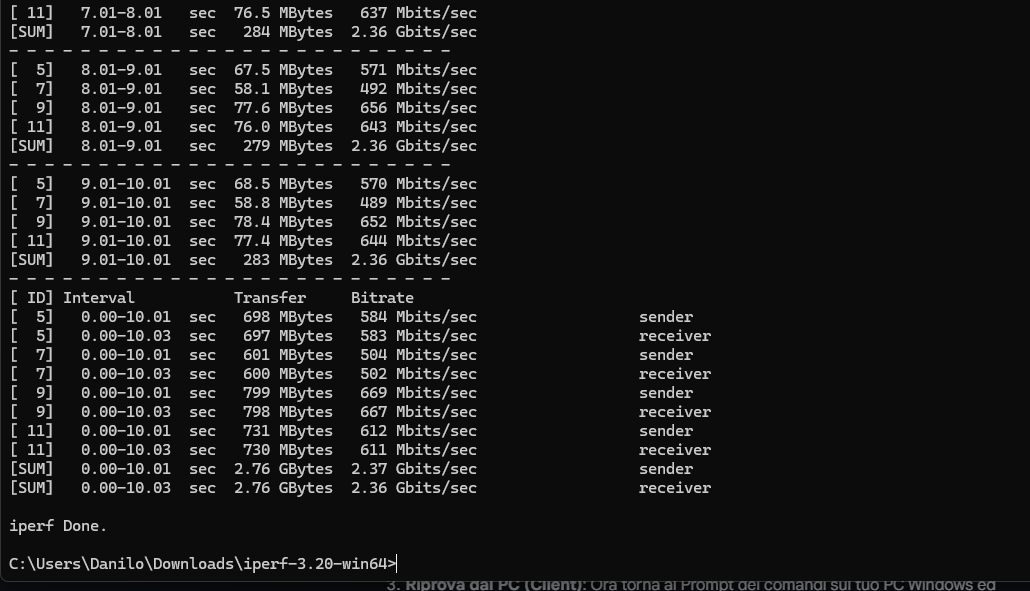
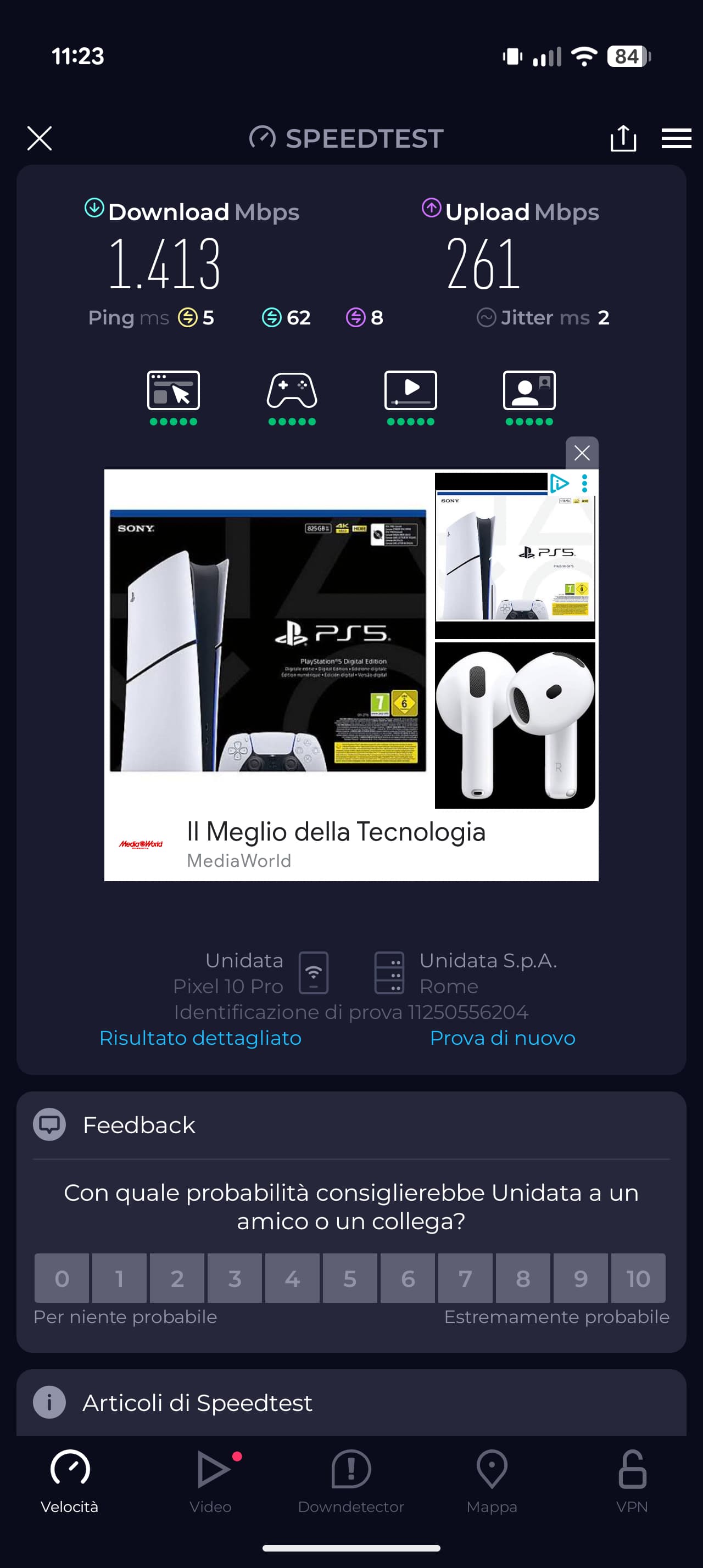
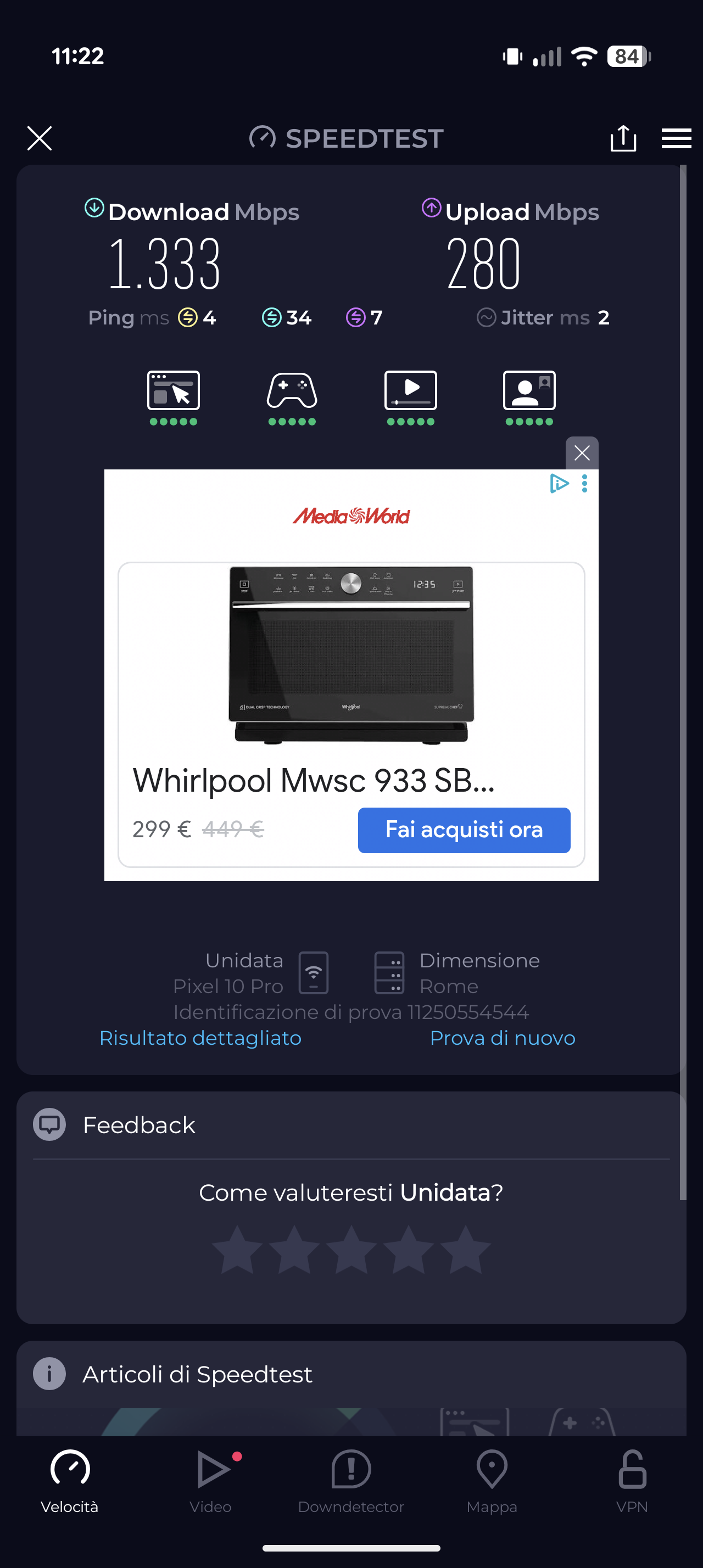
It seems a bit unusual.
Could you clarify the following:
- When you mentioned forcing the network card to operate at 1 Gbps, was this done on the PC’s network adapter, or did you force the router’s WAN interface using the
ethtoolcommand? - How was the iPerf3 test performed? Was the server running on another PC connected via Ethernet, or on the router itself?
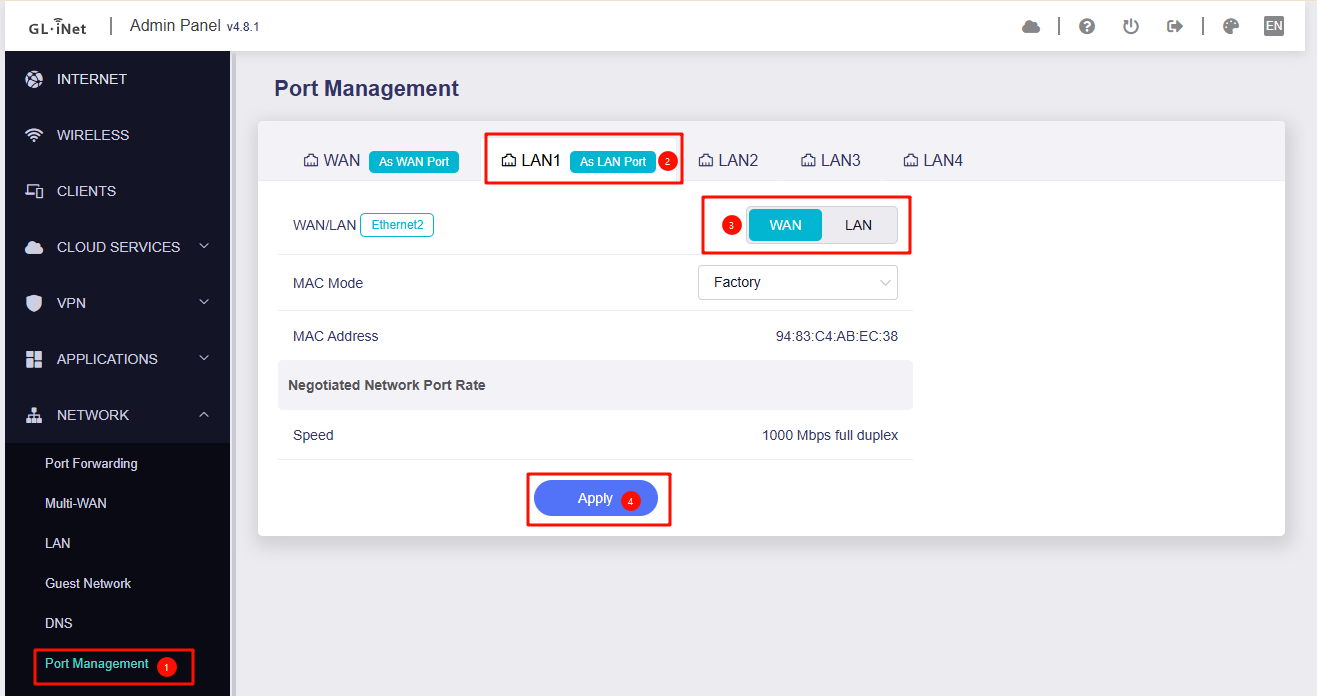
- Does switching the LAN 1 to WAN port improve the behavior?
-
When you mentioned forcing the network card to operate at 1 Gbps...
I forced the link speed to 1 Gbps directly on my PC's network adapter properties (Windows Device Manager, Intel I226-V card). I did not use ethtool on the router.
2. How was the iPerf3 test performed?
I ran iPerf3 directly on the router via SSH (router acting as the server).
3. Does switching the LAN 1 to WAN port improve the behavior?
I tried switching the WAN interface to LAN 1 via the "Port Management" UI as shown in your screenshot. However, after applying the change and moving the cable, the PPPoE connection fails to establish and I cannot connect to the internet.
I strongly believe the root cause is a Bufferbloat / Buffer Overflow issue on the ONT side (TP-Link XZ005-G6).
Since the GPON upload link is limited to ~1 Gbps, but the Router sends data at 2.5 Gbps via the WAN port, the ONT's internal buffer fills up instantly. This causes packet loss (tail drop) and forces the TCP window to collapse, resulting in unstable upload speeds (dropping to ~500 Mbps).
When I force the link to 1 Gbps, the hardware flow control prevents this buffer overflow naturally, and I get full speed (940 Mbps). I need the router to handle this bottleneck correctly (via Flow Control or active Traffic Shaping) to prevent the ONT from choking