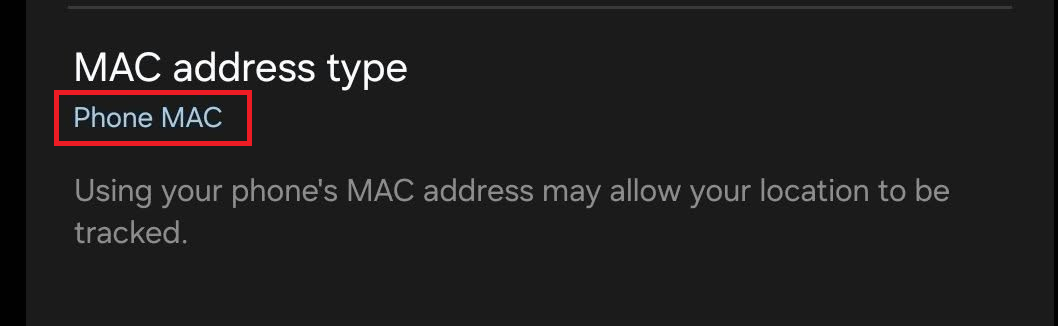
Summary
Note that I used a clanker to help investigate this problem on multiple devices. This is a part generated simplified summary that hopefully gets to the point concisely.
I am seeing a reproducible connection problem with a Samsung Galaxy S24 Ultra when MAC allowlisting is enabled on my Flint 4.
The address I originally had in the allowlist was:
a8:ba:69:87:cd:03
With only this address present, the phone was unable to connect to any of my normal Wi-Fi SSIDs. Android reported the failure as an incorrect password, although the password was correct and had not changed.
While investigating the router logs I found that the same device was also using:
aa:ba:69:87:cd:83
The router itself appears to recognise that these two addresses belong to the same Wi-Fi 7 / MLO station. For example:
mac=aa:ba:69:87:cd:83,
mld(sta_idx=0,addr=a8:ba:69:87:cd:03)

mld(a8:ba:69:87:cd:03),
link(aa:ba:69:87:cd:83)
The first address therefore appears to be the MLD/device address, while the second is being used as a link-specific STA address.
Behaviour with only a8:ba:69:87:cd:03 allowlisted
The phone reaches association, but the connection subsequently fails.
The router logs show successful association followed approximately four seconds later by:
send de-auth req to aa:ba:69:87:cd:83, reason=15
Android then reports the connection failure as an incorrect password.
The same behaviour was observed when attempting to connect to different bands/SSIDs.
Behaviour after also allowlisting aa:ba:69:87:cd:83
I added the second address:
aa:ba:69:87:cd:83
to the allowlist while leaving the original address in place.
On the subsequent attempts, the router eventually completed authentication successfully:
STA aa:ba:69:87:cd:83 IEEE 802.11: associated
STA aa:ba:69:87:cd:83 WPA: pairwise key handshake completed (RSN)
DHCP then operated using the original address:
DHCPDISCOVER(br-lan) a8:ba:69:87:cd:03
DHCPOFFER(br-lan) 192.168.1.198 a8:ba:69:87:cd:03
DHCPREQUEST(br-lan) 192.168.1.198 a8:ba:69:87:cd:03
DHCPACK(br-lan) 192.168.1.198 a8:ba:69:87:cd:03 Chicken
This suggests that the router is handling a8:ba:69:87:cd:03 as the main MLD/device identity while aa:ba:69:87:cd:83 is used at the Wi-Fi link layer.
My concern
I had already allowlisted the MAC address by which this device is normally identified on the network. The router also appears to know internally that the second MAC address belongs to the same MLO station.
Despite this, the device was unable to connect until I manually discovered and added the second address to the allowlist.
There is also no indication in the normal client interface that an additional MAC address needs to be allowlisted. The failure instead appears to the client as an incorrect Wi-Fi password.
Expected behaviour
I would expect one of the following:
- allowlisting the MLD/device MAC address should also permit its associated MLO link addresses; or
- the router UI should expose the associated link MAC addresses and make it clear that they also require allowlisting.
At present, a normal user has no obvious way to determine why the device is being rejected.
Additionally I can confirm that the Client list "access" column toggle also only applies the main MLD MAC address of the client.
I have also noted that other WiFi 7 clients show similar behaviour (for example a laptop with an Intel be200 WiFi card), whilst older devices that do not generate and submit the local MLO MAC work correctly with just the Device Physical MAC added.
Reproduction
- Enable MAC allowlist mode.
- Ensure the client device being used for testing has not already had an IP address assigned by releasing it's ip address, and forget the network on the client.
- Add
a8:ba:69:87:cd:03to the allowlist. - Attempt to connect the Samsung Galaxy S24 Ultra.
- Connection fails and Android reports an incorrect password.
- Add
aa:ba:69:87:cd:83to the allowlist as well. - Retry the connection.
- WPA authentication completes and DHCP succeeds.
I can provide the relevant router logs if they would be useful for investigation.