I recently switched my home network from a Fritz!Box router + 2 Fritz!Repeaters to GL.iNet hardware (Flint 4 as the main router and Flint 3 as an hardwired Access Point). While getting used to the ecosystem, I’ve run into a few hurdles regarding roaming and node behavior:
Roaming drops: Moving around the house sometimes causes devices to drop connection completely instead of smoothly transitioning. How can I verify that Fast Roaming is properly active? The AP shows as a node under "Mesh".
Client "stickiness": Many stationary devices stubbornly cling to the main Flint 4 router rather than switching to the closer Flint 3 AP. Is there a way to mitigate this without unnecessarily dropping transmission power (which I need to reach distant rooms)? (Note: I noticed manual client-to-AP assignment isn't available yet—it would be a fantastic feature to add in a future update!)
EasyMesh status: In LuCI, EasyMesh mode shows as "disabled" for the Flint 4. Is this because GL.Inet uses its own implementation?
Current firmware versions:
Flint 4: v4.11.0 beta 4
Flint 3: v4.10.1 (Stable)
Any advice or configuration tips would be greatly appreciated!
I saw flint 3 mesh node in LuCi and tired to reserve it IP and bin new one but it didn't work and it I still the old one after reboot of both main and node.
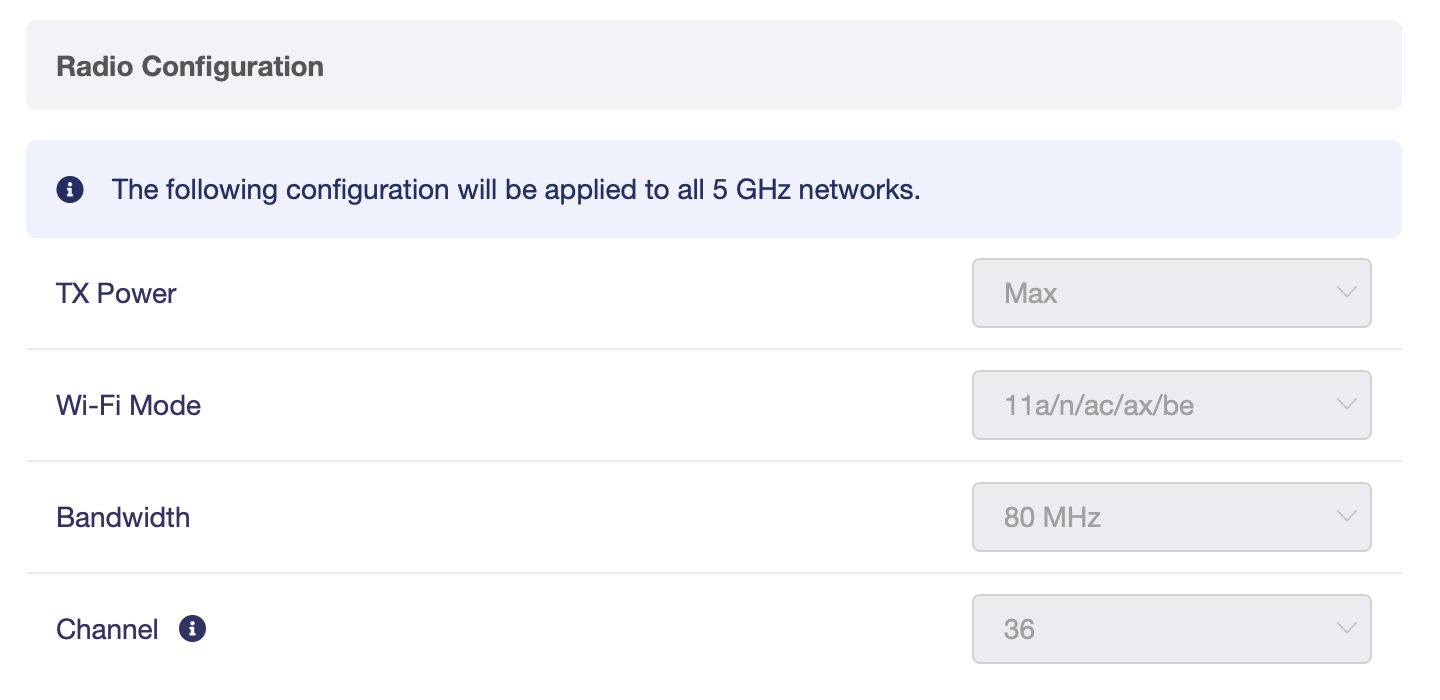
Could you try setting the 5 GHz channel bandwidth to the same value on both Flint 4 and Flint 3, testing both 80 MHz and 160 MHz to see whether either setting improves roaming in your environment?
Thank you for your suggestion about manually assigning clients to specific Mesh nodes. We will record your feedback and forward it to our team for further evaluation.
Regarding the EasyMesh status in LuCI, we recommend managing and configuring your Mesh network through the GL.iNet web interface. And we do not recommend changing the EasyMesh mode in LuCI.
Regarding about assigning an IP address to the Mesh node. When a router is operating as a Mesh node, its IP address is fixed and cannot be manually changed to another IP address.
Could you describe what appears on the screen when an update to the Beta 5 firmware via the local upgrade method fails? If possible, could you please provide a screenshot?
it appears to me that the node (3) is controlled through the mesh master (Flint 4). Which would mean I cannot make any changes there. I can surely change the Flint 4 to 160 Mhz.
Regarding the update: I re-ran the update and it worked now.
I left the issue that occurred below:
I uploaded the file, and it verified and installed with the reboot following right after. After the reboot it was super sluggish on the LCD screen of the Flint 4, I wasn't able to log into the GUI anymore via Ethernet/WiFi, but the internet connection still worked. I waited 20 minutes to no avail, turned the Flint 4 off and on. It booted straight back up with no problems now, but it claims to be on Beta 4.
Regarding the 5 GHz channel bandwidth: the advanced Wi-Fi settings on the Flint 3 do not automatically follow the main router when it is operating as a Mesh node.
If you would like to test 160 MHz, you may need to switch the Flint 3 back to Router mode, change its 5 GHz channel bandwidth to 160 MHz, and then switch it back to Mesh node mode.
Thank you for the update. Just to confirm, was the Flint 4 successfully updated to Beta 5 after you tried again?
Yes, correct. Beta 5 is installed now. The AP Roaming issues remain. Especially noticeable when I am listening to Apple Music via iPhone on my Sonos speakers (5 speakers, connected via WiFi) and walking through the house.
Could you please set the 5 GHz channel bandwidth to the same value on both the Flint 4 and Flint 3, install the appropriate app for your mobile device’s operating system, and then test the Wi-Fi connection while moving around your home?
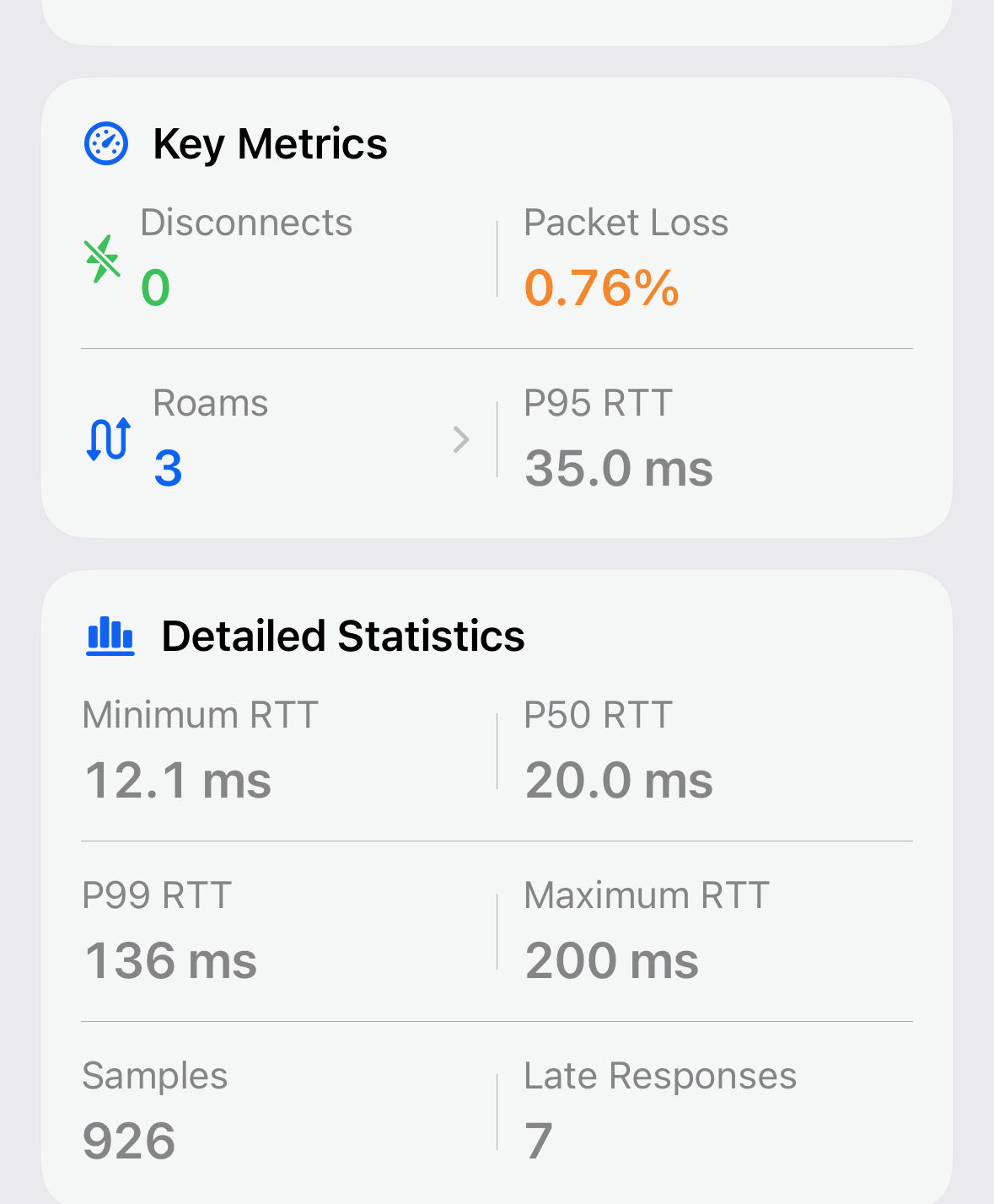
I want to add to my previous post that I even got 3 roams within 5 minutes when the iPhone (15 Pro) was perfectly stationary. This sometimes results in the iPhone reporting no internet connection on WiFi and I have to drop WiFi and turn it back on in order to work.