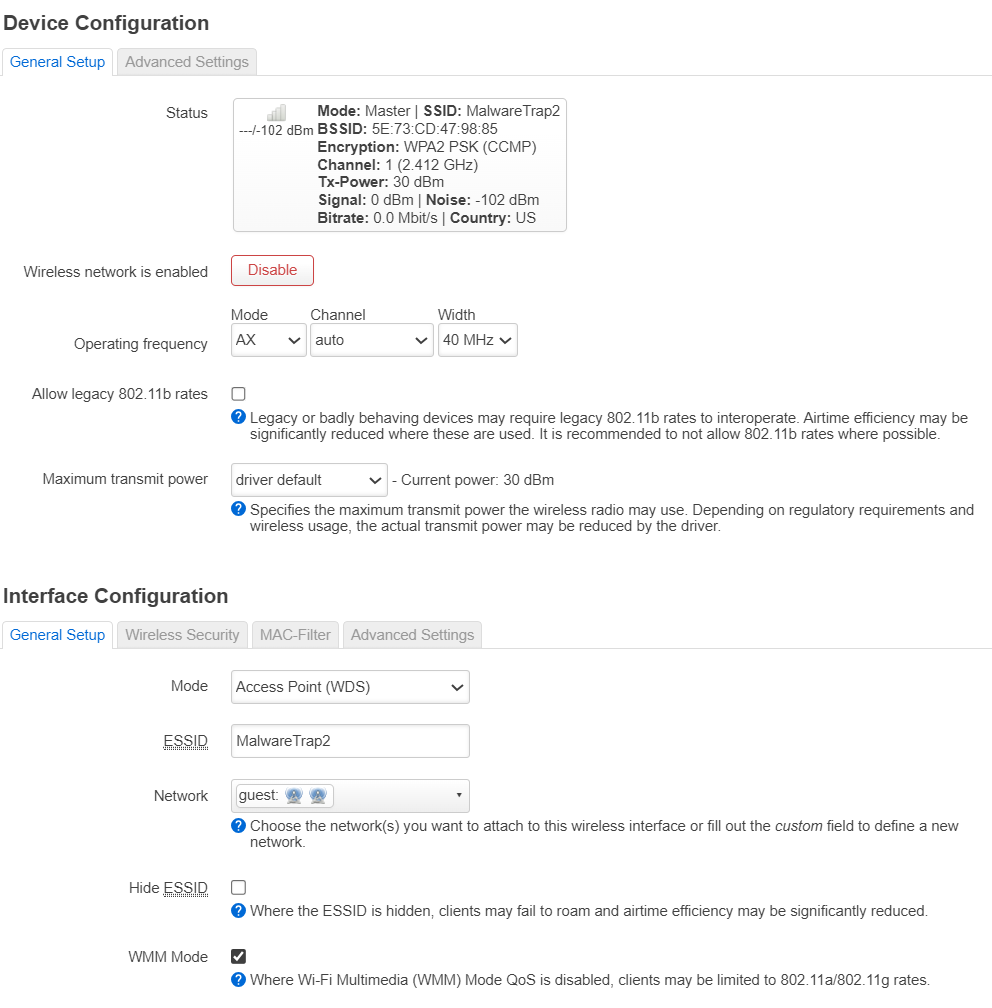
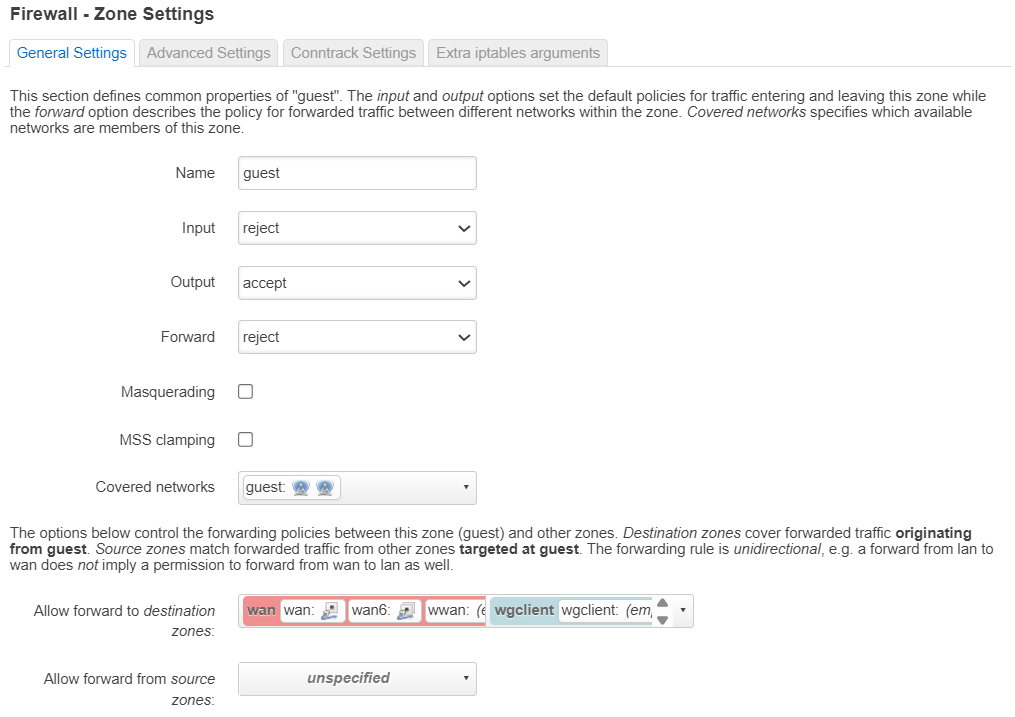
I am trying to setup a guest wireless network on a Flint AX-1800 FW 4.6.8 and the guest network will not connect to the internet. Clients connect to guest, receive an IP, but no internet connection.
Any help the correct settings would be greatly appreciate. This is the first router I have experienced issues with guest networks. Most are just turning on the guest, set SSID and password.
Thanks @j2zero
I did the setup with the main GUI. Just used Luci to verify the settings were correct. No luck getting to the internet from either 2.4 or 5Ghz guest networks.
Thank you @j2zero and @goofuzz
I tried both suggestions, reset and start over - still no internet connection on the guest network.
The router is on the latest FW
Tried changing from AP (WDS) to AP, same result.
This is really the first issue with the Flint. My travel routers work fine similar settings.
Not sure if the similar issue I encountered too. It only happens with the Guest WLANs, after the router rebooted, only the IoTs could connect to the internet, but not the IOS and Android devices.
Upon toggling the VPN Primary Tunnel ON-OFF, all devices on the Guest WLANs would connect to the internet.
Reported but the Tech team could not replicate the scenario. By the way, the Flint 3 is on V4.8.3.