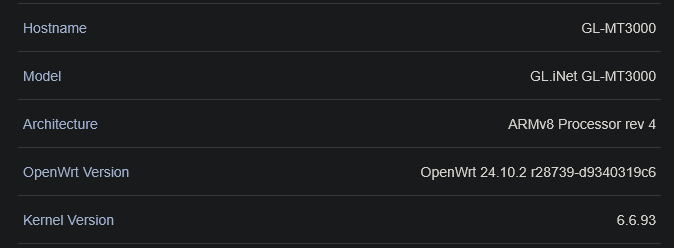
currently on my router (Beryl AX, OpenWrt 24.10.2) my active VPN client is Mullvad, and I have the router as a Tailscale exit node for all my devices. router details at bottom
problem:
when I connect the Tailscale app of my other devices to the exit node (the router), my devices are not connecting to the router’s VPN client.
the VPN only works on said devices when I’m not connected to Tailscale, and when I’m directly connected to the WiFi network (either via Ethernet or Wireless).
even when I’m connected to Tailscale on the network with an active VPN client (which I’m just listing as an observation), the VPN does not work for the connected devices. i.e., Tailscale completely ignores the VPN
goal:
to have my router’s Tailscale traffic coming from other devices, routing to Mullvad
remote LAN access while on the Tailscale VPN on my devices
to avoid paying for more Mullvad credits via Tailscale’s Mullvad extension
is any of this possible?, and could I have guidance for achieving this?
Currently, Tailscale exit traffic is forwarded directly to the WAN without passing through the VPN.
You can refer to the previous answer and configuration this in Luci, but it may be unstable or stop working after some time.
Additional scripts may be needed to write for maintenance.
hey, my IP is masked properly. the vpn is working, thank you very much. however there’s numerous DNS leaks on my device which is connected to the exit node via tailscale. how do i route my dns requests through the vpn as well?
additionally, as jonnyb noted, the chain setup is working really slowly. is there a possible fix, or is this setup inherently going to be slow?
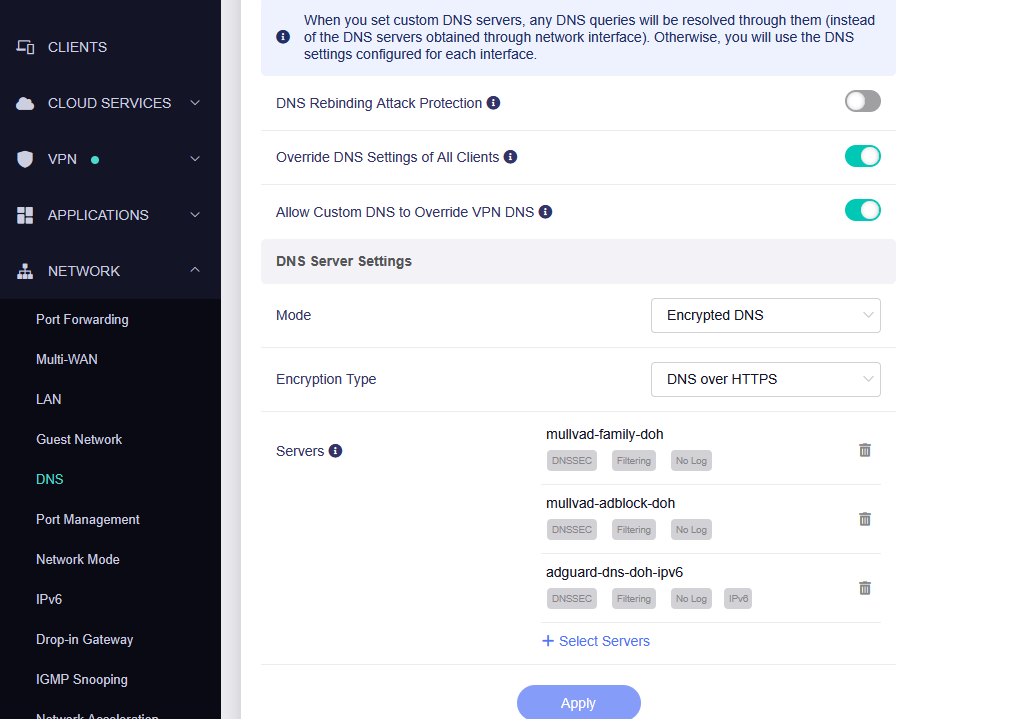
if you have applications > adguard home activated, you must disable it otherwise it overrides these dns settings. as well as any other dns application.
set the latter 2 settings “override dns settings of all clients” on, as well as “allow custom dns to override vpn dns”
as aforementioned throw on encrypteddns
dns over https or whatever you need. search up the differences
and now throw on some servers. glinet shows a pre populated list of servers. its great
as for the network speed, no idea how to fix it. i'm 80% sure its a hardware limitation with how wifi works. same reason why repeaters only repeat ~half the download/upload speed of the connected wifi, i think the same issue occurs with tailscale and vpns, hence slower speeds when both are running asynchronously.
make sure to pick a vpn server near you.