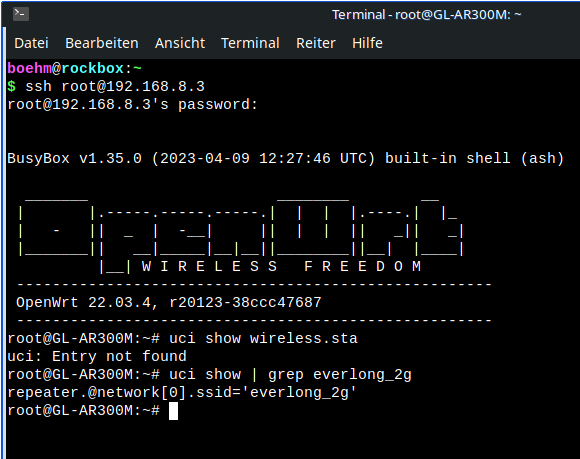
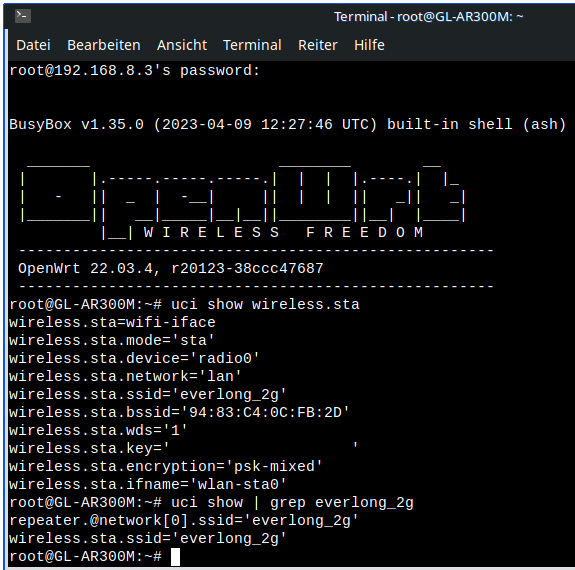
I am using a GL-AR300M in WDS mode to extend the WIFI coverage in my basement. This is basically working fine. However, after a few weeks of running flawlessly, the GL-AR300M seems to “forget” the passkey of the WIFI network it connects to.
What I do in this case, is to connect the GL-AR300M to LAN and to specify the passkey again in the “network mode” page of the admin panel. After that it is working fine again for a few weeks. But then it starts all over again and it seems to “forget” the password again after a few weeks.
The latest firmware (4.3.27) is installed.
Has anyone an idea what I can do to prevent this? It is very annoying because the GL-AR300M is installed in a not very accessible spot in my basement and it is always a pain to remove it from there to connect it to LAN in order to specify the passkey again.
Any hints to resolve the issue are highly appreciated.
Did you reset the network configuration or perform a factory reset after the problem occurred? If you reboot the device instead of resetting it, is the AR300M able to restore the connection?
No, I didn’t have to do a factory reset. All I had to do is to connect to the AR300M via LAN and specify the passkey of the “host” wifi network again. A reboot unfortunately did not solve the issue.
perfect, I will do so as soon as the problem occurs again. As written above, it runs stable for a few weeks or even months. I hope it’s okay to keep the topic open.
We were able to reproduce the issue once in our local environment, and based on that, the development team has implemented a fix.
It is currently still undergoing testing and validation to confirm whether it fully resolves the problem. However, progress has been slow, as the issue is difficult to reproduce in our test environment.
If you’re willing, we can provide a special firmware build based on the stable version v4.3.25 with this fix included, so you can help verify whether it resolves the issue in your environment.