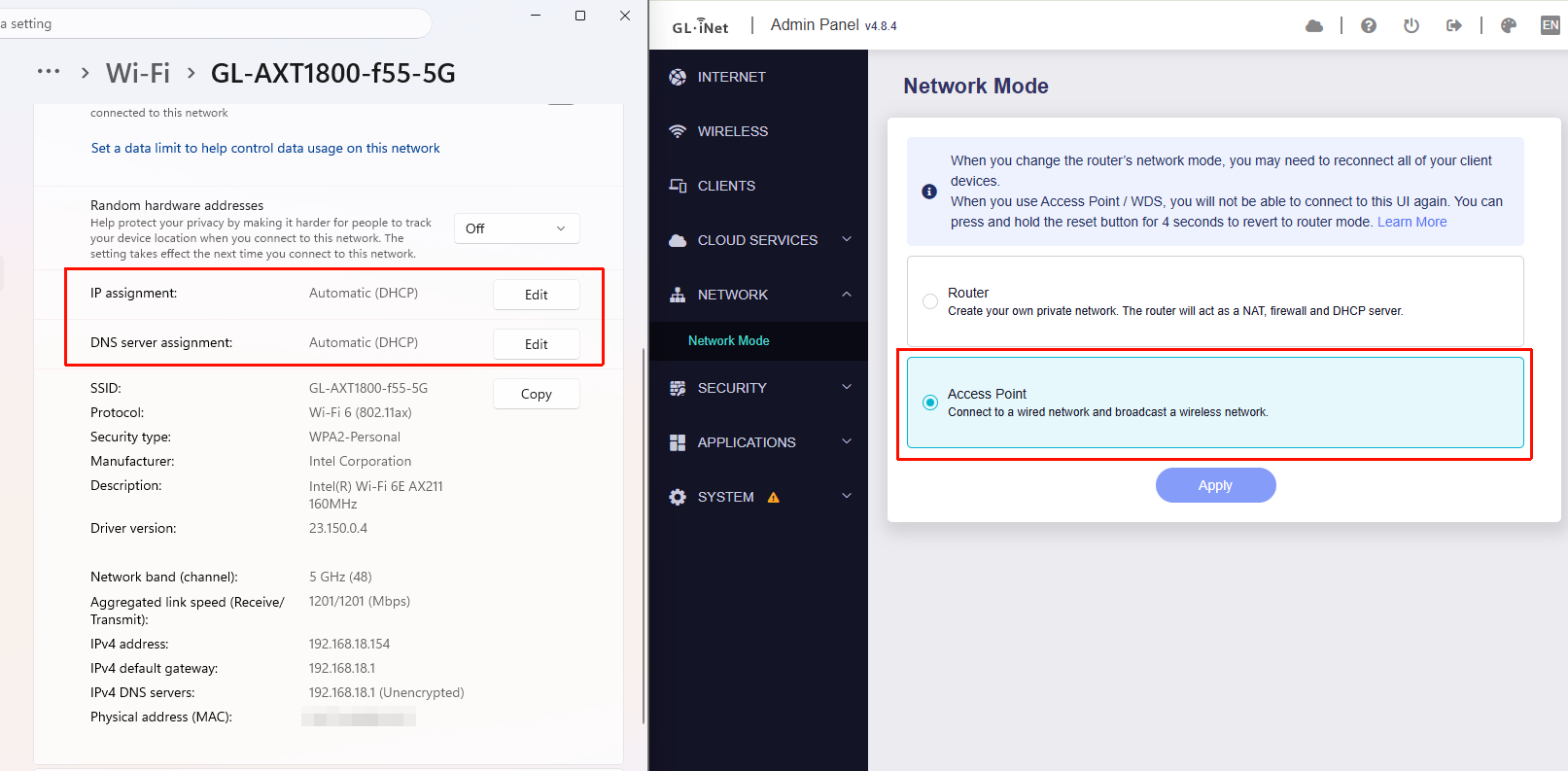
The GL-ATX1800 WAN port is connected directly to my internet provider’s router (Movistar HGU), and the GL-ATX1800 is configured in Access Point mode.
My Wi-Fi devices (smartphones and laptops) can connect without any issues to the Wi-Fi network provided by the Movistar HGU. However, when I try to connect them to the GL-ATX1800’s Wi-Fi, they are unable to obtain an IP address.
This issue does not occur when the GL-ATX1800 is set to Router mode.
Additionally, the problem is not present when using firmware version 4.6.11.
I've seen that this problem has been reported before and that the affected user fixed the issue by reinstalling the latest fw version. However, I've already tried this without any success.
We tested locally on AXT1800 with firmware v4.8.4. In AP mode, devices connected to the AXT1800 Wi-Fi can obtain IP addresses from the upstream router without any issues. (Please note that in AP mode, the AXT1800 does not act as a DHCP server—the upstream router must have DHCP enabled.)
Resetting the device to factory settings does not solve the problem.
I've changed my setup to make sure that the issue was not in the internet provider router. Now I have an old GL-SFT1200 Opal router configured in Router mode sitting between the internet provider router and the AXT1800 router.
The set up is:
IP fiber<--> HGU-Movistar-router <-----ethernet------> GL-SFT1200-Opal <----ethernet----> GL-AXT1800
The Opal is in Router mode and assigns IP addresses in the 192.168.8.x range to the devices connected to the GL-AXT1800. DHCP is active on the Opal router.
GL-AXT1800 is in Access Point Mode.
The problem occurs if I connect a device (e.g., an smart phone) to the Opal Wi-Fi and AFTERWARDS I try to connect it to the GL-AXT1800 Wi-Fi. The smart phone does not get an IP address. If I then, connect back to the Opal router Wi-Fi it works ok. Going back again to the GL-ATX1800 Wi-Fi fails every time.
However, if I turn off the Wi-Fi of the smartphone and wait for 3 or 4 minutes, and then try to connect it to the GL-AXT1800 Wi-Fi without first connecting to the Opal Wi-Fi, it works and an IP is assigned.
Could you keep the SFT1200–AXT1800 setup as it is, and follow the guide below to share both routers with us via GoodCloud so we can check them remotely?
Kindly note to send us the MAC address and the router password via private message so we can access it
The issue has been reported also in this post. I have provided the requested tcpdumps and logs and the same has done the user of that post. It seems that the problem has been escalated to R&D.
Could you please export the logs from both the main router (if it is one of our devices) and the AXT1800 running in AP mode, then send them to us via private message so we can confirm whether you are experiencing the same issue?
Same behavior with version 4.7.13. No IP address assigned when switching wifi’s from SFT1200 (router mode) to connected AXT1800 (AP mode). I’m sending logs in private message
Please, bear in mind when trying to reproduce the problem that the device connecting to the WiFi must use always the same MAC address. If the smartphone uses a new randonmized MAC each time, the IP assignment is done correctly.