I have a GL-AX1800 router running in 24x7 (at a place of worship) since June 2024. The router is placed on a vertical wall panel with adequate free space around it. The internet service is through a Fiber feed @ 300/300 Mbps. I also have shell scripts running in the AX1800 to monitor and log the internet connectivity as well as the speed.
All the events are streamed live through YT @ 2K. Many of the events are 2-4 hours long. Till recently, there were no complaints about any errors in the streaming.
However, since early Dec 2025, the person in charge of the streaming has been complaining - that at random, the streaming freezes, starts buffering, the audio stream is garbled. He has checked the application logs and the complaint is insufficient bandwidth for 2K streaming.
I have checked the cables (iperf3) and the internet connectivity and speed.
I do not see issues with the cabling nor with the internet connectivity and speed.
That makes me think that perhaps the AX1800 could be the weakest link in the chain.
I have experience with other router/modem showing such symptoms due to heating.
The plastic cover does feel warmer than other fan less devices I have.
I used my phone's thermometer app, placing the sensor close to the plastic surface, and it read around 38C.
Is 38C normal? Have other folks with AX1800 seen such symptoms?
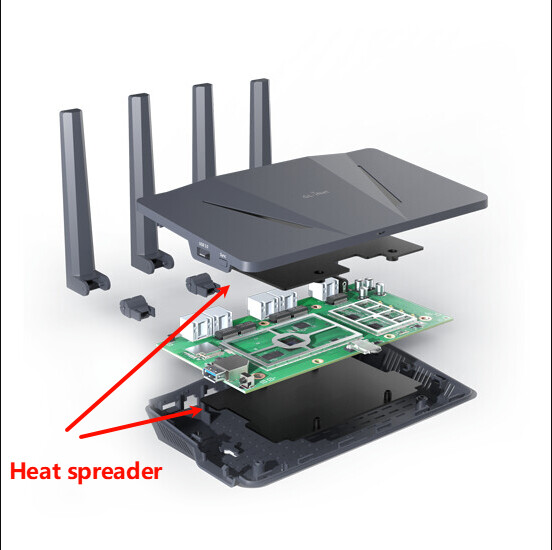
The AX1800 uses a heat spreader to conduct heat away from the CPU/Wi-Fi chips that actually affect performance, rather than letting it build up internally. Therefore, it’s normal for the enclosure to feel warm to the touch—this also depends on factors such as ambient temperature.
Thanks for sharing the graphics showing the heat spreaders. It reassures me that GL.iNet is using good engineering practices
As for the external fan, which surface do you recommend; the top or the bottom?
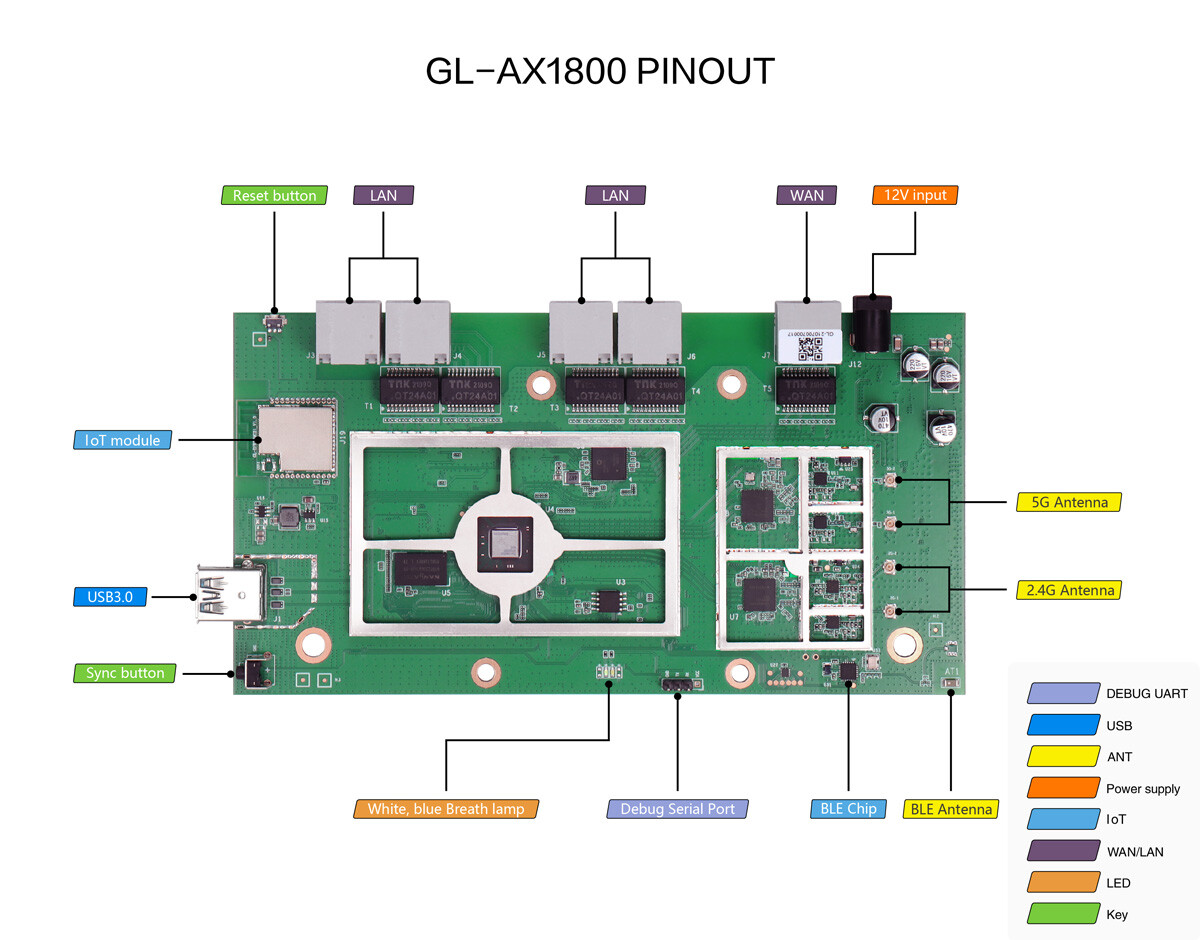
I am a DIY person and have modded other routers and it would be great if you could share pictures of the board layout (top and bottom). Does the board have a 5V/12V power pin outs for fans and also pin outs for a serial console?
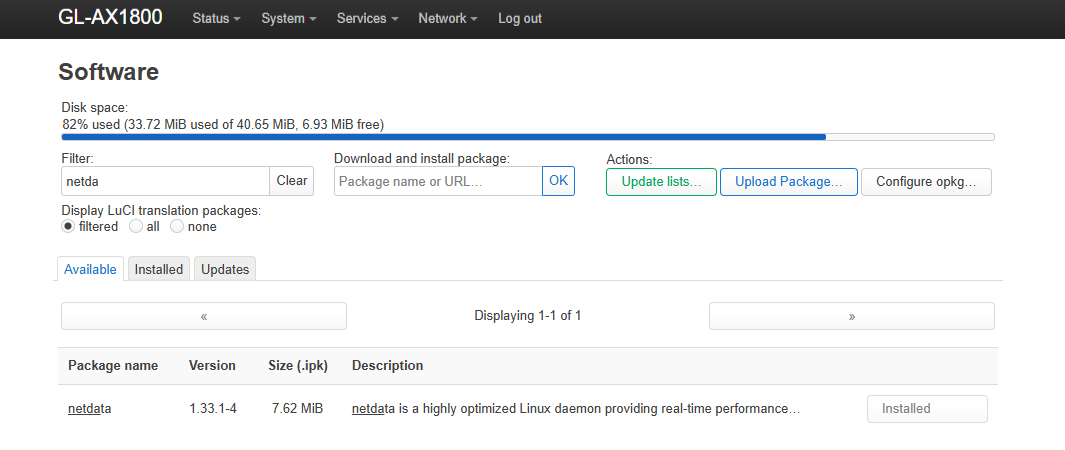
Yes, this is on my to-do list. I also came across the ‘netdata’ package that presents a nice dashboard of the network metrics. The only concern is that the package is almost 10 Mb (compressed) and I’m not sure the AX1800 has sufficient spare storage to install it.
There is no dedicated power header for a fan. The TTL used for debugging is indicated in the image.
If you don’t need the USB port for anything else, you might consider powering a fan via USB instead.
If I remember correctly, both the CPU and the Wi-Fi chip are located toward the top area, so you could focus on improving cooling there.
However, due to the presence of the heat spreader, top or bottom may not be the key factor.
Enhancing internal airflow with an external fan should already provide noticeable improvement.
I tested the installation on AX1800 v4.8.3, and it appears to work without any issues.
I already have a 32GB USB pen drive in the USB slot which is mounted for writing the log files. So can’t use it for a USB powered fan. Also don’t want to disturb the setup.
Good to know that ‘netdata’ package is installable on the AX1800.
The Serial Debug pins are really helpful; again good engineering practice and helpful in recovering a bricked device.
Is the serial port 3.3V or 5V?
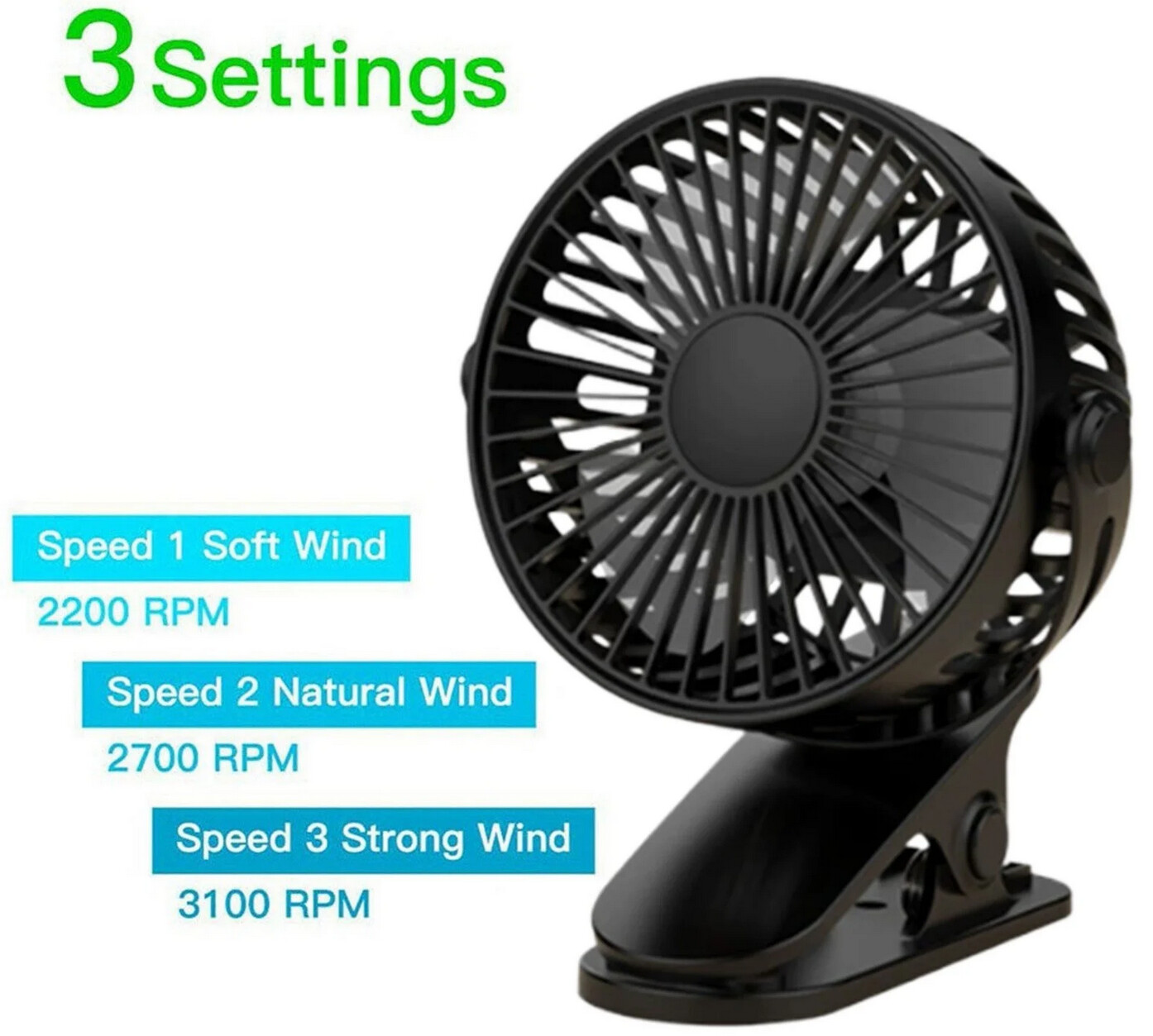
Accordingly, I’ll purchase the fan and pull the wires through a tiny hole in the case.
Maybe this is part of the issue? USB will add heat to the whole setup as well, especially when it's in use all the time. It might be some idea to switch either to circular logging (so writing it in memory and copying it to the USB every 30 min, for example) or by using a syslog server instead?
That is a possibility and thanks for pointing it out. I agree USB pen drives do get hot.
I was thinking of using the USB storage as extroot to expand /overlay for OpenWrt 25.12 when it is officially released. You think that may not be possible? What if I install a 40x40 or 50x50 fan on the top surface of the router?
We don’t recommend using it to power a fan. It was designed only to supply power to the main controller. Using it for a fan could easily cause instability or even damage the device.
You might consider using a USB hub, or simply an external power supply, to power the fan instead.
I have installed packages netdata, vnstat2, nlbwmon, to gather data on a continual basis. I have also activated tailscale (for remote login). I’ll share my findings in a later post.
FWIW, the 32GB USB pen drive is not hot to physical touch.