After updating firmware from 4.6.11 to 4.8.2, wireless devices that connect to the GL-AXT1800 (running in AP mode) do not receive an IP from the network router. Reverting back to fw 4.6.11 is the only solution I have found.
Hi!
We tested locally on an AXT1800 running firmware version 4.8.2, but we were unable to reproduce the issue.
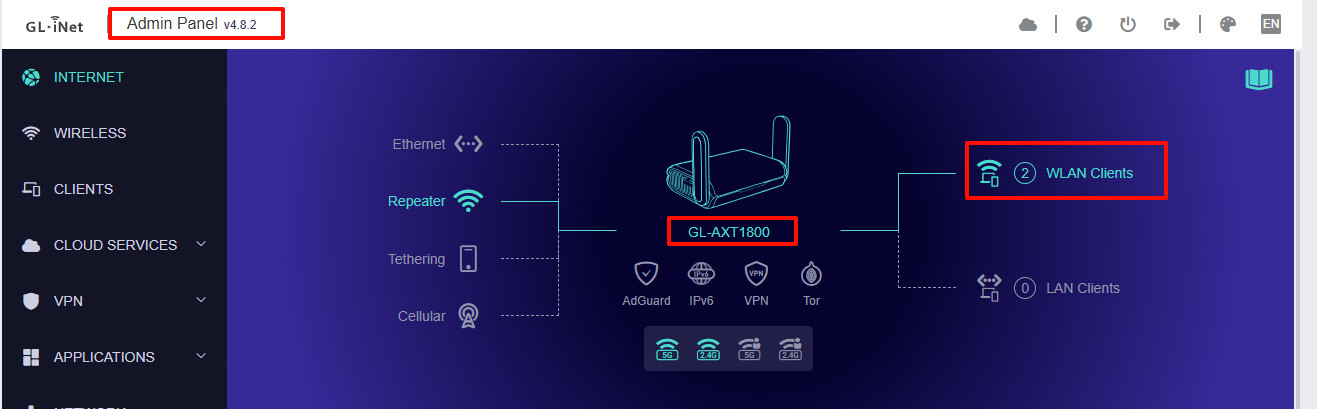
Did you configure any custom settings via LuCI or SSH and select 'Keep settings' during the upgrade?
If so, please try not selecting “Keep Settings” and see if the device now operates normally.
I upgraded without the keep settings option. The only changes I made after upgrade were to admin password, switch to AP mode, and configure WiFi. The 2.4g and 5g have the same SSID and custom password, but all other settings are defaults.
My router is a Firewalla Gold. All of my devices connect to the Slate AP, but none receive an IP from the router. The range of devices includes PCs, tablets, phones, cameras, and IoT devices.
Reverting Slate to the prior firmware immediately resolves the problem.
Thank you for the clarification. We retested on an AXT1800 in AP mode using the same firmware version and were still unable to reproduce the issue.
The router is currently operating in AP mode:
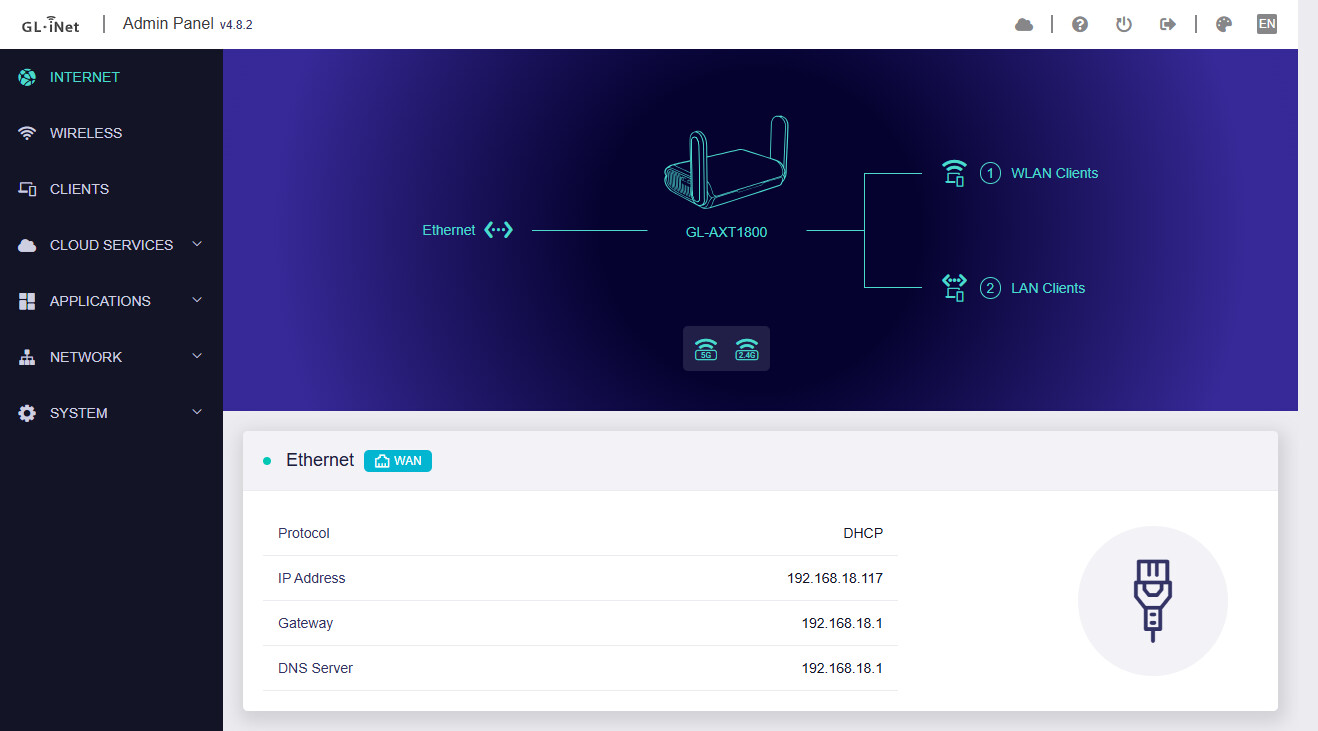
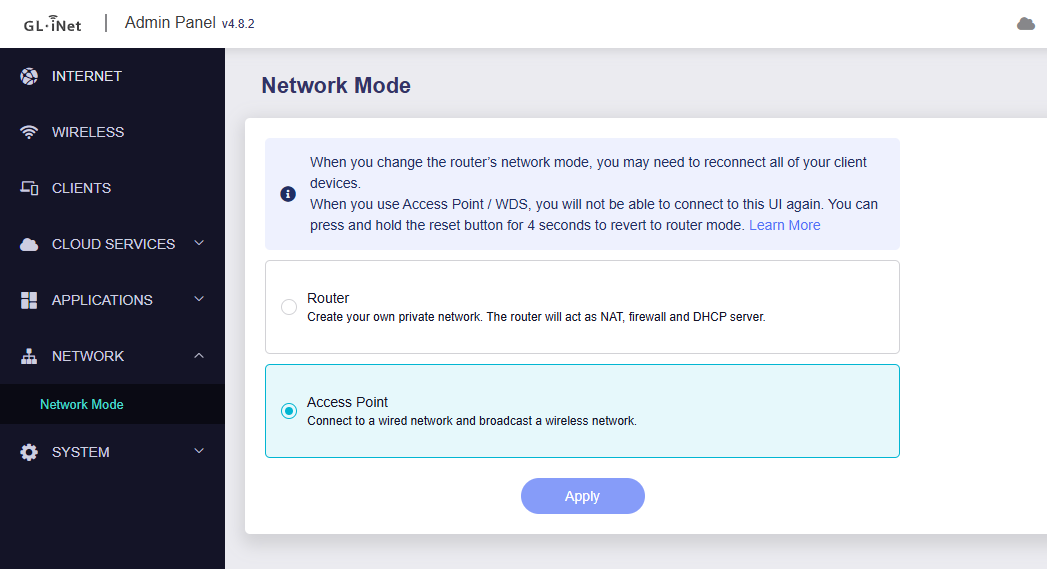
Wired or wireless clients are able to connect normally and obtain IP addresses:
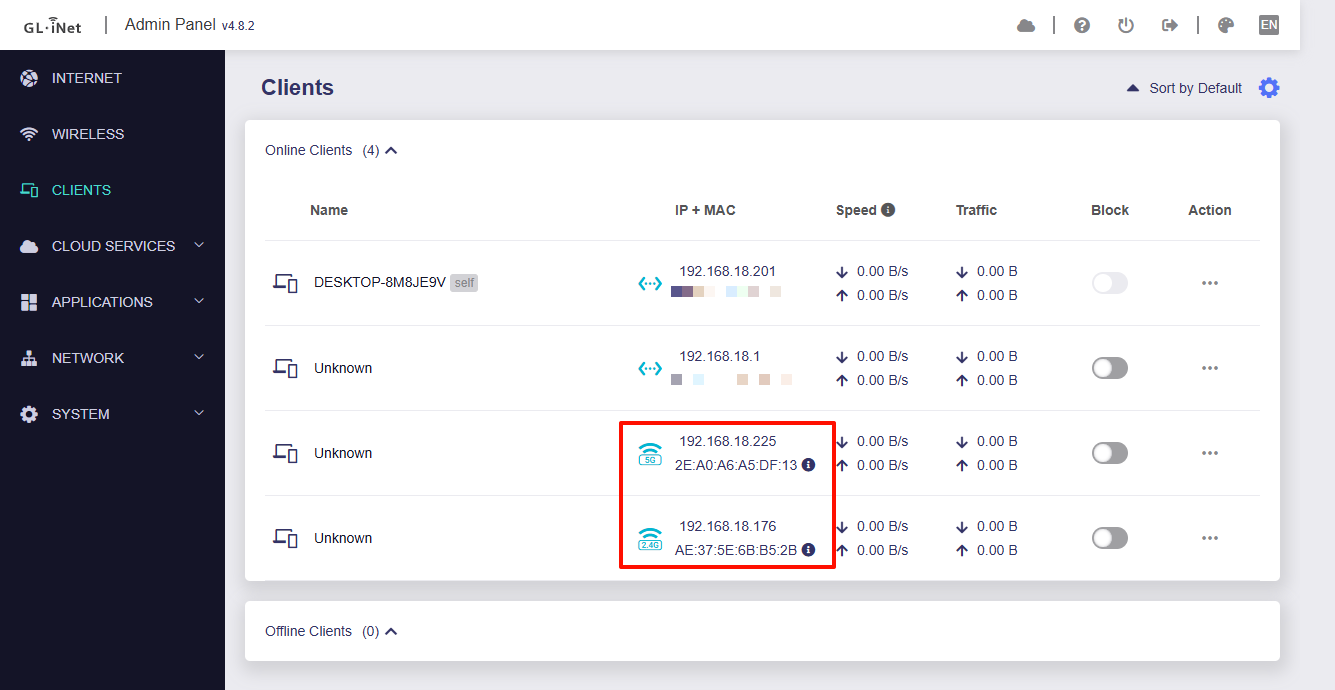
Could you please upgrade the firmware again and test once more? If the issue continues, please try the following:
- Restart the router to ensure all settings are fully applied.
- SSH into the router and run the command below to verify that all interfaces (WAN, LAN, and Wi-Fi) are correctly bridged in AP mode.
(If you have disabled one of band, please let us know.)brctl show - Check whether devices connected to the AXT1800 through the LAN port experience the same issue.
Updated the firmware again from 4.6.11 to 4.8.2, and this time everything is working as expected. Thanks for your help.
1 Like