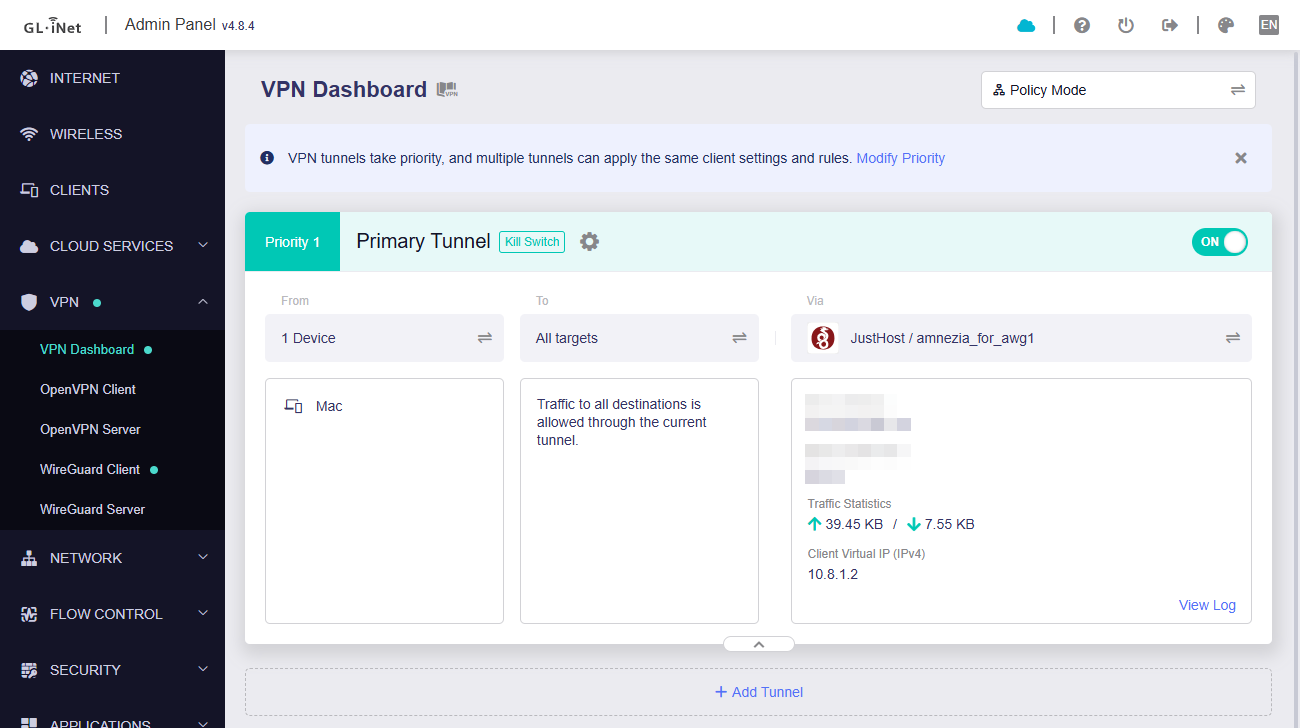
GL-AXT1800 v4.8.4 beta, AmneziaWG config import error

Hello.

I can't import the amneziawg configuration in ".conf" format, an error appears in the web interface of the "Failed" router.

Could you please tell me what could be connected with and how can it be fixed?

The data in the configuration looks like this:

[Interface]
Address = 10.8.1.2/32
DNS = 1.1.1.1, 1.0.0.1
PrivateKey = ххх
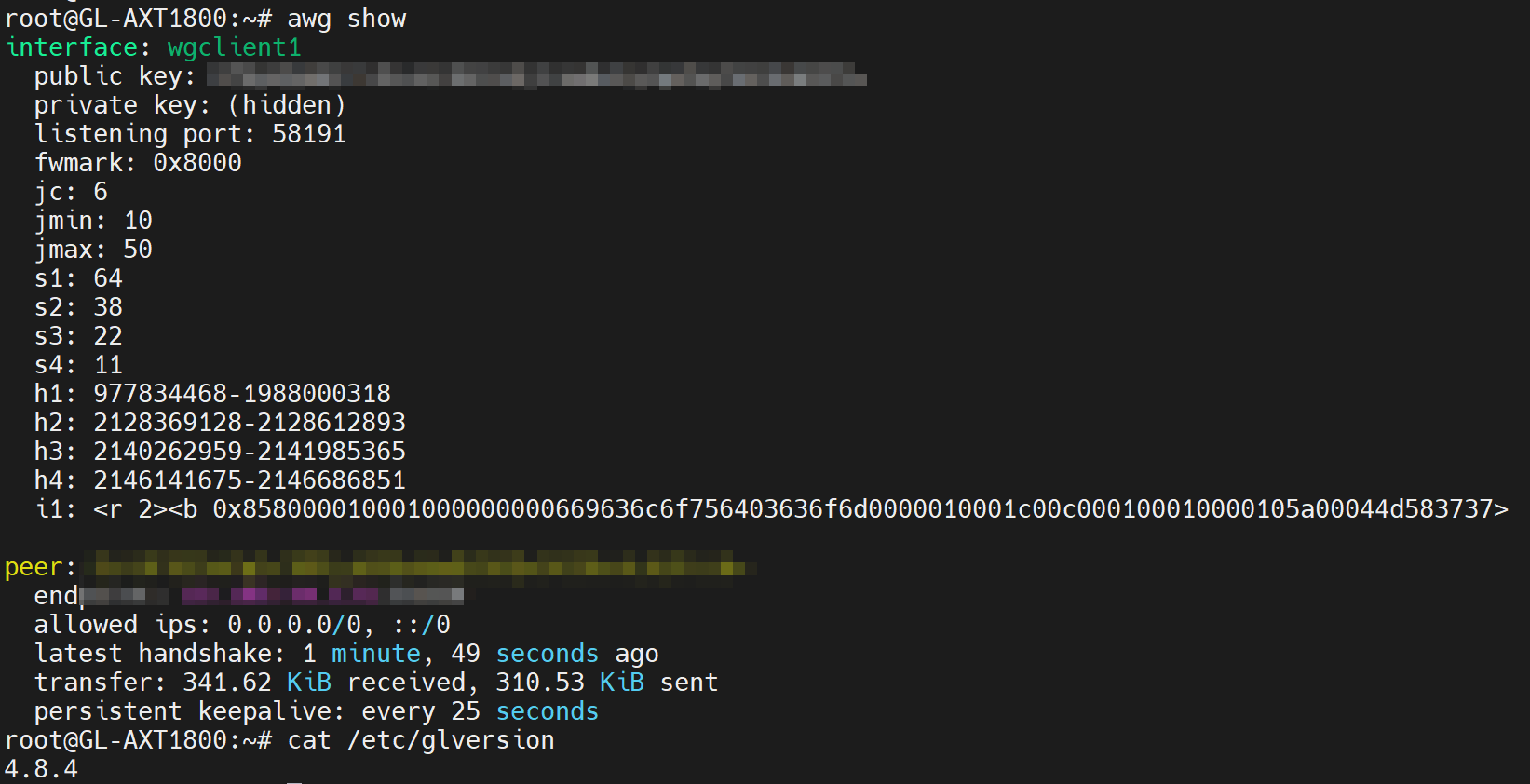
Jc = 6
Jmin = 10
Jmax = 50
S1 = 64
S2 = 38
S3 = 22
S4 = 11
H1 = 977834468-1988000318
H2 = 2128369128-2128612893
H3 = 2140262959-2141985365
H4 = 2146141675-2146686851
I1 = <r 2><b 0x858000010001000000000669636c6f756403636f6d0000010001c00c000100010000105a00044d583737>
I2 =
I3 =
I4 =
I5 =

[Peer]
PublicKey = ххх
PresharedKey = ххх
AllowedIPs = 0.0.0.0/0, ::/0
Endpoint = 132.243.248.112:45011
PersistentKeepalive = 25

When adding this configuration manually - the connection is not established =(

Hi,

Please try and check the following:

  1. Remove the extra I2–I5 entries and see if the configuration can be imported successfully.
  2. Could this configuration file be used on other devices, such as a phone or PC, when connected to the same network?
  3. If not, the issue may lie with the network, configuration file, or server side—please investigate further.

Which beta? The Amz protocol 2 appeared in beta 6.

The config looks like an Amz2 protocol.

Beta is latest, from here (2026-04-09), removing extra I2–I5 entries helped to import the configuration.
But with this configuration, I see an infinite "connecting" status, while using the same configuration file in another software - the connection is established without problems and immediately.

We tested locally using the AXT1800 v4.8.4 beta version with the same WireGuard configuration (except for the server address, private key, and public key), and it was able to connect normally without any issues.

Could you please follow the guide and share your device with us via GoodCloud so we can check it remotely?

Kindly note to send us the MAC address and the router password via private message so we can access it

Yep, done, very glad of your help =)

Thank you for providing remote access.

We found that the backend setting route_policy.global.enabled on the router was disabled, which caused the VPN to not function properly. After re-enabling it, the VPN is now able to connect normally.

Since we were unable to reproduce the issue locally, we’d like to confirm with you:

  • Did you previously modify route_policy.global.enabled manually?
  • Or did you import a backup file via LuCI?

I did not change these parameters manually absolutely, and did not import the settings from LuCI, but I guess how this could happen - I restored the router from u-boot mode after an incorrect update attempt, maybe something went wrong in this process?

One way or another - you helped, now everything works fine!
1 Like