I have experienced the same issue on two different routers (GL-AXT1800 and GL-BE3600) after updating the firmware to the latest version - for GL-BE3600 v4.8.1, for AXT1800 not sure.
On both devices I have turned off all wifi networks, including guest, have turned off AP isolation on both LAN and Guest Network and have connected a device to the router with a cable. Connected device have internet connection but is unreachable from the other devices connected to the extended network. When I ping this device I get:
Reply from : Destination port unreachable.
Before updating the firmware I didn’t have such a problem. More over, in the release note of the latest firmware version I have noticed that AP isolation was added.
Please suggest a solution or provide instructions how to downgrade to the original version of the router, so I can again setup my network correctly.
It appears this may be related to a firewall configuration.
Please check which device the IP address shown after “Reply from” belongs to.
If it is the destination host, ensure that ICMP (ping) is allowed in its firewall settings or firewall has been disabled.
If it is the BE3600 or AXT1800, please try rebooting the device after configuring Extender mode, as some settings may not take effect until after a restart.
If it is other devices, please check its configuration.
After “Reply from” I see the router’s IP, but not the internal IP 192.168.8.1. I see the IP of the router in the network where the router serves as a bridge. In other words BE3600 says Destination port unreachable. I also suspect some firewall issue but since I haven’t changed any firewall rules it seems very strange.
Restarting the router doesn’t have any effect.
Getting this issue on two different devices right after firmware update makes me suspicious that there is something with that firmware version that is off.
Thank you for the clarification.
We have successfully reproduced the issue and will escalate it to our R&D team for further investigation and resolution.
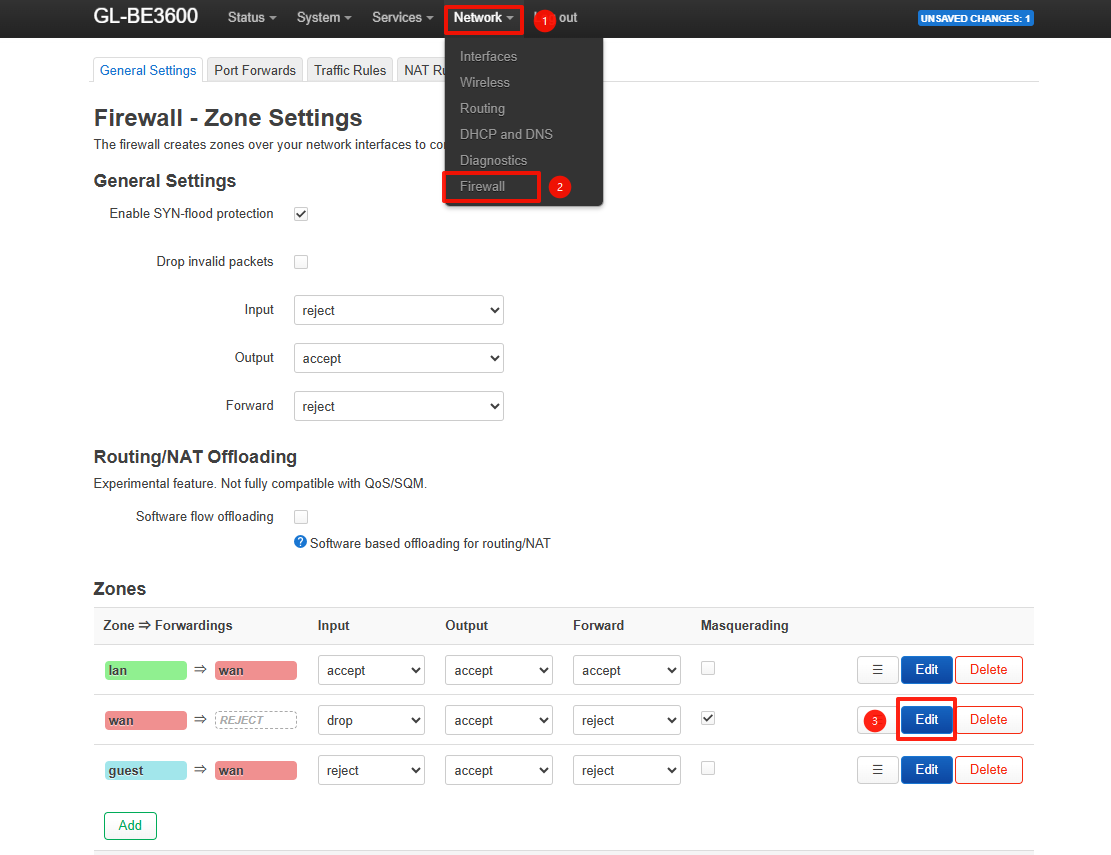
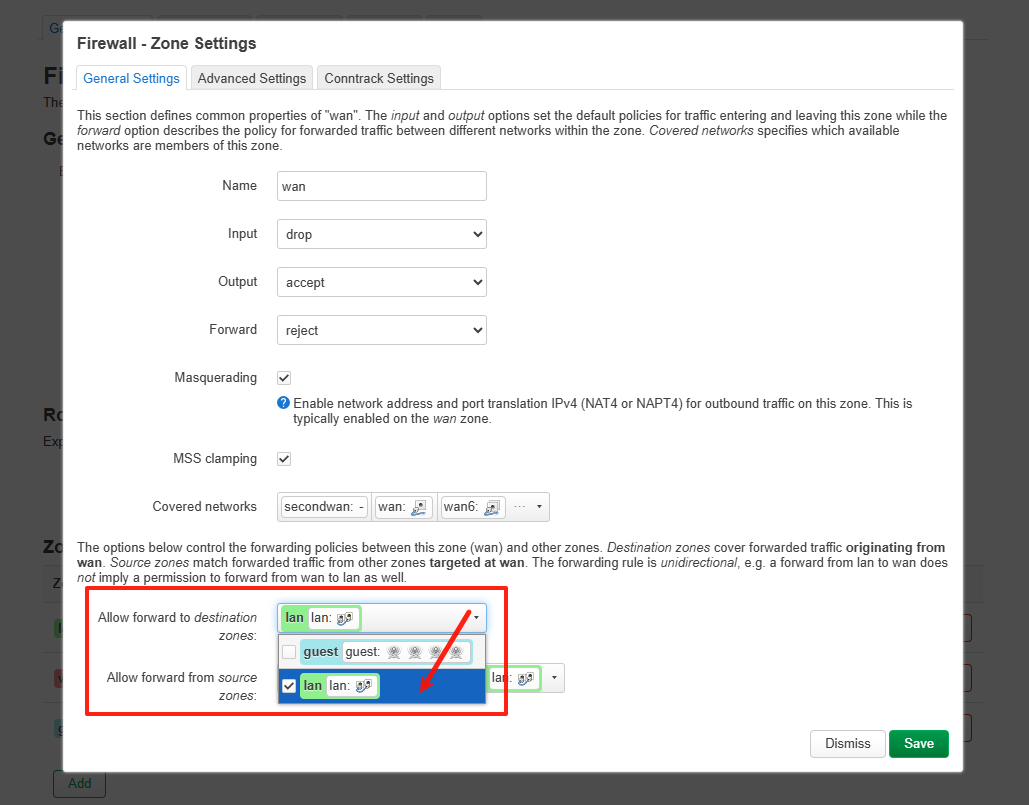
In the meantime, you can work around the issue by manually configuring WAN-to-LAN forwarding in LuCI -> Network -> Firewall.