Hi everyone, I am desperate need of help. I bought a GL.iNet GL-BE3600 (Slate 7) portable router so I can sign into NordVPN for when I work remotely in another country. I’ve been circling the drain for days, and nothing seems to work. I am not tech savvy and I’m losing hope of getting this right.
Things I’ve done/tried:
Connected Slate 7 to my home router via an ethernet cable (LAN in home router, WAN to Slate 7) and via Wifi 5G
When signed into GL.iNet Admin Panel, I have tried both:
VPN > Open VPN Client > inputted all my correct credentials for NordVPN for VPN server location set to Los Angeles
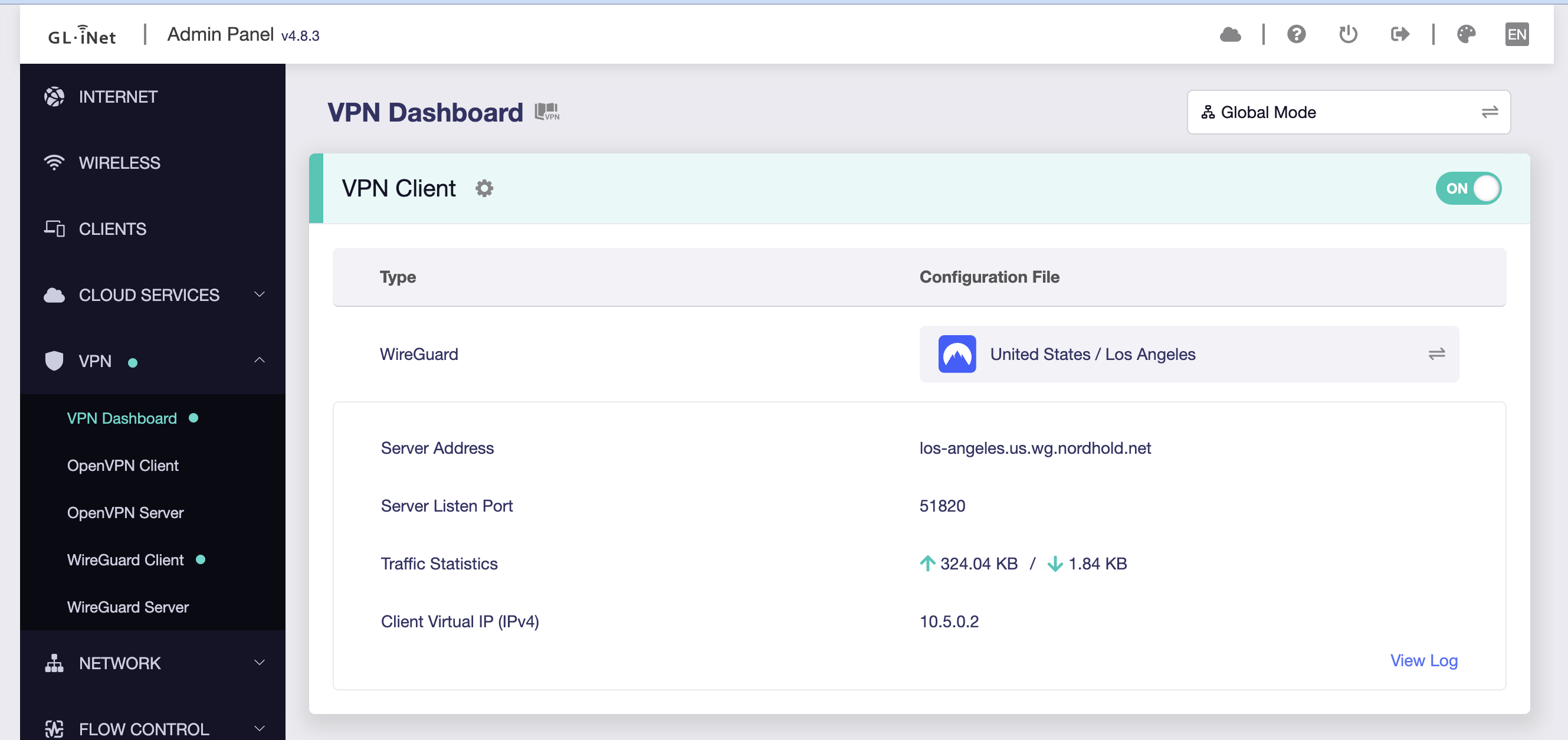
VPN > WireGuard Client > inputted my NordVPN token for VPN server location set to Los Angeles
At this point in the process, my internet still works and I can load any page in Google Chrome.
But the moment I turned the VPN Client “on” under VPN > VPN Dashboard > toggle On so that I can get an IP address from a different location, the internet stops loading anything in my browser.
If it helps, I am currently trying to set this up in Mexico using a Telmex router.
Any support, guidance, advice and tips are appreciated. THANK YOU!
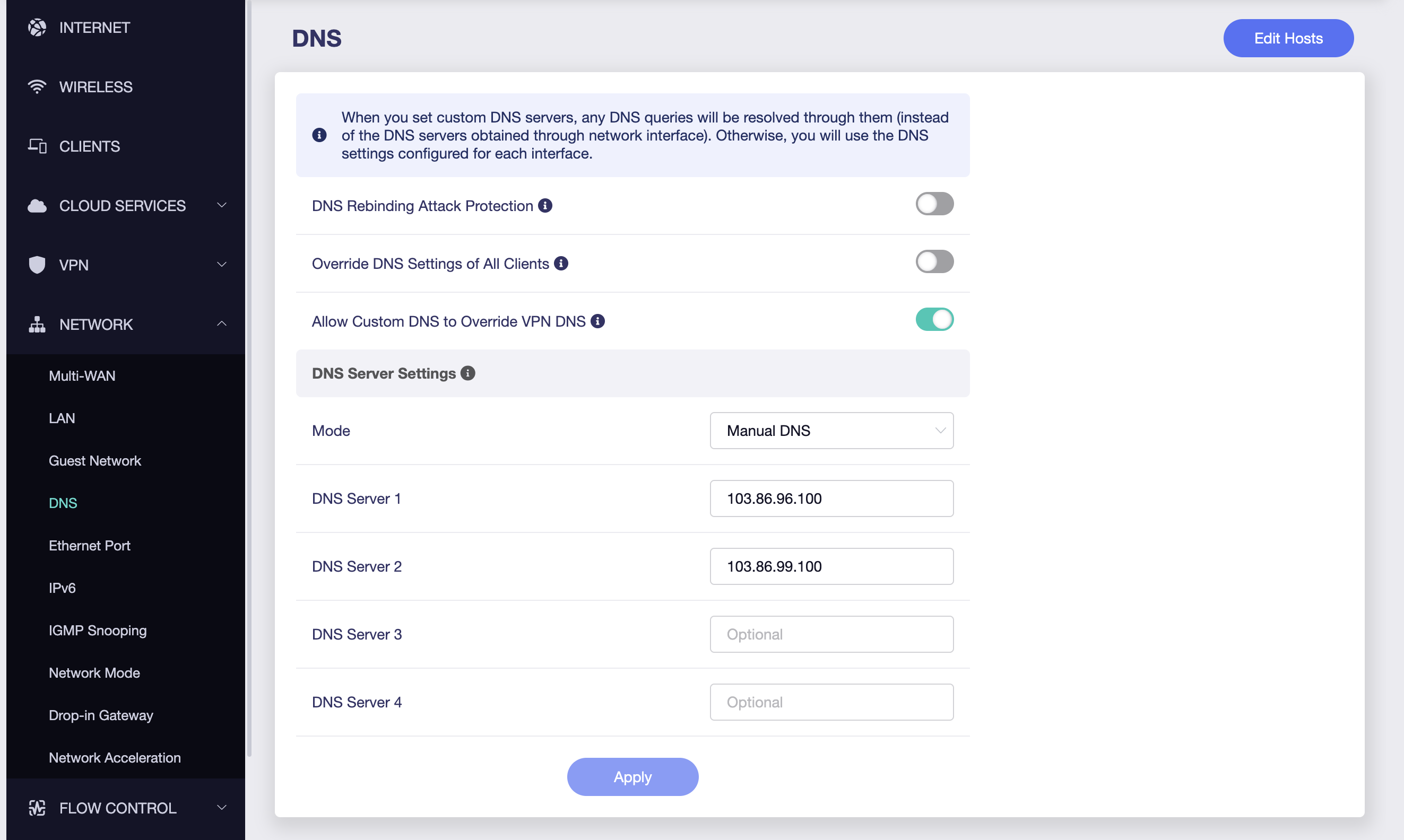
It sounds like the VPN tunnel is forming but traffic isn’t routing correctly. The fix is usually to use WireGuard with a NordVPN access token instead of manual configs, and then set proper DNS. In the Slate 7 admin panel, go to VPN → WireGuard Client, enter your NordVPN token, and select your server (e.g., Los Angeles). After connecting, set DNS under Network Settings → DNS to NordVPN’s servers (103.86.96.100 / 103.86.99.100). Also, connect the Slate 7 via Ethernet WAN to your Telmex router to avoid double NAT issues. This should let the VPN toggle on without killing your internet.
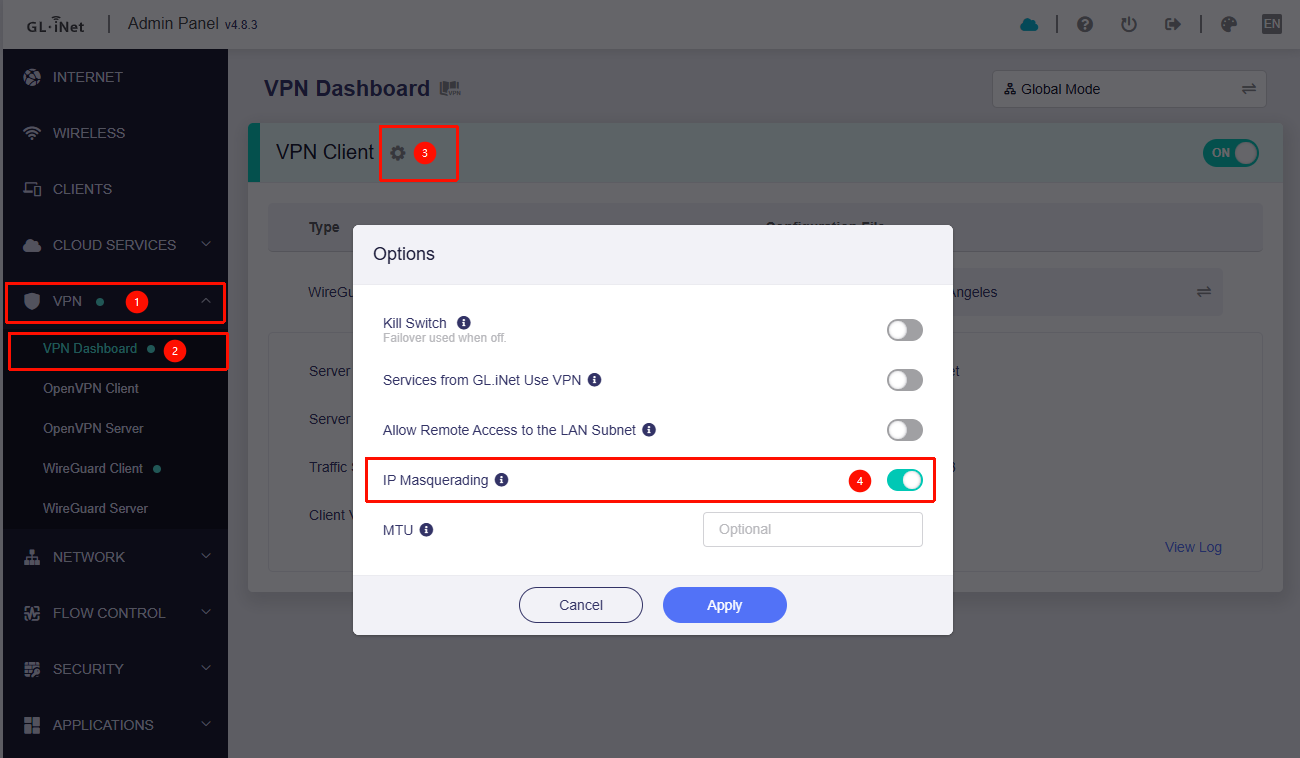
By default, the VPN Kill Switch is enabled.
This means that when the VPN is connecting or if the connection fails, traffic will not be allowed to access the internet. The only available path is through the VPN once the connection is successfully established.
What you’re describing seems consistent with this behavior.
Please check whether the VPN Dashboard shows a successful connection (green) or is still in the process of connecting (orange) after enabling the VPN.
Appreciate your help! I already had WireGurad Client with my NordVPN token implemented and set to Los Angeles, I also was already connected via an Ethernet WAN to my Telmex router. I changed the DNS to the NordVPN servers you listed, but unfortunately I’m still not connected to the internet, despite a green connection when VPN Client is “on”.
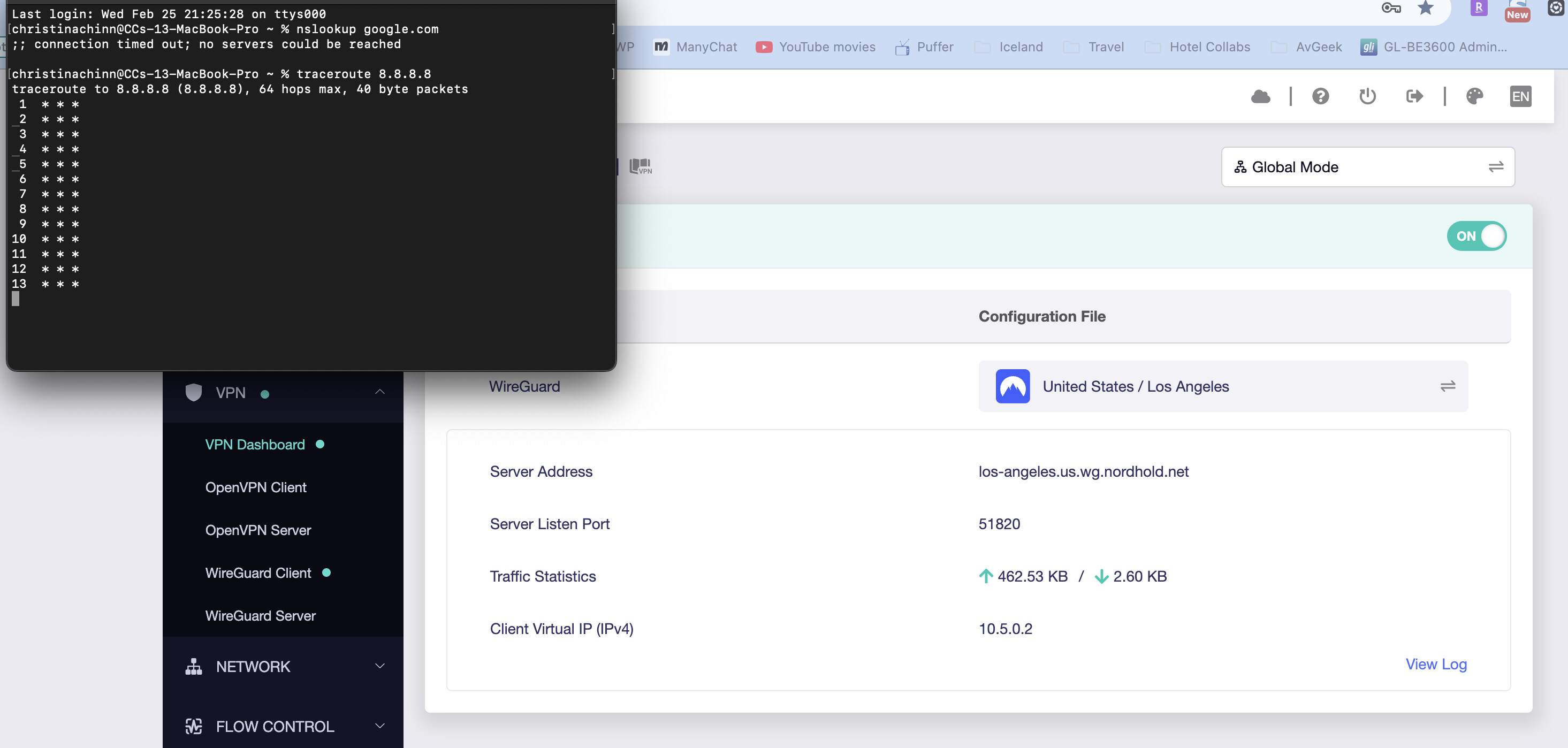
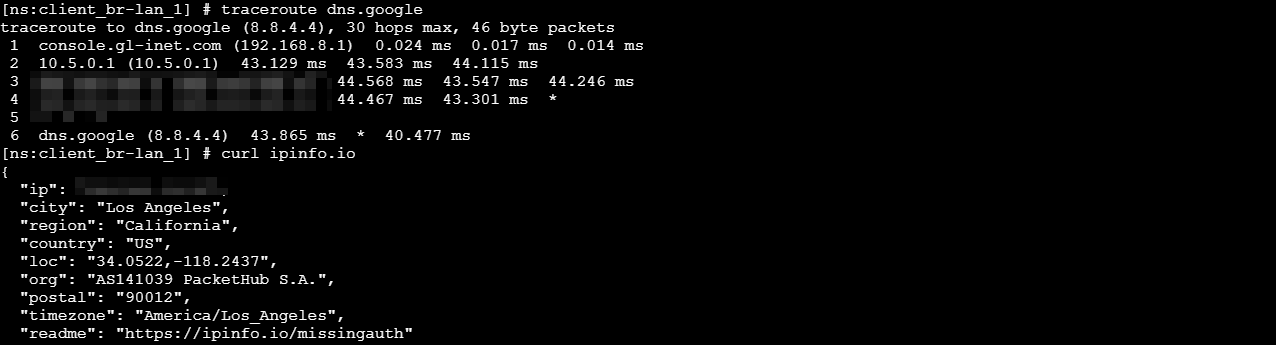
That’s a bit unusual, as traceroute doesn’t even show the router as a hop.
Do you have any other devices available—such as a phone or another computer—and if so, do they work normally when connected to the BE3600 with VPN enabled?
If the issue still persists, please follow the guide below to share your device with us via GoodCloud so we can perform a remote inspection.
Also, send us the device’s MAC address and the Admin Panel password via private message so we can access it.
Sorry, forgot to also mention that yes, I have tried connecting to the Slate 7 to another laptop and my phone. No matter the device, when VPN is enabled, the device will not have internet connection.
Followed the instructions and shared my device via GoodCloud! Also PMed you with the requested info. Appreciate your continued help in solving this mystery!