GL-BE6500 最新固件发布(OpenWrt 25.12 · QSDK 6.6 内核)
固件介绍
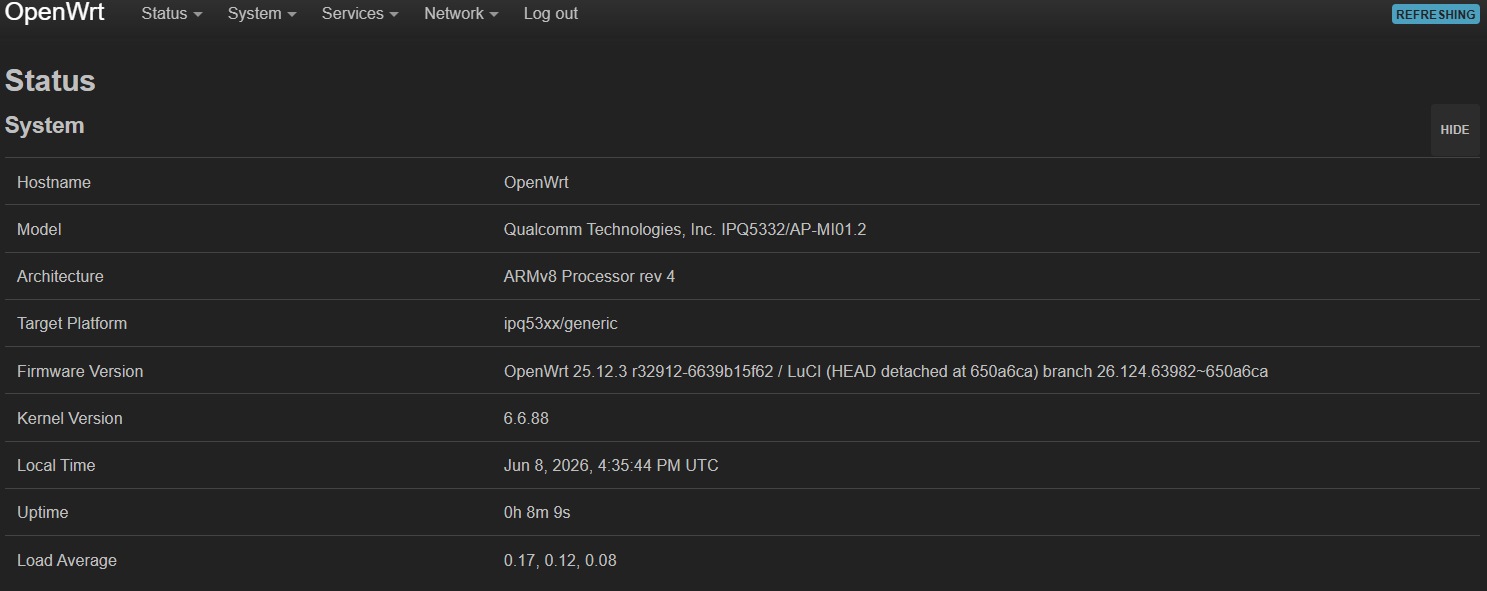
大家好!现为大家带来 GL-BE6500(Flint 3e)的最新 OpenWrt 固件。本固件基于 Telecominfraproject/wlan-ap 开源项目编译,采用最新的 QSDK 6.6 内核,底层系统为 OpenWrt 25.12,欢迎各位玩家测试体验!
主要特性
 基于 TIP wlan-ap 源码,适配 GL-BE6500 硬件
- QSDK 6.6 内核——高通 IPQ53xx 平台专属优化
- OpenWrt 25.12 最新系统底层
- 内置 AdGuard Home——强大的网络广告过滤与 DNS 防护
- 内置 Tailscale——轻松组建安全的 Zero Trust 私有网络
- 内置 HomeProxy——灵活的家庭代理服务
- 内置 ACME——自动签发和管理 SSL/TLS 证书
刷机方法
 请通过 Uboot 模式刷入!
- 下载固件文件:
openwrt-ipq53xx-gl-be6500-squashfs-nand-factory.bin - 将路由器进入 Uboot 恢复模式(断电 → 按住 Reset → 通电 → 等待指示灯闪烁后松开 Reset)
- 电脑设置静态 IP:
192.168.1.2,子网掩码255.255.255.0 - 浏览器打开
http://192.168.1.1,进入 Uboot 刷机页面,上传固件等待重启完成
下载地址
固件已上传至 Google Drive,请点击下方链接下载:
 下载 openwrt-ipq53xx-gl-be6500-squashfs-nand-factory.bin
测试与反馈
本固件为测试体验版,欢迎使用后在本帖留下您的反馈和建议。如遇任何问题,也请一并提出,共同完善!
特别感谢 Telecominfraproject/wlan-ap 项目、airjinkela 以及所有贡献者!
Firmware Introduction
Hello everyone! We are excited to bring you the latest OpenWrt firmware for the GL-BE6500 (Flint 3e). This build is compiled from the Telecominfraproject/wlan-ap open-source project, featuring the latest QSDK 6.6 kernel and OpenWrt 25.12 as the base system. Everyone is welcome to flash it and test it out!
Key Features
- Based on TIP wlan-ap source code, optimized for GL-BE6500 hardware
- QSDK 6.6 kernel — dedicated optimization for Qualcomm IPQ53xx platform
- OpenWrt 25.12 as the latest system base
- Built-in AdGuard Home — powerful network ad blocking and DNS protection
- Built-in Tailscale — easily build a secure Zero Trust private network
- Built-in HomeProxy — flexible home proxy service
- Built-in ACME — automatic SSL/TLS certificate issuance and management
Flashing Instructions
You must flash via Uboot mode!
- Download the firmware file:
openwrt-ipq53xx-gl-be6500-squashfs-nand-factory.bin - Enter Uboot recovery mode (power off → hold Reset → power on → release Reset when LED flashes)
- Set your computer’s static IP to
192.168.1.2with subnet mask255.255.255.0 - Open
http://192.168.1.1in your browser, enter the Uboot flashing page, upload the firmware and wait for reboot
Download
The firmware has been uploaded to Google Drive. Click the link below to download:
Download openwrt-ipq53xx-gl-be6500-squashfs-nand-factory.bin
Testing & Feedback
This firmware is a testing/preview release. Feel free to leave your feedback and suggestions below. If you encounter any issues, please report them as well, and let’s make it better together!
Special thanks to the Telecominfraproject/wlan-ap project, airjinkela, and all contributors!