Hi,
My 5GHz WIFI SSID doesn’t appear in the repeater mode after sometime.Incase I reset the router it appears and works fine but after sometime I am unable to discover it?
Could you advise on this matter?
Hi,
My 5GHz WIFI SSID doesn’t appear in the repeater mode after sometime.Incase I reset the router it appears and works fine but after sometime I am unable to discover it?
Could you advise on this matter?
Hi,
This issue may be related to the 5GHz channel or the Wi-Fi country code.
If the 5GHz channel is set to Auto, the router may switch to a channel that some client devices do not support. In this case, the 5GHz SSID may not appear in the repeater scan list after some time.
Please try the following steps:
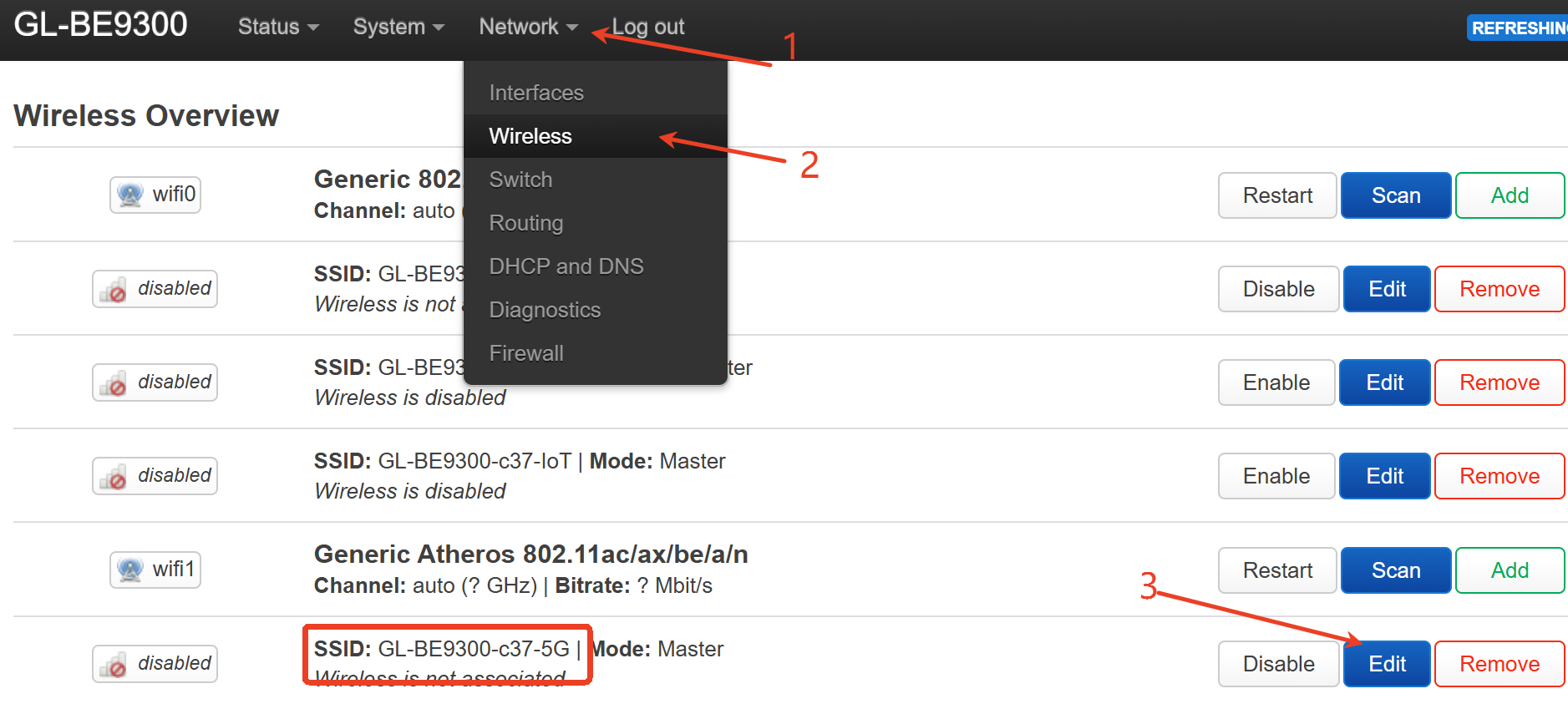
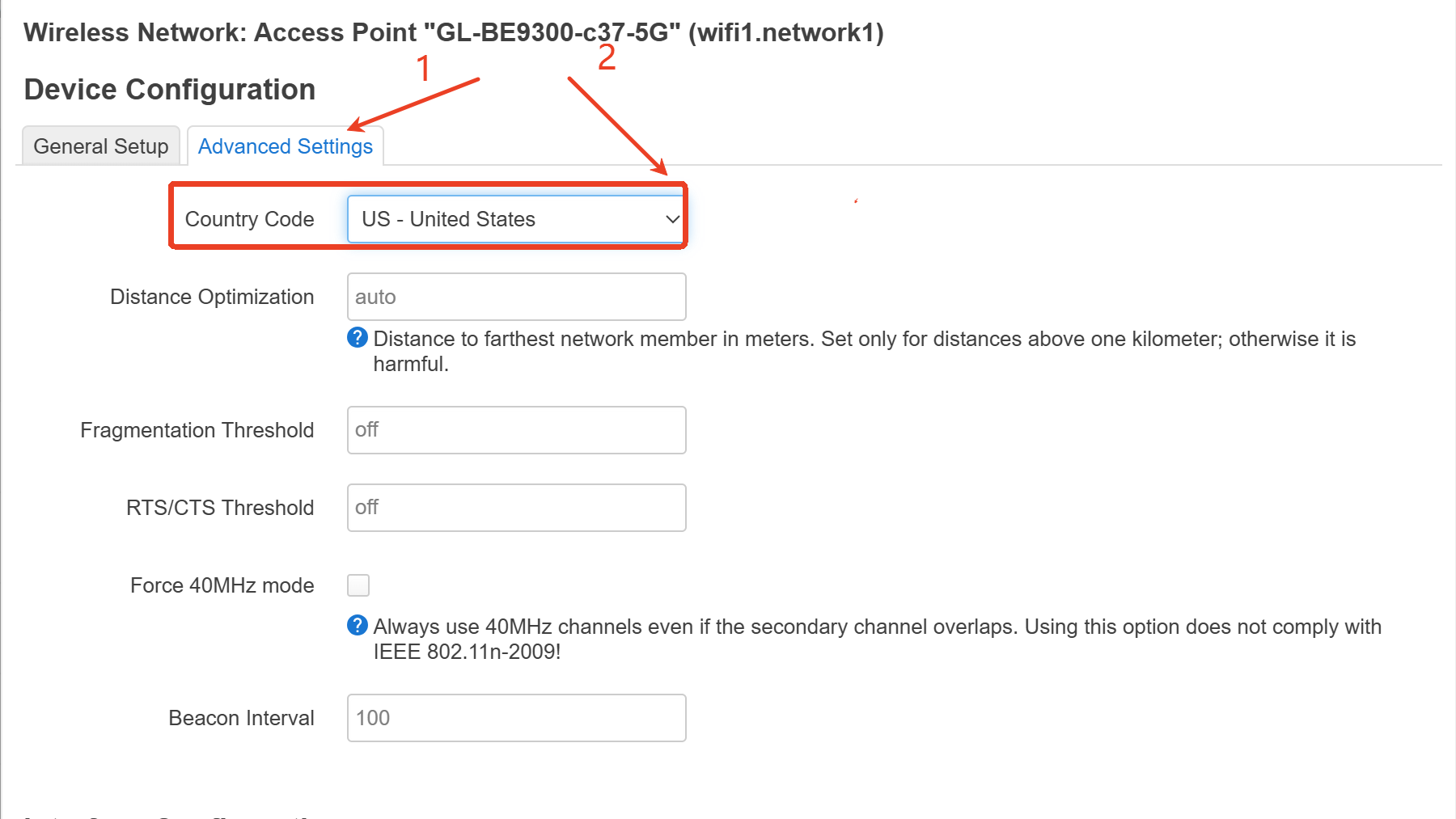
Check whether the Wi-Fi country code matches your actual location.
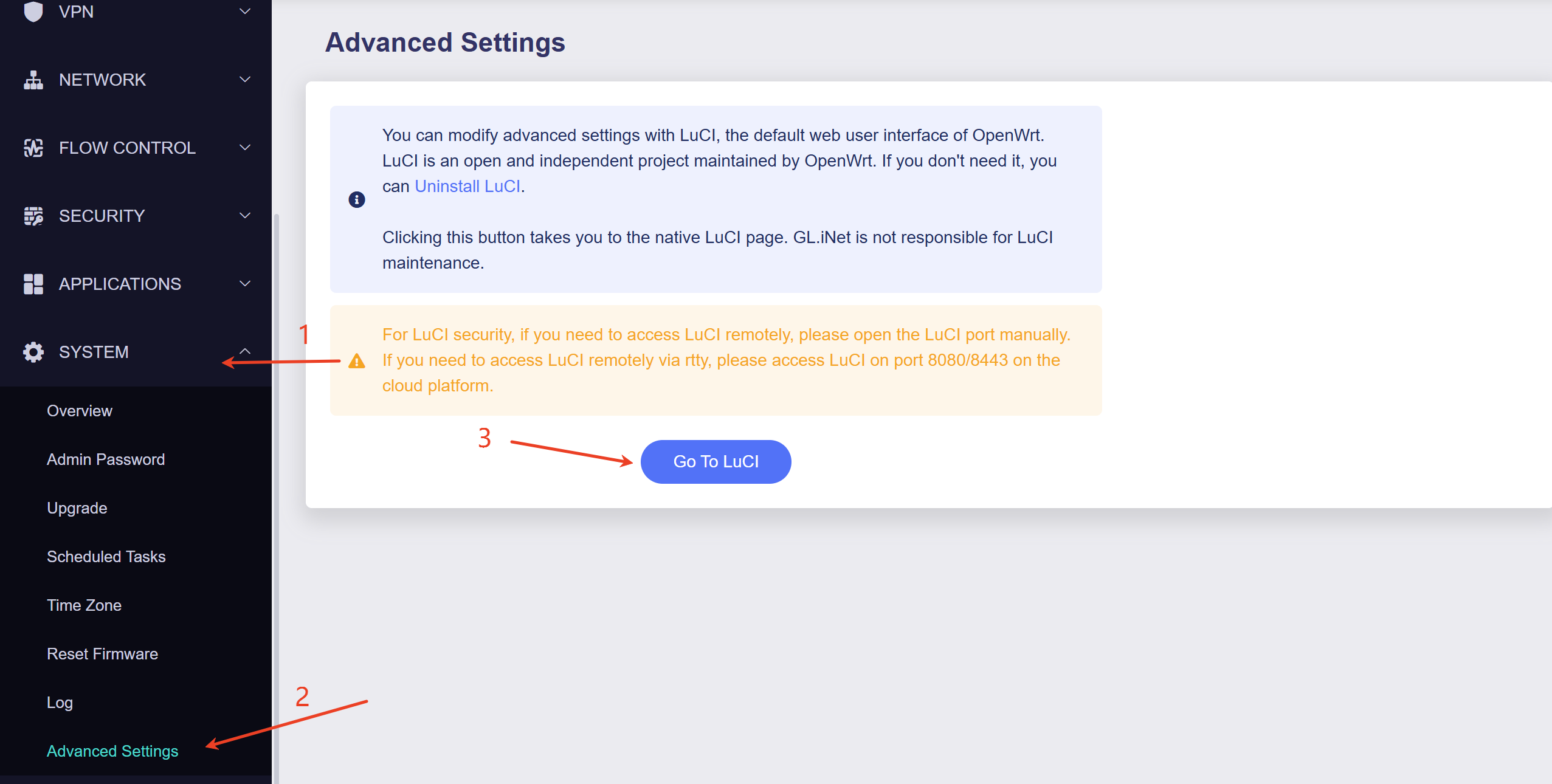
Please go to Admin Panel -> System -> Advanced Settings -> Go to LuCI.
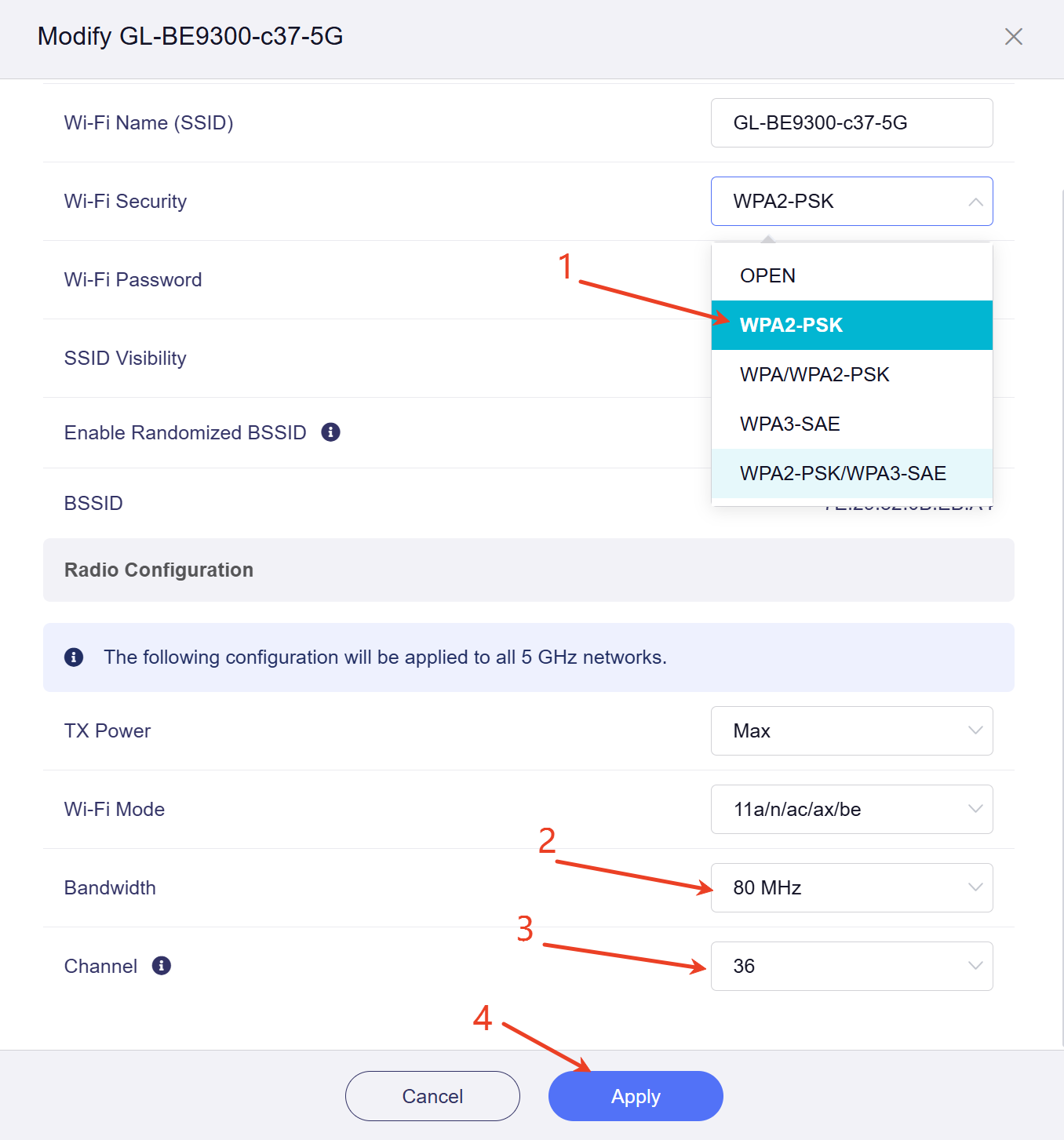
Set a fixed 5GHz channel and bandwidth
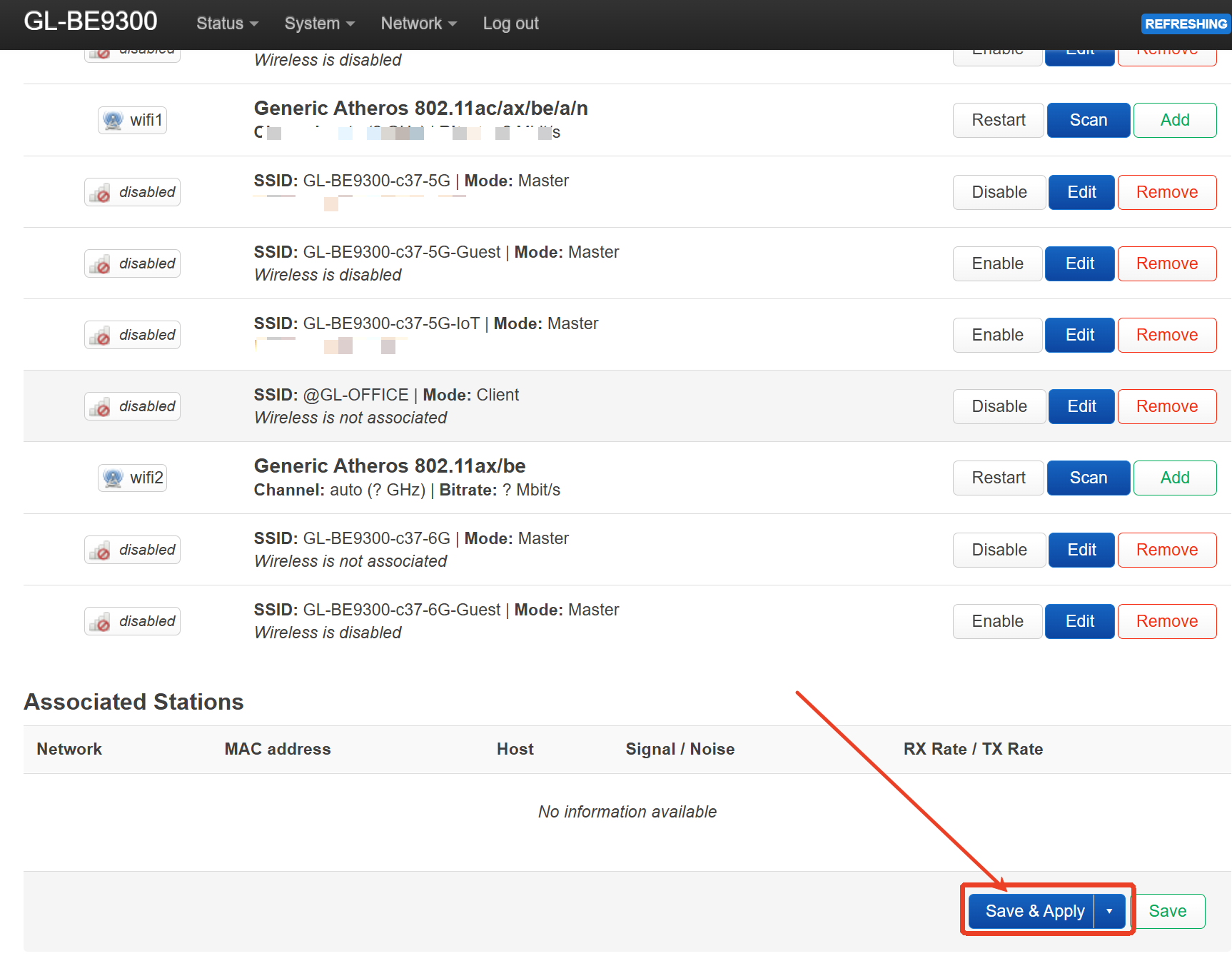
Please set the 5GHz channel to 36 and bandwidth to 80 or 40MHz, change the router’s encryption method to WPA2-PSK, click Apply.
If the issue still occurs, please export the router logs after the 5GHz SSID disappears and send them to us via private message.
We will help check it further.
Hi Charles,
I cannot modify the bandwidth and channel in repeator mode, whereas I have updated the country code via Luci along with Wi-Fi Security as suggested.
Hi,
Thanks for the update.
May I confirm the following information with you?
If the issue still occurs, please export the router logs after the 5GHz Wi-Fi disappears and send them to us via private message.
We will help check it further