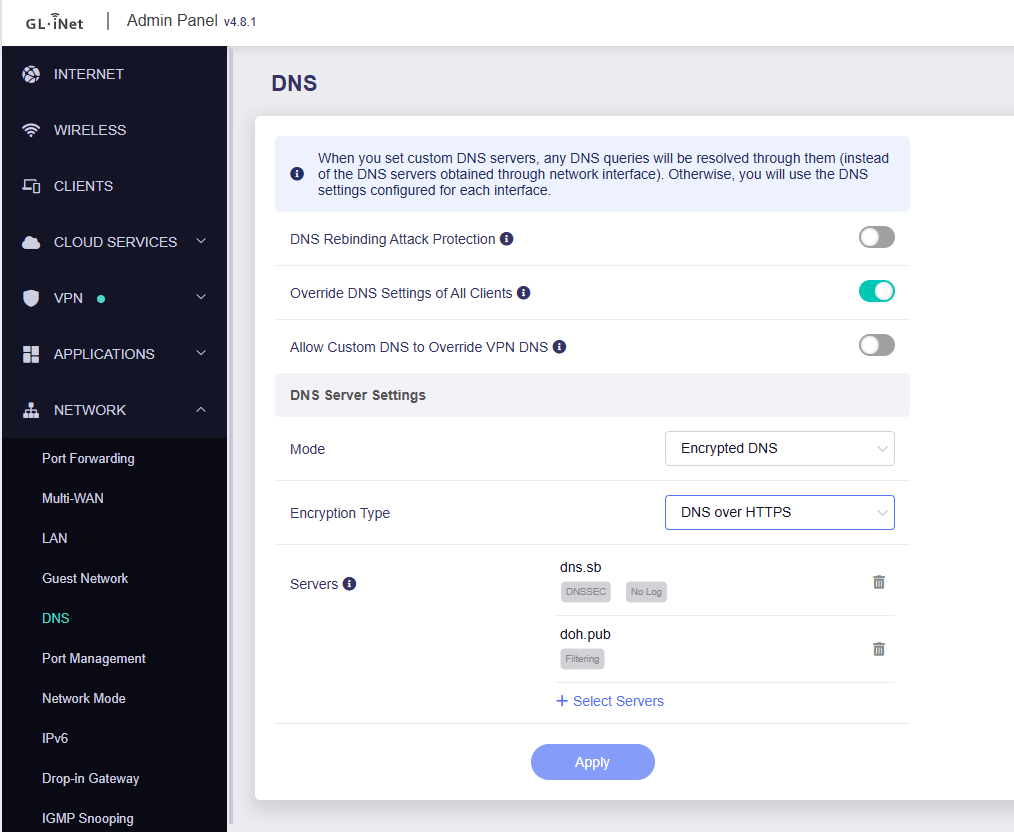
Hi
This error seems to appear when click "Test upstream" instead of "Apple".
Is the device connected to the Internet, and whether dns.controld.com ping able?
Maybe you can refer to the steps below to add ControlD DoH in Encrypted DNS settings instead of using AdGuard Home.
- SSH to router.
- Create the DNS stamp via following this guide.
How to create your own DNS stamp for Secure DNS | AdGuard DNS Knowledge Base
Please carefully check each step, as any errors or omissions may result in DNS could be configured but unavailable. - Edit the configuration file of dnscrypt-proxy.
vi /etc/dnscrypt-proxy2/dnscrypt-proxy.toml
- Find the
[static]

  # [static.myserver]
  #   stamp = 'sdns://AQcAAAAAAAAAAAAQMi5kbnNjcnlwdC1jZXJ0Lg'
- Press the key
Ato enter the editor mode. And add your custom DoH server like this.
Note the indentation.
[static]
  [static.'doh.pub']
  stamp = 'sdns://AgAAAAAAAAAADDEyMC41My41My41MyC-U8h8xHHZbyFjk9i2JOxbbQmaakUQ1mmIB6Hzt0frdAtkb2gucHViOjQ0MwovZG5zLXF1ZXJ5'
- Press the key 'ESC' and type
:wqto save. - Restart the dnscrypt-proxy and dnsmasq
/etc/init.d/dnscrypt-proxy restart
/etc/init.d/dnsmasq restart
- Then you should be able to find the related server in settings.