GL-BE9300 + Adguard Home + ControlD dns-over-https won't resolve

I've followed the directions layed out by @will.qiu here to get Adguard Home + ControlD working.
https://forum.gl-inet.com/t/is-the-beryl-ax-preventing-my-tv-from-using-a-custom-dns/62254/10?u=gollyjer

However, when I try and save the settings Adguard throwns the error.
Server "https://dns.controld.com:443/<my-ctrld-id>": could not be used, please check that you've written it correctly

This seems like a very simple setup and can't figure out why it doesn't work.
Thanks for any ideas.
.
.
P.S. - I have gotten ControlD working with the native GL-BE9300 Encrypted DNS settings, but it only uses DoT, and I want to use DoH because I want to see client statistics in the ControlD dashboard.


https://docs.controld.com/docs/device-clients

Hi

This error seems to appear when click "Test upstream" instead of "Apple".
Is the device connected to the Internet, and whether dns.controld.com ping able?

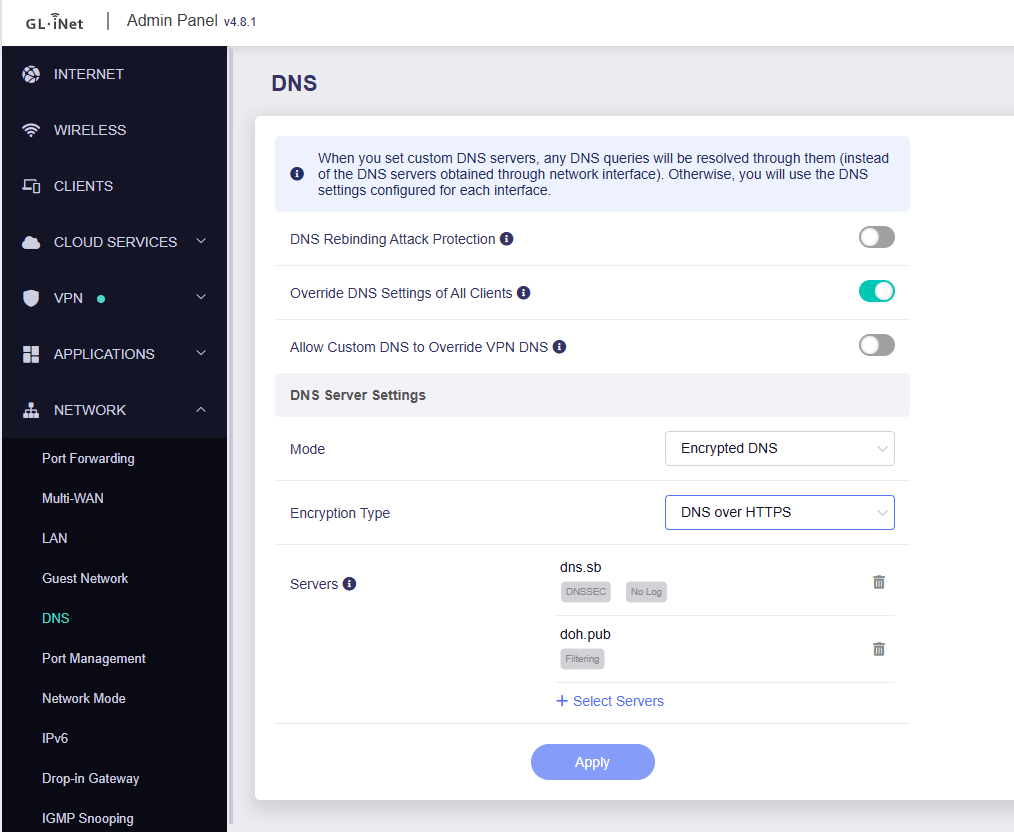
Maybe you can refer to the steps below to add ControlD DoH in Encrypted DNS settings instead of using AdGuard Home.

  1. SSH to router.
  2. Create the DNS stamp via following this guide.
    How to create your own DNS stamp for Secure DNS | AdGuard DNS Knowledge Base
    Please carefully check each step, as any errors or omissions may result in DNS could be configured but unavailable.
  3. Edit the configuration file of dnscrypt-proxy.
vi /etc/dnscrypt-proxy2/dnscrypt-proxy.toml
  1. Find the
[static]

  # [static.myserver]
  #   stamp = 'sdns://AQcAAAAAAAAAAAAQMi5kbnNjcnlwdC1jZXJ0Lg'
  1. Press the key A to enter the editor mode. And add your custom DoH server like this.
    Note the indentation.
[static]
  [static.'doh.pub']
  stamp = 'sdns://AgAAAAAAAAAADDEyMC41My41My41MyC-U8h8xHHZbyFjk9i2JOxbbQmaakUQ1mmIB6Hzt0frdAtkb2gucHViOjQ0MwovZG5zLXF1ZXJ5'

  1. Press the key 'ESC' and type :wq to save.
  2. Restart the dnscrypt-proxy and dnsmasq
/etc/init.d/dnscrypt-proxy restart
/etc/init.d/dnsmasq restart
  1. Then you should be able to find the related server in settings.

Hey @will.qiu!
Thanks for the thorough response. While I was waiting I poked around the forum more and stumbled on this post.

It led me to try disabling AstroWarp Cloud VPN. Once I did that, AdGuard Home accepted the Control D dns server without issue.

Seems like there's some conflicting setup there.

Everything is working as I want now, so I won't attempt the instructions you provided but I'm certain someone else will find them useful. Thanks again!

This topic was automatically closed 30 days after the last reply. New replies are no longer allowed.