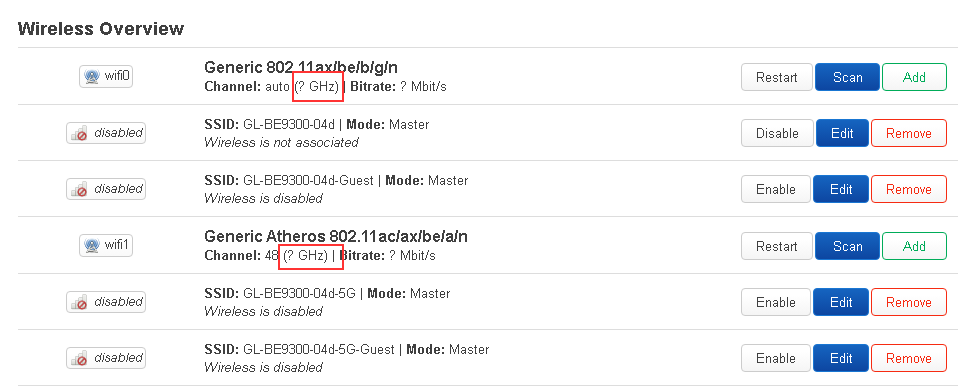
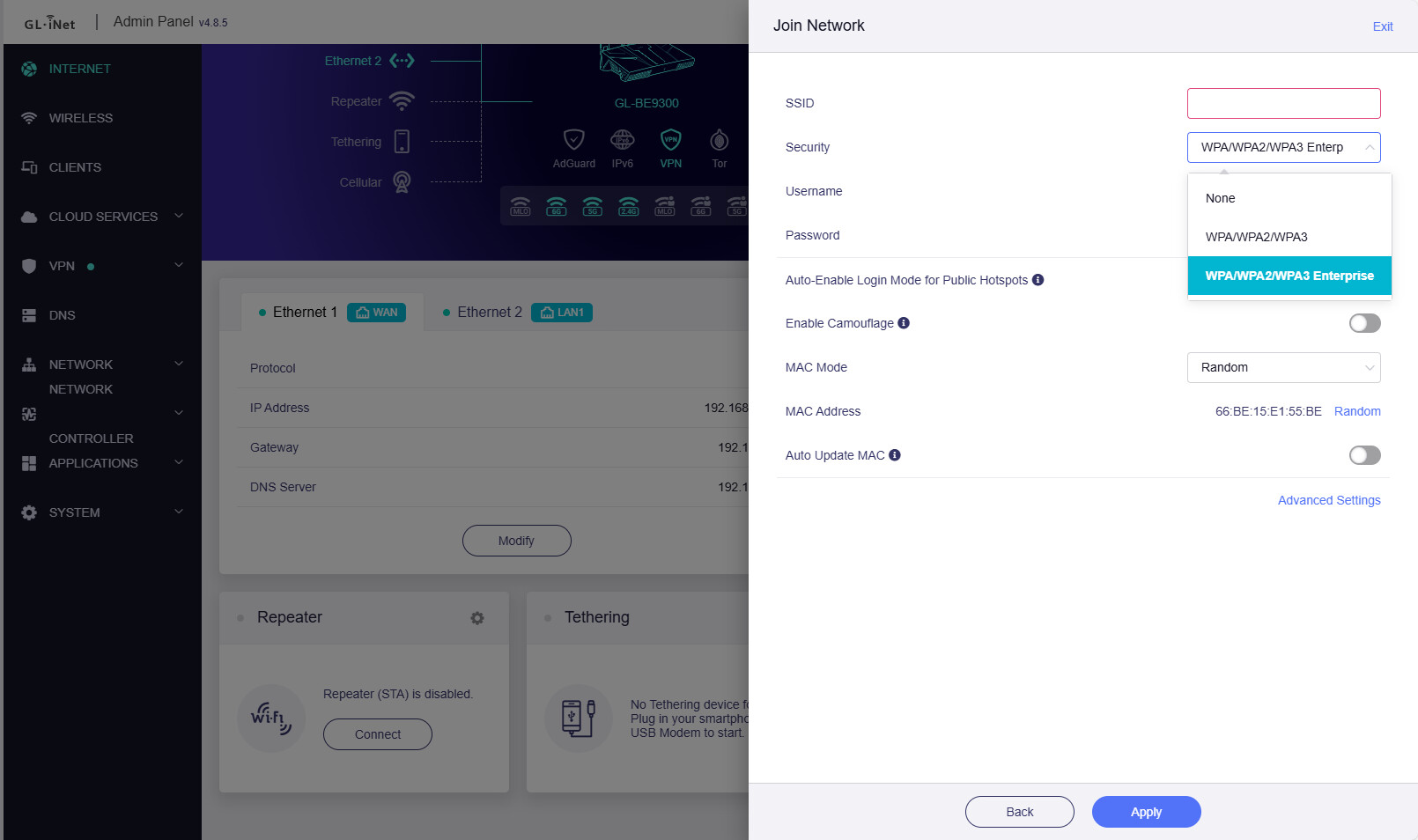
I recently purchased a Flint 3 router and am attempting to configure it as a repeater using EAP. However, I’m unable to scan for available networks in LuCI.
I’ve verified that my country is configured correctly. I tried manually setting both non-DFS and DFS channels with no success. I also upgraded to the latest firmware and downgraded again, but that didn’t help either. In LuCI, the 2.4 GHz and 5 GHz options don’t appear at all.
They don't appear because the driver does not support manual setup via luci at this time.
Using the GL interface or maybe SSH are the only ways to scan for networks.
Thanks! Now i have this issue, when implementing the changes via SSH:
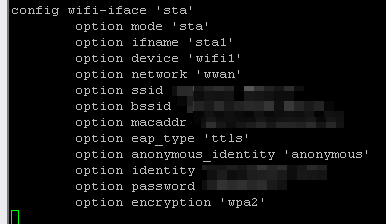
uci set wireless.sta.anonymous_identity='anonymous'
uci set wireless.sta.eap_type='ttls'
uci commit wireless
wifi reload
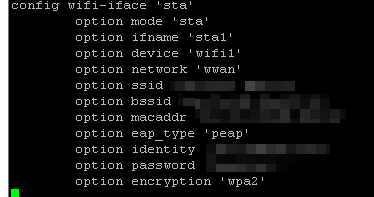
it Defaults to:
wireless.sta.eap_type='peap'
and deletes the other values.
Need help on this. My Netgear R7800 die on me and I really this working, Thanks!
On the SSH part you post, there are no error messages, do you mean uci set wireless.sta.eap_type='ttls' didn’t work, still wireless.sta.eap_type='peap' in wireless configuration?
You can vi /etc/config/wireless, find the sta section and change eap_type='ttls' there.
Thanks for your response. The issue is that after changing the settings and attempting to reconnect by updating /etc/config/wireless, the configuration reverts to ‘peap’ and removes the anonymous_identity 'anonymous' entry.
May I know if the repeater is enabled during configuring the settings to finish configuring?
If the repeater is enabled, it may remove some settings or restore certain parameters by default.
Please verify whether it can connect by following these steps:
On GL GUI, enable repeater, enter the SSID and encryption info, then click Connect. As soon as it shows “Connecting”, at the same time please disable the repeater.
Modify the parameters you want in /etc/config/wireless on SSH.
Execute wifi reload, when it finishes, execute iwinfo to check whether the repeater interface (sta0 or sta1) has created and connected.
Execute the following to obtain an IP.
ubus call network.interface.wwan up
ubus call network.interface.wwan add_device '{"name": "sta1"}'
#Note: sta0 or sta1 can be used to view `ifname` and adapt flexibly.
In step 3, stat1 does not appear in the list as created or connected. I believe that after canceling the connection or disabling the repeater in the UI, the system added the following entry to /etc/config/wireless:
option disabled '1'
I think this disables the repeater.
I changed it to 0 and repeated steps 3-4. After wifi reload, I wasn’t able to see stat1. I started from the UI the repeater and then using iwainfo I was able to see it. I then ran the commands in step 4.
After refreshing the UI, the repeater still does not show as connected and repeater appears as disabled.
I tried connecting from the UI and then when back to check vi /etc/config/wireless to see if it had changed. and it changed eap_type ‘ttls’ to ‘peap’ and removed anonymous_identity 'anonymous'
Let me know if there is anything else I could try. Thanks!
We would like to remotely access your Flint3 to check this, if possible, please prepare the following:
Connect the wired WAN cable or phone tethering to the Flint3 so it has a stable Internet connection—ensuring we can remotely debug the repeater interface in GoodCloud.
Please PM me the following information:
Your router MAC address,
Admin Panel password,
SSID in Repeater connect to,
Username and password, any authentication requirements in Repeater.