I recently upgraded to the GL-BE9300 (Flint 3) router, and while it's great overall, I'm having issues with my Tuya-based 2.4GHz IoT devices (smart plugs, bulbs, sensors, etc.). They all worked perfectly on my old router, but none of them can connect to the new one.
I've tried a few things:
Separating the 2.4GHz and 5GHz bands with different SSIDs.
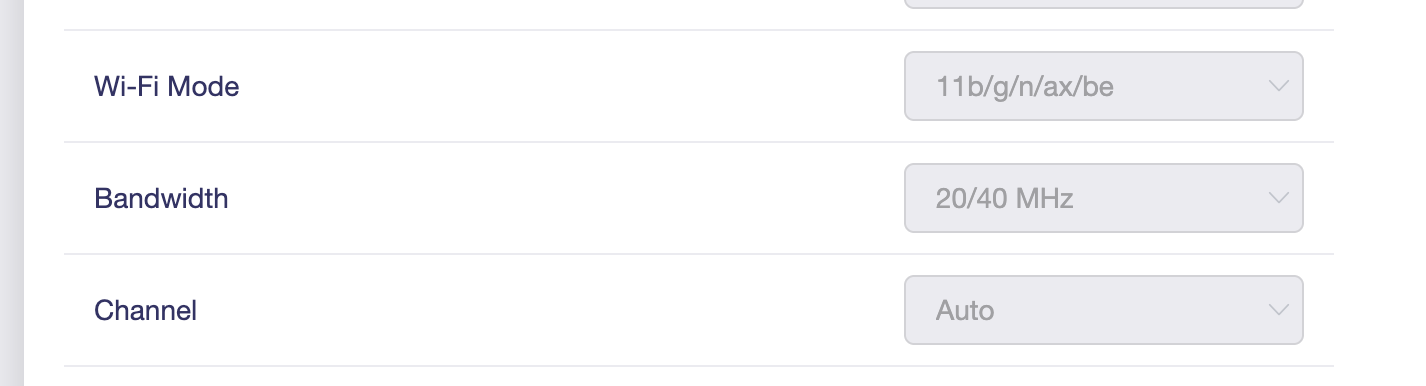
Setting the 2.4GHz band to "Legacy" mode (which offers 11b/g/n/ax/be options), but I can't find a way to limit it strictly to 11b/g/n only – it always includes ax/be, and these old Tuya devices seem incompatible with that.
Disabling 5GHz entirely and forcing everything to 2.4GHz, but same problem.
Resetting the devices and re-pairing them via the Tuya/Smart Life app.
The devices specifically need a basic 2.4GHz network without 802.11ax (WiFi 6) or higher, as they fail to join otherwise. Is there a way to configure the GL-BE9300 to run 2.4GHz in pure 11b/g/n mode (no ax/be)? Maybe via advanced settings, LuCI interface, or a firmware tweak?
Do you know what kind of encryption they support? Maybe it's only WPA2 or WEP ...
And Channel could be something to play with as well. 2.4 GHz high channels (I think, it was 11 and 13?) are often not supported by old devices (like some classic Nintendo DS, for example)
Due to poor compatibility between the Qualcomm Wi-Fi driver and LuCI, the status may not reflect the change after running the command.
However, the 2.4 GHz Wi-Fi radio should actually already be operating in the specified mode.
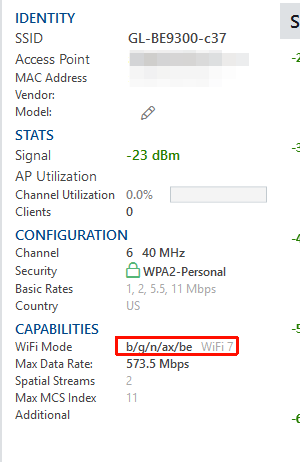
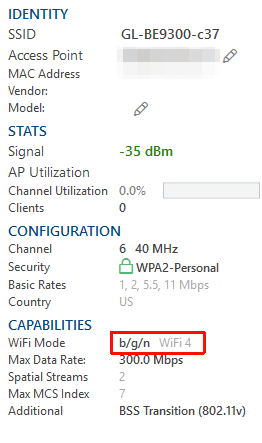
If you have other clients with tools that can detect Wi-Fi modes—such as analiti on Android or inSSIDer on Windows—you should be able to see the operating mode of the corresponding SSID there.
If the Tuya device still cannot connect after changing to 802.11 n/g, you can try the suggestions mentioned by Admon:
Check whether the SSID encryption is set to WPA/WPA2 or WPA2 only.
Try fixing the channel to a lower one.
If it still doesn’t work, please try connecting the Tuya device a few more times, then export the device logs and send them to us via private message so we can analyze the issue further.