How can the following setup be implemented together:
- Guest wifi standard WiFi with router providing DHCP, DNS, IP subnet, and optionally choose if guests can see each other or are isolated
- Main, not guest, wifi networks see router as an AP so they are on the same network as the LAN ports and they all get their DHCP and DNS directly from my network 10.1.1.1/16
- Main wifi connected devices, and those on LAN ports, can get to the router’s admin console.
Thank you,
Hello all. May I request a response from the product support team?
Thank you.
Hi
In theory, this configuration should be possible through LuCI.
However, because traffic from the Guest network must pass through the Main LAN, devices on the Guest network would also be able to access the Main LAN. Is that the behavior you expect, or would you also like to prevent Guest devices from accessing the Main LAN?
I would like the guests to be on a subnet and DHCP/DNS serviced by the router and routed directly to my other router that goes out to the internet and get their DNS from my upstream DNS that is servicing the 9300.
I would like non-guests on the 9300 to “be on” my network same as if I plugged them into my router’s ethernet ports.
Thank you,
Hi
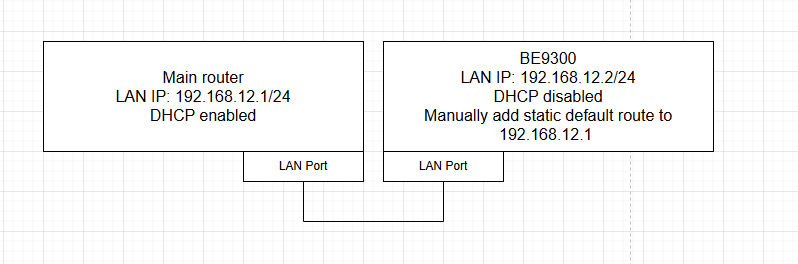
In this case, you can use the following network topology and configuration:
- Keep the BE9300 in Router Mode, assign its LAN interface a different IP address within the same subnet as your main router, and disable the DHCP server.
-
Connect the main router and the BE9300 using their LAN ports (LAN-to-LAN, not WAN-to-LAN).
-
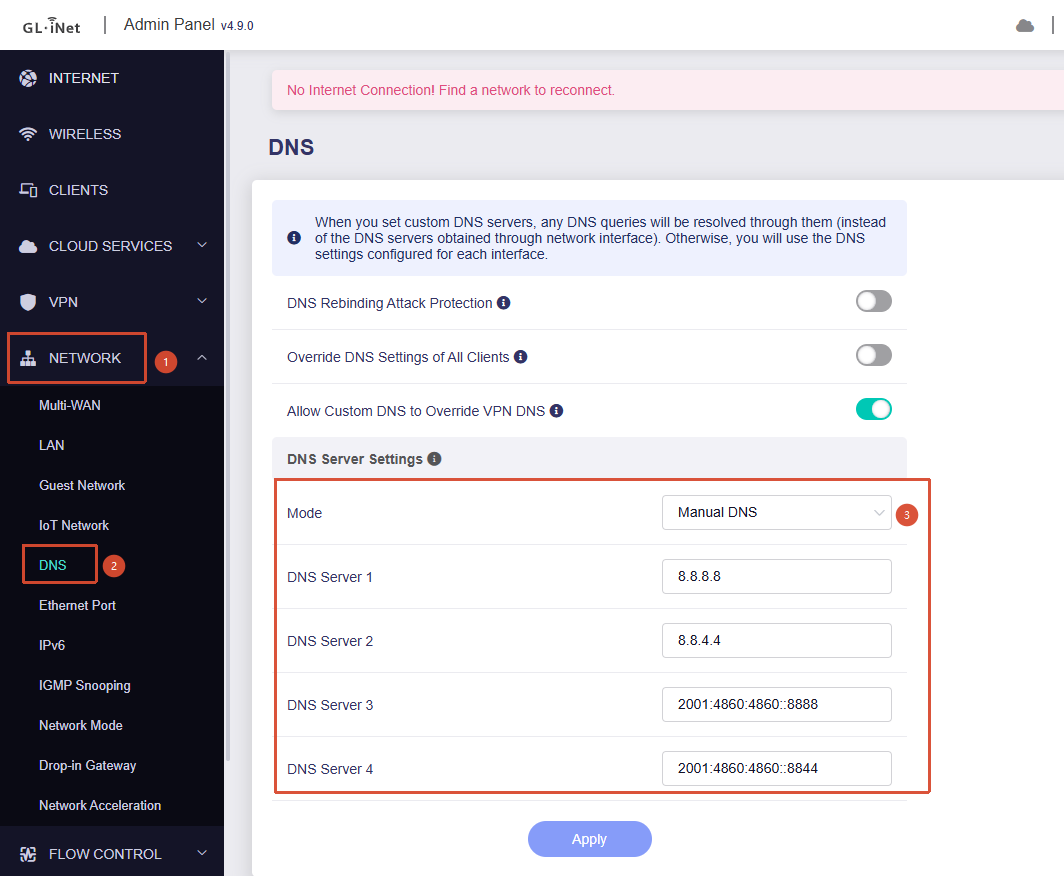
Access the BE9300 using its new LAN IP address, then go to Admin Panel → Network → DNS and configure a manual DNS server so that the router itself can resolve domain names correctly.
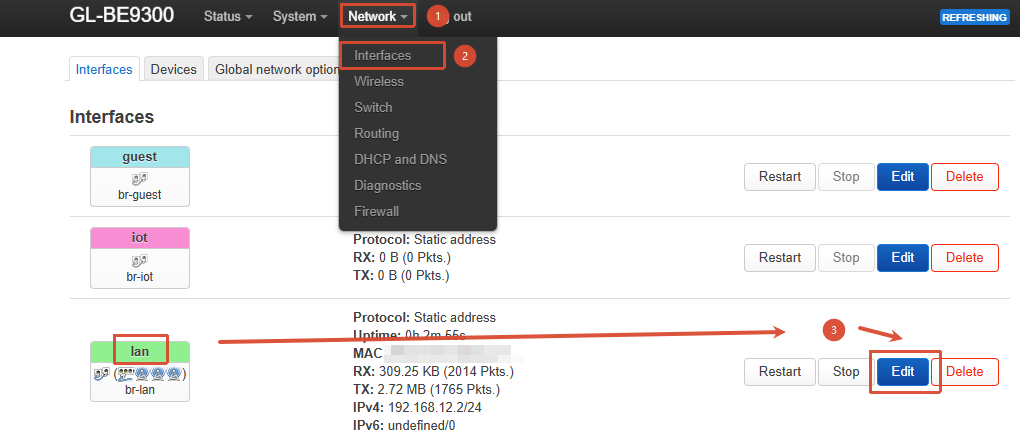
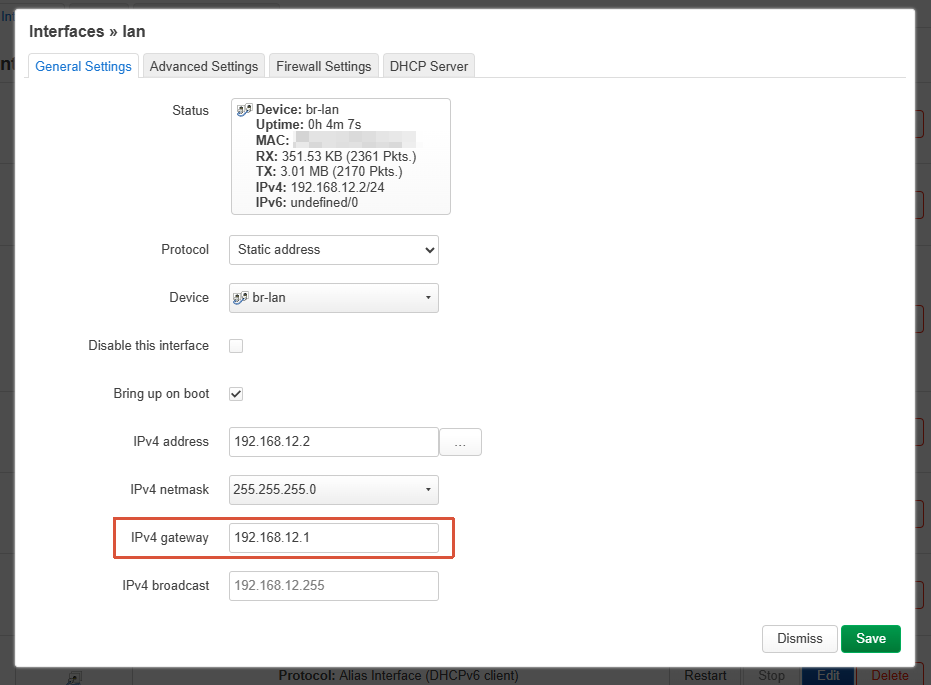
- Go to LuCI → Network → Interfaces, edit the LAN interface, and set the main router's LAN IP address as the default gateway.
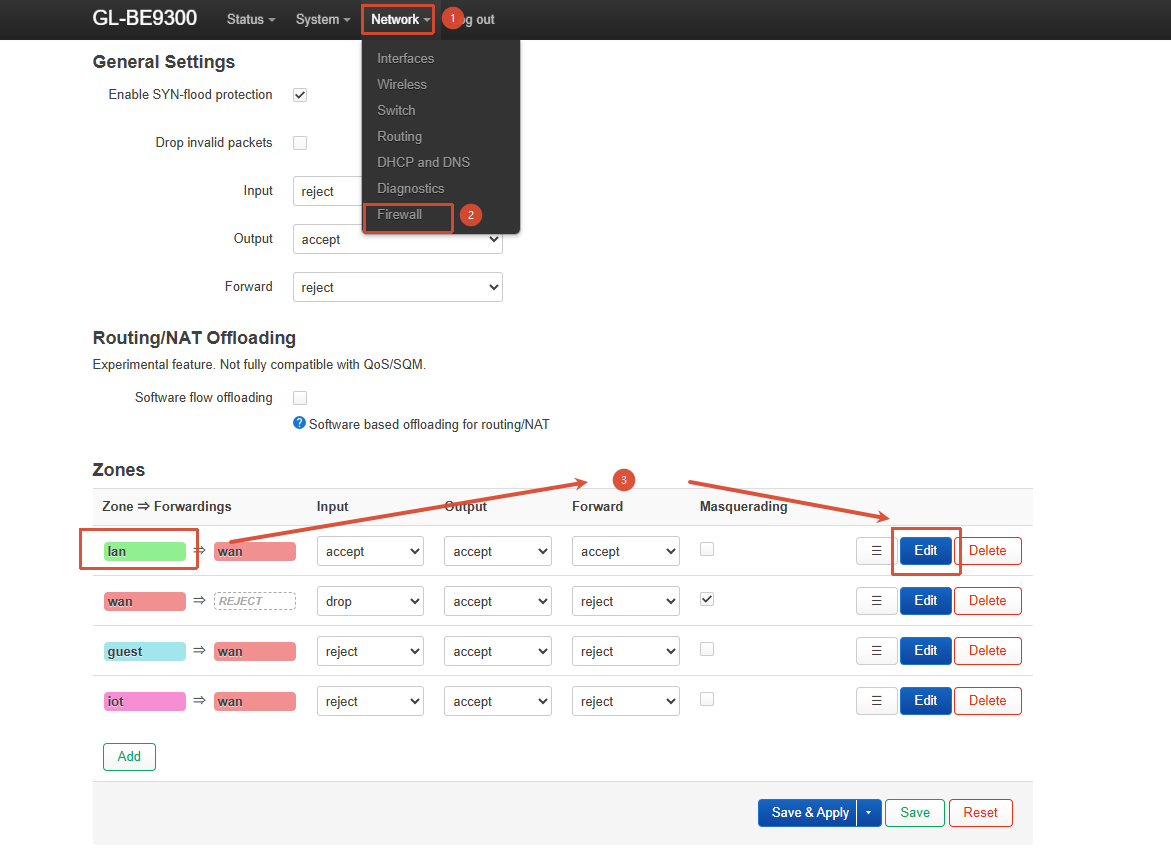
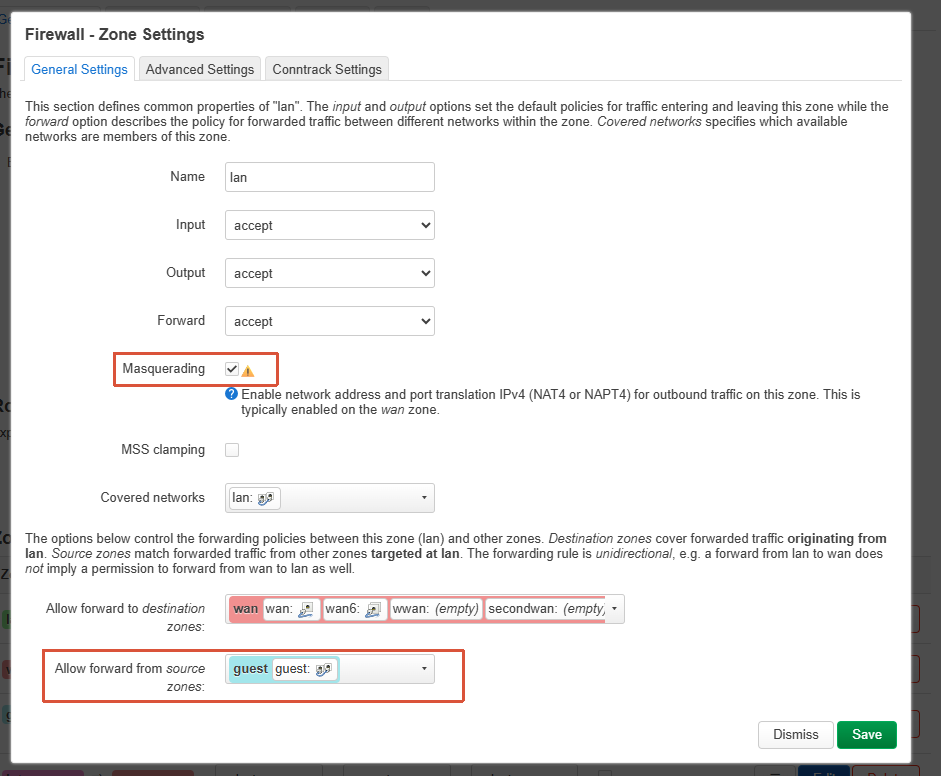
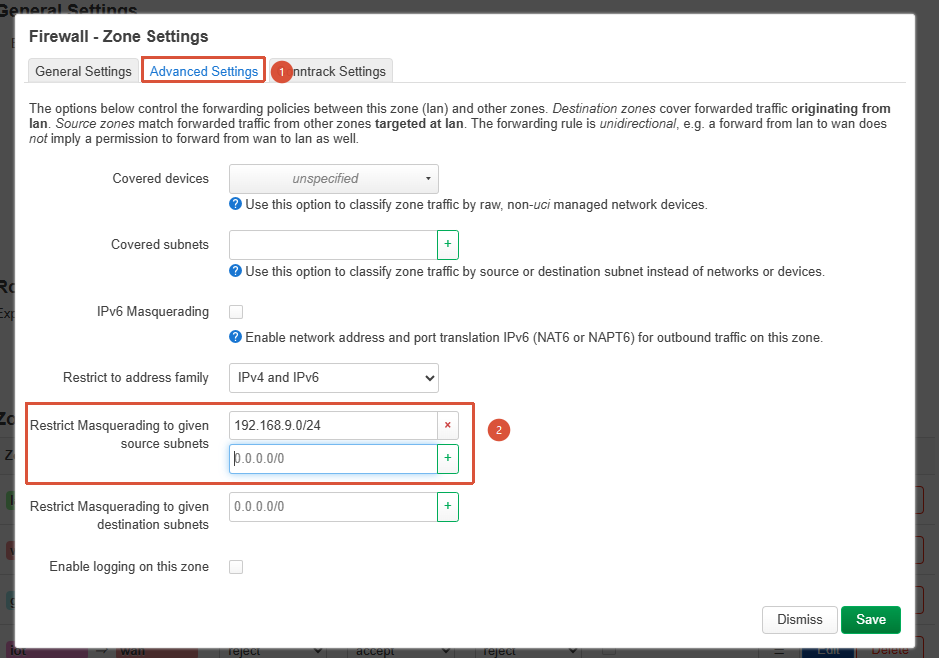
- Go to LuCI → Network → Firewall, edit the LAN firewall zone, allow forwarding from the Guest network, and enable IP Masquerading for the Guest zone.
After that, the setup should work as expected:
- Devices connected to the Main LAN on the BE9300 will be on the same subnet as the main router, similar to Access Point (AP) mode.
- Devices connected to the Guest network on the BE9300 will have normal Internet access.