After updating my Mudi 7 to firmware 4.10.0, my WireGuard client connection to my FritzBox (single-device VPN) stopped working correctly. The router reported:
Primary Tunnel IP Address (192.168.0.102/24) is in conflict with wlan4.
My main LAN is 192.168.8.x and my guest network is 192.168.9.x, so this wasn't a config I set myself — it looks like an interface (wlan4) came up with a 192.168.0.0/24 subnet after the update, which collided with the WireGuard tunnel address assigned by my FritzBox.
I did a full factory reset, and the exact same conflict reappeared — so this seems to be a default introduced by the update itself, not a leftover config issue.
Looking at the 4.10.0 release notes, I suspect this is related to the "Subnet: Refines subnet management to streamline the centralized configuration of main and guest network parameters" change, combined with the new "proactive IP and DNS conflict detection" for VPN — possibly the underlying overlap existed before too, but wasn't actively flagged/blocked until this release.
Fix: I downgraded back to firmware V4.8.5, and the WireGuard connection works again without any changes on my end.
Posting this in case others hit the same issue after updating to 4.10.0 — and so GL.iNet support can take a look at the wlan4 subnet default.
Device: GL-E5800 (Mudi 7)
Firmware: 4.10.0 → downgraded to V4.8.5
I’m sorry but this firmware seems to be broken. The screen wouldn’t light up after resetting the device. I couldn't turn the screen on at all. I didn’t observe the pattern but it was alarming when i saw the wifi on (on my phone) and no screen to disable it. This is a huge security issue with regards to close quarters threats, when one is expecting the screen to function predictably. I promptly reverted to previous firmware.
We tested a similar WireGuard configuration on a Mudi 7 running firmware 4.10.0, using 192.168.0.102/24 as the WireGuard interface address, but we have not been able to reproduce the conflict with wlan4 warning.
Could you please let us know how the Mudi 7 was connected to the Internet when the issue occurred — Cellular, Ethernet, or Repeater?
If Ethernet was using DHCP, could you please also let us know the IP address/subnet and gateway assigned to the Mudi 7 by the upstream router.
If convenient, when the issue occurs again on firmware 4.10.0, could you please run the following commands and share the output with us?
Thanks for looking into this. To answer your questions:
Connection type: The Mudi 7 was connected as a repeater within my home network (connecting to my FritzBox's Wi-Fi as the upstream).
VPN setup: The WireGuard server was the FritzBox itself, using its "connect single device" feature — so the VPN client (Mudi 7) and the VPN server (FritzBox) were in the same home network, not connecting from an external network.
I'm currently on vacation, but I could update back to 4.10.0 afterwards to reproduce the issue and provide the ip -4 addr, iw dev, and bridge link show output then.
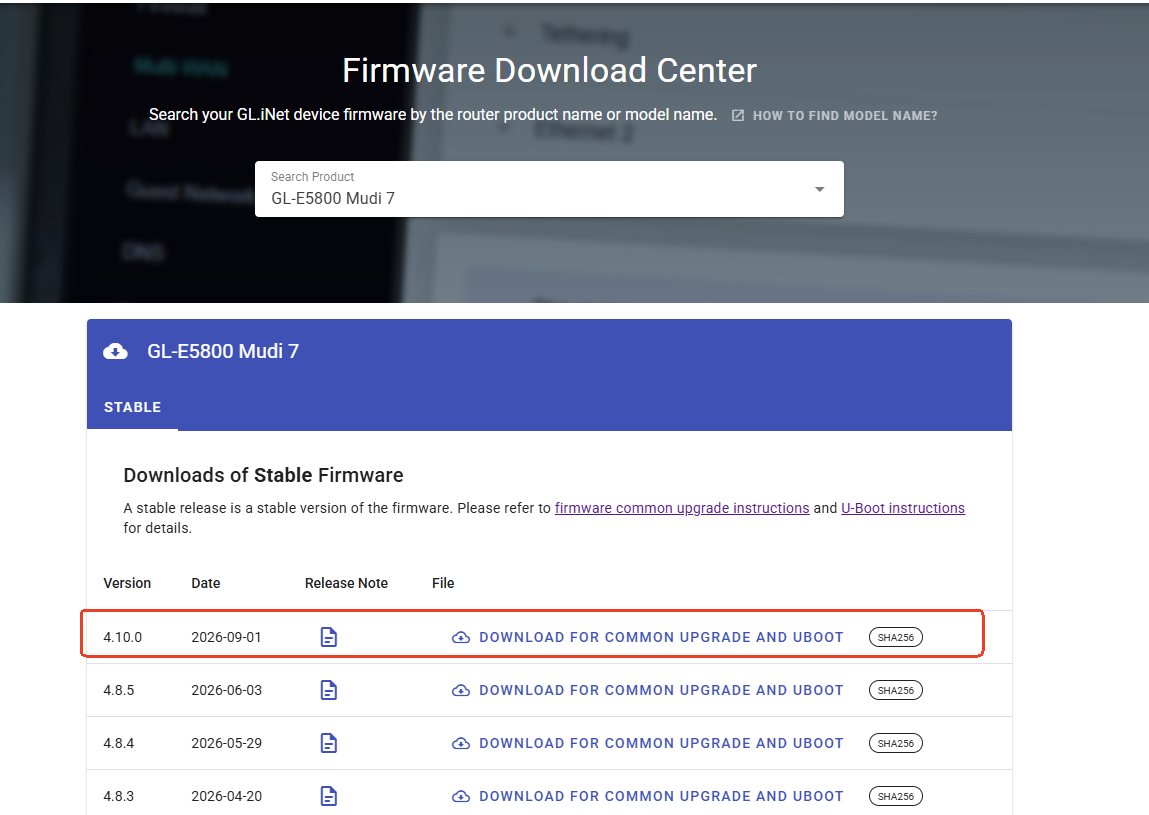
We checked the GL.iNet Download Center and were able to download the Mudi 7 firmware normally, and the firmware upgrade also completed successfully on our test device.
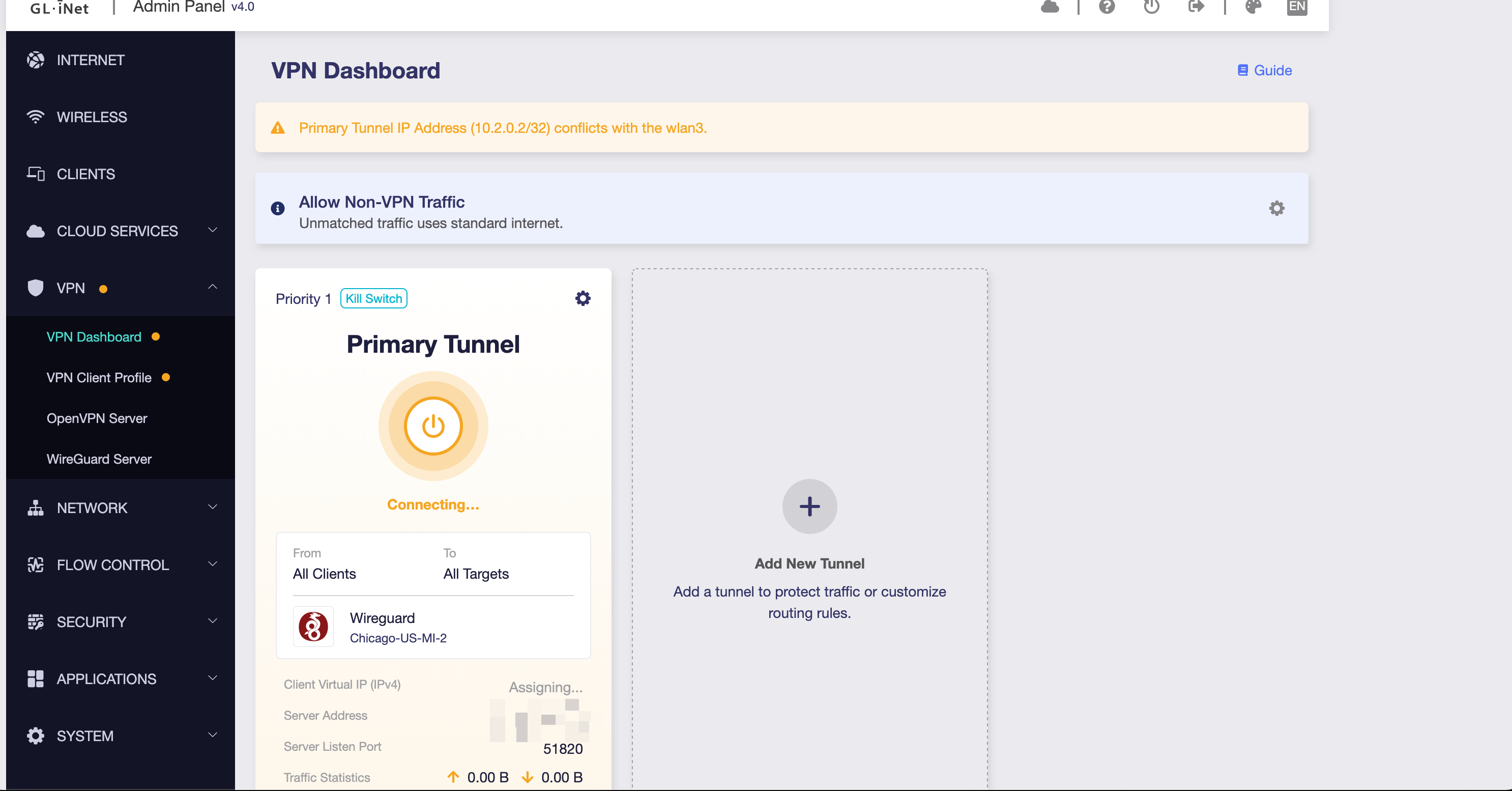
I am running into a similar issues as this, but on wan3. I am using the Mudi 7 as a repeater on a hotel guest network and am unable to connect to my VPN. Both my wireguard home vpn and protonvpn. I used the admin page to upgrade to the latest firmware and just now also installed the latest firmware from the linked above page. Both ways I get this error message:
Primary Tunnel IP Address (10.2.0.2/32) conflicts with the wlan3
Thank you for the detailed feedback and information.
From the information you provided, wlan3 obtained 10.62.150.177/8 from the upstream Wi-Fi network. Since the /8 prefix includes the 10.2.0.2 address used by the WireGuard tunnel, firmware 4.10 may therefore be detecting the two networks as conflicting.
If convenient, could you please upgrade back to 4.10, connect to the same Wi-Fi network, reproduce the issue, and provide the output of the following commands?
ip -4 route
ip -4 route show table all
ubus call network.interface dump
If possible, please also export the System Log after the conflict message appears. You may send the information to us via forum private message.
Unfortunately, I am no longer at that that hotel and won’t be returning. However, I will upgrade back to 4.10.0 and continue to test to see if I run into this problem in the future and can then run those commands for you.
We really appreciate your willingness to continue using firmware 4.10 and help us keep an eye on this issue. Of course, if you encounter any other issues during use, please feel free to contact us.
Thank you again for your support and understanding.
I've sent you a PM with the requested command output.
One more observation that might help: The issue does not occur when I use my iPhone's hotspot as the internet connection — WireGuard to the FritzBox works fine in that case. It only happens when the Mudi 7 is in repeater mode connected to my home network, where the upstream network and the WireGuard server (FritzBox) are on the same IP range (192.168.0.x).
Thank you for providing the detailed command outputs.
From the information you provided, when the Mudi 7 connects to the FRITZBox Wi-Fi in Repeater mode, wlan4 receives 192.168.0.99/24, and the system has a route for 192.168.0.0/24 through wlan4.
The WireGuard profile also uses 192.168.0.102/24, so the WireGuard address falls within the same subnet as the current upstream Wi-Fi network. Firmware 4.10 may therefore be detecting this as an IP conflict and preventing the tunnel from starting.
Since the Mudi 7 is already connected to the FRITZ!Box local network in this case, there is generally no need to establish a WireGuard tunnel back to the same local network.
We have also reported the IP conflict detection behavior in firmware 4.10 to the relevant team for further evaluation.
Thank you again for your detailed testing and support.
Thanks for confirming and forwarding this internally — appreciated.
I understand that a tunnel back to the same local network has limited practical use on its own. However, I'd like to highlight that this isn't just a "same network as home" edge case: the same conflict would occur in any upstream network that happens to use the 192.168.0.0/24 range — for example hotel or campsite Wi-Fi, which commonly use this default subnet. In those cases, blocking the tunnel would actively prevent a legitimate remote-VPN use case, not just a redundant local one.
Also, since this configuration worked without issue on the previous firmware, it would be great if a future update could distinguish between "harmless local-network tunnel" and "actual routing conflict" rather than blocking the tunnel outright.
We understand your concern, especially in remote-use scenarios where the upstream network may happen to overlap with the home/VPN network.
For now, you may consider using a less commonly used private subnet for the home/VPN network to reduce the chance of overlapping with hotel, campsite, or other public Wi-Fi networks.
Thank you again for your detailed feedback and support.
I have a B3600 and got the same error. When I first upgraded, I kept the settings and got that error. I tried a factory reset and encountered a number of other problems, including no VPN and unable to access the UI from Wifi.
Reverting to 4.9.2 and restoring a backup got me back up and running. When I have some time, I’ll mess around with it and try to document the issues I found. I’ll post them in another thread when I have time.
Thank you for sharing the additional information and for offering to help with further testing.
We have already reported the related WireGuard connection/conflict behavior to the relevant team for further investigation. No additional logs are needed from you at the moment.
Thank you again for your support and willingness to help.