- GL-E5800NA (Mudi 7, US version), firmware 4.10.2 beta6 (2026-10-28); same behaviour on 4.8.x and 4.10.0
- Modem: Quectel RG650V-NA, FW QRM650VNA01ACR02A04G8G_OCPU_RGH_01.005.01.005
- Carrier: T-Mobile USA, APN fast.t-mobile.com, IP Type IPv4/IPv6, MTU 1428, TTL/HL 65
- With IP Type = "IPv4" only, the SIM gets no internet at all → T-Mobile delivers IPv6 only, IPv4 runs via 464XLAT/NAT64 + CGNAT
- Ethernet port: Port Mode LAN, Standard. Network Acceleration off, flow offload/IPA off. No standby/idle timeout.
Setup
HPE Aruba Remote Access Point (static IP, DHCP reservation also present) on the Mudi LAN port. It builds an IPsec/IKEv2 tunnel to our Aruba controller on UDP 4500 (NAT-T). A WireGuard client with destination-based policy is configured on the Mudi for streaming; the RAP traffic was NOT routed through it.
Symptom
After a fresh flash the RAP works for several days. Then it stops and never recovers. Reboot of Mudi and/or RAP does not help. Re-flash with Keep Settings used to "fix" it for a few more days (today it did not). Plugged into any other internet connection the RAP connects within a minute.
Analysis (done while the RAP was failing)
- LAN side OK: link 1 Gbps/Full, RAP answers ARP, router pings RAP (2 ms), no firewall rule matches the RAP or UDP 4500.
- Router WAN OK: ping 8.8.8.8 and DNS fine. Cellular session had been up for 25 h without a single reconnect (cm_get_dial_runtime_status: last_disconnect_reason NONE, retry_count 0) – the tunnel died without any cellular event.
- tcpdump on eth0: RAP does no DNS/HTTPS, it goes straight to IKE on UDP 4500. The controller answers the small IKE packets (conntrack shows reply packets), the large IKE_AUTH packets (~1360 byte UDP payload, ~1388 byte IP) never get an answer. RAP retries every 15 s, no success.
- Fragmentation test – unfragmented packets pass up to the MTU, ANY IP-fragmented packet is lost, also for the router's own traffic:
from a Windows client on the LAN:
ping 8.8.8.8 -f -l 1300 -> OK
ping 8.8.8.8 -f -l 1444 -> OK (DF set, path MTU >= 1472)
ping 8.8.8.8 -l 1600 -> 100 % loss (2 IP fragments)
ping 8.8.8.8 -l 2500 -> 100 % loss
from the router via SSH (Linux-side NAT not involved):
ping -c 4 -s 1444 8.8.8.8 -> OK
ping -c 4 -s 1600 8.8.8.8 -> 100 % loss
ping -c 4 -s 2500 8.8.8.8 -> 100 % loss
The drop is behind rmnet_data0: modem-side NAT/CLAT (QCMAP, 192.0.0.1) or T-Mobile's NAT64/CGNAT. - Proof: I added a second VPN tunnel group (VPN Dashboard → Add VPN Tunnel → Specified Devices = RAP MAC → All Targets → existing WireGuard profile, MTU 1380). The RAP connected to the controller within 2 minutes and has been stable since. Same router, same port, same RAP – the only difference is that the IPsec traffic now travels inside WireGuard, so no IP fragments appear on the T-Mobile path.
Conclusion
Not a LAN port, power saving or RAP problem. The cellular data path of the Mudi 7 on T-Mobile US cannot carry IP-fragmented packets. IPsec/IKEv2 setup (certificate exchange) needs them, so a RAP can keep a running tunnel alive but can never re-establish it after a re-authentication. The "re-flash fixes it" pattern was most likely coincidence with the modem landing on a bearer that still had native IPv4.
The WireGuard detour works, but it is a workaround, not a solution: extra hop, dependency on a third-party tunnel, and a plain IPsec client should work behind a cellular router.
Questions to GL.iNet
- Can you reproduce "ping -s 1600 8.8.8.8 = 100 % loss, -s 1444 = OK" on a Mudi 7 with a T-Mobile US SIM? If yes: is it the QCMAP/IPA NAT or the CLAT in the modem dropping fragments, or the carrier?
- Is there a setting (uci, qcmap_lan, AT command) to make the modem-side path reassemble or forward IP fragments, or an IP passthrough mode so that the Linux side handles NAT and fragments?
- Can the Mudi 7 be forced to prefer a bearer with native IPv4 on this APN (e.g. NSA instead of 5G SA / nr5g_disable_mode), and would you consider exposing that in the UI?
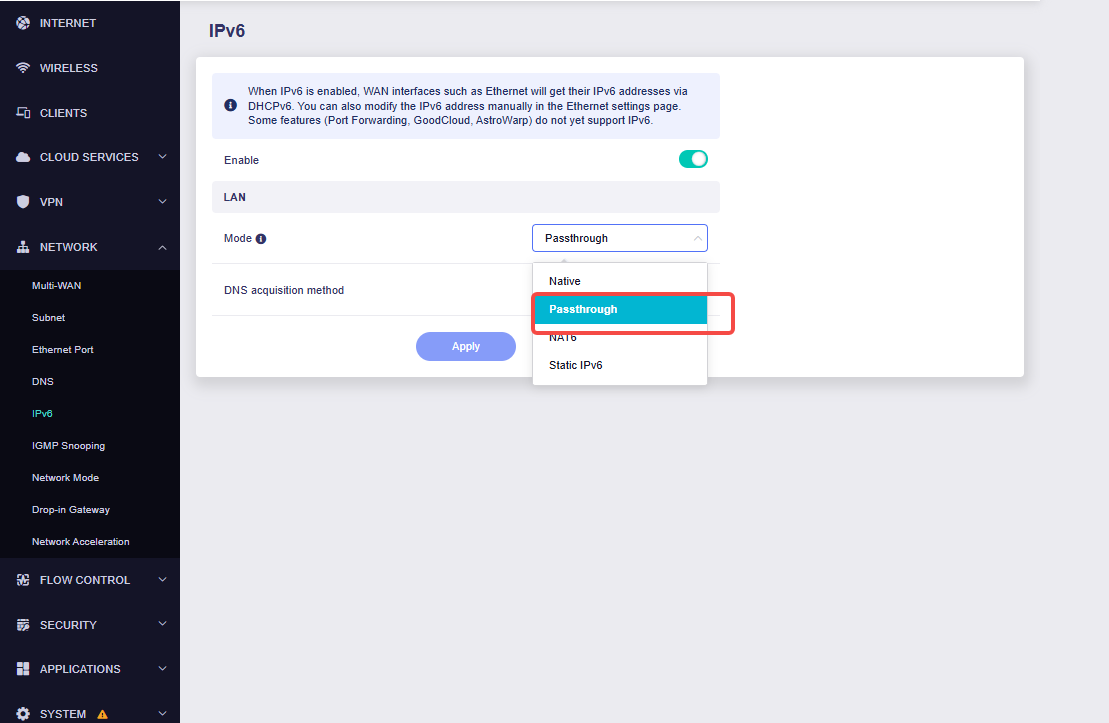
- Is IPv6 passthrough to LAN clients supported on the Mudi 7, so clients can avoid NAT64/CGNAT entirely?
- Do other T-Mobile US users see IPsec/IKEv2 VPN clients failing behind the Mudi 7 while TCP traffic works fine?
I can share the device via GoodCloud or provide logs and pcaps (eth0 and rmnet_data0) on request.