GL.iNet Flint 2 (GL-MT6000) VLAN Best Practices on OpenWrt SNAPSHOT

I’m looking for advice from anyone running VLANs successfully on a GL.iNet Flint 2 (GL-MT6000) using the latest OpenWrt snapshot.

Environment

  • Hardware: GL.iNet GL-MT6000 (Flint 2)

  • Target: mediatek/filogic

  • Architecture: ARMv8 Processor rev 4

  • Firmware: OpenWrt SNAPSHOT r35212-57b659c41d

  • LuCI: Master 26.185.59369~d7a654e

  • Kernel: 6.18.37

The router has been factory reset and I’m rebuilding the configuration from scratch using LuCI.

Overall Goal

My long-term objective is to use the Flint 2 as a VLAN-aware access point behind an OpenWrt x86 router.

However, before introducing additional hardware (managed switches, upstream router, etc.), I want to verify that the Flint 2 itself is configured correctly.

Planned Test Process

My plan is to keep the testing as simple as possible:

  1. Configure the Flint 2 in router mode.

  2. Create a new VLAN 20.

  3. Create a dedicated SSID for VLAN 20.

  4. Verify that:

    • the default LAN functions normally,

    • VLAN 20 receives DHCP,

    • both networks have Internet connectivity,

    • wireless clients can successfully communicate on the correct VLAN.

  5. Only after this works reliably will I convert the Flint 2 to Access Point mode and integrate it into my larger OpenWrt network.

My thinking is that proving the configuration works on a standalone router should eliminate many variables before adding managed switches and another OpenWrt router.

Background

I previously attempted a similar setup, but after extensive troubleshooting I decided to factory reset the Flint 2 and start over instead of continuing to troubleshoot an unknown configuration state.

Rather than repeat the same mistakes, I’d like to rebuild it following current OpenWrt best practices.

Questions

  1. Is testing VLANs in router mode first the approach you would recommend?

  2. Is there a preferred LuCI workflow for configuring bridge VLAN filtering on the MT6000?

  3. Does anyone have a known-good example of /etc/config/network and /etc/config/wireless for:

    • Default LAN

    • VLAN 20

    • Separate SSID assigned to VLAN 20

    • DHCP functioning correctly on both networks

  4. Are there any known issues or snapshot-specific considerations for the MT6000 that I should be aware of?

I’m happy to provide configuration files, bridge VLAN information, packet captures, or any additional diagnostic output if needed.

Thanks in advance for any guidance or examples from those who have this working.
Hi,

The GL-MT6000 is installed behind an upstream router and works as a VLAN-aware access point. The upstream router provides the VLAN gateway, DHCP server, firewall policy, and Internet access. The MT6000 only bridges VLAN traffic between the wired ports and Wi-Fi SSID.
Below is our topology.

Upstream router
  VLAN 1 / main LAN
  VLAN 20 / gateway + DHCP
        |
        | trunk port
        | VLAN 1 untagged
        | VLAN 20 tagged
        |
GL-MT6000 lan1
  lan2/lan3/lan4 = default LAN
  lan5 = VLAN 20 access port
  SSID VLAN20 = VLAN 20 Wi-Fi access

In this set, wired clients connected to MT6000 lan5 received 192.168.20.x addresses. Wireless clients connected to SSID VLAN20 also received 192.168.20.x addresses.


You can configure it by following the steps below.

  1. On the upstream router, configure the port connected to MT6000 lan1 as a trunk port.
    Network > Interfaces > Devices > br-lan> Configure > Bridge VLAN filtering.

    Create a VLAN 20 interface on the upstream router.
    Network > Interfaces >Add new interface
Interface: VLAN20
IP address: 192.168.20.1/24
DHCP server: enabled


Network >Firewall > Add

Then save&apply.
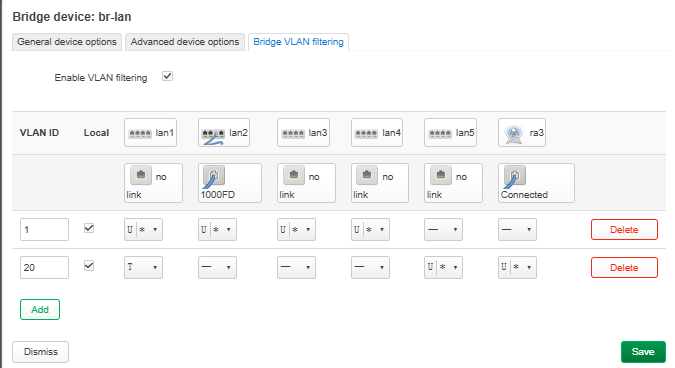
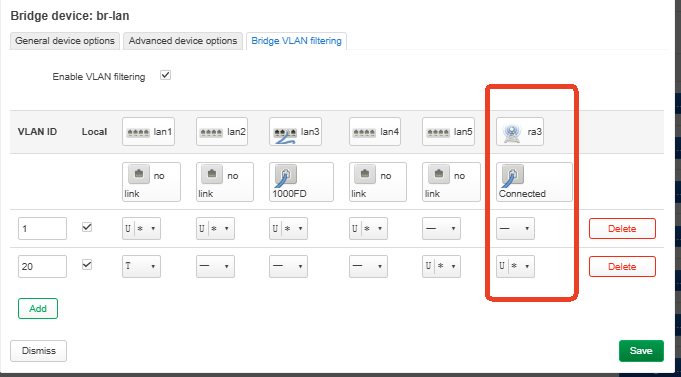
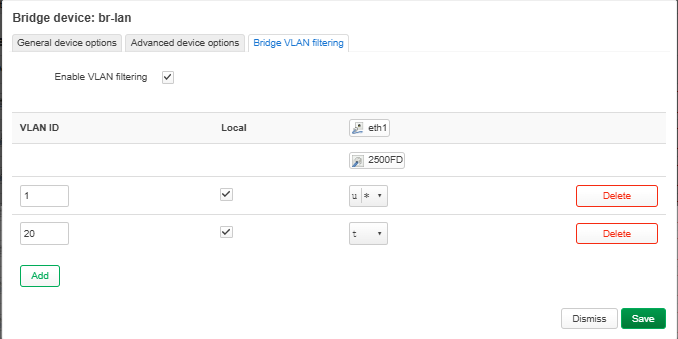
2. On the MT6000, go to `Network > Interfaces > Devices > br-lan > Configure > Bridge VLAN filtering.
Configure VLAN 1 as the default LAN and configure VLAN 20 for the trunk uplink, wired access port, and Wi-Fi SSID.

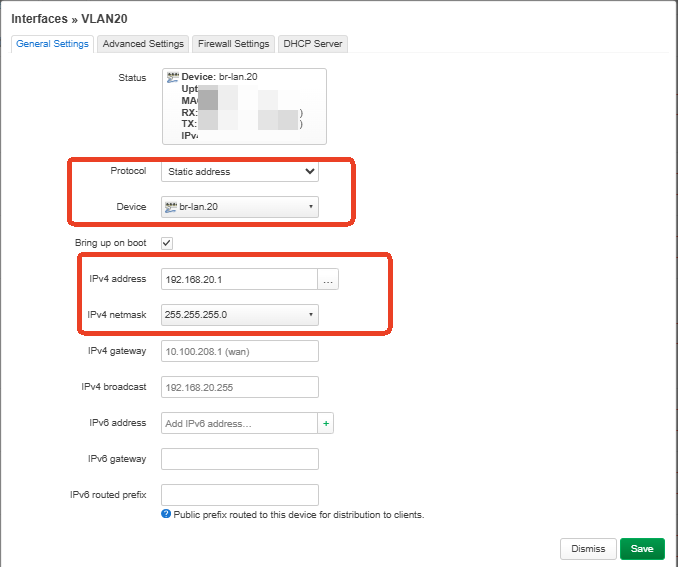
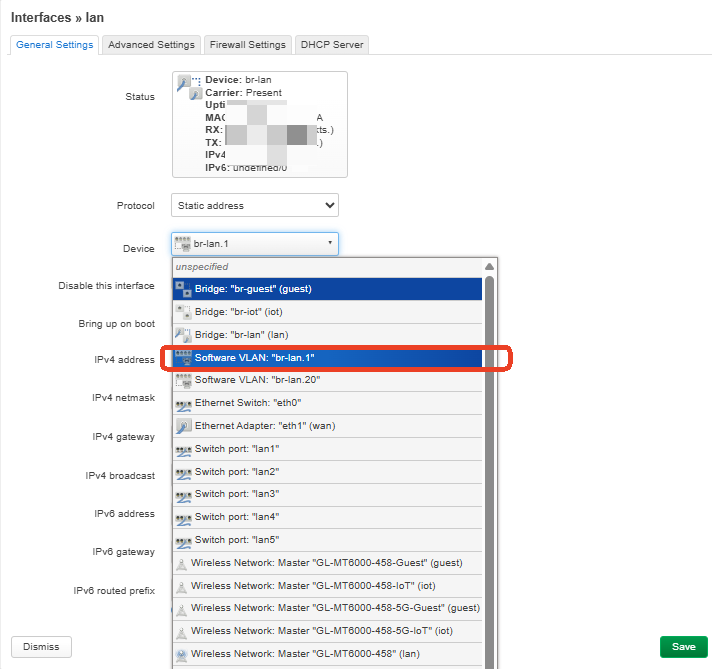
  1. Interfaces > lan > edit, change br-lan to br-lan.1.
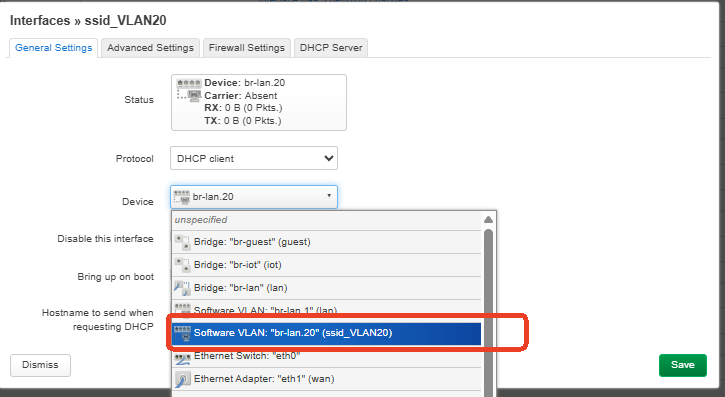
  2. Create an interface on the MT6000 for VLAN 20.
Name: ssid_VLAN20
Protocol: DHCP client
Device: br-lan.20
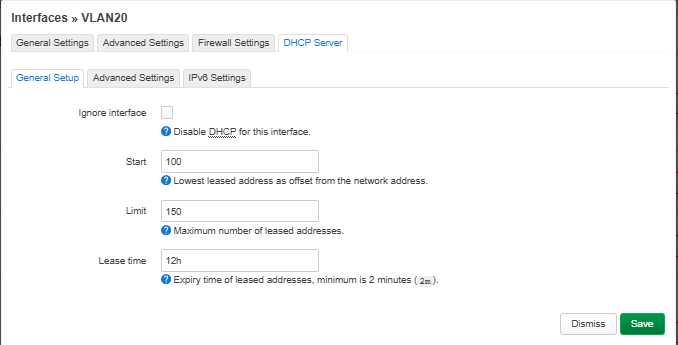
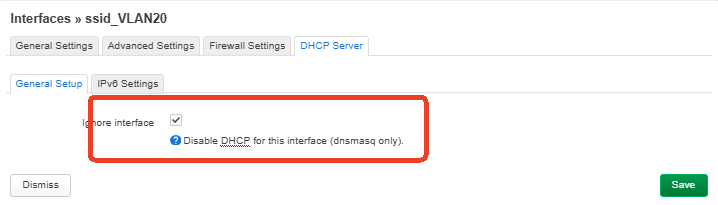
DHCP server: disabled / Ignore interface
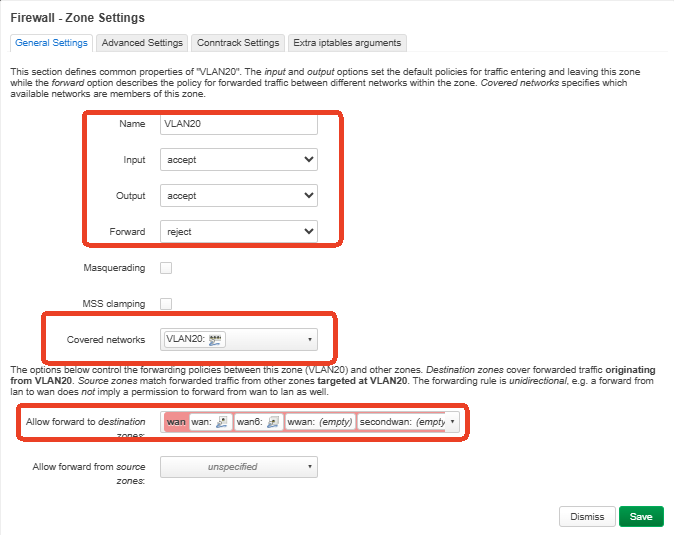
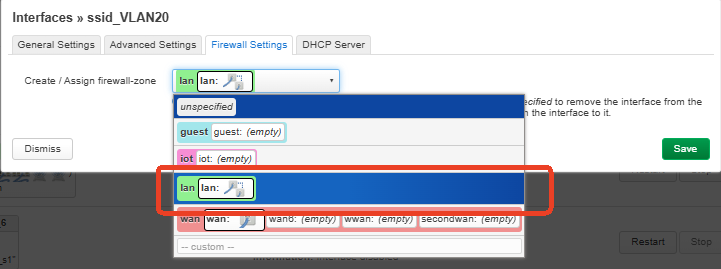
Firewall zone: lan


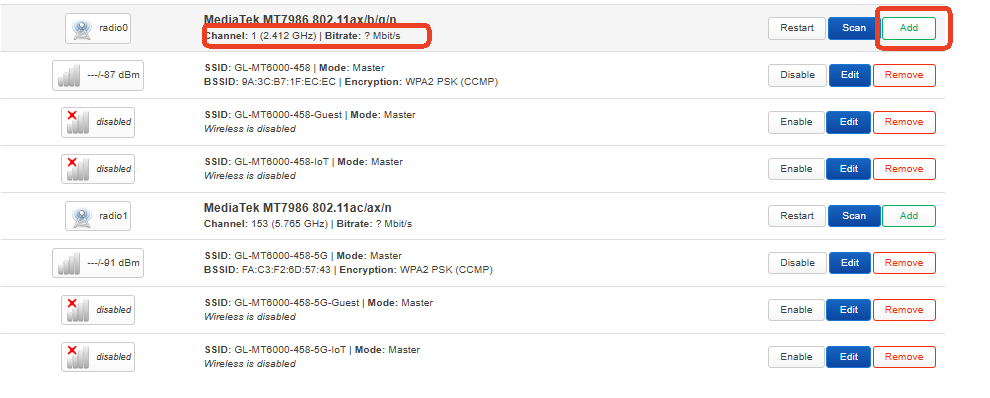
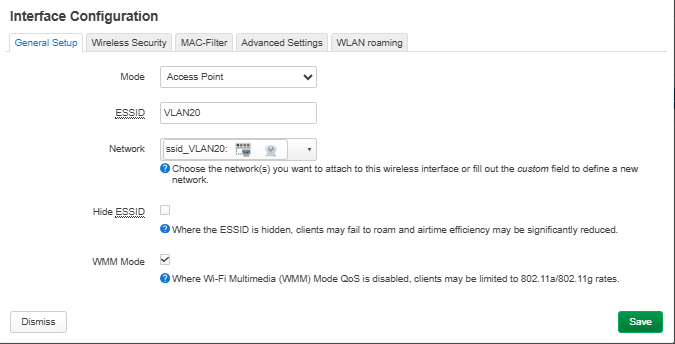
5. Create a new Wi-Fi SSID on the MT6000.
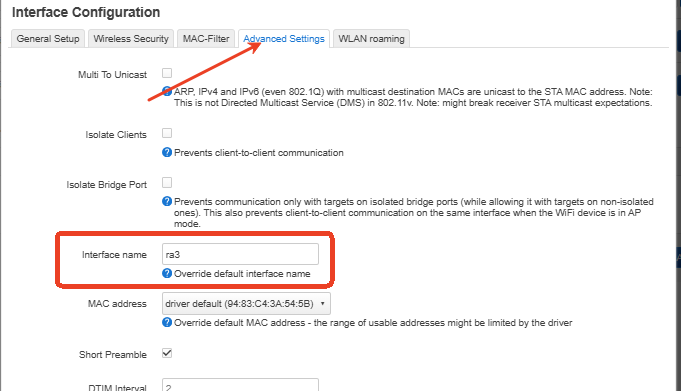
NetWork > Wireless > Edit SSID > Advanced Settings.

SSID: VLAN20
Mode: Access Point
Network: ssid_VLAN20
Encryption: WPA2-PSK
Interface name: ra3


Save&apply.
After creating the SSID and setting the wireless interface name to ra3, we also need to add ra3 to VLAN 20 as an untagged member.
You can add it by SSH.

uci add_list network.@bridge-vlan[1].ports='ra3:u*'
uci commit network
/etc/init.d/network reload
wifi reload


After this, connect MT6000 lan1 to Upstream router(eth1), wireless clients connected to VLAN20 should receive DHCP from the upstream router.


Answers to your questions
1.Yes, testing VLANs in router mode first is useful for basic validation, but the final test should be done with the MT6000 behind the upstream router as a VLAN-aware AP.
2&3.For the example, please refer to the tested configuration above. In our test, the default LAN used br-lan.1, VLAN 20 used br-lan.20, the SSID used interface name ra3, and both wired and wireless VLAN 20 clients received DHCP correctly from the upstream router.
4.One important point is that after creating the SSID with interface name ra3, ra3 must also be added to VLAN 20 as an untagged member.

If you have any questions, please don't hesitate to let us know.

Hello,

Question:

Is the ra3 interface really needed in br-lan?

I know from pure OpenWrt this is not a requirement because hostapd has its own bridge/vlan mechanism, by default it automatically finds the bridge and hooks into it aslong the network interface has been selected, if it does not the bridge needs to be set to keep up empty bridge so that hostapd don't see the bridge as down and fails adding their wireless phy's to the bridge.

For dumbap and the like there is als a option called: vlan_tagged_interface in wireless config, which can be eth1 I use this on my own OpenWrt, but not sure if that is different on a MTK SDK.