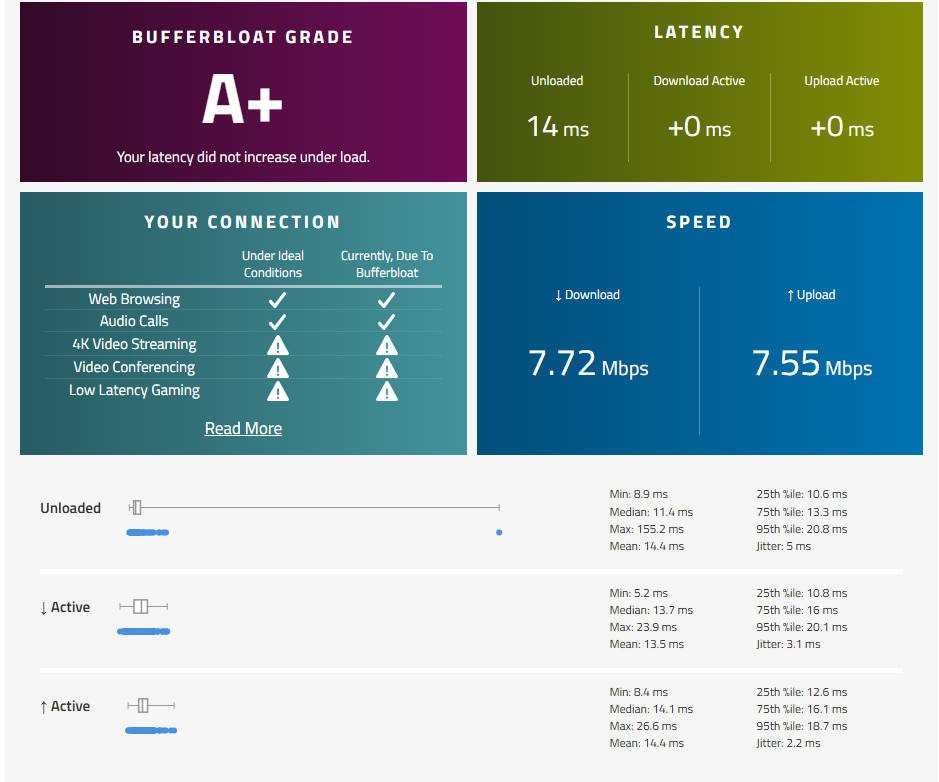
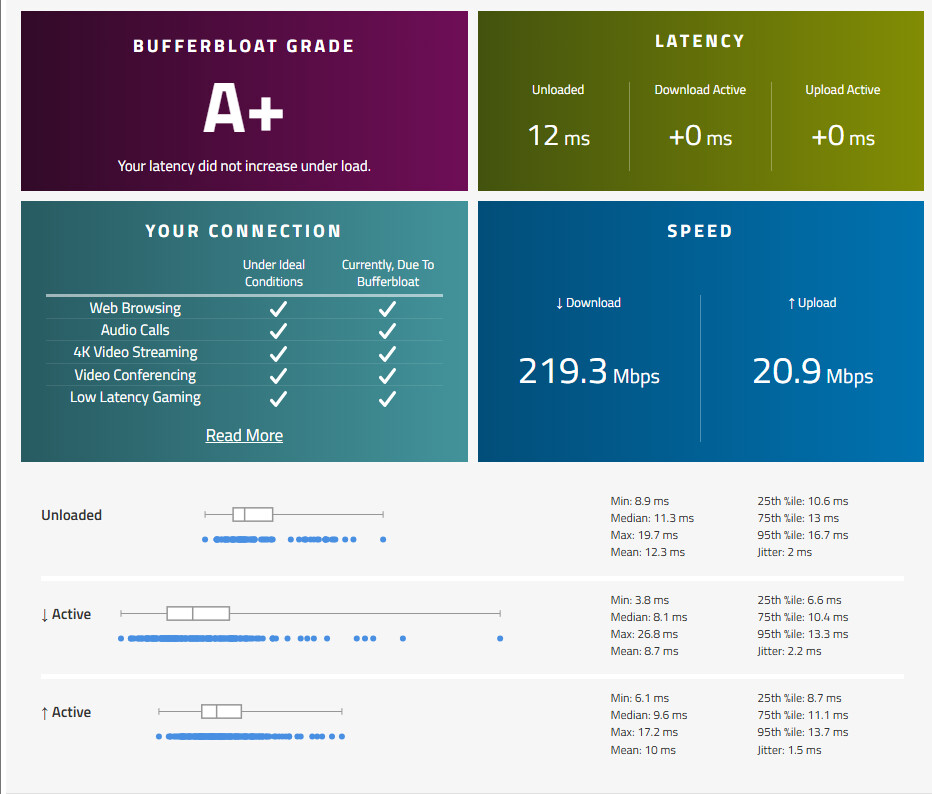
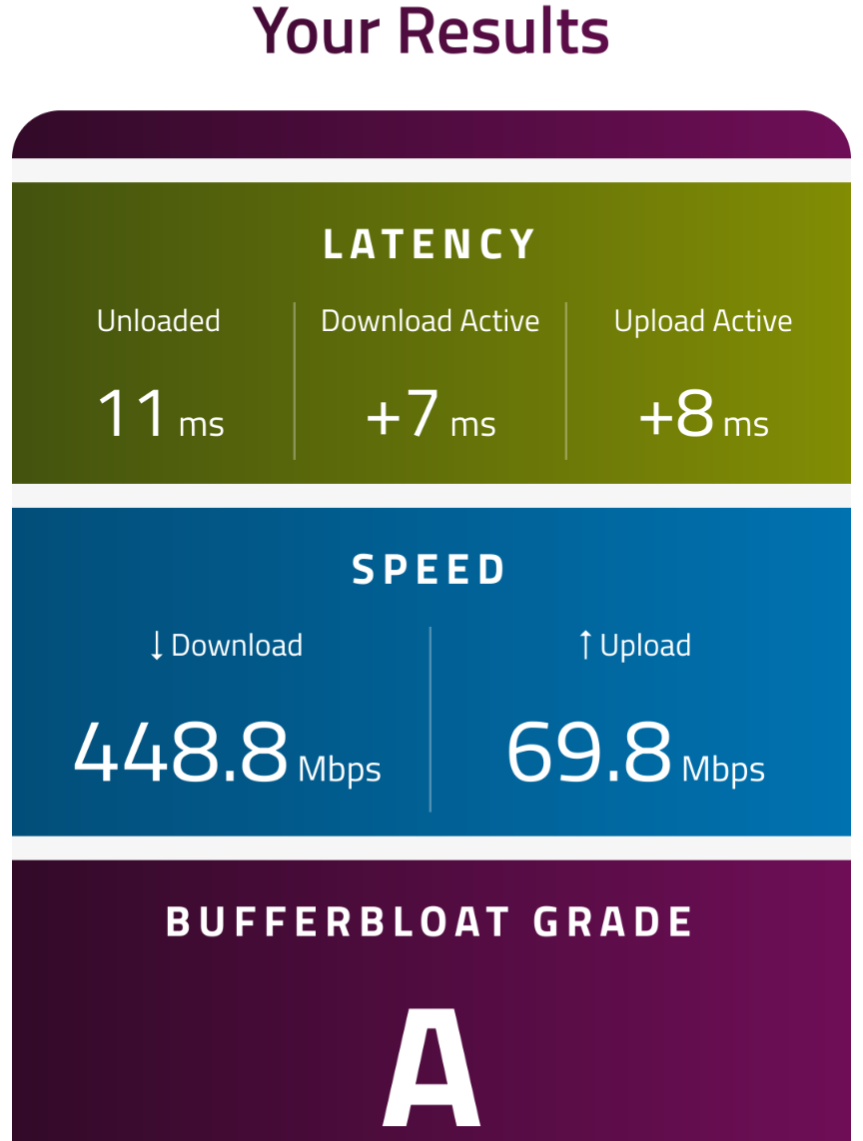
I'm hoping to get some advice or see if anyone else has run into a stubborn issue with my GL-MT3000. I'm experiencing severe upload bufferbloat, and despite extensive troubleshooting, I cannot get SQM QoS to have any effect on the connection.
Here's a summary of the situation:
My Goal: Fix high latency for online gaming on a 250/25 Mbps connection in Australia.
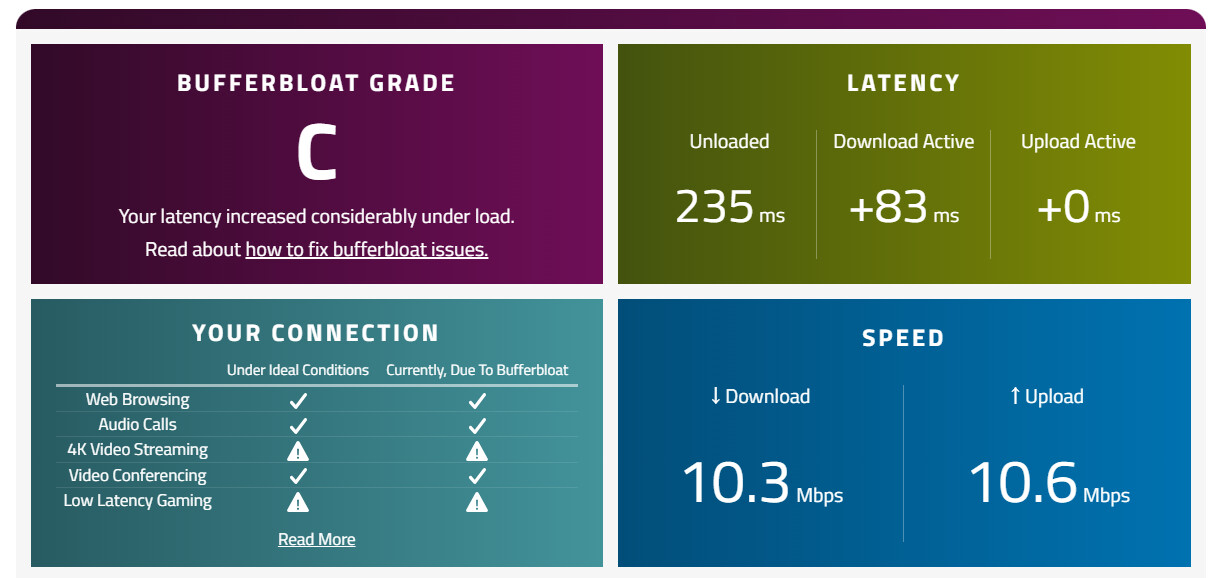
The Problem: I get a consistent 'C' grade on the Waveform bufferbloat test with over +140ms of added latency during uploads, making real-time applications unusable.
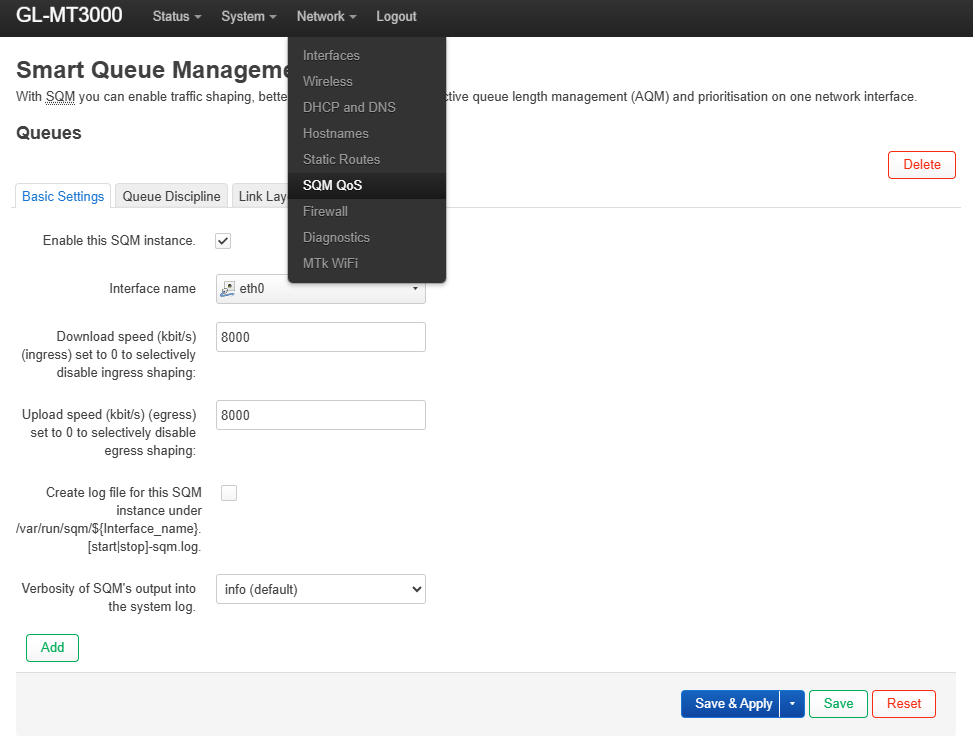
The Standard Fix Attempted: I've tried to configure SQM QoS using piece_of_cake.qos on the eth0 interface with bandwidth limits set to 90-95% of my measured speed.
The Core Issue No matter what I do, the SQM settings have zero effect on the actual connection. The command line reports that SQM starts successfully on the correct interface (eth0) with the correct speed limits. However, the Waveform test always proves that the actual traffic is not being shaped—my upload speed remains at its maximum, and the latency is not controlled.
Troubleshooting Steps Performed: I've gone through a methodical, multi-day process to try and solve this, including:
Basic Configuration: Set up SQM via the LuCI web interface. When this failed to work, I moved to more advanced steps.
Clean Re-installation: Performed a full removal and re-installation of luci-app-sqm and sqm-scripts via the command line (SSH) to fix any potential package corruption. This did not solve it.
Full Firmware Re-flash: To rule out a software bug, I performed a clean re-flash to the latest stable firmware (v4.x) from the official GL.iNet site, ensuring the "Keep settings" box was unchecked.
Fresh Setup: I then performed a fresh installation and configuration of SQM on the brand new, clean, stable firmware.
The result was exactly the same. The router says SQM is working, but it isn't.
My Questions for the Community:
Has anyone else with a GL-MT3000 experienced this specific issue where SQM appears to run correctly but has no practical effect on traffic?
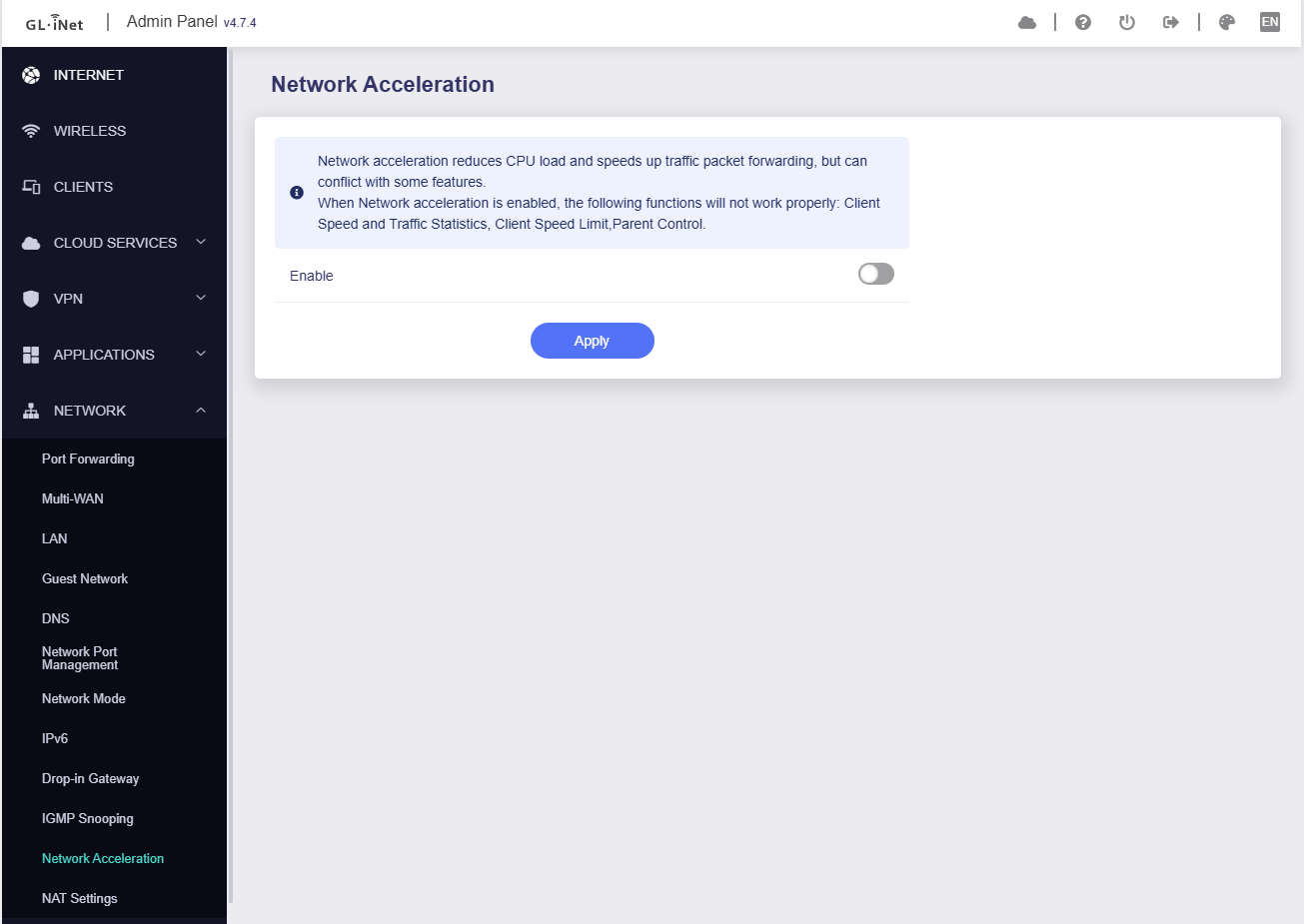
Is there a known, persistent bug or a hardware offloading conflict on this model that prevents traffic shaping from working, even on stable firmware?
Is it possible the true WAN interface is not eth0, even though all of the router's interface pages clearly state that it is?
I've hit a wall and concluded the issue lies with the device itself, but I wanted to check with the community here before I give up on it completely.
Any help or insight would be greatly appreciated. Thanks!
Thanks for chiming in! I appreciate you taking the time to look at my issue.
I understand the GL-MT3000 is primarily a travel router. However, I'm a bit surprised by the assessment that it's "not powerful enough" for SQM on a 250/25 Mbps connection, especially since OpenWrt-compatible devices with lower specs often manage it, and the MT3000 has a dual-core ARM CPU. My core concern isn't just about general performance, but specifically that SQM QoS appears to have zero effect on traffic shaping, even when it's supposedly running correctly. The Waveform test consistently shows no shaping at all, not just inefficient shaping. This suggests the issue might be more fundamental than just hitting a CPU limit.
Regarding your suggestion to "Check the load while you are doing the Speedtest," could you please elaborate on what specific commands or methods you'd recommend for monitoring the load effectively during the bufferbloat test on this router?
If, despite SQM not engaging at all, the conclusion is truly that the MT3000 is underpowered for my connection and use case, do you have any recommendations for a more suitable GL.iNet router model that reliably handles SQM QoS to mitigate bufferbloat on a 250/25 Mbps line? My priority is stable low-latency gaming, and it seems this specific issue with SQM not engaging is the real blocker here.
Just wanted to post a final update and a huge thanks to you guys for helping me find my happy-medium. It's better than it has ever been, so that is a win. I will try to find a balance and leave it at that. That being said, this router, regardless of it being a travel version, has exceeded my expectations for now.
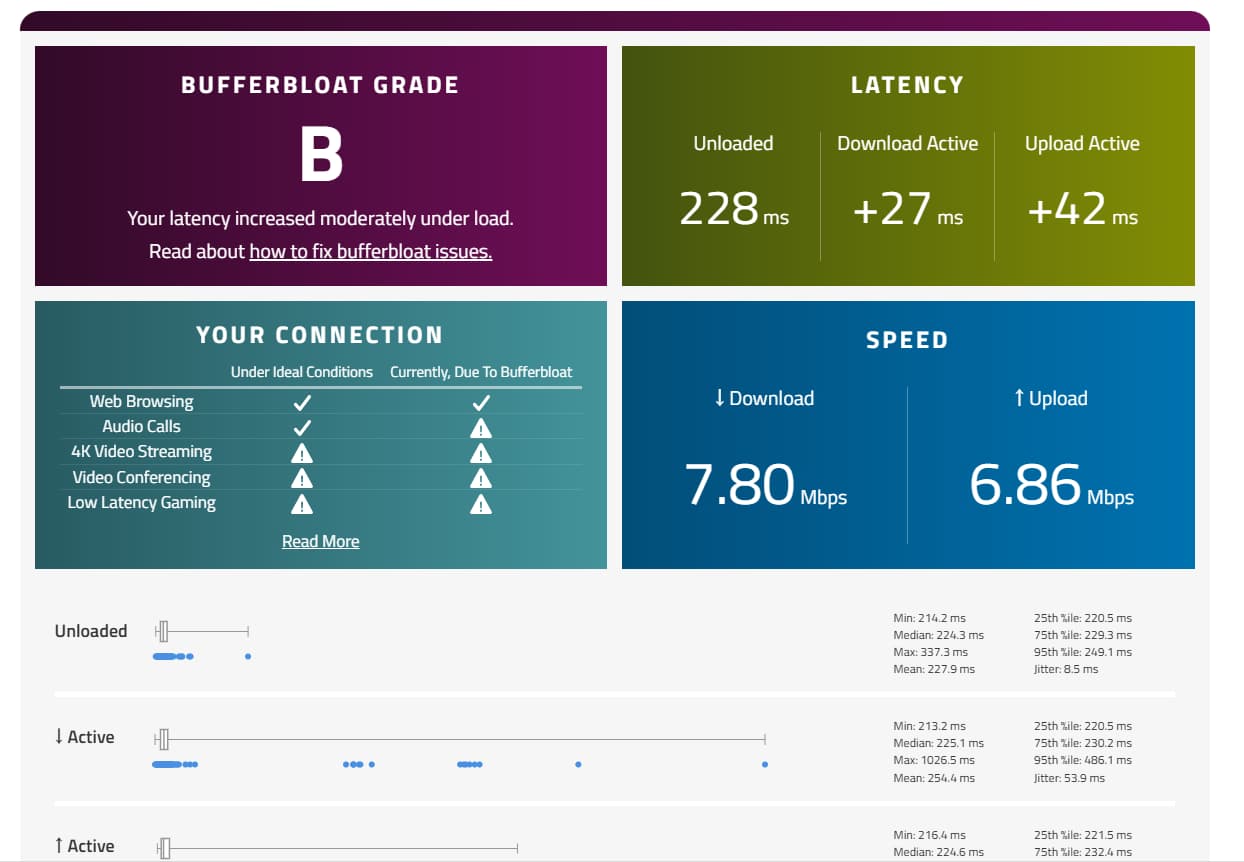
Bruce's advice was the key: disabling Network Acceleration solved the underload and rating problem. After setting up SQM again, my bufferbloat result is now an A+. As Renato was right, there is a trade-off to achieve this. The stable, low latency comes at the cost of a slightly lower maximum throughput, which is a trade-off I'm very happy to make for a better, lag-free connection.
Thanks again to you both for helping me get this fixed!

 )
)