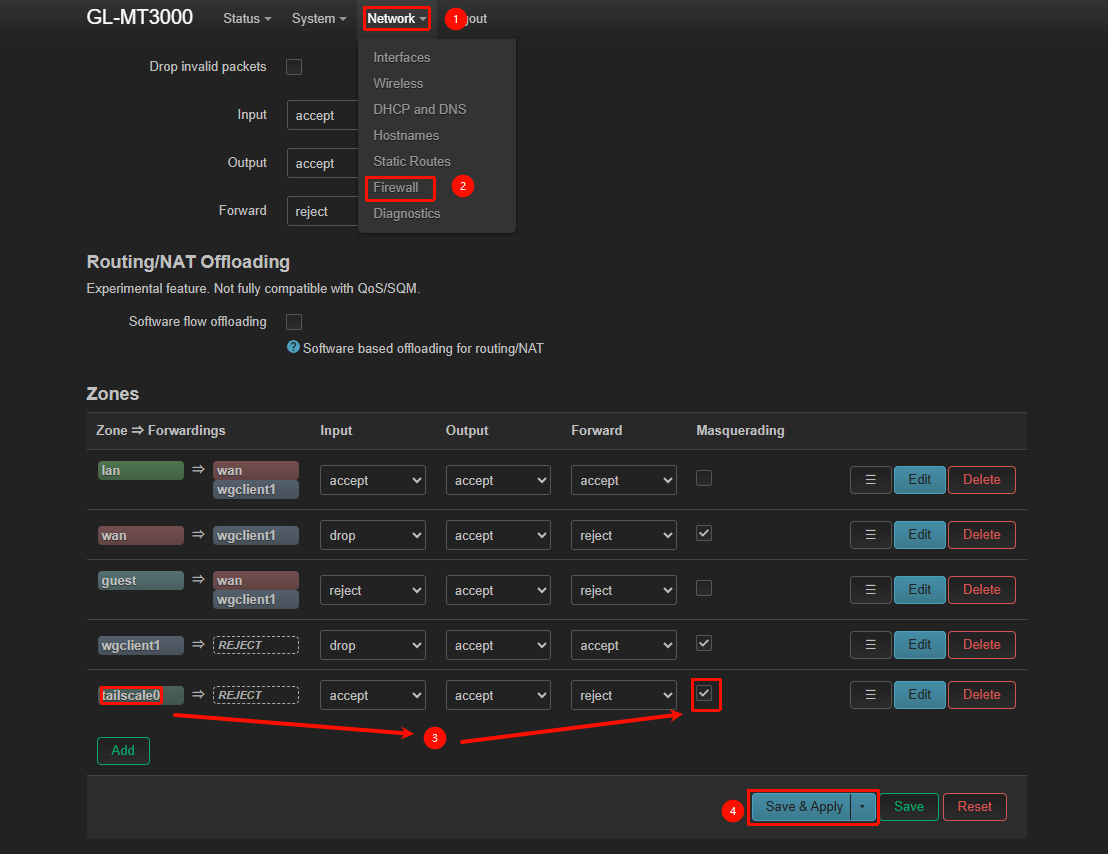
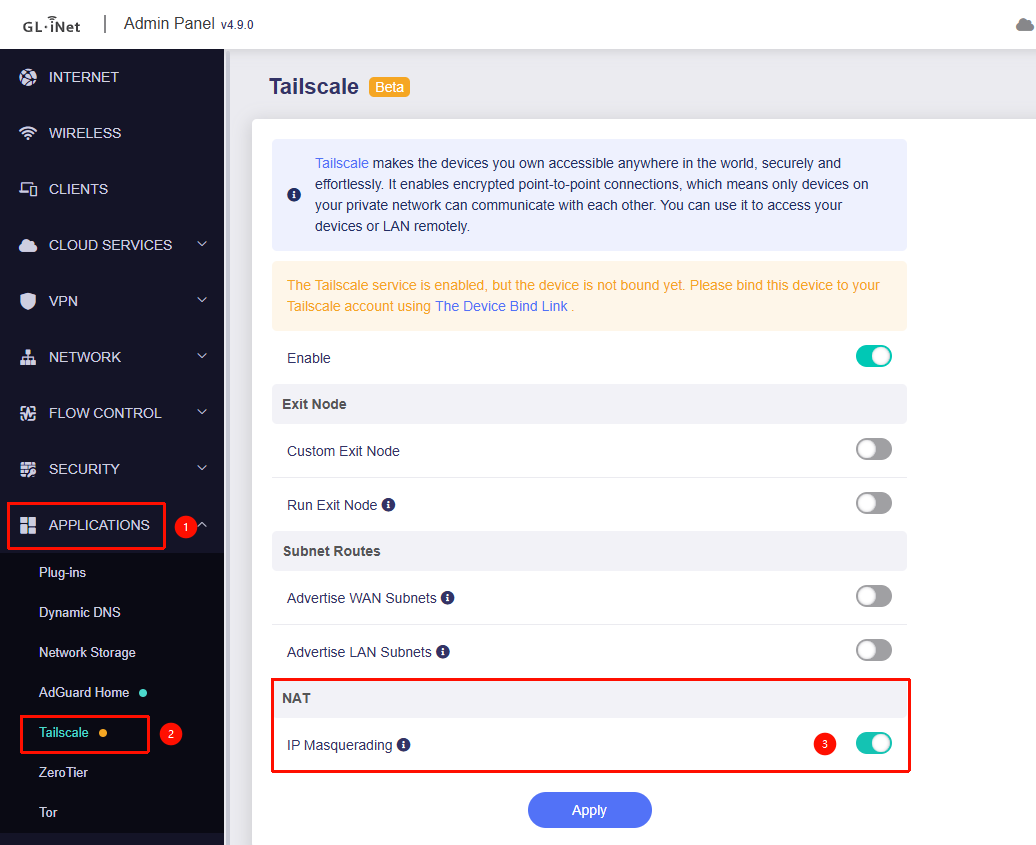
Hello GL.iNet Support,
I’m experiencing a consistent issue using Tailscale with a Raspberry Pi exit node on my GL-MT3000 (Beryl AX). This setup is fully wired (Ethernet), so Wi-Fi instability is not a factor.
Setup:
-
Router: GL-MT3000 (Beryl AX)
-
Tailscale install: [native app OR custom GUI via remotetohome.io]
-
Exit node: Raspberry Pi (confirmed working independently)
-
Client device: Laptop connected via Ethernet to the router
-
LAN subnet: 192.168.8.0/24
-
Router WAN: Ethernet uplink
What works:
-
Raspberry Pi functions correctly as a Tailscale exit node
-
Laptop can connect directly to Tailscale and route traffic through the Pi without issues
-
Router provides normal internet access when NOT using an exit node
Issue 1 – Internet loss when enabling Exit Node on router:
When enabling an exit node on the Beryl AX:
-
All LAN clients (192.168.8.x) immediately lose internet access
-
Tailscale shows as connected on the router
-
Disabling the exit node restores internet instantly
Actions already taken:
-
Enabled subnet route 192.168.8.0/24 on the router
-
Approved subnet route in Tailscale Admin Console
-
Selected exit node via Tailscale device list (not manual IP)
Issue 2 – Connection drops after ~10–15 minutes (custom install):
When using the custom Tailscale GUI install:
-
Exit node routing initially works
-
After ~10–15 minutes, traffic stops flowing
-
Router remains “connected” but no longer routes traffic
-
Restarting Tailscale restores functionality temporarily
Observations:
-
Issue only occurs when routing LAN traffic through the router
-
Direct device-to-Tailscale usage is stable
-
Setup is fully Ethernet (no Wi-Fi involved
I hope you guys can provide some help in this issue.
Best,
Myles