GL-MT3000 Question

I have a GL-MT3000 that I am struggling with. I cannot figure out how to get to the GL.iNet interface. I just get pulled right into the LuCi interface.

I also have a GL-MT1300 and have no issues pulling up that GL.iNet interface. How do i get there for the 3000?

The same way as on all GL.iNet routers. If it does not work and you are forwarded to Luci instead, try incognito mode; maybe your browser caches something. What URL do you try?

I just connect to the router and type in the gateway address in my browser to connect.

Same thing happens in incognito.

Is the router new, or did someone already play around with it, so maybe it's running vanilla OpenWrt?

I believe it is vanilla OpenWrt. We are using them for work purposes to simply make sure our other IoT equipment has static IPs to function correctly off site.

In that case you need to reflash the GL firmware: GL.iNet download center

A new issue arises. I tried to factory reset the Beryl by holding the reset button for 10 seconds and now it does not broadcast wifi nor can I access it through a LAN connection and searching “192.168.8.1”
Did you flash back to standard gl-inet firmware?

If it is still on vanilla openwrt maybe google for what the default IP of openwrt is.

Also you don't want to search for “192.168.8.1”.

You need to go to the address in your browser's address bar. Eg http://192.168.8.1 or http://192.168.1.1 or https://192.168.1.1 etc

1 Like

Yes, I was in my address bar searching http://192.168.8.1.

What is interesting is that the default address for openwrt of 192.168.1.1 previously did not work but now it does and I am in the router now! Thanks!

Now my question is how do I get the original gl-inet firmware back on this device through the LuCI interface?

By uploading an official image as a firmware upgrade in luci:

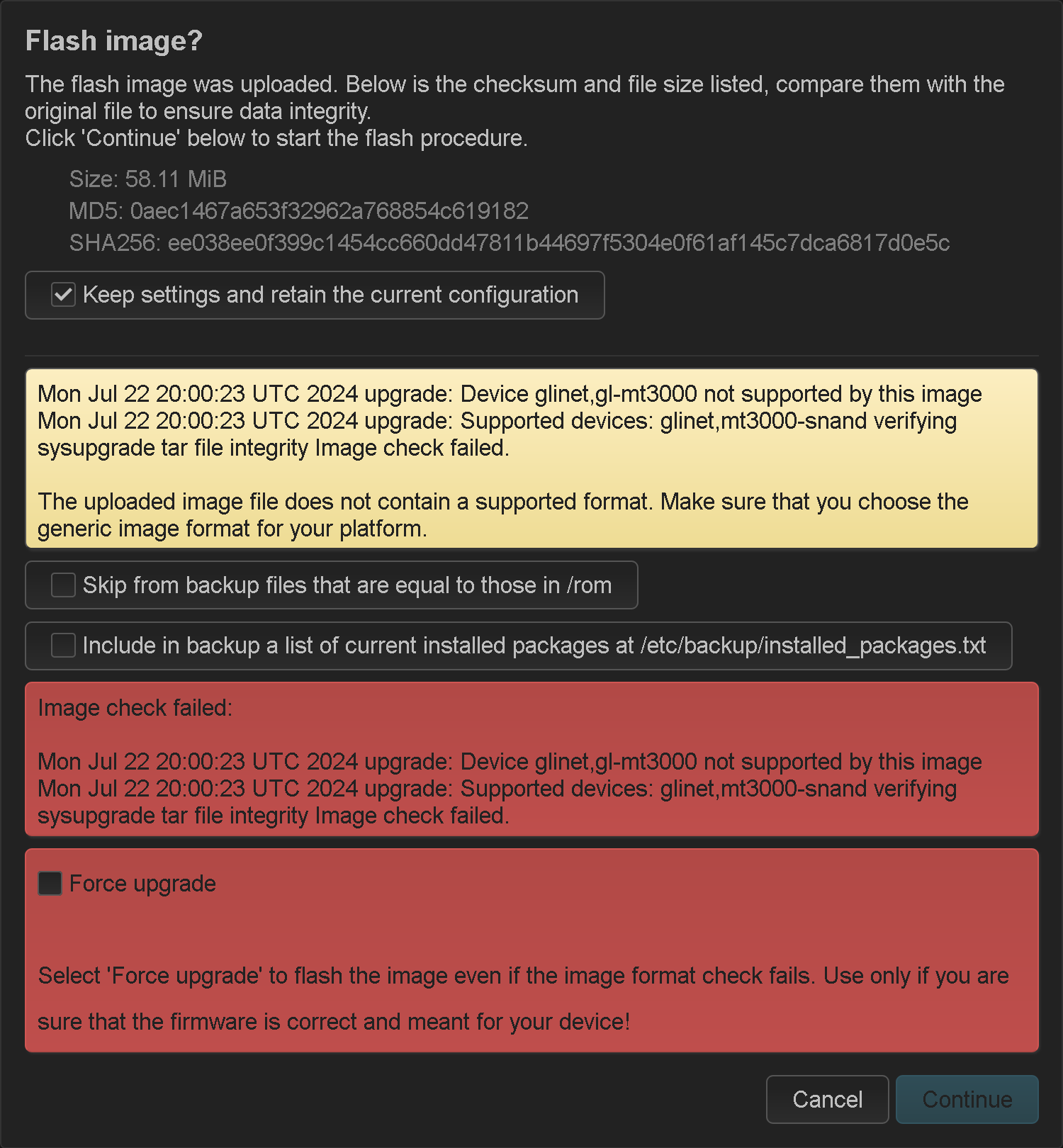
Will this work even with these warnings?

Do not choose to keep settings. You need to reset all settings when switching firmware flavours.

1 Like