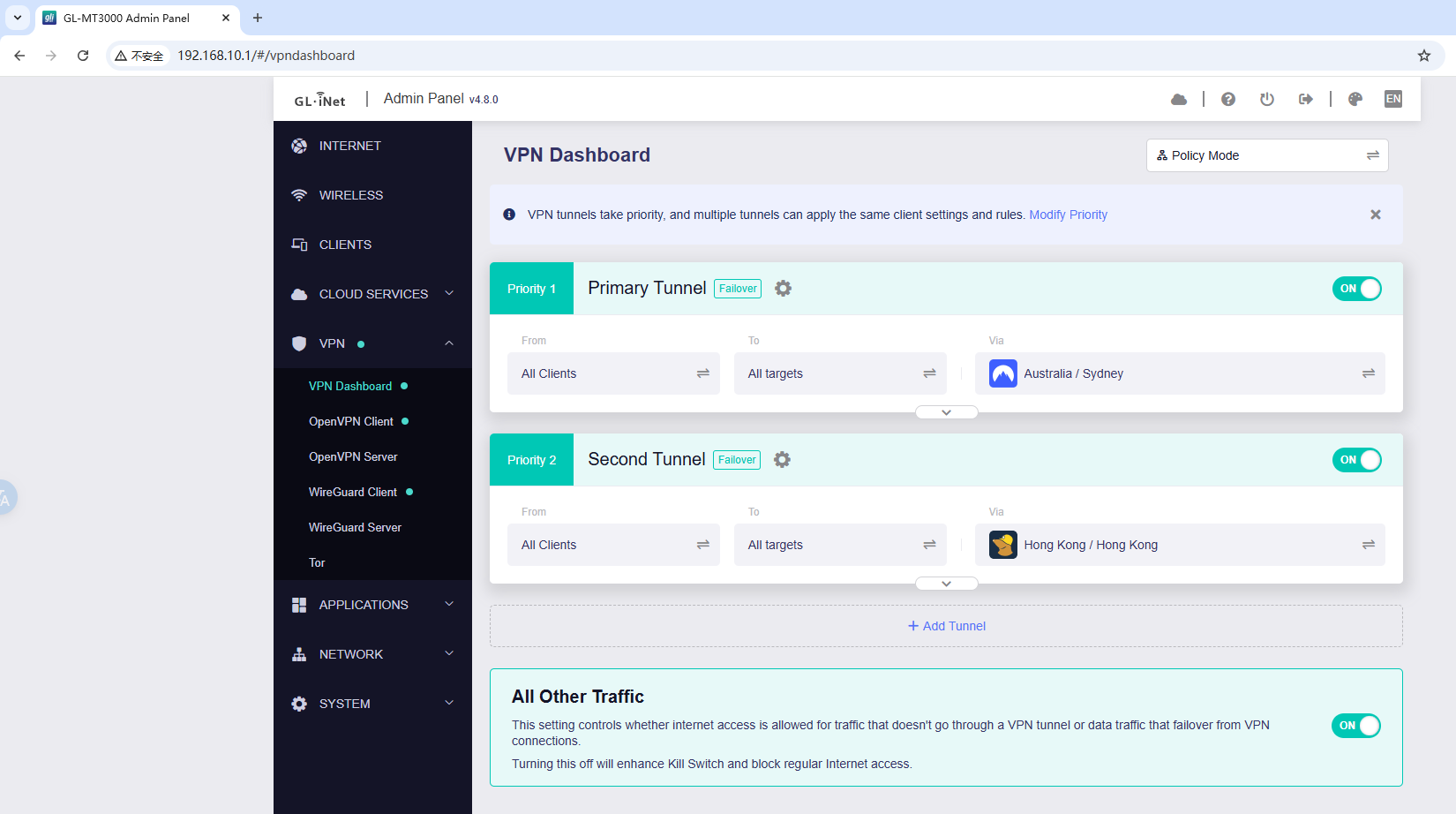
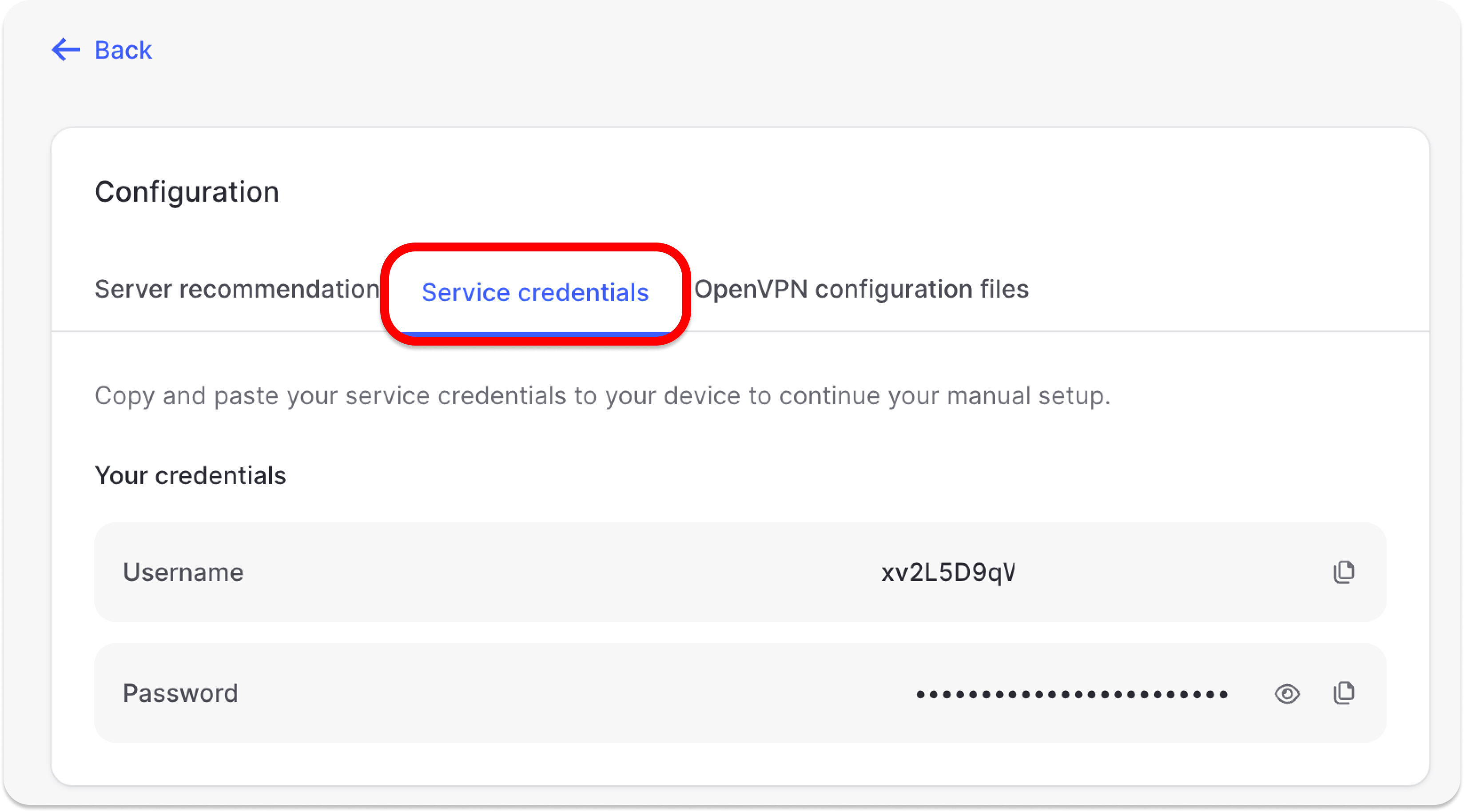
I’ve got a couple of VPN’s setup on my GL-MT3000 which I use for travel. They were working fine but not since I upgraded the firmware 4.8.0. The VPN’s work perfectly fine on my personal device. I’ve got a NordVPN account setup, Wireguard server that I selfhost and a Wireguard server on my UniFi Cloud Gateway Fiber - none of which work and get stuck on “Connecting”.
Here are the logs…
NordVPN:
Thu Aug 14 17:42:57 2025 daemon.notice netifd: Interface 'ovpnclient1' is setting up now
Thu Aug 14 17:42:58 2025 daemon.warn ovpnclient1[14983]: DEPRECATED OPTION: --cipher set to 'AES-256-CBC' but missing in --data-ciphers (AES-256-GCM:AES-128-GCM:CHACHA20-POLY1305). OpenVPN ignores --cipher for cipher negotiations.
Thu Aug 14 17:42:58 2025 daemon.notice ovpnclient1[14983]: Note: '--allow-compression' is not set to 'no', disabling data channel offload.
Thu Aug 14 17:42:58 2025 daemon.notice ovpnclient1[14983]: OpenVPN 2.6.12 aarch64-openwrt-linux-gnu [SSL (OpenSSL)] [LZO] [LZ4] [EPOLL] [MH/PKTINFO] [AEAD] [DCO]
Thu Aug 14 17:42:58 2025 daemon.notice ovpnclient1[14983]: library versions: OpenSSL 1.1.1q 5 Jul 2022, LZO 2.10
Thu Aug 14 17:42:58 2025 daemon.notice ovpnclient1[14983]: DCO version: N/A
Thu Aug 14 17:42:58 2025 daemon.warn ovpnclient1[14983]: WARNING: --ping should normally be used with --ping-restart or --ping-exit
Thu Aug 14 17:42:58 2025 daemon.warn ovpnclient1[14983]: NOTE: the current --script-security setting may allow this configuration to call user-defined scripts
Thu Aug 14 17:42:58 2025 daemon.notice ovpnclient1[14983]: NOTE: --fast-io is disabled since we are not using UDP
Thu Aug 14 17:42:58 2025 daemon.notice ovpnclient1[14983]: TCP/UDP: Preserving recently used remote address: [AF_INET]185.218.127.11:443
Thu Aug 14 17:42:58 2025 daemon.notice ovpnclient1[14983]: Socket Buffers: R=[131072->131072] S=[16384->16384]
Thu Aug 14 17:42:58 2025 daemon.notice ovpnclient1[14983]: Attempting to establish TCP connection with [AF_INET]185.218.127.11:443
Thu Aug 14 17:42:58 2025 daemon.notice ovpnclient1[14983]: TCP connection established with [AF_INET]185.218.127.11:443
Thu Aug 14 17:42:58 2025 daemon.notice ovpnclient1[14983]: TCPv4_CLIENT link local: (not bound)
Thu Aug 14 17:42:58 2025 daemon.notice ovpnclient1[14983]: TCPv4_CLIENT link remote: [AF_INET]185.218.127.11:443
Thu Aug 14 17:42:58 2025 daemon.notice ovpnclient1[14983]: TLS: Initial packet from [AF_INET]185.218.127.11:443, sid=4e835c9f e9263242
Thu Aug 14 17:42:58 2025 daemon.warn ovpnclient1[14983]: WARNING: this configuration may cache passwords in memory -- use the auth-nocache option to prevent this
Thu Aug 14 17:42:58 2025 daemon.notice ovpnclient1[14983]: VERIFY OK: depth=2, C=PA, O=NordVPN, CN=NordVPN Root CA
Thu Aug 14 17:42:58 2025 daemon.notice ovpnclient1[14983]: NOTE: --mute triggered...
Thu Aug 14 17:42:58 2025 daemon.notice ovpnclient1[14983]: 8 variation(s) on previous 5 message(s) suppressed by --mute
Wireguard from UniFi Cloud Gateway Fiber:
Thu Aug 14 17:47:19 2025 user.notice wireguard-debug: USER=root ifname=wgclient1 ACTION=REKEY-GIVEUP SHLVL=1 HOME=/ HOTPLUG_TYPE=wireguard LOGNAME=root DEVICENAME= TERM=linux SUBSYSTEM=wireguard PATH=/usr/sbin:/usr/bin:/sbin:/bin PWD=/
Thu Aug 14 17:47:20 2025 daemon.notice netifd: Interface 'wgclient1' is now down
Thu Aug 14 17:47:20 2025 daemon.notice netifd: Interface 'wgclient1' is setting up now
Thu Aug 14 17:47:20 2025 user.notice firewall: Reloading firewall due to ifdown of wgclient1 ()
Thu Aug 14 17:49:06 2025 user.notice wireguard-debug: USER=root ifname=wgclient1 ACTION=REKEY-GIVEUP SHLVL=1 HOME=/ HOTPLUG_TYPE=wireguard LOGNAME=root DEVICENAME= TERM=linux SUBSYSTEM=wireguard PATH=/usr/sbin:/usr/bin:/sbin:/bin PWD=/
Thu Aug 14 17:49:07 2025 daemon.notice netifd: Interface 'wgclient1' is now down
Thu Aug 14 17:49:07 2025 daemon.notice netifd: Interface 'wgclient1' is setting up now
Thu Aug 14 17:49:07 2025 user.notice firewall: Reloading firewall due to ifdown of wgclient1 ()
Selfhosted Wireguard server:
Thu Aug 14 17:58:43 2025 daemon.notice netifd: Interface 'wgclient1' is setting up now
Thu Aug 14 17:58:50 2025 daemon.info dnsmasq[10794]: read /tmp/hosts/dhcp.wgclient1 - 4 addresses
Thu Aug 14 17:58:50 2025 daemon.info dnsmasq[10795]: read /tmp/hosts/dhcp.wgclient1 - 4 addresses
Thu Aug 14 18:00:30 2025 user.notice wireguard-debug: USER=root ifname=wgclient1 ACTION=REKEY-GIVEUP SHLVL=1 HOME=/ HOTPLUG_TYPE=wireguard LOGNAME=root DEVICENAME= TERM=linux SUBSYSTEM=wireguard PATH=/usr/sbin:/usr/bin:/sbin:/bin PWD=/
Thu Aug 14 18:00:31 2025 daemon.notice netifd: Interface 'wgclient1' is now down
Thu Aug 14 18:00:31 2025 daemon.notice netifd: Interface 'wgclient1' is setting up now
Thu Aug 14 18:00:31 2025 user.notice firewall: Reloading firewall due to ifdown of wgclient1 ()
Thu Aug 14 18:02:17 2025 user.notice wireguard-debug: USER=root ifname=wgclient1 ACTION=REKEY-GIVEUP SHLVL=1 HOME=/ HOTPLUG_TYPE=wireguard LOGNAME=root DEVICENAME= TERM=linux SUBSYSTEM=wireguard PATH=/usr/sbin:/usr/bin:/sbin:/bin PWD=/
Thu Aug 14 18:02:18 2025 daemon.notice netifd: Interface 'wgclient1' is now down
Thu Aug 14 18:02:18 2025 daemon.notice netifd: Interface 'wgclient1' is setting up now
Thu Aug 14 18:02:18 2025 user.notice firewall: Reloading firewall due to ifdown of wgclient1 ()
Since these services worked before the firmware upgrade, we recommend restoring the device to factory settings after upgrading to 4.8.0, then trying again to see if the issue is resolved.
From the logs you shared, NordVPN/OpenVPN is successfully communicating with the server and performing a TLS handshake without any error messages.
If you wait another minute or so, does it eventually connect?
For WireGuard, could you share the configuration files (with the server address and public/private keys removed) so we can check if there are any settings conflicting with firmware 4.8.0?
This is a known issue with the v4.8 firmware and the technical staff have acknowledged this already. They are working on an update to plug this. The current snapshot in the downloads page (not the stable version, but snapshot) of v4.8.1 should fix this for you. Or you can just download the interim fix file they sent me here. They should be uploading the stable version of v4.8.1 soon.
Do post if this fixed your issue. If it still did not, then write to their support team as they can address it before they release the finalized and stable v4.8.1 FW.
Thanks for responding / I really do appreciate the effort. It seems to contradict a staff member above. Would appreciate an update from the staff member and an official link to the firmware?
As far as we know, the latest firmware update mainly addresses a DNS issue, not VPN connection problems.
Let’s return to troubleshooting your VPN connection issue.
From the information you shared, your WireGuard configurations look normal, and we don’t see any conflicts with firmware version 4.8.0.
Since you mentioned you are currently traveling, we’d like to further confirm whether your router can reach your self-hosted WireGuard server and UniFi Cloud Gateway.
Please SSH into the MT3000 by following this guide, and then run the command below (replacing yourdomain.com with your actual DDNS domain or server IP):
ping yourdomain.com
This will help us verify whether the connection issue is due to network reachability or something else on the VPN side.
If you can ping normally, try adding MTU = 1380 to the WG configuration to see if that helps.
Can confirm though that I was able to communicate with my Wireguard Server / UniFi Cloud Gateway, as previously mentioned I was connected at the device level rather than through the GL-MT3000. I was also able to connect to other services such as Plex.
I also tried at multiple locations when I was travelling with the same issue.
Could you please connect the MT3000 to the GoodCloud, share it with us and PM us its MAC address & login password of Admin Panel so that we can further and have a remote check?
That's fine, but we may need to spend more time troubleshooting the problem.
Since you're back from your trip, could you try restoring the device to its factory settings in 4.8.0, then reconfiguring OpenVPN/Wireguard to see if it works?
Also, would downgrading the MT3000 to its original firmware version make it work again?
Wed Aug 20 18:32:03 2025 daemon.notice ovpnclient1[22062]: NOTE: --mute triggered...
Wed Aug 20 18:32:03 2025 daemon.notice ovpnclient1[22062]: 8 variation(s) on previous 5 message(s) suppressed by --mute
Wed Aug 20 18:32:03 2025 daemon.notice ovpnclient1[22062]: [au653.nordvpn.com] Peer Connection Initiated with [AF_INET]103.212.224.195:1194
Wed Aug 20 18:32:03 2025 daemon.notice ovpnclient1[22062]: TLS: move_session: dest=TM_ACTIVE src=TM_INITIAL reinit_src=1
Wed Aug 20 18:32:03 2025 daemon.notice ovpnclient1[22062]: NOTE: --mute triggered...
Wed Aug 20 18:32:04 2025 daemon.notice ovpnclient1[22062]: 1 variation(s) on previous 5 message(s) suppressed by --mute
Wed Aug 20 18:32:04 2025 daemon.notice ovpnclient1[22062]: SENT CONTROL [au653.nordvpn.com]: 'PUSH_REQUEST' (status=1)
Wed Aug 20 18:32:04 2025 daemon.notice ovpnclient1[22062]: AUTH: Received control message: AUTH_FAILED
Wed Aug 20 18:32:04 2025 daemon.notice ovpnclient1[22062]: SIGTERM[soft,auth-failure] received, process exiting
Wed Aug 20 18:32:09 2025 daemon.notice netifd: Interface 'ovpnclient1' is now down
Wed Aug 20 18:32:09 2025 daemon.notice netifd: Interface 'ovpnclient1' is setting up now
Wed Aug 20 18:32:09 2025 daemon.warn ovpnclient1[22632]: DEPRECATED OPTION: --cipher set to 'AES-256-CBC' but missing in --data-ciphers (AES-256-GCM:AES-128-GCM:CHACHA20-POLY1305). OpenVPN ignores --cipher for cipher negotiations.
Wed Aug 20 18:32:09 2025 daemon.notice ovpnclient1[22632]: Note: '--allow-compression' is not set to 'no', disabling data channel offload.
Wed Aug 20 18:32:09 2025 daemon.notice ovpnclient1[22632]: OpenVPN 2.6.12 aarch64-openwrt-linux-gnu [SSL (OpenSSL)] [LZO] [LZ4] [EPOLL] [MH/PKTINFO] [AEAD] [DCO]
Wed Aug 20 18:32:09 2025 daemon.notice ovpnclient1[22632]: library versions: OpenSSL 1.1.1q 5 Jul 2022, LZO 2.10
Wed Aug 20 18:32:09 2025 daemon.notice ovpnclient1[22632]: DCO version: N/A
Wed Aug 20 18:32:09 2025 daemon.warn ovpnclient1[22632]: WARNING: --ping should normally be used with --ping-restart or --ping-exit
Wed Aug 20 18:32:09 2025 daemon.warn ovpnclient1[22632]: NOTE: the current --script-security setting may allow this configuration to call user-defined scripts
Wed Aug 20 18:32:09 2025 daemon.notice ovpnclient1[22632]: TCP/UDP: Preserving recently used remote address: [AF_INET]103.212.224.195:1194
Wed Aug 20 18:32:09 2025 daemon.notice ovpnclient1[22632]: Socket Buffers: R=[212992->212992] S=[212992->212992]
I let it go for 10 mins - but the log function only showed the first few minutes of leaving it on. Not sure if the log function is accurate, or the router stops trying to connect after the first few minutes.