Hi All
I’ve just ordered a new Brume 3 and I would like to setup 2 VLANS (One for internal and one for IOT/guest access) Is there a guide / cheat sheet on how to do it?
Thanks in advance
Paul.
Hi All
I’ve just ordered a new Brume 3 and I would like to setup 2 VLANS (One for internal and one for IOT/guest access) Is there a guide / cheat sheet on how to do it?
Thanks in advance
Paul.
Hi
OpenWrt has two Wiki guides related to VLAN configuration that you can refer to.
If you encounter any issues, please consider describing your network topology and the configuration you plan to implement in more detail so that we or others can provide further suggestions.
@irishbiker If it helps here are some screenshots of some basic Luci configuration. As Will mentions, this may not be exactly what you want so with more topology details we can adjust settings, but this may be enough to get you started down the right track.
Luci can be enabled and accessed through System > Advanced Settings
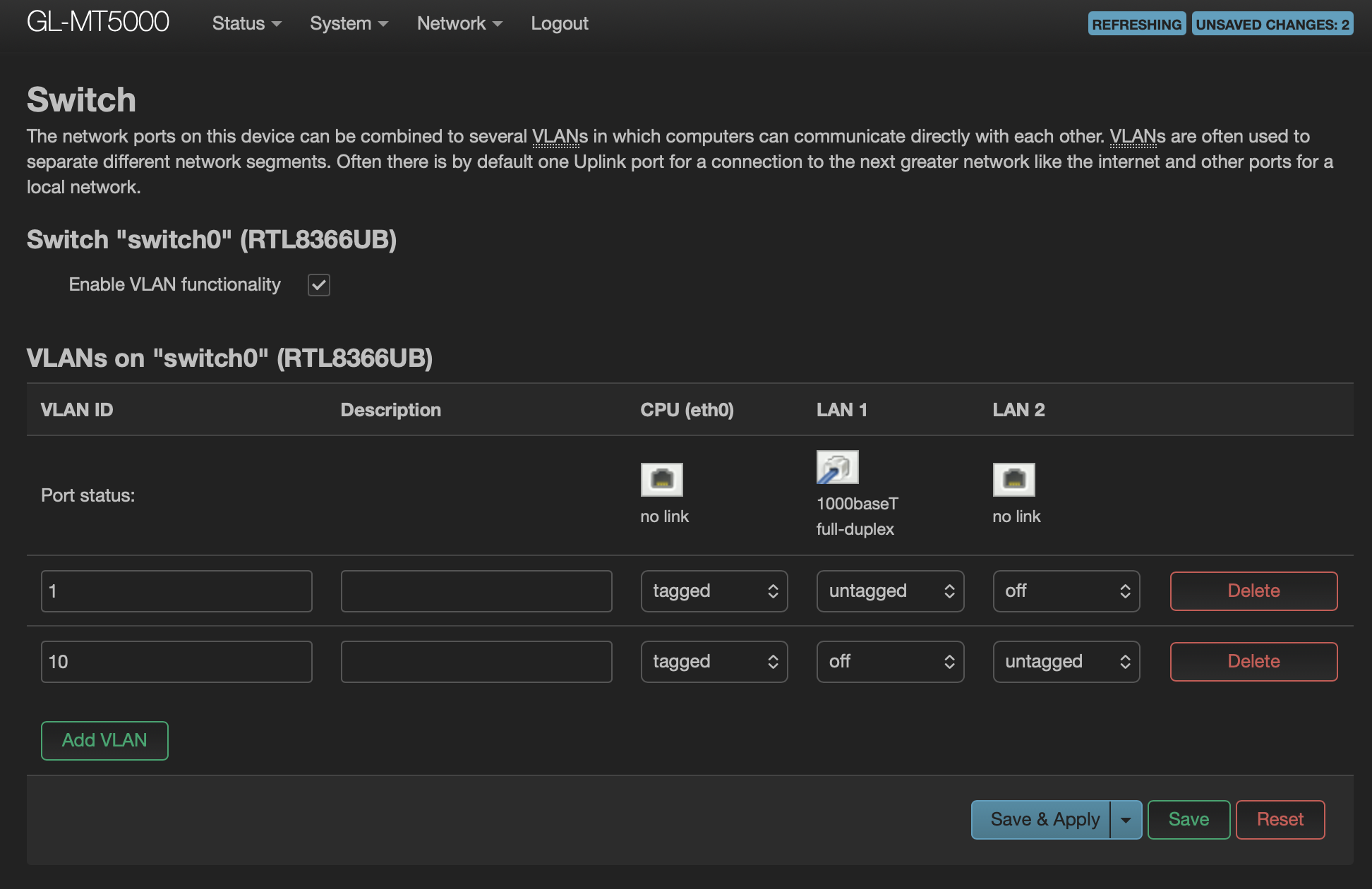
Luci Interface > Network > Switch
Example here adds port2 into vlan 10 as access port and passes it upstream towards the main SoC interface (eth0)
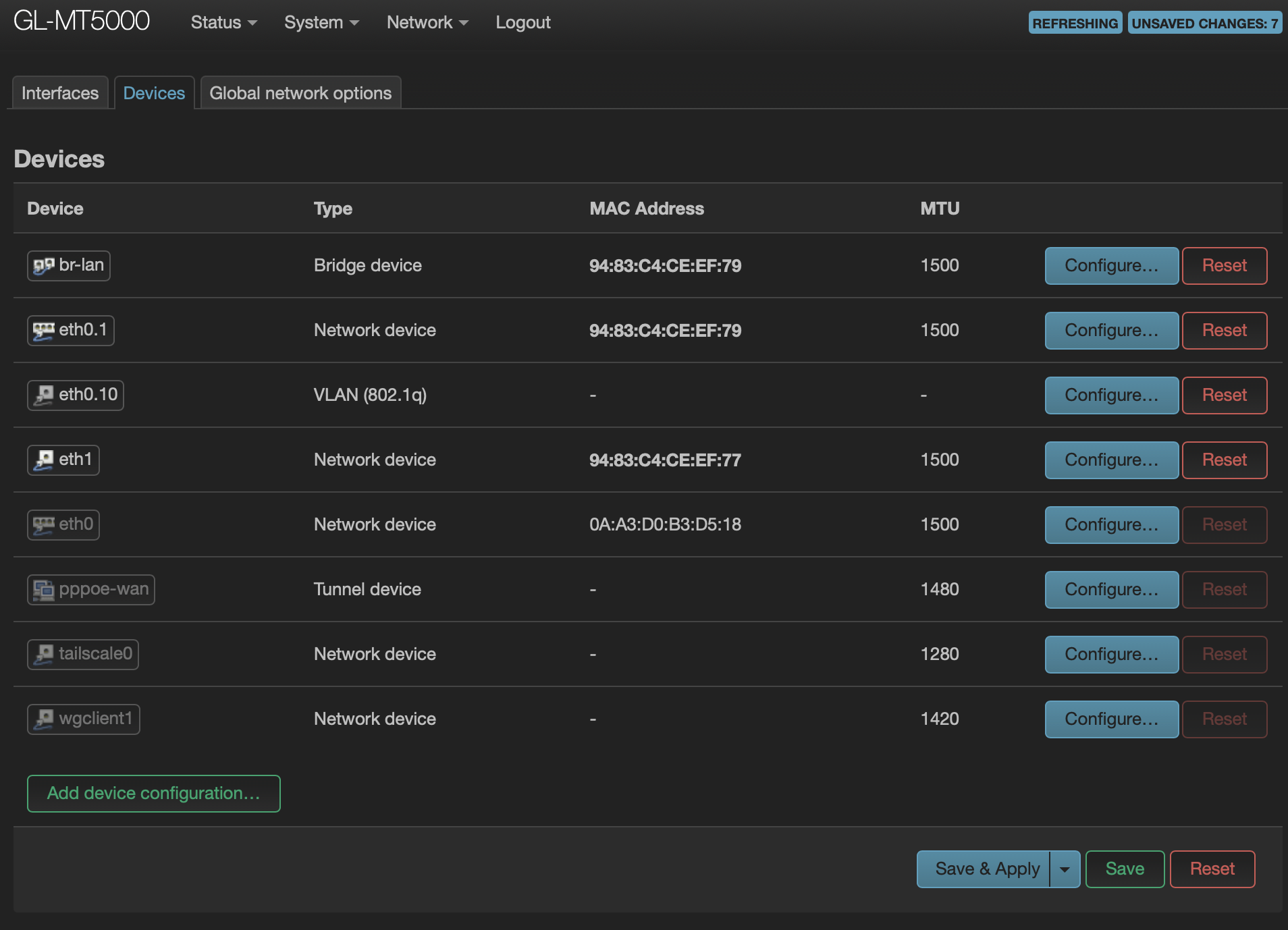
Luci Interface > Network > Interfaces > Devices
Create eth0.10 with 802.1q and vlan 10
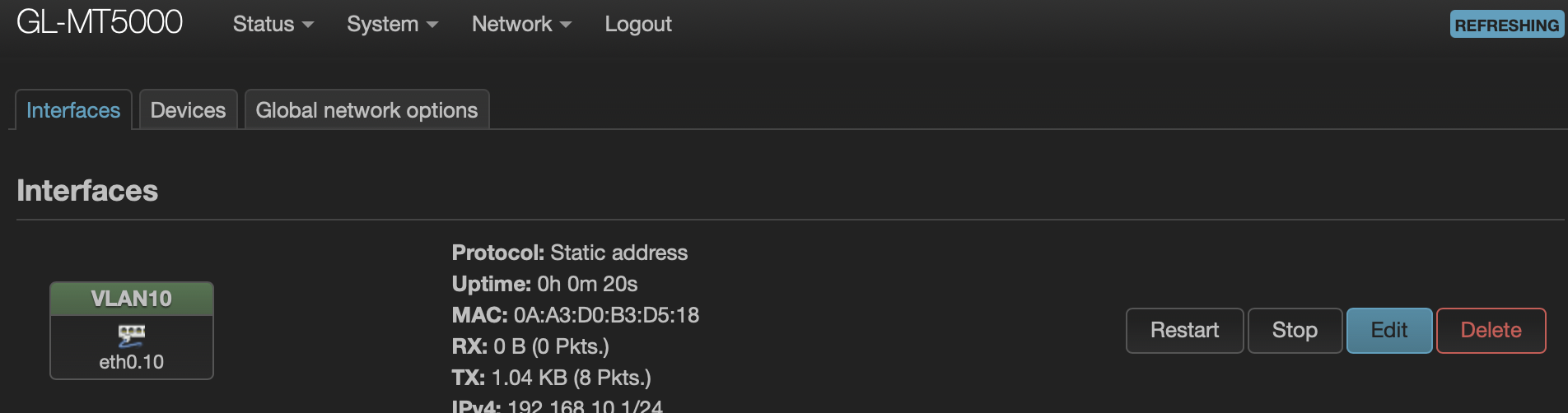
Luci Interface > Network > Interfaces > Interfaces
Create an Interface with static IP type and assign eth0.10 and give it a descriptive name (Here I used VLAN10).
Enable DHCP server if you want the interface to assign DHCP addresses etc.
In this example the vlan10 interface is in the default LAN firewall zone so traffic will be allowed to route between the default vlan and new vlan10. IF you want to control traffic between VLANs this would required additional firewall steps.
This topic was automatically closed 90 days after the last reply. New replies are no longer allowed.